

















Commercial
Access Control for Server Rooms
Sector Guide
Short answer
Access control for a server room is usually about tighter user control, cleaner removal of old staff access, and better audit of who entered and when. The room is often internal, but the access standards should usually be higher than on a general office door.
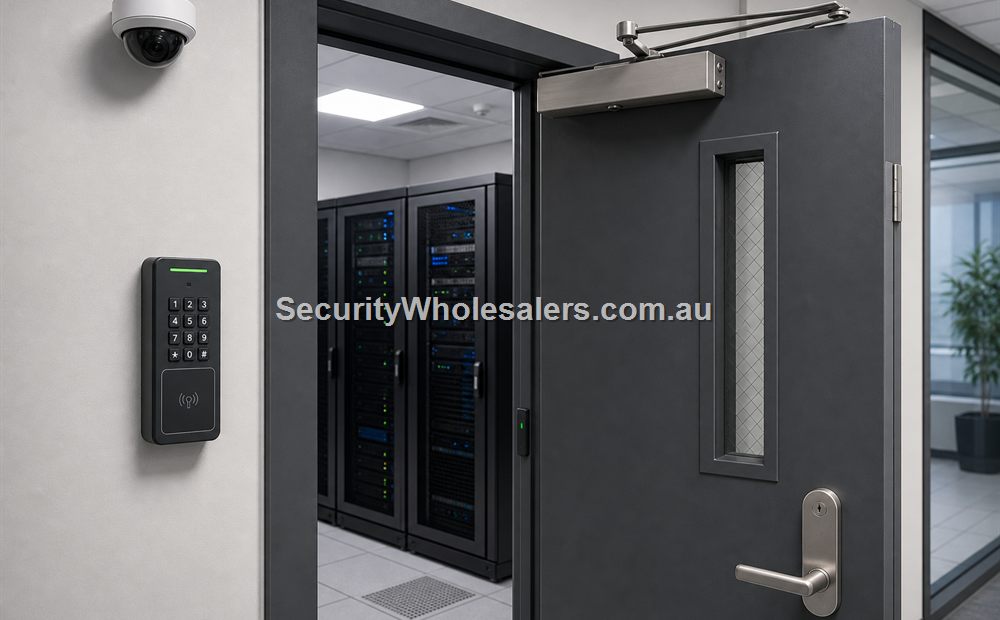
A server room often looks like a simple internal door, but the risk profile is different. The room usually justifies better credential control than a generic storeroom because the impact of unauthorised entry can be much higher.
That is why server-room access usually shifts quickly from a convenience question into a permissions and audit question.
On this page:
What this means in practice
In many server-room projects, the site does not need an elaborate front-end reader. It needs named users, clean revocation, and a sensible log of who entered.
| Server-room question | Why it matters | Typical direction |
|---|---|---|
| Who really needs access? | Server rooms usually should not be on shared codes. | Named credentials are usually a better fit. |
| Does the site need an audit trail? | Sensitive rooms often justify clearer review. | Managed or controller-backed access is common. |
| Is the door internal and straightforward? | The hardware path may be simpler than a public door. | The lock choice can often stay proportionate while permissions stay tighter. |
| Will contractors or outsourced IT need temporary access? | Temporary credentials are easier to manage than copied keys. | A managed system usually helps. |
| Is the room really a server room or closer to a data room cluster? | The number of related openings can change the design. | The project may outgrow a one-door mindset quickly. |
For many businesses, the server-room win is simple: remove the copied key, stop using a shared code, and make it obvious who still has access.
Real-world examples
Professional office with one internal server room
A professional office may only need one controlled internal door, but it may still justify named-user cards or fobs because shared keys and old staff access create too much uncertainty.
Warehouse office with server room and comms cabinet room
A warehouse office may start with one server room and then realise the adjacent comms or services room also needs controlled access.
What usually works
- Use named credentials and cleaner revocation on server-room doors.
- Treat the room as a restricted internal space rather than an ordinary office door.
- Think ahead if there is more than one sensitive room nearby.
What to check
- Do not rely on shared codes if the goal is real accountability.
- Do not forget temporary contractor access and removal of old users.
- The lock path still has to suit the actual door and frame.
Things to check
- Leaving the server room on copied keys because the door looks ordinary.
- Using a generic keypad where named-user credentials would be easier to manage.
- Planning one door in isolation when adjacent technical rooms may follow.
Buying considerations
- Need for named users and audit trail.
- Contractor and outsourced IT access.
- Whether nearby technical rooms should be included now.
- Door type and lock compatibility.
When to ask for help
If the room is part of a wider technical area, send a short door list rather than only one photo.
- Send the server-room door and frame photos.
- List who genuinely needs access and whether contractors are involved.
- Note whether there are adjacent data, comms, or services rooms that may follow.
Door photo help
For Access Control for Server Rooms, if you are not sure which parts suit the door, send a photo of the door, lock area, frame and preferred reader position. We can help point you toward the right controller, reader, lock, exit button, and power supply.
Kit sizing
For a simple starting point, compare our single-door, 2-door, and 4-door access control kit guides before choosing parts individually.
Related guides
Relevant products and categories
- Access Control Products - Main category for controllers, readers, kits, locks, and related hardware.
- Hikvision Access Control - Useful reference category where the project needs a scalable reader-and-controller path.
Frequently Asked Questions
- Why does a server room need access control?
Usually for cleaner user control, clearer revocation, and better visibility of who can enter a sensitive room.
- Is a keypad enough for a server room?
Sometimes, but named credentials are often a better fit where accountability matters.
- Should contractors have temporary access?
Often yes, and that is one of the reasons a managed credential path can be more useful than copied keys.
- Can a server room still be a one-door job?
Yes, but some sites quickly realise adjacent technical rooms should be included as well.
- What should I send before asking for help?
Door photos, a short user list, and a note on nearby technical rooms are the most useful starting point.
SecurityWholesalers product paths for Access Control for Server Rooms
Use these product paths as a practical starting point after the buying logic is clear. The right product list should follow the site design, not replace it.
Plan this site door by door
Download the editable workbook, list every controlled opening, then email it with matching door photos to sales@securitywholesalers.com.au. Include the site suburb, installation requirement and target timing.
Review information
Content owner: SecurityWholesalers access control guide team. Revision: 17 July 2026. Use these examples as a starting point, then confirm the details against current product manuals, approved drawings and relevant authority requirements.
NCC access and egress | ACMA cabling requirements | OAIC biometric guidance | Access control definitions