

















Commercial
Access Control with CCTV
Integration Guide
Short answer
Access control with CCTV helps show what happened at the door, not just which credential was used. The most useful setups tie access events to the right camera view so staff can review entry, tailgating, door forcing, and after-hours movement more clearly.
Access control tells you who should have opened a door. CCTV shows what happened around that event. The two systems become more useful together when the cameras are positioned for the door workflow, not only for broad general surveillance.
This is different from deciding between access control and CCTV. This page is about when they work together.
On this page:
What this means in practice
In practice, the useful integration points are event review, remote verification, door forced-open investigation, tailgating review, and after-hours staff movement checks. That is why the right camera at the door matters more than generic corridor coverage.
| Integration use | What it adds | What still has to be designed properly |
|---|---|---|
| Entry event review | Shows who approached and how the door was used | Useful for shared offices, strata doors, and schools. |
| Door forced-open or held-open alarms | Gives visual context to the alarm event | Useful on warehouses, gyms, and restricted internal rooms. |
| After-hours access review | Confirms whether the user movement matched the event log | Useful where staff or contractors use the site late. |
| Visitor verification and release | Pairs the access event with the actual person at the door | Useful on clinics, offices, and shared buildings. |
Real-world examples
Warehouse side door with after-hours staff access
A warehouse may know that a valid card was used at 6:45 pm, but CCTV is what confirms whether one person entered, whether others followed through, and whether the door was held open.
School reception entry
A school can use CCTV with access control to confirm who approached the entry, who was admitted, and whether the release matched the expected visitor workflow.
What usually works
- Place the camera so it actually supports the access event review.
- Use both logs and footage during incident review.
- Think about the door event types the site really cares about.
Four-door warehouse with event-linked CCTV
Potential parts
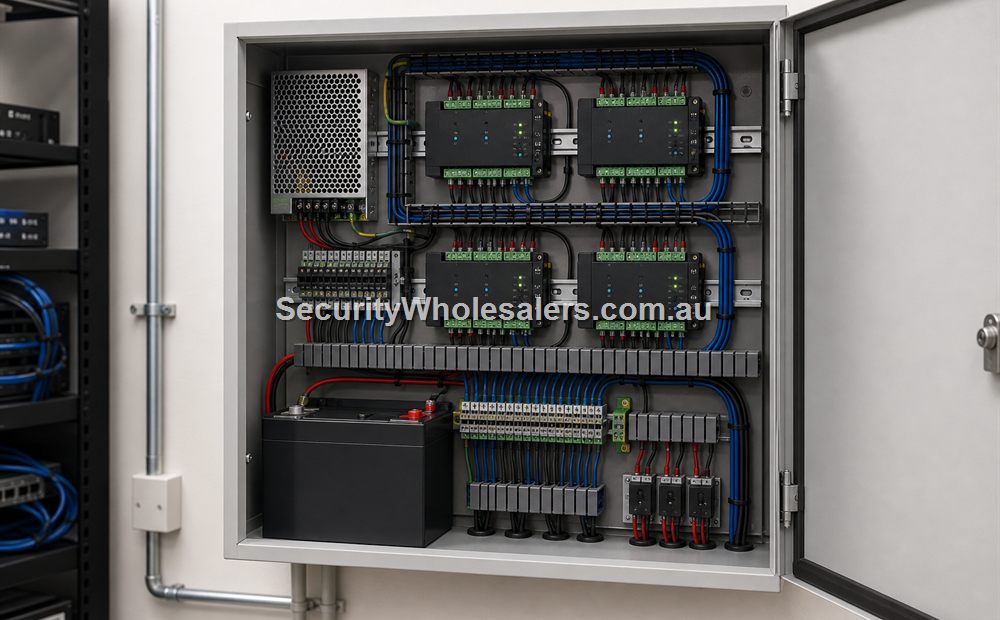
- Four-door controller, four readers, contacts, REX devices, compatible locks and calculated PSU/battery
- Four door-view cameras plus NVR/VMS capacity and retention storage
- Platform licences or supported integration module
- Managed network ports, UPS and operator workstation
Cabling and configuration
- Door I/O home-runs to the controller cabinet
- Cat6/data cabling for each IP camera and controller network connection
- Unique door/camera names, shared time source and tested event association
- Rules for forced-open, held-open and after-hours events with an assigned response owner
Acceptance test: create a real event at every door, then prove the operator can open the correct footage from the event and see the approach, credential use and passage. Matching timestamps and names matter as much as the API checkbox.
What to check
- Broad overview footage is not the same as useful door footage.
- The camera angle needs to support identification or behaviour review where relevant.
- Do not assume all integrations need to be complex to be useful.
Things to check
- Linking the systems in theory but not positioning cameras properly.
- Ignoring after-hours review when that was the main reason for integration.
- Treating CCTV only as a background recording layer.
Buying considerations
- Door event types.
- Camera position.
- Retention and playback workflow.
- Remote review needs.
When to ask for help
If the site wants cameras to help with specific access questions, send a door photo and a camera photo together. That makes it much easier to say whether the view is actually useful.
- Show the door and the current camera angle if one exists.
- Describe whether the goal is identification, event review, or alarm verification.
- List the main after-hours or incident questions the site wants answered.
Commercial site quote
If this is for an office, warehouse, school, gym, medical centre, strata building, rooming house, factory, or multi-tenant site, it is usually worth planning the full door schedule before buying hardware.
Door photo help
For Access Control with CCTV, if you are not sure which parts suit the door, send a photo of the door, lock area, frame and preferred reader position. We can help point you toward the right controller, reader, lock, exit button, and power supply.
Related guides
Relevant products and categories
- Access Control Products - Main category for controllers, readers, kits, locks, and related hardware.
- CCTV systems - use the CCTV category for the supporting camera layer.
Frequently Asked Questions
- Why combine access control with CCTV?
Because logs tell you what should have happened, while cameras show what actually happened around the door event.
- Do I need a camera on every access-controlled door?
Not always, but the important doors and high-value events should usually have useful visual coverage.
- What is the most common integration mistake?
Having logs and cameras but no camera view that actually supports the door event review.
- Can CCTV help with tailgating or forced-open events?
Yes. That is one of the main reasons the combination is useful.
- What should I send before asking for help?
Photos of the door and the current camera view are the best start.
SecurityWholesalers product paths for Access Control with CCTV
Use these product paths as a practical starting point after the buying logic is clear. The right product list should follow the site design, not replace it.
Review information
Content owner: SecurityWholesalers access control guide team. Revision: 17 July 2026. Use these examples as a starting point, then confirm the details against current product manuals, approved drawings and relevant authority requirements.
NCC access and egress | ACMA cabling requirements | OAIC biometric guidance | Access control definitions