

















Commercial
Card Reader Buying Guide
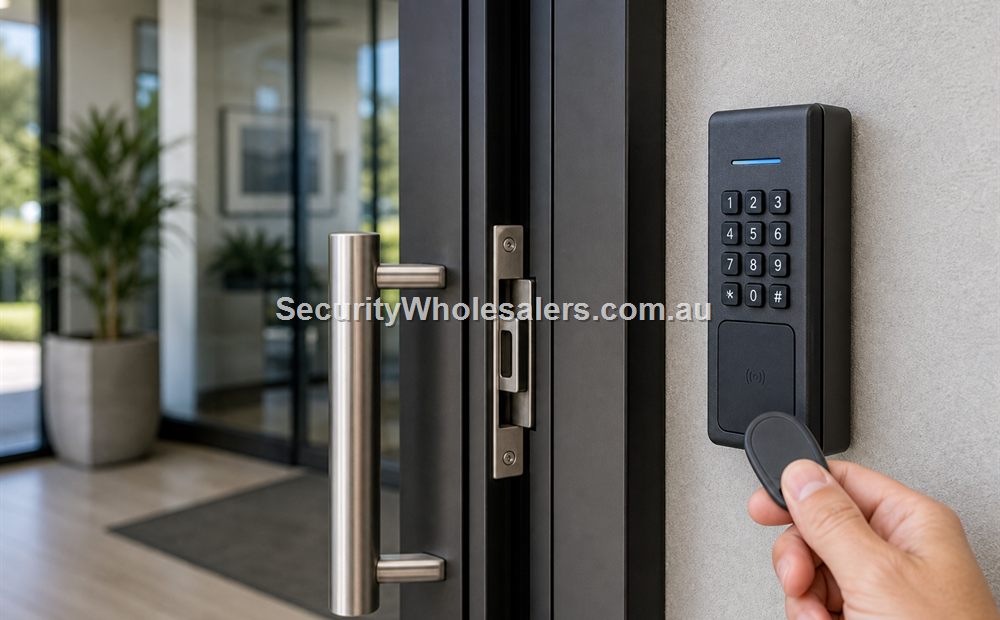
Buying Guide
Short answer
A good card reader is chosen by the door and the workflow around it, not by the plastic housing. The main questions are where the reader is mounted, what credentials it needs to read, whether a keypad is also useful, and how it will connect back to the controller or standalone device.
For a basic office door, a slim reader may be enough. For a warehouse or gym, user management usually matters more than the reader itself, but weather rating, keypad combination, and communication format still matter.
The mistake we often see is buying a reader that physically fits the wall but does not really suit the door workflow or the wider system.
On this page:
What this means in practice
Readers differ by credential format, mounting style, weather resistance, keypad inclusion, and system architecture. A reader on a glass-aluminium shopfront, a gate post, and a staff corridor are not the same job even if they all technically read a card.
| What to compare | Why it matters | Typical effect on the system |
|---|---|---|
| Mullion or slim reader | Common on narrow door frames and shopfronts | Useful where wall space is tight. |
| Wall-mount reader | Common on standard internal and external walls | Often easier where space is available. |
| Reader with keypad | Useful where the site wants PIN plus card or a fallback entry method | Adds flexibility but also changes user behaviour. |
| Outdoor-rated reader | Useful on gates, warehouses, and exposed entries | Weather exposure matters. |
| OSDP-capable path | Better where the wider system is being designed more deliberately | Communication path should match the controller design. |
Real-world examples
Small office upgrading from keys to cards
A simple office door may only need a slim card reader and a clean one-door kit path. The important part is not overspending on features the business will never use.
Warehouse entry with staff turnover
A warehouse entry often suits a weather-tolerant reader with cleaner user administration because staff changes and after-hours access matter more than the shape of the housing.
What usually works
- Choose the reader after the door and user workflow are understood.
- Match reader format to the wider credential plan.
- Check whether the site wants card only, card plus PIN, or a future mobile path.
What to check
- Do not buy by appearance alone.
- Weather, wall space, and communication format matter.
- The reader is only one part of the system; the controller, lock, power supply, and software still decide the outcome.
Things to check
- Choosing the cheapest reader before the system architecture is settled.
- Putting an indoor reader on an exposed opening.
- Forgetting whether the site wants a slim mullion format or a wall reader.
Buying considerations
- Reader mounting space.
- Indoor versus outdoor exposure.
- Credential format.
- Keypad need.
- Controller compatibility.
When to ask for help
A photo of the door, frame, and wall space where the reader is meant to go usually makes the reader shortlist much easier.
- Send the frame or wall area where the reader should mount.
- Describe whether the site wants cards only, card and PIN, or a more advanced path.
- Note whether the opening is indoor, outdoor, or exposed.
Door photo help
For Card Reader Buying Guide, if you are not sure which parts suit the door, send a photo of the door, lock area, frame and preferred reader position. We can help point you toward the right controller, reader, lock, exit button, and power supply.
Kit sizing
For a simple starting point, compare our single-door, 2-door, and 4-door access control kit guides before choosing parts individually.
Related guides
Relevant products and categories
- Access Control Products - Main category for controllers, readers, kits, locks, and related hardware.
- Card readers - compare slim readers, wall readers, and reader-keypad combinations.
- Access control cards and fobs - match the reader to the credential format.
Frequently Asked Questions
- What is the best card reader for a business?
It depends on the door, wall space, exposure, and whether the business wants card only or card plus PIN.
- Do I need a keypad with my reader?
Not always. It depends on whether PIN is useful as a fallback or part of the normal workflow.
- What is a mullion reader?
It is a slim reader often used where frame or wall space is narrow, such as shopfronts or tight entry points.
- Should I choose OSDP or Wiegand?
That depends on the controller design and the wider system path. The communication method should be considered early.
- Can any reader work with any controller?
No. Compatibility, communication method, credential format, and power all need to be checked.
SecurityWholesalers product paths for Card Reader Buying Guide
Use these product paths as a practical starting point after the buying logic is clear. The right product list should follow the site design, not replace it.
Check compatibility before ordering
Email sales@securitywholesalers.com.au with the controller, reader and lock model numbers, door photos, required user method and installation context. For trade pricing, also include your trade account details.
Review information
Content owner: SecurityWholesalers access control guide team. Revision: 17 July 2026. Use these examples as a starting point, then confirm the details against current product manuals, approved drawings and relevant authority requirements.
NCC access and egress | ACMA cabling requirements | OAIC biometric guidance | Access control definitions