

















Commercial
20-30 Door Access Control Systems, Four-Door Controllers and Lift Integration
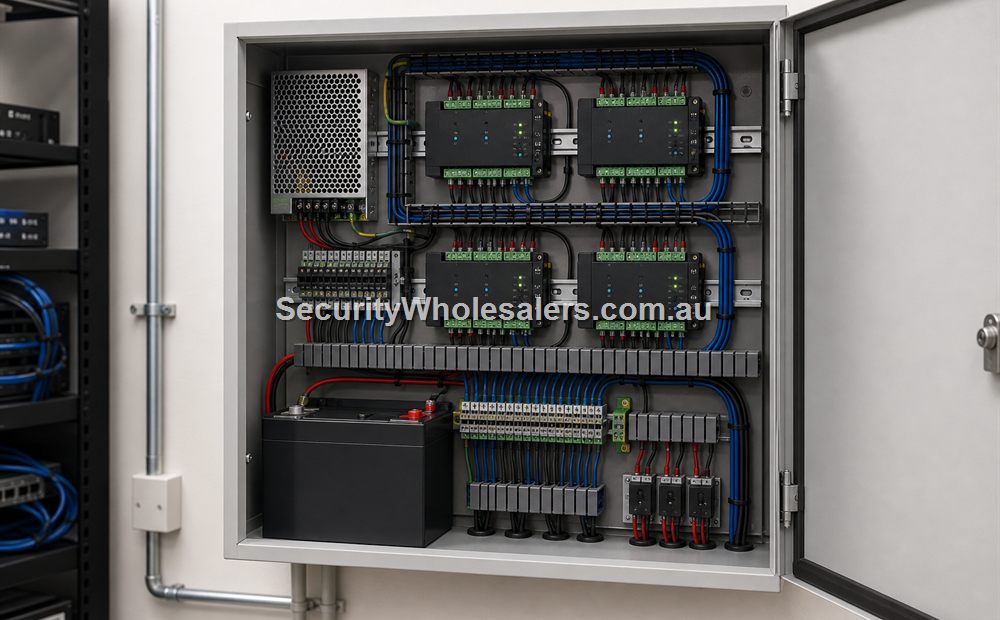
Large-system design guide
This guide uses Hikvision four-door controllers as a worked architecture. It is useful to business owners choosing the operational model and to installers building the door schedule, cabinet layout, cable plan and commissioning records. Lift access is covered separately because floor permissions and lift-contractor interfaces are not the same as ordinary door relays.
How many four-door controllers are required?
| Controlled doors | Minimum four-door controllers | Usable capacity | Practical planning note |
|---|---|---|---|
| 20 | 5 | 20 doors | Exact fit. Consider 6 controllers (24-door capacity) if changes are likely or a spare panel position is valuable. |
| 24 | 6 | 24 doors | Exact fit. Provide cabinet, PSU, switch and licence expansion space if the site may grow. |
| 28 | 7 | 28 doors | Exact fit. An eighth controller gives 32-door capacity and a cleaner expansion path. |
| 30 | 8 | 32 doors | Two controller door positions remain spare; pre-assign them in the schedule instead of leaving them undocumented. |
Model check: the local example is the Hikvision DS-K2704X(P) four-door family. Hikvision firmware documentation identifies DS-K2704X and DS-K2704X(P), and the controller family supports four lock, four door-contact and four exit-button circuits. Confirm the exact Australian SKU, enclosure, PSU, battery provision, reader interface, firmware and software compatibility at quotation-do not assume the 'P' package includes the same cabinet or power components as another region.
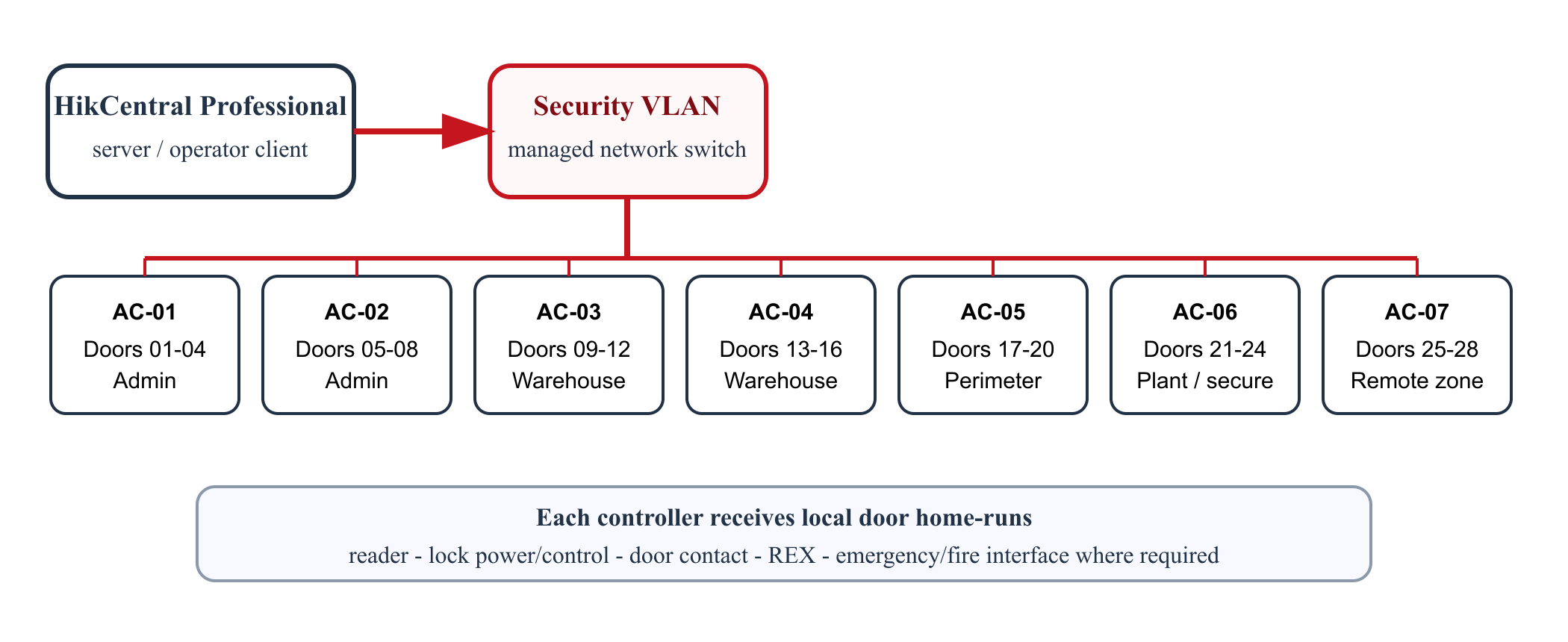
Worked example: 28-door warehouse and office
Seven DS-K2704X(P) four-door controllers across five zones
Controller allocation
- AC-01 and AC-02: reception, office and amenities, doors D01-D08.
- AC-03 and AC-04: warehouse and loading areas, D09-D16.
- AC-05: pedestrian gates and perimeter entries, D17-D20.
- AC-06: plant, IT and high-value storage, D21-D24.
- AC-07: remote workshop or future tenancy, D25-D28.
Shared head-end
- HikCentral Professional access-control base and the required door expansion licences.
- Server or approved host, operator client, configuration backup and documented recovery owner.
- Managed security network, static addressing or reservations, NTP and UPS-backed switches where continuity is required.
- Access groups for office staff, warehouse staff, managers, cleaners, contractors and after-hours response.
Indicative parts and cabling
| Layer | Indicative quantity for 28 doors | For installers requirement |
|---|---|---|
| Four-door controllers | 7 x DS-K2704X(P); optionally 8 for 32-door capacity | Mount in secure, serviceable cabinets close enough to their four assigned doors to control voltage drop and cable length. |
| Readers | 28 entry readers; add exit readers only where controlled exit is required | Use the exact cable, topology, termination and maximum distance specified for the selected OSDP/RS-485 or Wiegand reader interface. Do not mix bus and star rules. |
| Locking | 28 compatible strikes, maglocks or electrified locks | Select door by door. Record voltage, holding/locking method, fail mode, normal current and peak/inrush current. |
| Door monitoring | 28 door contacts | Prefer supervised/monitored inputs where the controller and design support them; name forced-open and held-open actions. |
| Exit inputs | Up to 28 REX devices or exit buttons | REX is an input to the controller; a required independent emergency release may need a separate approved release path. |
| Cabinets and power | Typically 3-7 zoned secure cabinets, project dependent | Provide controller PSU, separately protected lock circuits, batteries where required, mains isolation by the appropriate trade, tamper monitoring and heat/space allowance. |
| Network | 1 Ethernet connection per controller plus server/client infrastructure | Use a security VLAN, controlled administration, time synchronisation, documented addresses and backups. Keep door operation independent of a casual office PC. |
| Software | HikCentral Professional base plus licences covering all 28 doors | The lightweight HikCentral Access Control product advertises free functions only up to 16 doors, so it is not the design basis for this example. |
How the same design works for 30 doors
Use eight four-door controllers for 32 available door positions. Assign AC-01 to D01-D04 through AC-07 to D25-D28, then use AC-08 for D29-D30 and label positions D31-D32 as spare. Put those spare positions in the drawings, software naming convention and licence plan. A 30-door office tower might distribute the eight panels among secure riser cupboards by floor; a single-level warehouse might use three zoned cabinets to avoid long lock-power runs.
Commissioning a 20-30 door system
- Approve a door schedule with a unique door, controller, cabinet, reader and cable ID for every opening.
- Bench-activate controllers on an isolated commissioning network; update only to an approved firmware/compatibility set and record versions.
- Test each lock at the actual loaded voltage, including simultaneous worst-case operation and battery mode where provided.
- Prove valid, invalid and expired credentials; every time schedule; door-held and door-forced events; REX; emergency release; fire interface; tamper; network loss; controller restart and server recovery.
- Verify access levels by role rather than checking only an all-access installer credential.
- Export configuration, software licence details, user/admin ownership, IP schedule, as-built drawings, battery calculations and witnessed results.
Where lift access usually fits
| Building type | Why lift access matters |
|---|---|
| Strata or apartment buildings | Resident, visitor, and common-property permissions often continue beyond the entry door. |
| Multi-tenant commercial buildings | Tenants, contractors, and building managers may need different floor access. |
| Medical and professional suites | Some floors or service areas may need tighter staff-only movement than the public entry zone. |
Mid-rise strata building
A mid-rise strata building with a front lobby, basement, and lift usually reaches the point where the resident credential should not stop at the front door. Residents, building managers, and contractors often need different permissions through the building, which is where the lift controller path becomes valuable.
Commercial suites on separate floors
A multi-tenant commercial building may allow all tenants into the lobby but restrict floor access according to tenancy. In that case the access system has to manage a floor-rights policy, not only a door release policy.
What a lift access design normally requires
- Controller-backed access architecture rather than isolated standalone devices.
- Lift controller hardware such as the DS-K2210 where the project needs floor permissions rather than only door permissions.
- Clear coordination with the lift contractor so relay, floor-call, and interface boundaries are documented early.
- Software layer for resident or tenant administration, because floor rights change with people and tenancies over time.
- Cabinet, network, and UPS planning that treats the lift permissions as part of the building head-end rather than a late extra.
What usually goes wrong
- The building asks for lift access late, after the door-only design is already fixed.
- Floor permissions are discussed in theory but not mapped clearly by user group.
- The project assumes the front-door credential logic will somehow extend to lifts without a dedicated integration plan.
Primary technical references
- Hikvision DS-K270X controller firmware release notes - current model family, compatibility and offline-feature cautions.
- Hikvision DS-K2700 series specification - four-door I/O and communications architecture.
- HikCentral Access Control product page - published 16-door/3,000-person lightweight limit.
- HikCentral Professional licence guide - base and per-door expansion model; confirm Australian licence availability and names when quoting.
- ACMA Cabling Provider Rules - registration, competency, separation, compliance and customer documentation requirements for covered cabling work.
Relevant SecurityWholesalers product paths
- DS-K2210 for lift-access controller planning.
- DS-K2704X where the lift logic sits inside a wider multi-door building system.
- Hikvision Access Control Base License Package for central permissions and event review.
Related guides
Frequently Asked Questions
- When does lift access control usually become relevant?
It becomes relevant when the building wants credentials or permissions to continue beyond the lobby door and into vertical movement between floors.
- Is lift access control only for large towers?
No. It can matter on smaller multi-level buildings too, but it is most valuable where several user groups need different floor rights.
- Why is lift access usually tied to controller systems?
Because lift permissions need a central management layer and clear integration with the wider access-control architecture.
- What is the main lift-access mistake?
Treating it as a simple extra relay without deciding how the building wants user groups and floor permissions to be administered.
- Can the same credential control the front door and the lift?
Yes, that is often the point of lift integration, but only if the management layer is set up properly.
- Which page should someone read next?
If the building is residential or shared-use, the strata or apartment buying guides are the next useful pages.
Plan this site door by door
Download the editable workbook, list every controlled opening, then email it with matching door photos to sales@securitywholesalers.com.au. Include the site suburb, installation requirement and target timing.
Review information
Content owner: SecurityWholesalers access control guide team. Revision: 17 July 2026. Use these examples as a starting point, then confirm the details against current product manuals, approved drawings and relevant authority requirements.
NCC access and egress | ACMA cabling requirements | OAIC biometric guidance | Access control definitions