Commercial

Access Control for Offices

Office access control is usually a balance between convenience and accountability. A single back-office door can stay simple. A front office with staff turnover, shared codes, visitors, and a second internal door usually should not.
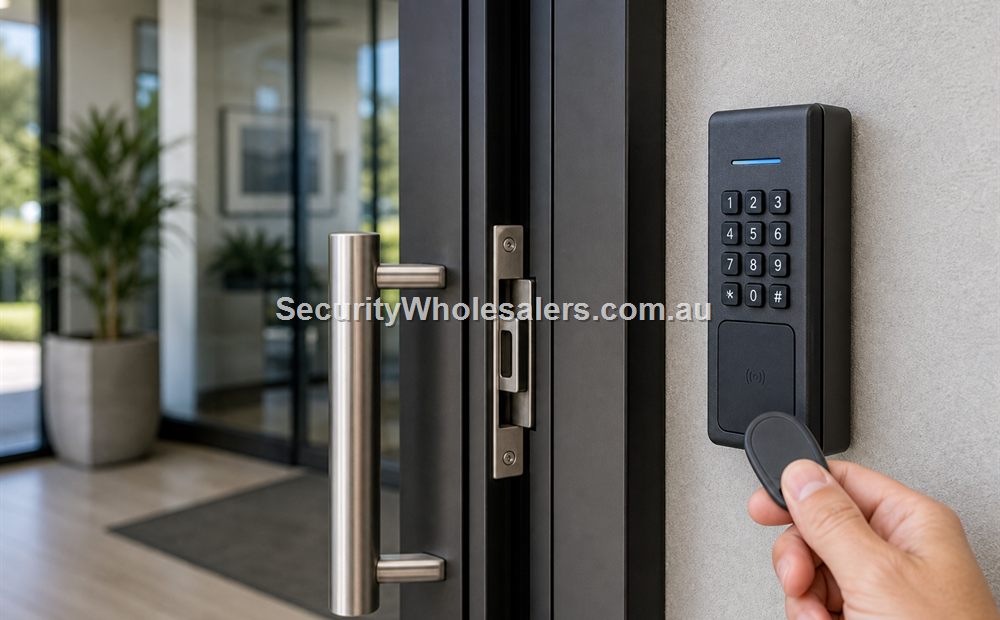
Access control door hardware and controller scene
Access control door hardware image for this buying guide.

Sector Guide

Where this usually fits

Office jobs often start with a keypad question and end with a user-management question. That is why the office page has to separate a genuinely simple staff door from a reception-facing or multi-door office workflow.

Situation Usually the cleaner path Why it fits
One internal staff door with low turnover Single Door Access Control Kit The office only needs simple credentialed entry and can live without stronger event review.
Front office plus rear staff door 2 Door Access Control Kit Once two meaningful doors exist, named users and cleaner administration usually matter.
Reception-facing entry with visitors Intercom plus access path Visitor verification becomes part of the access workflow, not an optional extra.
Office, archive, comms room, and rear entry 4 Door Access Control Kit Several openings and permission levels justify controller capacity early.

Sample site scenarios

Example

Accounting office with one rear staff door

A small accounting office with a single rear staff door and low staff turnover may be well served by a one-door kit with cards or PINs. The important part is choosing the right lock path and making sure the office can remove a departed staff member without changing a shared code for everyone.

Example

Professional-services tenancy with reception and records room

A professional-services office with a front reception door, a rear staff entry, and a records room is already beyond the simple keypad conversation. A two-door or four-door controller path is usually cleaner because the front-door workflow, internal restricted room, and staff changes all need to be managed properly.

Typical hardware and software direction

These jobs are usually decided by the management layer as much as the lock hardware. The right reader or terminal only solves part of the problem if the permissions, schedules, and review workflow have been underspecified.

  • Reader, keypad-reader, or intercom-capable station depending on whether the door is staff-only or visitor-facing.
  • Strike or maglock that suits the actual office opening, plus safe-side egress and a door contact where held-open or not-closed events matter.
  • Controller path once the office has a second meaningful opening or wants named users and schedules rather than shared codes.
  • UPS protection where the office expects logs and stable entry through short outages.
  • Software layer if management wants event review or remote administration instead of door-by-door programming.

Common mistakes

  • Choosing one shared code because it looks simple, then discovering staff turnover makes it unmanageable.
  • Buying a keypad-only front door when visitors really need an intercom-led release path.
  • Forgetting the archive, comms room, or rear store until after the front-door quote is already fixed.

Relevant SecurityWholesalers product paths

Related guides

Frequently Asked Questions

  • When is a simple office door still a one-door job?

    It can stay a one-door job when the office only needs a modest internal or rear staff door with low turnover and no meaningful reporting requirement.

  • When should an office move beyond a standalone keypad?

    Once the office has several users, recurring staff changes, a second meaningful opening, or a visitor-facing front door, a controller-backed path is usually cleaner.

  • Is intercom important on office access control?

    Yes, whenever the front entry is visitor-facing and staff inside need to verify who is at the door before release.

  • Are cards usually better than shared office PIN codes?

    They are often easier to revoke and replace, especially where staff turnover or temporary users make shared codes difficult to manage.

  • What is the biggest office access-control mistake?

    Treating the whole office as one keypad problem when the front entry, rear staff door, and internal restricted room all need different logic.

  • Which page should someone read next?

    If the office is visitor-facing, the next useful page is the commercial front-door guide. If it already has two meaningful openings, the two-door kit page is the cleaner next step.

How to plan Access Control for Offices properly

The practical value of Access Control for Offices comes from how well it solves office security on a real Australian site. Before comparing model numbers, work through reception, staff-only areas, store rooms, entrances, privacy expectations and after-hours access. Those details decide whether the system is useful in six months or merely impressive on the day it is installed.

Office designs should separate useful evidence from unnecessary surveillance so the system feels professional rather than intrusive. A strong quote should explain which parts of the job are essential, which parts are optional, and where spending extra will actually improve evidence, safety, access control or response.

Small site

For Access Control for Offices, keep the design focused. Cover the highest-risk entry points or workflows first, choose equipment that is easy to use, and avoid adding features that nobody will maintain after handover.

Medium site

Separate critical views or doors from general coverage. Plan users, permissions, storage, power and network paths before filling every channel or controller output.

Complex site

For Access Control for Offices, document zones, responsibilities and expansion. Larger sites need a staged design so the system can grow without replacing the recorder, controller, cabling or user workflow too early.

What a 96/100 recommendation should include

  • A plain-English description of the incident, access event or workflow the system must solve.
  • Enough headroom for likely expansion, extra users, additional cameras, extra doors or future monitoring.
  • Installation notes covering cabling, power, mounting, weather, lighting, service access and handover.
  • A clear explanation of what the buyer should not overbuy and what would be a false economy.

Quote checklist for Access Control for Offices

Before ordering, ask for a short answer to these questions. They make the quote easier to compare and reduce the chance of buying hardware that does not match the site.

  • What exact problem is being solved: office security, deterrence, evidence, access control, safety, compliance or convenience?
  • What happens during poor light, bad weather, busy periods, after-hours events or staff changes?
  • Who will administer users, review events, export evidence and test the system?
  • Which part of the design is allowed to be basic, and which part must be strong because it proves the incident?

If those answers are vague, the buyer should pause before purchasing. Good security equipment becomes much more useful when the operating plan is written down before installation.

Final field note for Access Control for Offices

For Access Control for Offices, the final buying decision should be easy to explain to the person who will live with the system. The quote should identify the must-have outcome, the acceptable compromises, and the support path if users, doors, cameras, sensors or site conditions change later.

This is the difference between a list of products and a security design. The products matter, but the design is what makes them useful.

Final field note for Access Control for Offices

For Access Control for Offices, the final buying decision should be easy to explain to the person who will live with the system. The quote should identify the must-have outcome, the acceptable compromises, and the support path if users, doors, cameras, sensors or site conditions change later.

This is the difference between a list of products and a security design. The products matter, but the design is what makes them useful.

Final field note for Access Control for Offices

For Access Control for Offices, the final buying decision should be easy to explain to the person who will live with the system. The quote should identify the must-have outcome, the acceptable compromises, and the support path if users, doors, cameras, sensors or site conditions change later.

This is the difference between a list of products and a security design. The products matter, but the design is what makes them useful.

Final field note for Access Control for Offices

For Access Control for Offices, the final buying decision should be easy to explain to the person who will live with the system. The quote should identify the must-have outcome, the acceptable compromises, and the support path if users, doors, cameras, sensors or site conditions change later.

This is the difference between a list of products and a security design. The products matter, but the design is what makes them useful.

Real quote scenario for Access Control for Offices

When quoting Access Control for Offices, the useful starting point is credential management. The buyer should be able to confirm how users are added, removed, audited and replaced when cards, PINs or phones are lost. Without those details, two quotes can look similar while solving very different problems.

For example, a small office may tolerate simple fobs, while a school, medical centre or multi-tenant building usually needs stronger administration and cleaner audit trails. This is why a strong SecurityWholesalers guide should talk about the site, the workflow and the equipment together rather than treating the product category as a simple shopping list.

Budget-conscious path

Use the simplest reliable hardware that solves the main risk. Keep administration simple and avoid specialist features unless they change the outcome.

Balanced path

Add better management, verification or expansion headroom where the site is likely to grow. This is usually the best path for small businesses and shared buildings.

Higher-risk path

Document response, audit trail, permissions and fallback procedures. Higher-risk sites need clearer operating rules, not just stronger hardware.

The final Access Control for Offices quote should make the weak points visible. If cabling, power, monitoring, mobile app access, fire release, user management or future expansion are assumed rather than written down, the buyer is carrying risk that should have been solved during design.

Questions to ask before approving Access Control for Offices

  • What does the system need to prove or control on an ordinary day?
  • What is different after hours, on weekends, during staff changes or during an emergency?
  • Who will administer users, review events, export evidence or test the system?
  • What happens if the internet is unavailable, a user loses a credential, a sensor triggers falsely or a door does not release?
  • Which part of the system is easy to expand later, and which part would be expensive to change?

These questions are deliberately practical. They help separate a polished product list from a design that will remain useful after installation.

Extra buying notes for Access Control for Offices

Office CCTV should feel proportionate. It needs useful entry and after-hours evidence while respecting staff privacy and avoiding camera positions that create unnecessary workplace friction. This is the kind of detail that helps a buyer compare quotes properly, because it turns the conversation from ?which model is cheapest?? into ?which design will still be useful after installation??

For Access Control for Offices, the best final check is to ask what would make the system fail in practice. Common answers include poor cabling, weak power planning, missed user permissions, unclear response duties, too little storage, unsuitable mounting positions, or a handover that nobody can follow. A strong quote names those risks and deals with them before hardware is ordered.

For Access Control for Offices, SecurityWholesalers should help buyers feel more confident, not more overwhelmed. The ideal outcome is a quote that is technically sound, easy to explain, and honest about where a simpler option is enough.

Extra buying notes for Access Control for Offices

Office CCTV should feel proportionate. It needs useful entry and after-hours evidence while respecting staff privacy and avoiding camera positions that create unnecessary workplace friction. This is the kind of detail that helps a buyer compare quotes properly, because it turns the conversation from ?which model is cheapest?? into ?which design will still be useful after installation??

For Access Control for Offices, the best final check is to ask what would make the system fail in practice. Common answers include poor cabling, weak power planning, missed user permissions, unclear response duties, too little storage, unsuitable mounting positions, or a handover that nobody can follow. A strong quote names those risks and deals with them before hardware is ordered.

For Access Control for Offices, SecurityWholesalers should help buyers feel more confident, not more overwhelmed. The ideal outcome is a quote that is technically sound, easy to explain, and honest about where a simpler option is enough.

Wrap up EOFY with extra bonus savings :) Use Coupon code: EOFY26 on orders over 800.
Trade Customers: Log In or Register to Unlock Even Better Prices.

Save & Share Cart
Your Shopping Cart will be saved and you'll be given a link. You, or anyone with the link, can use it to retrieve your Cart at any time.
Back Save & Share Cart
Your Shopping Cart will be saved with Product pictures and information, and Cart Totals. Then send it to yourself, or a friend, with a link to retrieve it at any time.
Your cart email sent successfully :)