

















Informational
Access Control Maintenance Checklist
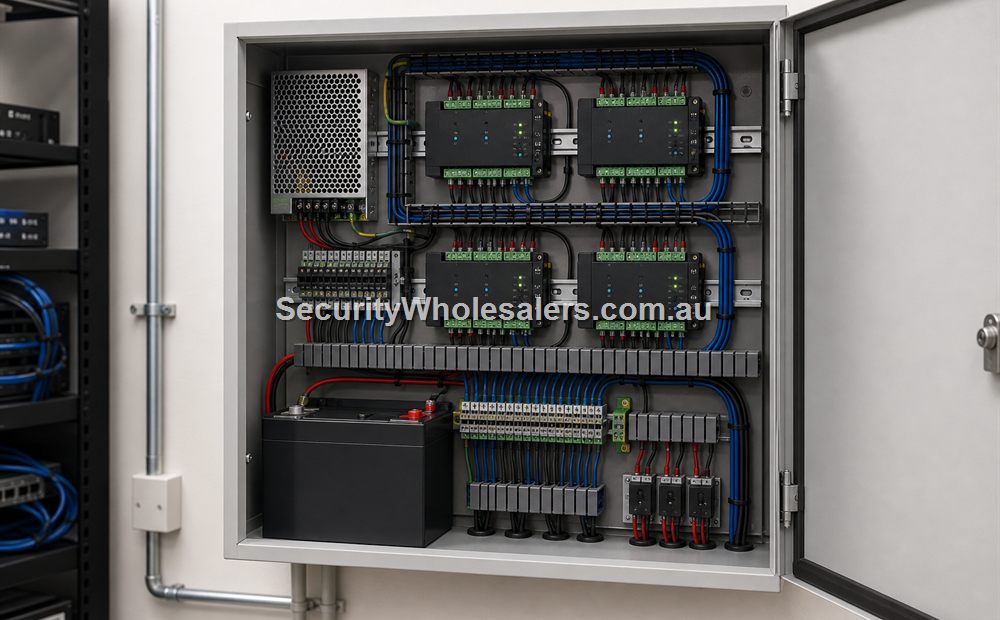
Explainer Guide
What Good Maintenance Actually Looks Like
Good maintenance is regular, boring, and deliberate. It is not waiting until staff are locked out or a manager discovers that five departed users still have access. A healthy access-control system is one where the opening relatches cleanly, the event history is meaningful, the power backup still has real runtime, and the admin workflow is kept tidy.
Suggested Review Rhythm
| Timing | What to Review | Why It Matters |
|---|---|---|
| Monthly | Door relatching, user changes, log review, and obvious wear or damage. | Catches the small problems before they become service calls or security gaps. |
| Quarterly | Test exit path, denied events, temporary users, schedule accuracy, and any visitor workflow. | Keeps the system aligned with how the site actually operates rather than how it operated last quarter. |
| Annually | Review UPS health, cabinet condition, credential policy, backup expectations, and whole-system handover notes. | Protects long-term reliability and stops the system becoming undocumented building folklore. |
Physical Door and Hardware Checks
- Make sure the door closes and latches cleanly every time without slamming or bouncing.
- Check that the strike or maglock alignment has not drifted as the door or frame has settled.
- Confirm exit buttons and request-to-exit sensors still release the door reliably.
- Review any door contacts or held-open alarms so the site is not blind to a door that is not securing properly.
- Inspect any external readers, intercoms, or exposed cabling for weather or impact damage.
User, Credential, and Policy Checks
- Remove staff, residents, or contractors who no longer need access.
- Review shared codes and ask whether they should be replaced with named credentials.
- Check temporary users, cleaners, or after-hours contractors have the right time limits.
- Confirm managers still know who is allowed to add users, revoke users, and change schedules.
- Review whether the credential format still matches the security level the site now expects.
Controller, Software, and Power Checks
- Review recent logs to make sure events are readable and still useful for auditing.
- Confirm controller IP, cabinet labels, and handover notes still match the live system.
- Check the health and expected runtime of UPS-backed equipment rather than assuming batteries are still healthy.
- Make sure the network path supporting the access system is still appropriate for the way the site uses remote release or phone entry.
- Verify the site can still access the management layer and is not locked out of its own admin workflow.
Useful Rule for Operators
If a site has not reviewed users, door relatching, and UPS behaviour in the last year, it does not really know what state its access-control system is in. It only knows the last time the reader beeped successfully.
When It Is Time to Book Service
Book service when doors begin to misalign, relatching becomes inconsistent, readers intermittently fail, logs become unclear, or managers are no longer confident about who still has access. Access control is easiest to maintain when the system is still working "mostly fine," not after the site has normalised daily faults.
Relevant SecurityWholesalers Product Areas
- Access Control - Useful for replacement readers, controllers, credentials, and supporting lock hardware when maintenance exposes ageing or underspecified components.
- Intercoms - Relevant where front-door visitor workflows are part of the wider maintenance and handover routine.
- Hikvision Access Control Base License Package - Helpful where the site needs a cleaner software layer for reviewing users, schedules, and event history.
- UPS Backup Time Calculator - Useful when the client wants to check whether the UPS expectation for controllers, switches, and routers is realistic.
Related Guides in This Series
Source References
Frequently Asked Questions
-
Why does access control need maintenance if the doors are still unlocking?
Because many access-control faults start as small issues such as misalignment, weak UPS runtime, stale users, or poor relatching before they become total failures.
-
What should be checked most often?
Door closing and relatching, exit behaviour, user administration, event logs, and the health of any power backup or network path should all be checked regularly.
-
How often should UPS performance be reviewed?
It should be reviewed as part of routine maintenance rather than left until a real outage exposes a weak battery or unrealistic runtime expectation.
-
What is the most common administration problem?
A common issue is user sprawl: old staff, old residents, shared codes, or unreviewed temporary credentials that were never cleaned up properly.
-
Should the site test the whole opening, not just the credential read?
Yes. Good maintenance checks the full opening: reader, lock, exit device, door contact, closer, logs, and the admin workflow behind it.
-
Which related guide should I read next?
Read the fail safe versus fail secure guide next, then move into the hardware guide on strikes, maglocks, exit buttons, and door sensors.
Review information
Content owner: SecurityWholesalers access control guide team. Revision: 17 July 2026. Use these examples as a starting point, then confirm the details against current product manuals, approved drawings and relevant authority requirements.
NCC access and egress | ACMA cabling requirements | OAIC biometric guidance | Access control definitions