

















Commercial
How Much Does Access Control Cost?
Cost Guide
Short answer
For Australian commercial planning in 2026, allow roughly $1,500-$3,000 installed for a straightforward standalone keypad door, $2,000-$4,500 for a managed one-door card/fob system, and $7,500-$17,000 for a typical four-door managed system. Glass, difficult aluminium shopfronts, gates, fire/egress work, long cable routes and premium integrations can move the project beyond these ranges.
For a basic office door, the cheapest-looking quote is rarely the full answer. The real cost usually sits in the lock hardware, power supply, door compatibility, cabling, labour, and whether the site is trying to keep things simple or properly managed.
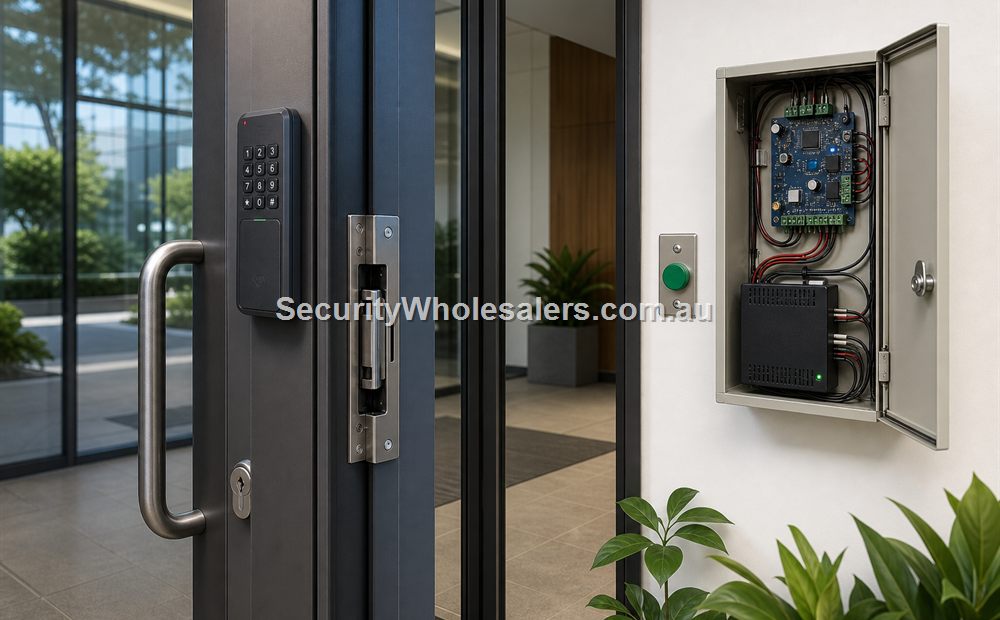
The mistake we often see is buying a reader and lock without checking the controller, power supply, and exit method. That is why cost should be discussed as a door system, not as one box on the wall.
On this page:
What this means in practice
Planning ranges reviewed 16 July 2026. Amounts below are indicative Australian-dollar budgets, not fixed quotes. Hardware ranges cover the normal access-control equipment for the example; installed ranges assume a metropolitan commercial site with a usable cable path and normal-hours access. GST treatment, travel, builder works, mains work, locksmithing, fire engineering, network upgrades, software subscriptions and remediation may be additional unless written into the quote.
| Typical solution | Indicative hardware | Indicative installed total | What the example assumes |
|---|---|---|---|
| Standalone keypad/PIN on one straightforward door | $450-$1,200 | $1,500-$3,000 | Compatible timber or simple framed door, local programming, basic commercial locking, accessible cable route. |
| Managed one-door card/fob system | $900-$2,200 | $2,000-$4,500 | Protected controller, reader, strike or suitable lock, contact, exit path, PSU/battery, cabling and commissioning. |
| Aluminium shopfront with compatible strike path | $1,200-$2,800 | $2,500-$5,500 | Latch and frame can accept suitable commercial hardware without major door replacement or after-hours work. |
| Glass door with maglock/bracket path | $1,400-$3,200 | $3,000-$6,500 | Suitable door construction, brackets, protected cabling, REX/contact and the required release arrangement. |
| Existing automatic gate integration | $900-$3,000 | $2,500-$8,000 | Serviceable gate automation with a supported trigger input; excludes a new gate, motor and major trenching. |
| Two-door managed controller system | $1,800-$4,500 | $4,000-$9,000 | Two readers, locks, contacts, exit arrangements, controller cabinet, power, network and configuration. |
| Four-door managed controller system | $3,500-$8,000 | $7,500-$17,000 | Four ordinary commercial openings with central administration; excludes lift control and extensive builder works. |
| 20-door networked commercial system | $15,000-$35,000 | $35,000-$75,000 | Five or six four-door controllers, ordinary mixed commercial doors, zoned cabinets, managed network and central software; excludes major trenching/lifts. |
| 28-door warehouse/office system | $22,000-$50,000 | $50,000-$110,000 | Seven four-door controllers, readers, mixed locks, contacts, REX, power, cabling, software/licences, commissioning and handover. |
| 30-door multi-level or multi-tenant system | $24,000-$55,000 | $55,000-$120,000+ | Eight four-door controllers with two spare positions; risers, lift interfaces, difficult doors and staged occupied work can move the total higher. |
| Face/biometric entry | $1,500-$4,500+ | $3,000-$7,000+ per door | Suitable terminal and controller, alternative credential, privacy work, network and normal door hardware. |
Why these are ranges, not package prices
The reader may be one of the smallest cost lines. The opening can also require a commercial locksmith, door modification, brackets, protected containment, power and battery design, an emergency/fire interface, network work, licences, after-hours attendance and commissioning. A useful quote states which of these are included.
Public market cross-check
Published Australian 2026 guides currently place basic single-door systems around $1,500-$3,000, managed single-door card systems around $2,000-$4,500, three-to-five-door systems around $5,000-$12,000 or higher, biometrics around $3,000-$7,000 per door, and gate access around $3,000-$8,000 depending on scope. See The Quote Yard's 2026 SA guide, MTSS published starting price and Metwide's itemised intercom/door-release examples. SecurityWholesalers has used these only as market anchors; a site-specific scope still controls the quote.
Access control cost usually falls into four layers: the door hardware, the credential device, the control hardware, and the labour needed to install and commission it. A basic internal timber office door is usually cheaper than a glass shopfront door, a fire door, or a public entry because the hardware choices are simpler and the compliance questions are lighter.
As soon as the site wants logs, remote administration, phone support, after-hours control, or several user groups, the project usually moves from a simple standalone path into a controller-backed path. That is where the per-door hardware cost is only one part of the spend.
What commonly adds to the budget
| Cost driver | Why it changes the scope |
|---|---|
| Difficult door or frame | Specialist strike work, electrified lock, maglock brackets, cable transfer or door remediation may be required. |
| Long or exposed cable route | Containment, trenching, pits, fibre, surge protection or local power can exceed the reader cost. |
| Fire/egress interface | The release arrangement needs documented design, coordination and witnessed testing rather than an assumed relay. |
| Cloud or software licensing | Per-door, per-user, mobile-credential or support subscriptions create an ongoing cost. |
| Intercom, CCTV, alarm or lift integration | Each interface requires compatible equipment, licences, I/O, programming and end-to-end testing. |
| After-hours or occupied-site work | Staging, inductions, permits, escorts, make-good and restricted access increase labour. |
A practical way to budget is to break the quote into door hardware, controller path, credential type, power supply, and installation labour. That makes it easier to compare options and easier to understand why two access-control quotes can look similar at a glance but be very different in the long run.
Real-world examples
Small professional office with one rear staff door
A one-door office upgrade might stay on a simple standalone or small kit path if the door is straightforward and the business does not need strong reporting. The budget changes quickly if the office later decides it also needs the reception door, the server room, and a proper user audit trail.
Glass shopfront medical practice with visitor-facing entry
A glass medical-practice entry usually costs more than a basic back-office door because the lock hardware, brackets, release method, visitor workflow, and egress questions all become more involved. The door may look simple, but the system behind it often is not.
Example budget: managed rear office door
| Allowance | Indicative amount | Scope |
|---|---|---|
| Controller, reader and credentials | $500-$1,200 | One managed door with named users and event history. |
| Strike, contact, exit and brackets | $300-$900 | Assumes compatible latch/frame and ordinary commercial hardware. |
| PSU, battery, enclosure and sundries | $250-$650 | Protected power, fuse, backup and termination hardware. |
| Cabling, installation and commissioning | $950-$1,750 | Accessible route, normal hours, programming, tests and basic handover. |
| Total planning range | $2,000-$4,500 | Before unusual door, network, subscription or building work. |
Example budget: four-door office or warehouse
| Allowance | Indicative amount | Scope |
|---|---|---|
| Four-door controller, readers and credentials | $1,800-$4,000 | Central users, schedules and events. |
| Four lock/door hardware sets | $1,400-$4,000 | Varies substantially with each opening. |
| Cabinet, PSU, battery and distribution | $600-$1,500 | Calculated total load and labelled protection. |
| Cabling, installation and commissioning | $3,700-$7,500 | Four normal doors, accessible routes and complete programming. |
| Total planning range | $7,500-$17,000 | Before lift, major gate, fire engineering or extensive builder works. |
Example budget: 28-door Hikvision controller system
| Allowance | Indicative amount | Scope assumption |
|---|---|---|
| Seven DS-K2704X(P) controllers, readers and credentials | $10,000-$22,000 | Twenty-eight reader positions and centrally managed users; exact Australian controller package and credential choice confirmed at quote. |
| Twenty-eight lock/door hardware sets | $9,000-$24,000 | Mix of ordinary strikes and selected maglocks; specialist glass, fire, automatic and gate openings can exceed this. |
| Zoned cabinets, PSU/batteries, network and licences | $3,000-$9,000 | Calculated power, protected distribution, managed switching, HikCentral Professional base/door licensing and backup. |
| Cabling, installation, programming and commissioning | $28,000-$55,000 | Accessible commercial routes, normal staging, complete cause-and-effect tests and documented handover. |
| Total planning range | $50,000-$110,000 | Before lift integration, long trenching, extensive builder/locksmith remediation or unusual after-hours constraints. |
See the complete 28-door controller, parts and cabling example.
How SecurityWholesalers builds and reviews these ranges
The ranges are a planning model assembled from a complete door bill of materials rather than a reader price. Each example includes a controller/terminal path, reader or credential device, compatible lock and brackets, door contact, exit function, PSU/battery allowance, cable/containment consumables, configuration and ordinary installation labour. Multi-door examples add cabinets, network/software/licensing, documentation and commissioning. Published market examples are used only as a reasonableness check.
- Hardware allowances are reviewed against current SecurityWholesalers catalogue categories and representative controller, reader and lock baskets.
- Labour is expressed as a broad metropolitan commercial allowance because door preparation, access, distance and trade coordination vary by site.
- The review date is displayed above the table. Recheck products, licences and installation scope before publishing a quote or relying on a figure after that date.
- GST, travel, licences/subscriptions and specialist trades must be stated as included or excluded in the actual proposal.
What usually works
- Budget by door type first, then by management level. A glass shopfront, a timber office door, and a fire door are not the same job.
- Use the single-door, 2-door, and 4-door kit guides as rough architecture checkpoints before pricing individual parts.
- Ask for labour to be separated from hardware where possible, so the quote is easier to compare.
What to check
- If the door is part of an exit path, fire door, public entry, or commercial tenancy, do not guess the hardware.
- Controller, lock, power supply, cabling, exit method, and software all need to work together.
- Adding access control to an existing lock is not always a cheap shortcut. Sometimes the existing lock is the thing that makes the job expensive.
Things to check
- Comparing only reader prices instead of the full door package.
- Assuming every single door can use the same lock hardware.
- Forgetting labour, power supply, brackets, exit buttons, and door contacts.
Buying considerations
- How many meaningful doors the site wants now and within the next 12 to 24 months.
- Whether the door is glass, aluminium, timber, double, automatic, fire-rated, or part of an exit path.
- Whether the site wants a simple keypad, cards and fobs, mobile credentials, or stronger reporting.
- Whether the customer is replacing keys, adding to an existing door, or starting from scratch.
When to ask for help
This is where a door photo helps. If the site is public-facing, has glass or aluminium doors, has an exit-path question, or is trying to reuse an existing lock, it is usually worth sending photos before pricing by parts alone.
- Take photos of the full door, the lock edge, the frame, the inside handle area, and the wall space for the reader and exit button.
- If the site has several doors, start a simple door schedule before ordering hardware.
- If the opening is part of a fire or egress path, have the hardware checked by a suitably qualified installer, locksmith, electrician, builder, or fire professional where required.
Send the door information, not just a product list
Download the Excel door schedule
Complete the project brief and door rows, then attach the workbook and clear photos to sales@securitywholesalers.com.au. Include the site suburb, whether installation is required, and your target timing. For sales enquiries call (02) 8711 9709.
For every opening, photograph the full door, frame/head, latch or lock area, closer/hinge area, exit side and preferred reader position. Use the workbook door IDs in the photo filenames.
Kit sizing
Compare the single-door, two-door and four-door worked examples before choosing parts individually.
Related guides
Relevant products and categories
- Access Control Products - Main category for controllers, readers, kits, locks, and related hardware.
- Hikvision Access Control - Useful reference category where the project needs a scalable reader-and-controller path.
- Electric Strikes - Strike options for aluminium shopfronts, latch-based doors, and many standard commercial frames.
- Maglocks - Common on some glass, aluminium, and selected gate or double-door applications.
Frequently Asked Questions
- How much does access control cost for one door?
As a 2026 Australian planning range, allow around $1,500-$3,000 installed for a straightforward standalone keypad door or $2,000-$4,500 for a managed card/fob door. Difficult openings and integrations can cost more.
- How much is a four-door access control system?
A typical managed four-door commercial system may fall around $7,500-$17,000 installed where the doors and cable routes are reasonably straightforward. Lift, gate, fire/egress or builder work can increase this.
- Why is a glass or aluminium door often more expensive than a basic timber door?
The lock method, brackets, cable concealment, release method and installer time usually require more planning.
- Does the reader itself usually make up most of the cost?
No. Lock hardware, controller, power, battery, cabling, labour and door compatibility often make up more of the complete scope.
- Can I get an exact price without a door photo?
A rough budget is possible, but a reliable scope normally needs photos or a site survey because the opening determines the hardware and labour.
- Are cloud fees included?
Not automatically. Ask whether software, mobile credentials, cloud hosting, remote support and annual licence charges are included or ongoing.
- What is the best way to budget before buying?
Use the downloadable workbook to separate each door's hardware, credential, controller, power, cabling, integrations and labour.
Review information
Content owner: SecurityWholesalers access control guide team. Revision: 17 July 2026. Use these examples as a starting point, then confirm the details against current product manuals, approved drawings and relevant authority requirements.
NCC access and egress | ACMA cabling requirements | OAIC biometric guidance | Access control definitions