

















Commercial
Access Control with Intercoms
Integration Guide
Short answer
Access control with intercoms makes sense when the same opening has both enrolled users and unplanned visitors. In that case the site needs a release method for staff and a communication method for people who are not already in the credential system.
A staff door and a visitor-facing front door are not the same thing. Intercom becomes useful where the site needs to verify who is outside before someone inside decides whether to release the door.
This is different from comparing access control against intercom. This page is about when they belong in the same workflow.
On this page:
What this means in practice
The useful integration pattern is simple: staff may have cards, PINs, or mobile access, while visitors use the call button or intercom function. That keeps the site from forcing every visitor into a credential model that does not fit.
| Integration use | What it adds | What still has to be designed properly |
|---|---|---|
| Front office or clinic entry | Intercom plus access usually fits | Visitors and staff use the same opening differently. |
| Shared strata or apartment door | Intercom is often part of normal operation | Residents and deliveries need release without shared codes. |
| School reception entry | Intercom improves the reception-first workflow | Visitors should not simply enter by code or tag. |
| Staff-only rear door | Intercom may add little value | Some openings only need controlled staff access. |
Real-world examples
Medical practice front door
A clinic front door can use cards or PIN for staff, but still needs intercom for patients, couriers, and unplanned visitors.
Small office with a shared main entry
An office may not need intercom on the rear staff door, but the main front entry often benefits from it immediately.
What usually works
- Use access control for enrolled users and intercom for visitor verification.
- Treat the front entry as a workflow question, not just a lock question.
- Decide whether the site wants phone answering, indoor monitors, or both.
What to check
- Do not force visitors into a keypad-only entry path if the site actually needs verification.
- Intercom should match the door-release logic, not sit beside it awkwardly.
- Power, networking, and lock release still need to be designed together.
Things to check
- Using a shared PIN at a front door that really needs visitor verification.
- Installing an intercom without thinking about who answers it and how release happens.
- Treating the rear staff door and front visitor door as the same job.
Buying considerations
- Visitor volume.
- Who answers the intercom.
- Need for app or monitor-based answering.
- Whether the same door is used by staff and the public.
When to ask for help
If the site is visitor-facing, a photo of the front door and a short note on how visitors are currently handled is often enough to shortlist the right path.
- Show the front door, current release point, and likely reader or intercom location.
- Say whether staff need cards, PIN, or phone access.
- Describe who needs to answer visitors and from where.
Commercial site quote
If this is for an office, warehouse, school, gym, medical centre, strata building, rooming house, factory, or multi-tenant site, it is usually worth planning the full door schedule before buying hardware.
Door photo help
For Access Control with Intercoms, if you are not sure which parts suit the door, send a photo of the door, lock area, frame and preferred reader position. We can help point you toward the right controller, reader, lock, exit button, and power supply.
Related guides
Worked installer example: clinic intercom plus staff access
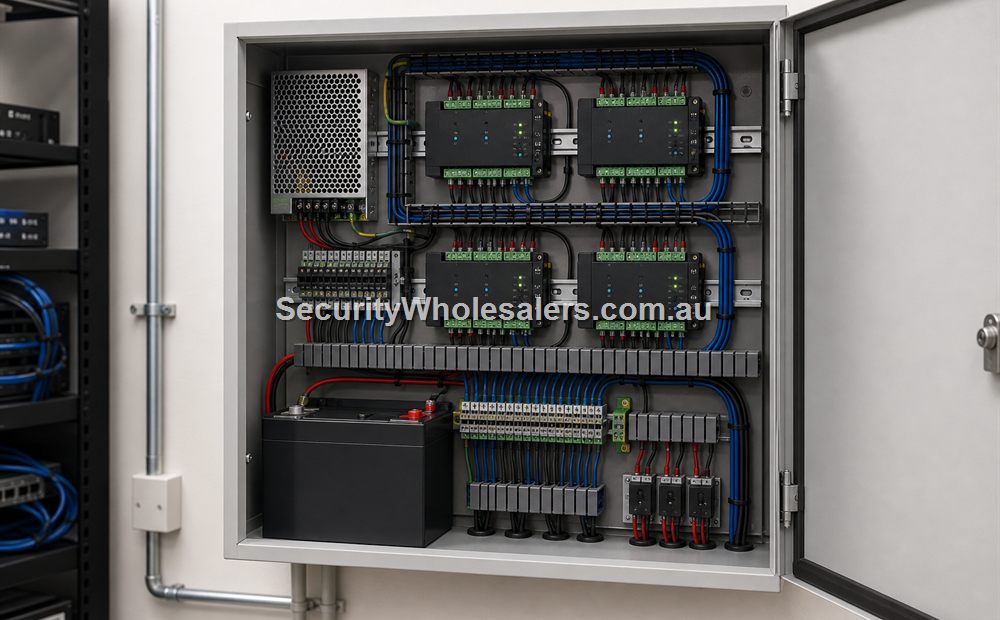
Visitors call reception through an IP video intercom and are released after verification. Staff use named cards or fobs. A protected access controller owns staff permissions and door events; the intercom provides the visitor call and a dry-contact release request.
| Subsystem | Typical parts | Cabling/interface |
|---|---|---|
| Intercom | IP door station, reception monitor and optional mobile app | Cat6/PoE to each IP device; documented network and cloud requirements |
| Access | Controller and OSDP staff reader | Supported reader bus plus Cat6 from controller to security network |
| Door hardware | Compatible strike/electrified lock, contact and approved egress | Calculated lock power and separate input pairs |
| Release integration | Intercom dry-contact output into controller release input, or other supported architecture | Dedicated interface pair; do not power the lock directly from a small intercom relay unless explicitly designed for the load |
| Power | PoE switch/UPS plus access PSU/battery | Separate, labelled power domains with tested outage behaviour |
Commissioning: test staff entry, visitor call, local release, app release, door contact, held-open alarm, internet loss, PoE reboot, mains failure and return to service. Record whether the intercom or access platform is the authoritative user database.
Relevant products and categories
- Access Control Products - Main category for controllers, readers, kits, locks, and related hardware.
- Intercoms - Useful where visitor verification belongs in the same workflow as entry release.
Frequently Asked Questions
- When do access control and intercom belong together?
When the same opening needs both controlled staff entry and visitor verification.
- Is intercom only for apartments?
No. It is also useful on clinics, offices, schools, and shared commercial entries.
- Can staff still use cards if the door has an intercom?
Yes. That is usually the point of the combined setup.
- Do I need an indoor monitor?
Sometimes, but some sites prefer phone or app answering. It depends on the workflow.
- What is the main mistake here?
Treating a visitor-facing entry like a simple staff-only keypad job.
SecurityWholesalers product paths for Access Control with Intercoms
Use these product paths as a practical starting point after the buying logic is clear. The right product list should follow the site design, not replace it.
Review information
Content owner: SecurityWholesalers access control guide team. Revision: 17 July 2026. Use these examples as a starting point, then confirm the details against current product manuals, approved drawings and relevant authority requirements.
NCC access and egress | ACMA cabling requirements | OAIC biometric guidance | Access control definitions