

















Commercial
Hikvision Live Guard Cameras Buying Guide
Live Guard
Quick answer
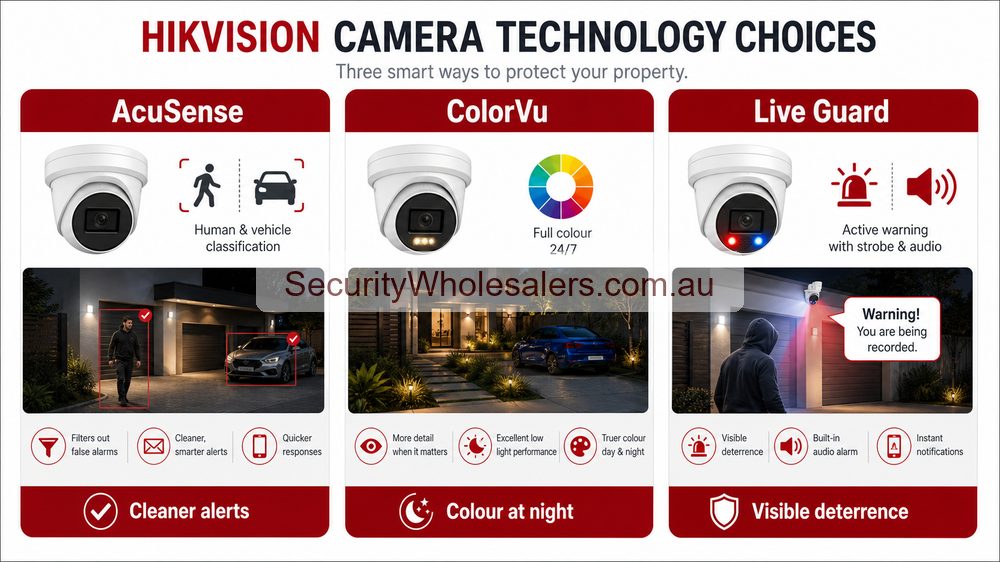
Use Live Guard on the scenes that genuinely benefit from being challenged after hours. Do not force it across every internal corridor, desk area, or neighbour-sensitive boundary just because the feature is available.
When Live Guard is the right fit
Best fit
Live Guard is a good fit when the site has one or two specific after-hours trouble points and the customer genuinely wants the camera to respond, not just record.
Usually the wrong fit
It is usually the wrong fit where the site is quiet, neighbour-sensitive, staff-facing, or simply looking for cleaner notifications rather than visible warning.
Natural step-up
If the site needs broader after-hours coverage, the next step may be an alarm layer or a more deliberate camera-plus-alarm design rather than just adding more deterrence cameras.
Where Live Guard usually fits
- Rear doors and staff-only external access
- Side lanes and business frontages with repeat nuisance activity
- Warehouse loading aprons and selected depot edges
- Shared external zones where visible warning has a real purpose
What to avoid
Live Guard is usually the wrong choice on quiet internal scenes, sensitive residential boundaries, or areas where constant warning behaviour would create more complaint than value. The stronger design is usually one or two deterrence views, not an all-deterrence site.
How Live Guard overlaps with the rest of the Hikvision range
| If you are saying⦠| Usually start with | Why |
|---|---|---|
| "We want the camera to warn people off after hours." | Live Guard | The site wants an active response, not just passive recording. |
| "We just need cleaner people and vehicle alerts." | AcuSense | The real issue is filtering, not deterrence. |
| "We need better colour at night on the key views." | ColorVu | The job is really about night-time image quality. |
| "We need a larger overview scene with zoom support." | TandemVu | The job is about wider scene management, not warning behaviour. |
Sample Live Guard case studies
Case study: rear business door with repeat after-hours visitors
The customer already had footage, but wanted the camera to challenge the behaviour rather than only record it. That is a classic Live Guard use case.
Case study: side lane next to neighbouring homes
The site wanted deterrence but had a neighbour-sensitive boundary. Live Guard may still work, but only if the warning logic is selective and the customer accepts the trade-off.
Case study: warehouse loading apron
The real issue was after-hours access to one roller door and apron. One or two Live Guard cameras made sense there, but not across every internal warehouse view.
Case study: childcare rear boundary that looked like a deterrence job but was not
The site originally asked for warning audio and strobe, but the better answer was stronger evidence coverage and cleaner alerts because the boundary was too sensitive for repeated deterrence behaviour.
Recommended Live Guard buying options
Best starting option
Start with one deterrence camera on the real after-hours problem point, such as a rear door, side lane, gate, or loading apron.
Best mixed-site option
Most sites are better with one or two Live Guard cameras supported by more conventional fixed evidence cameras elsewhere.
When to step beyond cameras
If the customer wants broader disturbance detection or scheduled after-hours protection, it may be time to add alarms, access control, or a more deliberate security design rather than simply more deterrence cameras.
Current Live Guard style reference paths
DS-2CD2387G3-LIS2UY/SL
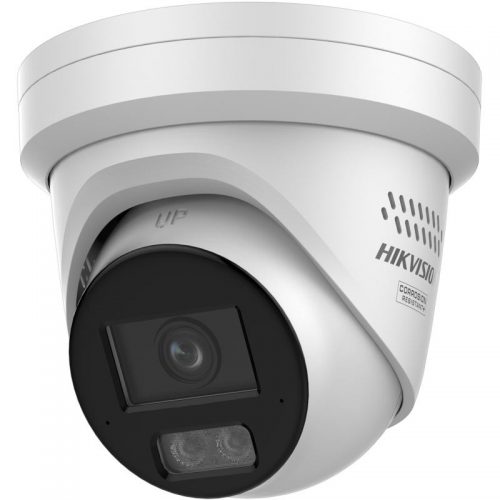
A strong fixed-camera option where Live Guard, ColorVu, and AcuSense overlap in one premium turret.
DS-2CD3H66G3-LIZSUY/SL
Useful where the scene needs motorised framing flexibility as well as active warning.
DS-2CD3H86G3-LIZSU(Y)/SL
A stronger 8MP motorised deterrence direction where wider scenes or tighter framing need more camera headroom.
Installation notes
- Mount the camera where warning audio and strobe will mean something to the target, not where they only annoy everyone nearby.
- Use deterrence on the actual after-hours risk points, not on every quiet internal scene.
- Test the scene with the customer and decide whether the warning should be always active, scheduled, or used more selectively.
- Keep the rest of the camera layout honest. Live Guard is an add-on decision, not a substitute for proper evidence views.
Common mistakes with Live Guard
- Trying to make every camera on the site a deterrence camera.
- Using Live Guard where the real issue is poor night footage or cluttered alerts.
- Pointing deterrence cameras into neighbour-sensitive areas without thinking through the consequences.
- Expecting strobe and speaker to replace a proper alarm, intercom, or access-control plan.
Live Guard quote scenarios
| Position | Live Guard fit | Why |
|---|---|---|
| Rear business entry | Strong. | After-hours warning can be useful and expected. |
| Residential side path | Careful. | Light and audio may annoy neighbours if not tuned. |
| Customer-facing shopfront | Selective. | Evidence may matter more than visible warning during trading hours. |
| Warehouse cage or yard | Strong when zones are precise. | Warning response can protect clear risk zones. |
Live Guard handover checklist
- Show the owner what triggers warning light or audio.
- Test at night, not just during installation.
- Tune detection zones so public footpaths or trees do not trigger nuisance events.
- Explain how to reduce warnings if the environment changes.
Related Pages
Hikvision AcuSense Cameras Buying Guide
Use this if the real brief is cleaner alerts rather than warning behaviour.
Hikvision ColorVu Cameras Buying Guide
Use this if stronger colour at night matters more than speaker and strobe.
Hikvision 2026 Camera and NVR Picks
Useful when you want real current Hikvision models rather than only family-level theory.
Where Live Guard is a bad fit
Live Guard should not be the default answer for every outdoor camera. It can create nuisance where neighbours, residents or customers are close to the warning light or speaker. It is also a weak choice if nobody will review alerts or if the site wants silent evidence rather than visible deterrence. In those cases, AcuSense, ColorVu, Smart Hybrid Light or standard fixed cameras may be the cleaner design.
| Bad fit | Better direction |
|---|---|
| Quiet residential side path beside a bedroom window | Use IR, Smart Hybrid Light or careful fixed coverage. |
| Customer-facing area during trading hours | Use normal evidence cameras unless there is a clear after-hours schedule. |
| Site with no response owner | Fix the alert and response workflow before buying deterrence cameras. |
Frequently Asked Questions
-
Where should Hikvision Live Guard be used?
Use Live Guard where a visible warning response is appropriate, such as rear entries, yards, side access and exposed after-hours risk areas. Avoid casual use in sensitive customer or neighbour-facing positions.