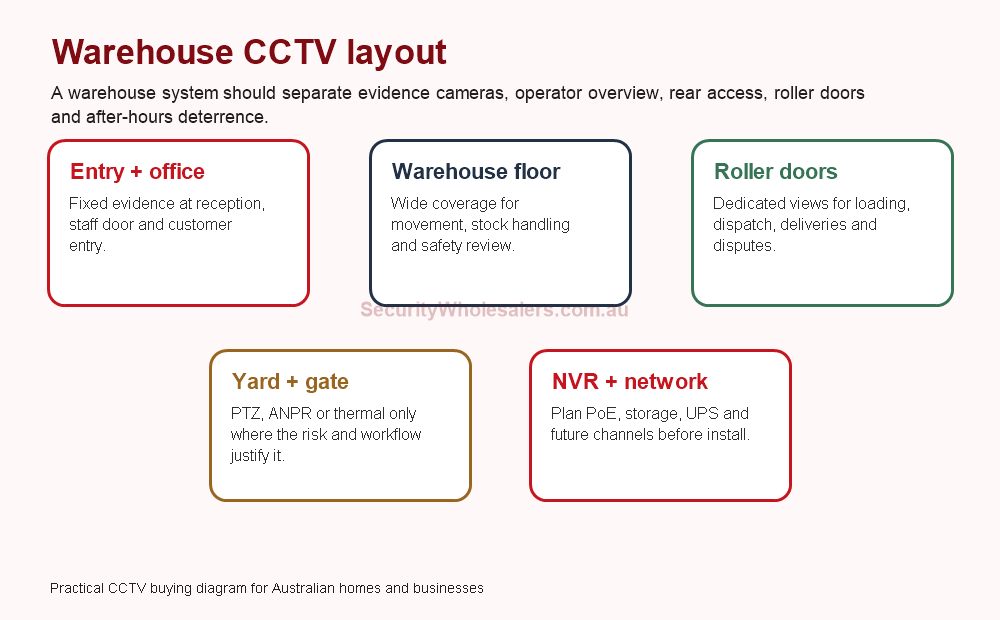
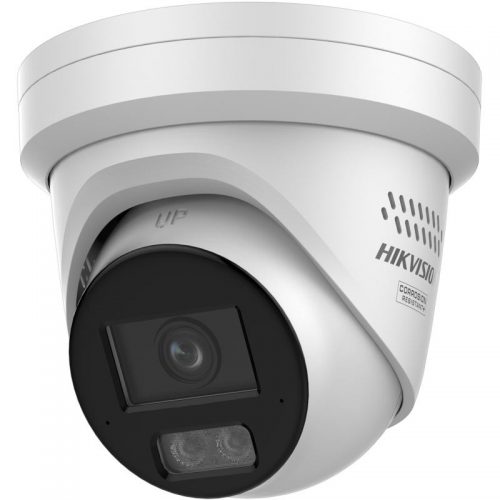
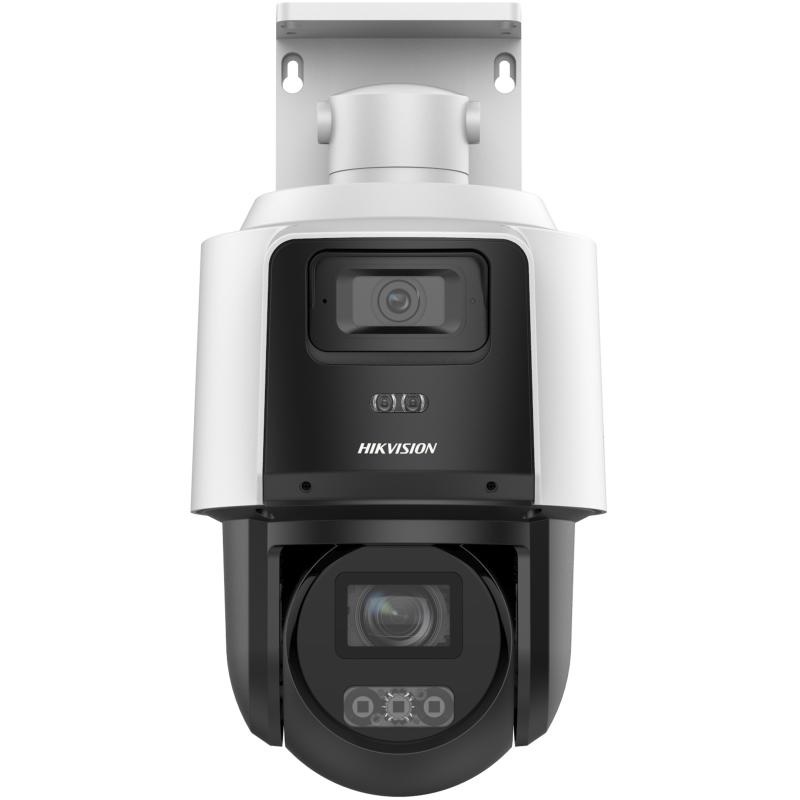
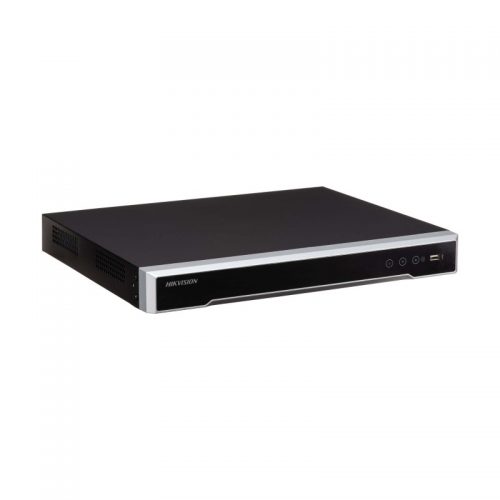
Warehouse CCTV needs more than a few wide cameras. The useful design separates evidence, overview, access, loading, yard and response workflows.
Warehouses
Warehouse design should separate office entry, floor coverage, roller doors, dispatch, yard, gate and recorder planning.
Quick answer
For most warehouses, start with fixed cameras on repeatable evidence points, then add PTZ, TandemVu, ANPR, Live Guard, access control, AX PRO or thermal only where the workflow justifies it. A warehouse is usually a 16-channel planning conversation earlier than buyers expect.
Warehouse coverage priorities
Area
Camera thinking
Why
Office and reception
Fixed evidence camera at entry and reception.
People, deliveries and disputes start here.
Roller doors and dispatch
Dedicated views for loading, unloading and vehicle movement.
Do not rely on one wide warehouse camera for dock evidence.
Warehouse floor
Wide context cameras plus selected detail views.
Useful for safety, stock movement and review.
Yard and gate
Fixed cameras first, then PTZ, ANPR or thermal where justified.
Specialist cameras help only when the lane, boundary or response is designed.
What I would quote
Warehouse type
Starting system
Upgrade path
Small trade unit
6 to 8 cameras, 8-channel PoE NVR, front, rear, roller and internal views.
Move to 16-channel if yard or future cameras are likely.
Medium warehouse
10 to 16 cameras, 16-channel NVR, selected motorised or ColorVu views.
Add access control at staff/warehouse doors.
Depot or yard
16+ camera planning, fixed evidence cameras, selected PTZ or ANPR.
Thermal or Live Guard only with response planning.
Warehouse jobs should be sized for final channel count and retention, not only the first stage.
Warehouse mistakes to avoid
Using one high-mounted wide camera where the site needs a doorway or roller-door evidence view.
Buying PTZ before the fixed cameras are settled.
Ignoring lighting at loading docks, rear lanes and external aprons.
Forgetting UPS, network cabinet location and recorder security.
Adding ANPR without confirming lane angle, vehicle speed, lighting and who will manage plate lists.
Warehouse handover checklist
Handover item
Why it matters
Camera names match the site map
Staff can find roller doors, dispatch, yard and office footage quickly.
Playback and export tested
Managers need evidence after incidents, not just live view.
App users documented
Businesses change staff; access needs to be removed cleanly.
Retention confirmed
Longer review windows need correct drive sizing and recording assumptions.
Warehouse design by risk area
A good warehouse CCTV design does not treat the building as one big room. The office, dispatch area, roller door, stock aisles, yard, gate and rear access all create different evidence problems. Some need identification. Some need overview. Some need after-hours alerts. Some need access control or ANPR. When those jobs are separated, the camera count becomes much easier to defend.
Risk area
Camera type to consider
Notes
Office entry and reception
Fixed turret or dome.
Keep the view low and targeted enough for faces and visitor evidence.
Roller door
Fixed or motorised camera.
Frame vehicles, goods movement and the door opening, not just the general wall.
Loading dock
Fixed evidence plus optional overview.
Useful for delivery disputes, loading damage and after-hours movement.
External yard
Fixed cameras first; PTZ or TandemVu only with operator use.
Wide outdoor areas often need more than one stable evidence view.
Gate or driveway
Fixed overview, possible ANPR if geometry suits.
ANPR is a lane design decision, not a generic warehouse upgrade.
High-value stock
Dedicated fixed view or access-control pairing.
Do not rely on a distant wide view for valuable stock or restricted rooms.
Small, medium and complex warehouse examples
Small trade unit
6 to 8 cameras, usually on an 8-channel NVR if the layout is finished. Cover front office, roller door, internal floor, rear exit and driveway.
Medium warehouse
10 to 16 cameras with 16-channel planning. Separate loading, stock, office, rear access, car park and external approaches.
Complex depot
16+ cameras, network planning, UPS, possible PTZ, ANPR, intercom, access control or thermal. Treat it as a system design, not a kit.
Installer notes for warehouse jobs
Check mounting height before assuming a camera will identify faces or number plates.
Confirm cable paths, switch cabinets and PoE budget before finalising camera count.
Plan the NVR location so it is secure, ventilated and accessible for service.
Use camera names that match the warehouse map.
Test night and weekend lighting, especially roller doors, rear lanes and yards.
Set a process for who reviews footage and who can export it.
When a warehouse needs more than CCTV
CCTV is the evidence layer, but many warehouses also need control and response. If the problem is staff-only areas, add access control. If the problem is after-hours intrusion, consider AX PRO or a monitored response path. If the problem is vehicle movement through a controlled gate, ANPR may be useful. If the problem is a dark perimeter or fire-risk storage, thermal may be the correct specialist layer. The strongest designs do not ask one camera type to solve every problem.
That is why warehouse jobs should usually be quoted in stages: fixed evidence cameras first, recorder and storage second, then specialist layers only where the business has a named operational need. This keeps the system useful and avoids a quote that is impressive on paper but frustrating to use after the first incident.
Decide which views need identification and which only need overview.
Confirm whether vehicles, plates, pallets or staff movements are the review priority.
Check night lighting at yards, loading docks and rear lanes.
Choose the NVR for the final camera count, not the first quote stage.
Document who receives alerts and who reviews footage.
Warehouse quote scenarios that feel realistic
For a small trade unit, I would normally avoid trying to make one camera cover the front counter, driveway and roller door. A more useful design is usually 6 to 8 cameras: one or two at the office and public entry, one at the roller door, one at the rear exit, two or three across the working floor and one external approach view. If there is any chance of adding a yard camera later, a 16-channel NVR may be the smarter commercial choice even if the first stage only uses 8 cameras.
A medium warehouse often becomes a 12 to 16 camera design. The camera count is not there to look impressive; it is there because the incident types are different. Dispatch disputes need loading views. Staff safety needs aisle or floor overview. Theft review needs stock-area evidence. Yard movement needs external coverage. Access control may be needed between office and warehouse areas. Once those jobs are separated, the design is easier to explain to a manager and much easier to use after an incident.
A complex depot should be treated as a staged security system. Start with fixed evidence cameras and a recorder sized for the final site. Then decide whether PTZ, TandemVu, ANPR, Live Guard or thermal has a named operational role. ANPR might suit a controlled gate. Thermal might suit a dark boundary. Live Guard might suit an after-hours loading dock. PTZ might suit a staffed control point. None of these should replace fixed cameras at the places where evidence is repeatedly needed.
Warehouse installation details buyers often miss
Confirm forklift paths and high racking before choosing camera positions.
Check whether roller doors create backlight during the day and darkness at night.
Put the NVR somewhere secure enough that an intruder cannot simply remove the evidence.
Allow conduit, poles, brackets, wireless bridges or trenching in outdoor yard quotes.
Confirm who will review footage and whether that person needs app access, desktop access or only NVR access.
Use a UPS for the recorder, switches and router where after-hours incidents are the main concern.
How warehouse camera count should be defended
When a warehouse manager asks why the quote needs 12 or 16 cameras, the answer should be grounded in evidence points. Count public entry, staff entry, office, dispatch, each roller door, rear access, yard, driveway, high-value stock, cage or plant area separately. If two areas create different evidence needs, they probably deserve separate views. This is especially true where a wide view shows that something happened but cannot show who did it or what item moved.
Storage should also be defended. A warehouse may not discover an incident on the day it happened. Stock discrepancies, vehicle damage and delivery disputes can emerge days later. That pushes the design toward sensible hard-drive sizing, motion recording assumptions and a clear retention target.
Operational workflows to design around
Workflow
Design response
Delivery dispute
Dedicated loading and dispatch views, with date/time accuracy and export testing.
After-hours intrusion
Fixed evidence cameras plus AX PRO, Live Guard or monitored response where justified.
Vehicle movement
Driveway overview first; ANPR only if lane geometry and administration suit.
Staff safety
Overview views of work zones without overpromising facial detail from high mounts.
Restricted stock
Access control or dedicated cameras on cages, plant rooms or inventory areas.
Warehouse camera placement examples
Front trade counter: use a dedicated face-level or near-face-level view rather than relying on the general office camera. This is where customer disputes, courier arrivals and walk-in visitors are most likely to be reviewed.
Roller door: mount for vehicles and goods movement, not just the doorway. If the camera is too high and too wide, it may show a truck arrived but not what was loaded or damaged.
Warehouse floor: use wide overview for safety and movement, then add specific evidence views for stock, dispatch benches or high-value areas. Trying to identify every person from a single high warehouse camera is unrealistic.
External yard: start with fixed overview and evidence cameras. Add PTZ or TandemVu only if someone actively uses zoom or patrol. Add thermal only if detection across a boundary is the real problem.
What a warehouse buyer should ask before approving
Will the NVR still have spare channels after the first stage?
Are loading disputes and stock movement both covered?
Can we export footage quickly if a customer, insurer or police request it?
Do camera names match the warehouse map?
Have night and weekend conditions been tested?
Is the recorder protected from theft, heat and accidental power loss?
Warehouse FAQs
How many cameras does a warehouse need?
A small unit may need 6 to 8 cameras, while a medium warehouse often needs 10 to 16 once roller doors, yards, office entries and rear access are counted.
Should a warehouse use PTZ cameras?
PTZ can help with live overview, but it should not replace fixed evidence cameras at doors, gates, loading docks and stock-risk points.
Is ANPR useful for a warehouse?
ANPR can be useful for controlled entry and exit lanes, but it needs correct lane geometry, lighting, administration and privacy planning.
Should warehouses use access control with CCTV?
Often yes, especially for staff doors, warehouse-office separation and restricted stock or plant areas.
Practical buying scenarios
Small business: start with entry, counter or reception, rear door and stock/office views. Warehouse: separate roller-door evidence, dispatch, aisles, yard and office entry. Strata or shared site: document privacy, access rights, camera ownership and footage request workflow before installation.
Quote-ready checks
What exact incident or workflow is this page trying to solve?
Which views need identification detail and which only need overview?
Does the recorder or management platform support the finished camera count?
What must be tested at handover: live view, playback, alerts, export, users and account ownership?
Where would this system become the wrong choice and need a different product family?
For Hikvision For Warehouses, the strongest Hikvision quote should read like a site plan, not a box list. It should explain why each camera or recorder path is being chosen, where the buyer should avoid overbuying, and what happens if the site expands later.
How to quote Hikvision For Warehouses properly
The practical value of Hikvision For Warehouses comes from how well it solves warehouse coverage on a real Australian site. A strong recommendation should talk about loading docks, roller doors, stock paths, forklift movement, staff access, after-hours alerts and recorder expansion, because those details decide whether the system is useful after the installer leaves.
Warehouse quotes should leave spare channels. Once managers review real footage, they often add another view over dispatch or stock handling. This is where a good buying guide should help: it should make the trade-offs visible before the customer spends money, not after the first incident exposes a weak view.
Small site
For a small Hikvision Hikvision For Warehouses project, focus on the few views that would prove the most likely incident. It is better to have fewer well-planned cameras than more cameras that miss faces, plates, doors or night detail.
Medium site
For a medium Hikvision For Warehouses site, separate identification views from overview views. Use stronger cameras where people, vehicles or high-value stock must be identified, and use practical overview cameras where the goal is movement context.
Complex site
For a complex Hikvision For Warehouses site, plan the recorder, permissions and expansion path before finalising cameras. Larger jobs often fail because the hardware is good but the storage, network or user workflow was never properly designed.
What a 95/100 Hikvision quote should include
A short explanation of what each recommended camera is expected to prove.
Enough recorder storage and spare channels for realistic future expansion.
Notes on night performance, glare, weather exposure, mounting height and service access.
A simple handover plan covering app access, playback, footage export and user permissions.
For Hikvision For Warehouses, the best buying decision is the one that still feels obvious six months later. If the buyer can understand why each device was chosen, how footage will be found, and where the system can grow, the quote is far more likely to deliver long-term value.
Final checks before ordering Hikvision For Warehouses
Before ordering Hikvision For Warehouses, ask the installer or sales team to describe the weakest part of the proposed design. That question is useful because every security system has a trade-off: lens width versus detail, deterrence versus discretion, recorder cost versus retention, or simplicity versus future expansion.
For Hikvision For Warehouses, the better Hikvision purchase is usually the one with a clear explanation rather than the longest specification sheet. The quote should say which views are for identification, which are for overview, which settings need commissioning, and which parts of the system should be reviewed after the first few weeks of real use.
A final practical check for Hikvision For Warehouses is supportability. Choose a system that can be explained to the person who will actually use it: how to open the app, find yesterday's event, export a clip, add a user, and understand when a camera or recorder needs attention. That day-to-day clarity is what separates a decent product list from a genuinely useful Hikvision security solution.
Your Shopping Cart will be saved and you'll be given a link. You, or anyone with the link, can use it to retrieve your Cart at any time.
Back
Save & Share Cart
Your Shopping Cart will be saved with Product pictures and information, and Cart Totals. Then send it to yourself, or a friend, with a link to retrieve it at any time.