

















Commercial
Hikvision AcuSense Cameras Buying Guide
AcuSense
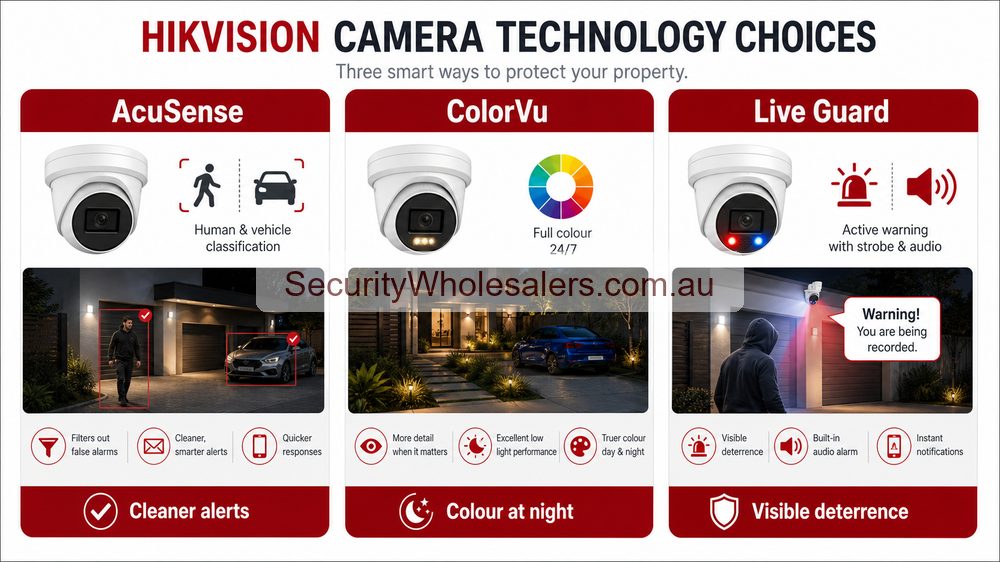
Quick answer
Choose AcuSense when the site wants cleaner alerts, faster playback, and less nuisance event history. If the real issue is stronger night colour, start with ColorVu. If the real issue is warning people off, start with Live Guard.
When AcuSense is the right answer, and when it is not
Best fit
Use AcuSense when the owner keeps saying things like "we get too many useless alerts" or "playback takes too long because there is too much junk in it". That is exactly where the technology earns its keep.
Not the main issue
If the complaint is really "the footage looks too dark at night" or "we want the camera to warn people off", AcuSense may still be present, but it is not the main buying reason.
Natural step-up
Once the alert problem is solved, the next step is often a better low-light camera on the key views or a stronger deterrence camera on the one or two scenes that actually need it.
Where AcuSense usually helps the most
- Driveways and gates where cars, headlights, shadows, and night movement create review clutter
- Retail and office frontages where the customer wants cleaner people and vehicle events
- Warehouse, school, childcare, and business exteriors that generate too much ordinary motion noise
- Rear doors, side lanes, and after-hours entries where notifications matter
What buyers often misunderstand
AcuSense is not a magic setting that fixes a badly designed scene. It still needs sensible framing, realistic target paths, and proper rule placement. If the camera is too high, too wide, or aimed into visual noise, AcuSense will help less than you hoped.
It is also normal for only some cameras on the site to need AcuSense. The better design is often a mix: stronger analytics on the noisy alert-driving views and simpler cameras on the quiet ones.
How AcuSense overlaps with other Hikvision families
| If you are saying⦠| Usually start with | Why |
|---|---|---|
| "We get too many useless alerts." | AcuSense | The main pain point is filtering and event review. |
| "We need better colour on the key night views." | ColorVu, often with AcuSense included | Night image quality matters more than filtering alone. |
| "We want the camera to challenge people after hours." | Live Guard, often with AcuSense included | The site wants a deterrence response, not just cleaner playback. |
| "We need one wider scene and one tighter view." | TandemVu | The job is about broader situational awareness, not ordinary alert cleanup. |
Sample AcuSense case studies
Case study: family driveway with constant vehicle movement
The owner wanted cleaner notifications and easier playback, not more dramatic camera features. AcuSense was the right first step because the real issue was event clutter.
Case study: small business frontage with foot traffic
The business had too much ordinary movement in the scene for basic motion events to be useful. AcuSense improved review and after-hours notifications without needing to redesign the whole camera family.
Case study: side lane where the customer also wanted better night footage
The real answer was not AcuSense alone. It was an overlap camera option with AcuSense plus stronger low-light performance, which is why some sites naturally drift into ColorVu or Smart Hybrid Light models.
Case study: school entry with too many meaningless events
The school did not need louder cameras or more features everywhere. It needed the front entry and car-park edge to produce cleaner people and vehicle events so staff could review incidents quickly without wasting time.
Recommended AcuSense buying options
Entry or driveway
Use AcuSense on front entries, driveway thresholds, and business approaches where the main pain point is messy event history.
Mixed low-light system
Some of the best modern Hikvision cameras combine AcuSense with ColorVu or Smart Hybrid Light. That can be a better answer than choosing those features separately.
Recorder-based system
On some jobs, the AcuSense decision is really about the NVR workflow as much as the camera. Cleaner search and review can justify the recorder step-up.
Best first buy for most sites
If the owner is unsure and the site is a normal home, small business, school edge, or warehouse frontage, a sensible AcuSense fixed camera is often the safest Hikvision starting point.
AcuSense products worth comparing
Hikvision AcuSense category
The best current starting point when the main goal is better human and vehicle event filtering across the Hikvision range.
DS-2CD2386G2-ISU/SL
A practical AcuSense turret reference when you want cleaner alerts without having to jump straight to a more feature-stacked ColorVu or deterrence model.
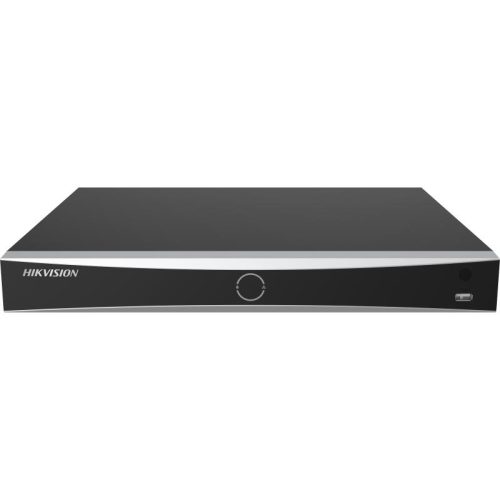
DS-7608NXI-I2/8P style AcuSense NVR choice
Useful when the recorder workflow matters as much as the cameras, especially on busier business and commercial jobs.
Installation notes
- Use AcuSense where the customer genuinely cares about event review, not simply because the label sounds better.
- Keep the scene honest. If the camera is too high or too wide, the analytics benefit is weaker.
- Test human and vehicle paths during commissioning rather than assuming default rules are already right.
- Be selective. Often only the noisy alert-driving views need AcuSense.
Common mistakes with AcuSense
- Expecting AcuSense to rescue a camera that is mounted too high or aimed too wide.
- Paying for AcuSense on every quiet internal view when only a few noisy scenes actually need it.
- Confusing cleaner alerts with stronger night image quality.
- Skipping commissioning tests and assuming the default rules already suit the site.
AcuSense quote scenarios
| Site | AcuSense role | Buying note |
|---|---|---|
| Home driveway | Reduce nuisance movement history from pets, trees and general motion. | Still mount for useful face/vehicle detail, not just alerts. |
| Small shop | Cleaner after-hours event review at entry and rear door. | Pair with an NVR that makes event search easy. |
| Warehouse door | Human/vehicle filtering at roller doors and dispatch paths. | Use fixed evidence views before adding PTZ. |
Where AcuSense is not enough
AcuSense helps decide what kind of object triggered an event. It does not magically fix poor placement, bad lighting, wrong lens choice or an undersized recorder. If the site needs colour at night, visible warning, plate recognition or thermal detection, AcuSense may be part of the answer but not the whole answer.
Related Pages
Hikvision Camera Series Explained
Use this if you are still working out whether AcuSense, ColorVu, Live Guard, TandemVu, or Thermal is the real family to follow.
Hikvision ColorVu Cameras Buying Guide
Go here if the site actually cares more about stronger colour at night than cleaner event filtering.
Hikvision Live Guard Cameras Buying Guide
Go here if the job needs warning audio and strobe response, not just smarter filtering.
Frequently Asked Questions
-
Does AcuSense stop all false alerts?
No. It reduces many nuisance events by filtering people and vehicles, but placement, lighting, zones, sensitivity and recorder configuration still matter.