

















Commercial
Hikvision CCTV and AX PRO for After-Hours Security
Combined Systems
Quick answer
Use cameras on their own when the main goal is recording, app viewing, and later playback. Add AX PRO when the site also wants disturbance detection, app alerts, reed switches, panic devices, external detectors, sirens, or a stronger after-hours workflow that cameras alone do not handle cleanly.
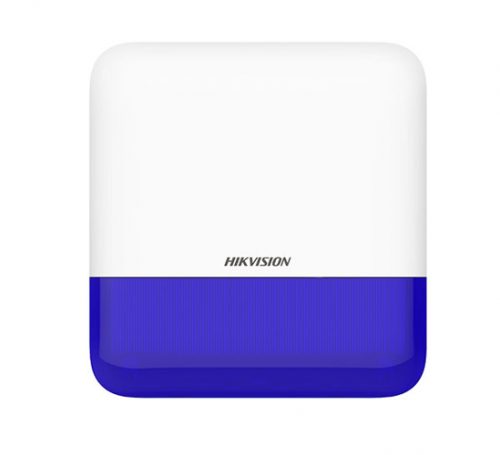
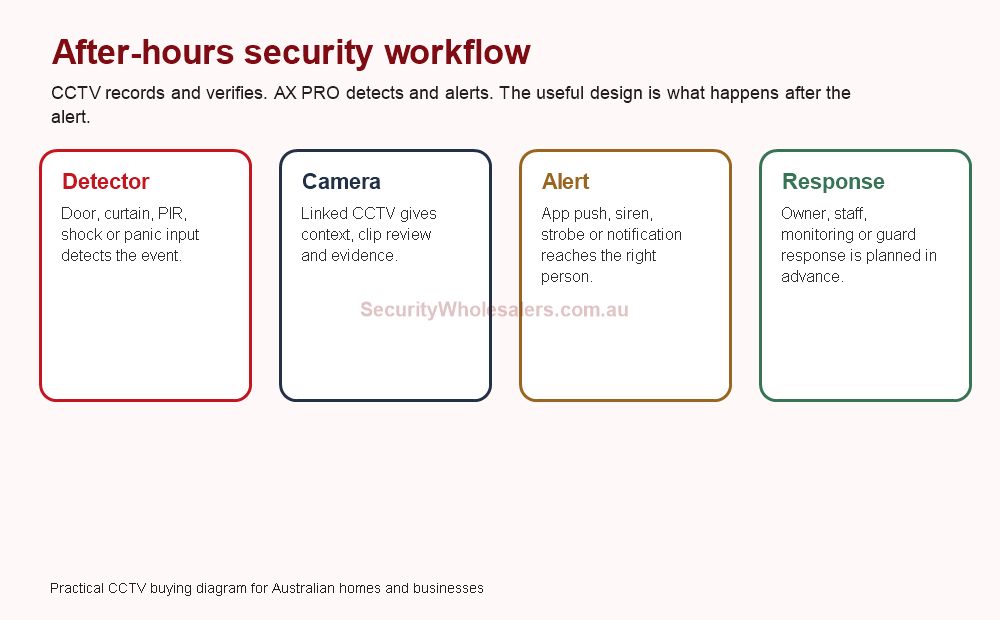
Quote scenarios: after-hours CCTV plus AX PRO
| Site | Practical starting point | Important design note |
|---|---|---|
| Small retail tenancy | 4 to 6 cameras, AX PRO door/PIR coverage, siren and app users. | Camera views should confirm the same entry points the alarm is protecting. |
| Warehouse unit | 8 to 12 cameras, outdoor curtain or perimeter detector, rear-door coverage and clear response rules. | After-hours alerts need a named person or monitoring path, not just a notification nobody owns. |
| Medical, office or clinic | Entry/reception cameras, AX PRO intrusion zones, panic button where staff risk exists. | Separate staff safety, burglary and evidence review instead of treating them as one feature. |
When cameras alone are enough
Usually enough
Homes, small shops, and simple offices where the goal is recording, live app view, and basic alerting rather than a full intrusion response plan.
Usually not enough
Sites that keep saying they want to know the moment someone enters a side yard, opens a gate, enters a back compound, or disturbs a protected area after hours.
Natural step-up
Add AX PRO when the site wants the cameras to be part of a broader notification, siren, detector, or duress workflow.
What each system is doing
| Layer | Main job | What it usually does better |
|---|---|---|
| Hikvision CCTV | Scene context and evidence | Shows what happened, where it happened, and what the person or vehicle actually did. |
| AX PRO | Detection and notification | Handles disturbance logic, wireless detectors, reeds, panic devices, and a more deliberate after-hours response path. |
| Combined system | Evidence plus response | Gives the user both a clearer scene and a better trigger path when something needs attention. |
Real after-hours scenarios
Small office with side gate and rear door
Use fixed Hikvision cameras for the entry, rear door, and side path. Add AX PRO with outdoor detection or reeds if the site wants a cleaner after-hours notification layer instead of relying only on camera events.
Warehouse office plus inner compound
The cameras provide overview and evidence, while AX PRO helps with disturbance logic around the office edge, tool cage, or inner yard where the customer wants to be pushed to react sooner.
Medical entry or rooming-house side path
These are the kinds of jobs where app notifications, siren behaviour, or a panic path may matter more than simply having another passive camera view.
Best Hikvision pathways by site type
| Site type | Usually start with | Then add | Why this path works |
|---|---|---|---|
| Simple small business | AcuSense cameras | AX PRO only if the site wants stronger after-hours disturbance detection | Many small jobs still begin as a camera-first discussion, then step into alarm once the client describes the real after-hours problem. |
| Problem rear lane or side path | Live Guard or selected deterrence camera | AX PRO if the site also wants detector-led notification or siren logic | The site may want both visible deterrence and a more structured intrusion response. |
| Warehouse or depot office edge | Fixed cameras plus NVR with growth headroom | AX PRO outdoor detectors, reeds, siren, or panic devices | This gives the site a clearer split between evidence, detection, and response. |
| Managed business with staff duress concerns | CCTV for evidence and visibility | AX PRO silent alarm or panic workflow | The real brief is no longer only about intrusion. It is about event handling and staff workflow too. |
What the installer still needs to settle
- Which scenes are just for recording and which scenes need true disturbance detection
- Whether the site is better served by reeds, outdoor detectors, panic devices, or simply better camera placement
- Who gets notifications and what they are actually expected to do when an alarm arrives
- Whether the camera and alarm power supply designs both need UPS coverage
- Whether the site is simple enough for AX PRO or already drifting into a more structured hybrid alarm setup
Useful product directions
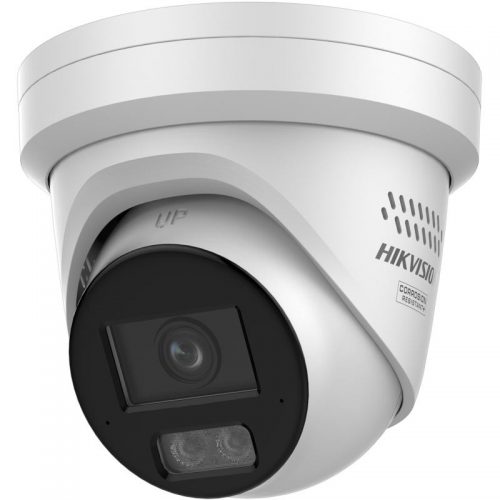
Deterrence-capable camera example
A useful reference when the site wants stronger after-hours visibility and some on-camera warning behaviour on a key scene.
AX PRO platform
Best starting point when the real question is how to add a stronger after-hours response layer to the cameras.
Outdoor curtain detector
Useful where the site wants more deliberate edge detection than a camera-only event workflow can comfortably provide.
After-hours security FAQs
-
When is Hikvision CCTV on its own enough after hours?
Usually when the site mainly wants recording, later review, and app visibility rather than a more deliberate intrusion response plan.
-
When should AX PRO be added?
Add AX PRO when the site wants detectors, reeds, panic devices, sirens, or a more deliberate notification workflow that cameras alone do not handle cleanly.
-
Can AX PRO replace the cameras?
No. The cameras still provide the scene context and evidence. AX PRO strengthens the detection and response side.
-
What kinds of sites suit this combined path?
Offices, warehouses, managed business entries, medical entries, compounds, and other sites where after-hours disturbance matters more than passive recording alone.
After-hours system scenarios
| Site | CCTV role | AX PRO role |
|---|---|---|
| Office | Entry and hallway evidence. | Door contact, PIR and app alert response. |
| Warehouse | Yard, roller door and stock-area context. | Detectors, siren and clearer intrusion workflow. |
| Medical or retail site | After-hours entry and stock evidence. | Duress or intrusion alert layer where appropriate. |
Related Pages
Hikvision AX PRO vs AX Hybrid PRO
Use this if the site is already comparing wireless-first and hybrid alarm structure.
Hikvision Live Guard Cameras Buying Guide
Use this if the site is still deciding whether the real need is deterrence or a proper alarm layer.
How to Choose a Hikvision NVR
Use this once the combined system is clearly moving into a more structured recorder plan.