

















Commercial
Hikvision Camera Series Explained
Technology Hub
Quick answer
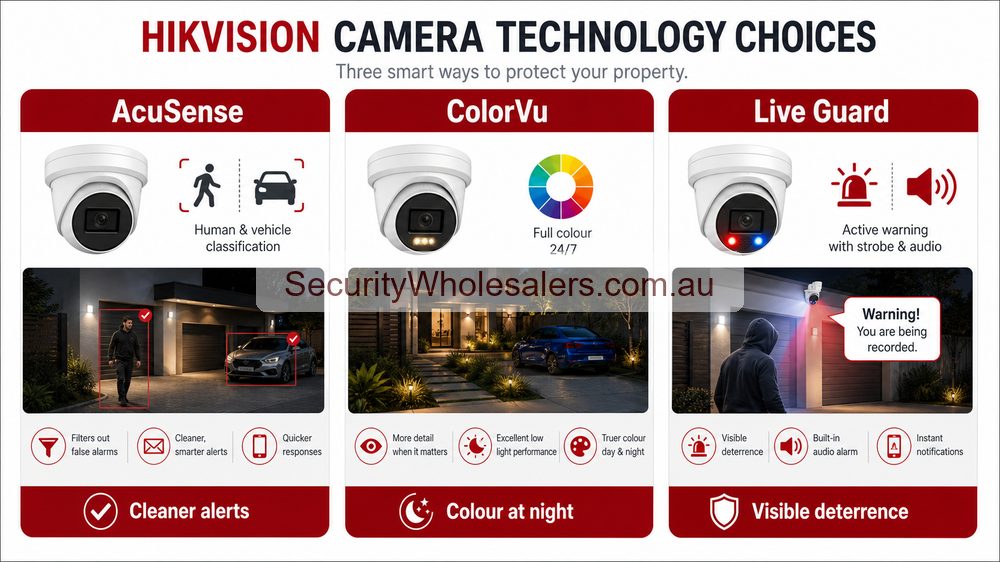
If you mainly want cleaner alerts, start with AcuSense. For stronger colour at night, compare ColorVu and Smart Hybrid Light. For speaker and strobe warnings, look at Live Guard. Use a motorised varifocal lens when the view needs on-site adjustment, PTZ or TandemVu for larger active-overview jobs, ANPR for a controlled vehicle lane, and thermal for heat-based detection or temperature monitoring.
What most buyers should compare first
Best starting point for most homes and small businesses
AcuSense is still the safest first conversation when the site wants practical analytics, cleaner notifications, and an easier recorder workflow.
Best step up when night quality matters
ColorVu becomes the stronger fit when the entry, driveway, or frontage needs much better night colour rather than just standard IR footage.
Best fit for after-hours warning
Live Guard suits the scenes where the customer wants the camera to do more than record quietly after hours.
Best fit for larger overview scenes
TandemVu only comes into the conversation when one camera position genuinely needs overview plus tighter live detail together.
Hikvision camera technologies in plain English
| Technology | What it actually does | Best suited to | Important limitation |
|---|---|---|---|
| AcuSense | Classifies people and vehicles so alerts and playback contain less irrelevant motion. | Homes, offices, retail, schools and warehouses that want cleaner event searching. | It cannot rescue a badly framed scene or an unrealistic detection rule. |
| ColorVu | Uses a large aperture, sensitive sensor and available or supplemental light to retain colour after dark. | Entries, frontages, driveways and lanes where clothing or vehicle colour may matter. | Colour still depends on light; white illumination may be visible to neighbours or visitors. |
| Smart Hybrid Light | Lets a compatible camera use infrared, white light or a smart mode that changes illumination after an event. | Sites wanting discreet IR most of the time with colour or visible light when a person or vehicle is detected. | It describes lighting behaviour, not a complete analytics or deterrence system by itself. |
| Live Guard | Adds an active response such as a speaker warning and flashing light to selected camera events. | Rear doors, side lanes, cages and after-hours approaches where a warning has a clear purpose. | Poorly tuned rules can annoy neighbours, staff or legitimate visitors. |
| Motorised varifocal | Allows the installer to adjust the lens remotely during setup instead of committing to one fixed view. | Long driveways, loading areas, wide frontages and positions that are difficult to judge before installation. | It provides framing flexibility, not continuous operator-controlled movement like a PTZ. |
| PTZ | Pans, tilts and zooms for live control, presets, patrols and selected tracking functions. | Large yards, depots, campuses and sites with an operator or a well-designed preset workflow. | A PTZ only records where it is looking, so it should not replace fixed evidence cameras. |
| TandemVu | Combines a wide overview channel with a detailed or movable channel in one unit. | Forecourts, yards and larger outdoor scenes where operators need context while following detail. | It is specialist hardware and still needs suitable NVR bandwidth, storage and mounting. |
| ANPR | Captures and recognises number plates when the lane, angle, distance, speed and lighting are controlled. | Gates, car parks and vehicle entries that need plate logs, lists or access workflows. | A normal overview camera cannot become reliable ANPR just because software is enabled. |
| Thermal | Creates an image from heat differences rather than visible light. | Dark perimeters, difficult visibility, abnormal-heat warning and selected industrial monitoring. | It is strong for detection, but normal optical cameras are still better for colour, faces and plates. |
| DeepinView / AI search | Adds more specialised analytics or investigation tools on selected cameras and recorders. | Commercial sites with frequent incident review and a team that will use the workflow. | Advanced features only add value when compatibility, configuration and staff training are planned. |
Fastest chooser by buyer question
| If you are saying⦠| Usually start here | Why |
|---|---|---|
| "I want fewer useless alerts." | AcuSense | Analytics and event filtering are the real brief. |
| "I want better colour at night." | ColorVu | Night-time colour is the thing the site actually cares about. |
| "I want the camera to warn people off." | Live Guard | Deterrence is the real job, not only video quality. |
| "I need wide view plus zoom support." | TandemVu | The site is already beyond a simple fixed-lens conversation. |
| "I have a perimeter or fire-risk problem." | Thermal | This is already outside the normal visible-light buying option. |
Sample case studies
Case study: suburban home with driveway nuisance alerts
The owner was less worried about premium night colour than about constant driveway notifications from normal motion. That job belongs in the AcuSense guide first, then a smaller NVR discussion second.
Case study: retail side lane with after-hours loitering
The real problem was not only seeing the lane. It was challenging the behaviour after hours. That job usually moves toward Live Guard, often with AcuSense overlap.
Case study: business frontage where colour matters at night
The customer cared about vehicle colour, clothing detail, and a cleaner view of the entry after dark. That is usually a ColorVu conversation before anything else.
Case study: transport depot yard needing context plus zoom
The operator wanted to keep the broad scene live while still being able to inspect one active zone. That is where TandemVu starts to make sense.
Case study: school frontage with mixed concerns
The school wanted cleaner review on the entry, better colour at the front gate after dark, and one larger overview scene for management. That is a good reminder that bigger Hikvision jobs often end up using more than one family at once.
Case study: warehouse roller door and loading apron
The warehouse did not need a specialist camera everywhere. It needed sensible fixed evidence views first, then a decision about whether the loading apron really needed Live Guard or simply stronger night footage.
Choose by site type
| Site type | Usually where the conversation starts | Common second step |
|---|---|---|
| Home or townhouse | AcuSense or ColorVu | Step into Live Guard only on specific side paths, rear entries, or repeated nuisance points. |
| Small business or office | AcuSense | Then decide whether the entry or car park wants better night colour. |
| Retail shopfront or rear lane | ColorVu or Live Guard | Compare better night footage against a stronger warning response. |
| Warehouse, depot, or commercial yard | AcuSense fixed cameras | Add TandemVu or thermal only if the site truly has the size or operational need for it. |
| School or campus | AcuSense | Add ColorVu or a larger overview camera on the scenes that actually justify it. |
Hikvision family shortcuts
Technology guide shortcuts
Hikvision AcuSense Cameras Buying Guide
Best starting point for many mainstream Hikvision IP jobs where the real problem is event clutter.
Hikvision ColorVu Cameras Buying Guide
Use this when night-time colour quality is the real decision.
Hikvision Live Guard Cameras Buying Guide
Use this when the customer wants warning lights, speaker, and deterrence on selected scenes.
Hikvision AcuSense vs ColorVu vs Live Guard
Use this if you are stuck between cleaner alerts, better night colour, and a stronger after-hours response.
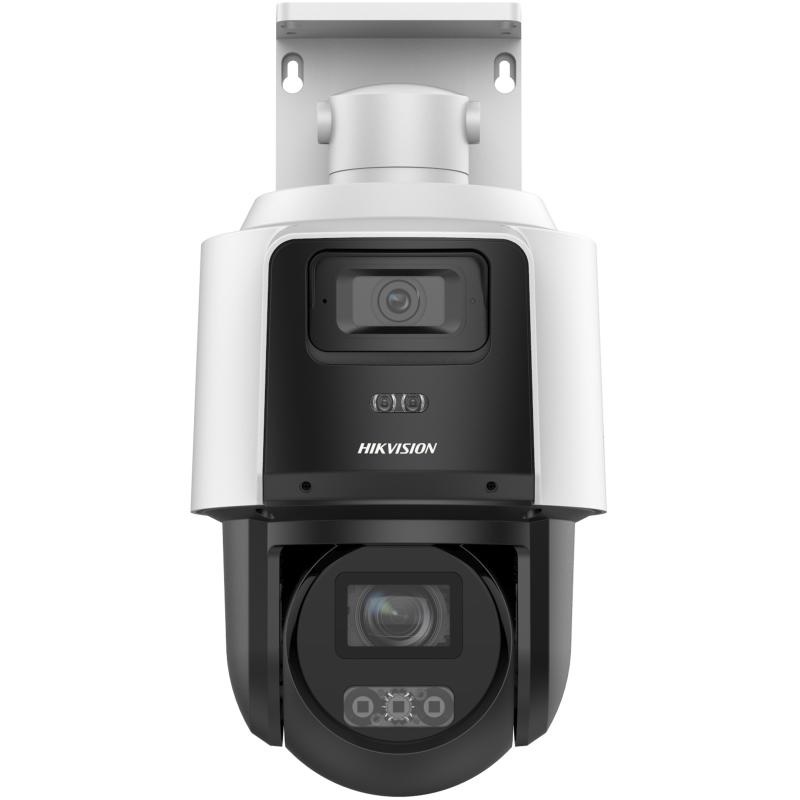
Hikvision TandemVu Cameras Buying Guide
Use this when one wider overview plus zoomed view may genuinely help on a larger site.
Practical rule of thumb
If you are still comparing all four of those families at once, the brief usually needs to be described more simply. Talk about the scene in plain English first: entry, driveway, lane, frontage, yard, gate, or perimeter. Once the scene is clear, the right Hikvision family usually becomes much easier to pick.
Series choice by real-world problem
| Problem | Start here | Reason |
|---|---|---|
| Too many false alerts | AcuSense | Human and vehicle filtering usually matters more than extra resolution. |
| Poor night colour | ColorVu or Smart Hybrid Light | The site needs better night context, not just black-and-white IR footage. |
| After-hours trespass | Live Guard selectively | Visible warning can help when the position is suitable and nuisance is controlled. |
| Large yard overview | PTZ or TandemVu supporting fixed cameras | Overview is useful, but fixed evidence views still do the proof work. |
| Vehicle entry logs | ANPR | Plate recognition needs controlled lane design, not a normal camera guess. |
| Dark perimeter detection | Thermal or bi-spectrum | Detection is different from visual identification. |
The best Hikvision series choice is usually a mix. A warehouse might use AcuSense fixed cameras on doors, a PTZ for yard overview, Live Guard at the rear cage and ANPR at a controlled gate. A home might stay mostly with fixed AcuSense or ColorVu and never need the specialist options.
Frequently Asked Questions
-
Can one Hikvision camera be AcuSense, ColorVu and Live Guard?
Yes, some current Hikvision cameras combine multiple technologies. That is why buyers should choose by the scene problem rather than treating every family name as separate.
-
Which Hikvision camera series should most buyers start with?
Most buyers should start with fixed AcuSense or ColorVu-style cameras, then add Live Guard, PTZ, TandemVu, ANPR or thermal only where the site clearly needs those features.