

















Commercial
Best Hikvision CCTV System in Australia
Brand Buyer Page
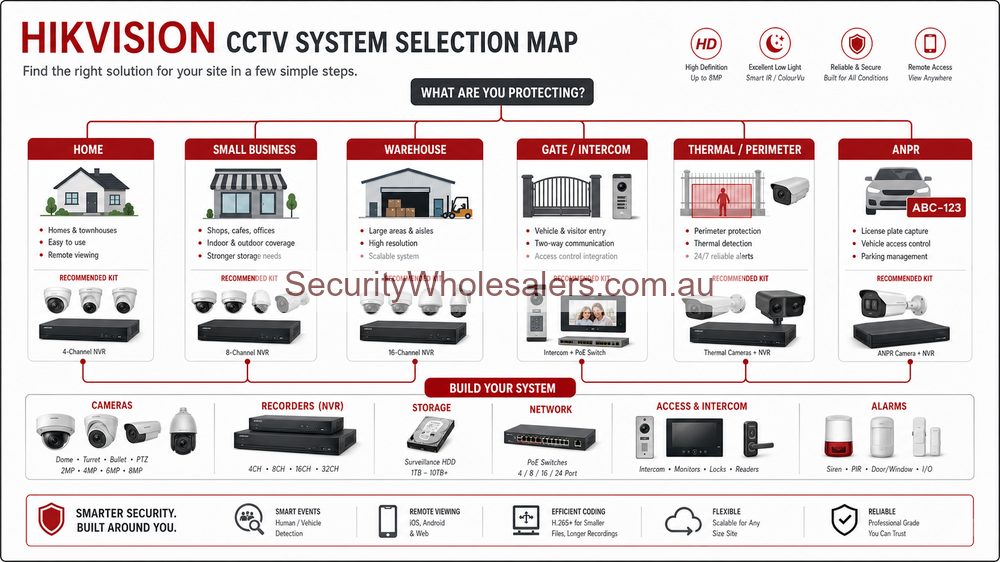
Quick answer
For many Australian buyers, the best place to start is AcuSense fixed IP cameras with a sensible NVR. Step up to ColorVu when colour at night is genuinely important, Live Guard when you want a stronger warning and deterrence response, and TandemVu only when a larger site really benefits from one wide view and one tighter working view together.
Which Hikvision setup usually makes the most sense?
| Need | Best starting Hikvision setup | Why |
|---|---|---|
| Cleaner alerts on a normal site | AcuSense | Usually the most practical mainstream commercial answer. |
| Better night colour | ColorVu | Useful where night scene detail matters more than standard IR. |
| Warning light and audio deterrence | Live Guard | Useful on rear lanes, gates and repeated after-hours trouble points. |
| Wide commercial overview plus zoom | TandemVu | Useful when one broad scene and one tighter detail view need to work together. |
| Higher-end specialist perimeter or thermal work | Thermal range | A specialist option, not a normal upgrade for every site. |
Worked examples
Small business: AcuSense turrets with an 8-channel NVR are often the cleanest answer. Add ColorVu only where stronger night colour on the entry, driveway or car park will genuinely improve the result rather than just sounding better in theory.
After-hours rear lane or yard: Live Guard is usually the better fit if the site genuinely wants visible warning and a stronger deterrence response after hours, not just passive recording.
Larger school, depot or commercial yard: TandemVu can be worth discussing, but usually as a support camera that gives management better situational awareness, not as a replacement for properly placed fixed evidence views.
Read next
If you are still narrowing it down, start with the main Hikvision family guide, then move into the specific pages for AcuSense, ColorVu, Live Guard or TandemVu depending on what matters most on the site.
Best buying option by site type
The best Hikvision CCTV system is not a single kit. It is the right balance of camera type, recorder size, storage time and installation quality for the site. Use Hikvision when you value broadest range, AcuSense, ColorVu, Live Guard, ANPR, intercom, alarm and access-control ecosystem.
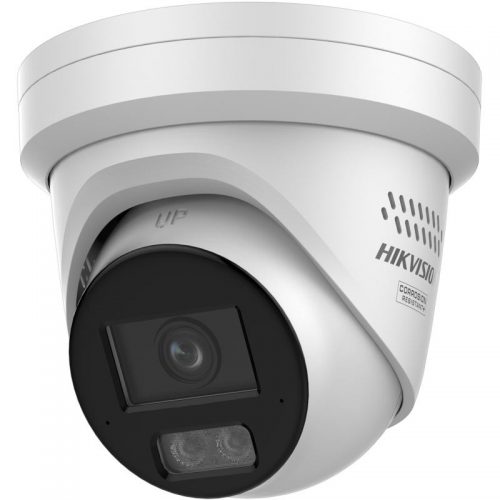
Hikvision camera range
Start here when the site needs the camera family chosen around entries, driveways, stockrooms, gates, car parks and after-hours risk points.
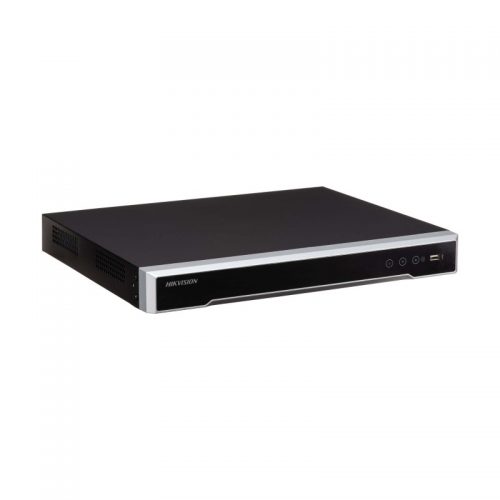
Hikvision recorder setup
Choose the recorder after estimating final camera count, PoE requirements, storage time and remote-viewing workflow.
| Site type | Usually start with | Upgrade only where needed |
|---|---|---|
| Home or small office | 4 to 8 fixed cameras with a matching PoE NVR. | Low-light, deterrence or motorised cameras on the specific hard views. |
| Retail, clinic or hospitality | Fixed cameras at entries, counters, stock areas and rear access. | Audio, deterrence or better night cameras only where the workflow supports it. |
| Warehouse, yard or larger site | 16 channel or larger recorder planning, fixed evidence cameras and selected specialist views. | PTZ, ANPR, thermal, intercom, alarm or access control where risk justifies it. |
Quote-ready checklist
- List the exact scenes that must be identifiable, not just generally visible.
- Choose the recorder by final camera count and storage target, not only today's stage-one camera count.
- Decide which cameras need low-light, deterrence, audio, motorised lens, ANPR or PTZ support.
- Confirm app users, admin permissions, password policy and handover process.
- Test important views by day and night before calling the job finished.
What not to buy
Do not buy by megapixels alone. A higher-resolution camera mounted too high, too wide or aimed into glare can be less useful than a modest camera aimed properly. Do not buy a small recorder if the site is obviously going to expand. Do not pay for active deterrence, PTZ or advanced analytics unless the site has a clear workflow for using them.
The better buying decision is usually balanced: fixed evidence cameras in the predictable places, stronger low-light or deterrence only on the hard scenes, a recorder with enough storage and channel headroom, and a clean handover so the customer can actually find footage after an incident.
Quote-ready Hikvision system examples
| Site | Practical Hikvision starting point | Why |
|---|---|---|
| Home or townhouse | 4 to 8 fixed cameras, usually with an 8-channel PoE NVR if expansion is likely. | Front door, driveway, side gate, garage and backyard evidence matter more than overbuying specialist cameras. |
| Retail or cafe | Entry, counter, customer area, stock room, rear door and exterior approach on an 8-channel recorder setup. | Transaction, entry and rear-access evidence are different views and should not be left to one wide camera. |
| Warehouse or trade unit | 16-channel planning, fixed evidence cameras, selected motorised views and PTZ only where live overview is useful. | Storage, review workflow and expansion become more important as the site grows. |
| Gate or front entry | Intercom plus nearby CCTV overview and a clear lock or gate-release plan. | The intercom view alone is often not enough for vehicle approach, deliveries or later playback. |
| Perimeter, yard or fire-risk site | Thermal or bi-spectrum only where detection/heat-risk needs justify the specialist cost. | Thermal is powerful, but it is not a normal low-light camera upgrade. |
How to choose without overbuying
The safest Hikvision buying option is to start with evidence views, then add specialist features only where they solve a named problem. AcuSense is useful for cleaner alerts. ColorVu helps where colour at night matters and the scene can support it. Live Guard belongs where visible warning is appropriate. PTZ belongs where someone benefits from overview or zoom, not as a replacement for fixed cameras.
- Choose the recorder for the final system, not just the first-stage camera count.
- Use low-light, warning and audio features selectively, especially near neighbours or customers.
- Keep fixed cameras on repeatable evidence points even when PTZ or TandemVu is added.
- Document app users, passwords, verification codes and handover expectations.
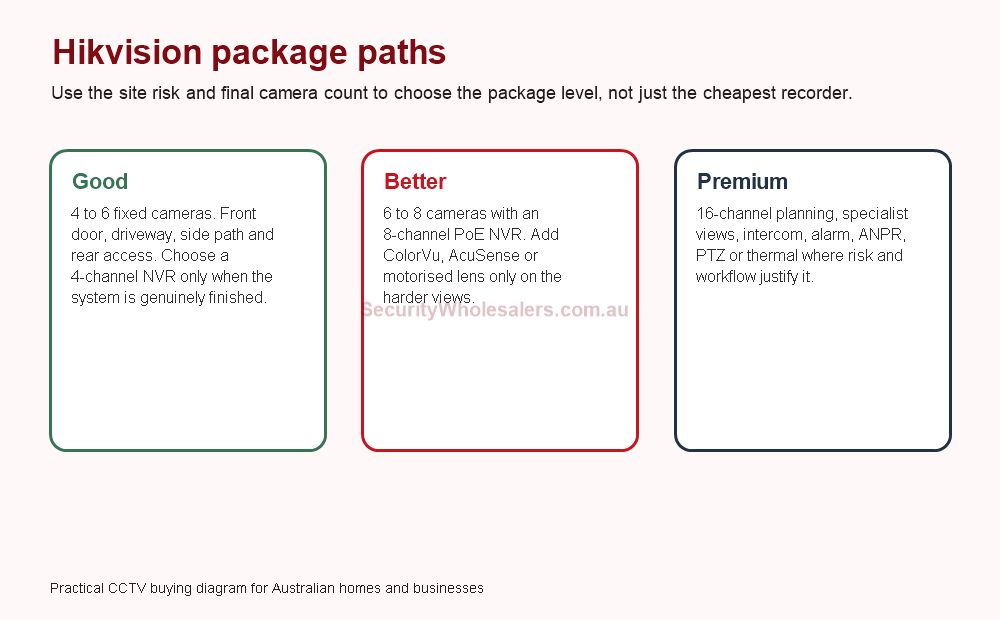
Good, better and premium Hikvision system setups
A practical Hikvision quote usually falls into one of three paths. A good system covers the predictable evidence points cleanly. A better system adds recorder headroom and selective low-light or analytics upgrades. A premium system adds specialist layers such as intercom, AX PRO alarm, ANPR, PTZ, access control or thermal only where the site has a real operational reason.
| Path | Typical camera count | Recorder thinking | Best fit |
|---|---|---|---|
| Good | 4 to 6 cameras | 4-channel only if the system is genuinely finished; 8-channel if expansion is possible. | Small homes, compact offices, simple shops and finished layouts. |
| Better | 6 to 8 cameras | 8-channel PoE NVR with enough storage for the actual retention target. | Most Australian homes with side access, garages or rear lanes; many small businesses. |
| Premium | 8 to 16+ cameras | 16-channel planning, two-drive storage where required, UPS and network planning. | Warehouses, yards, strata, schools, clinics, depots and mixed CCTV/intercom/alarm jobs. |
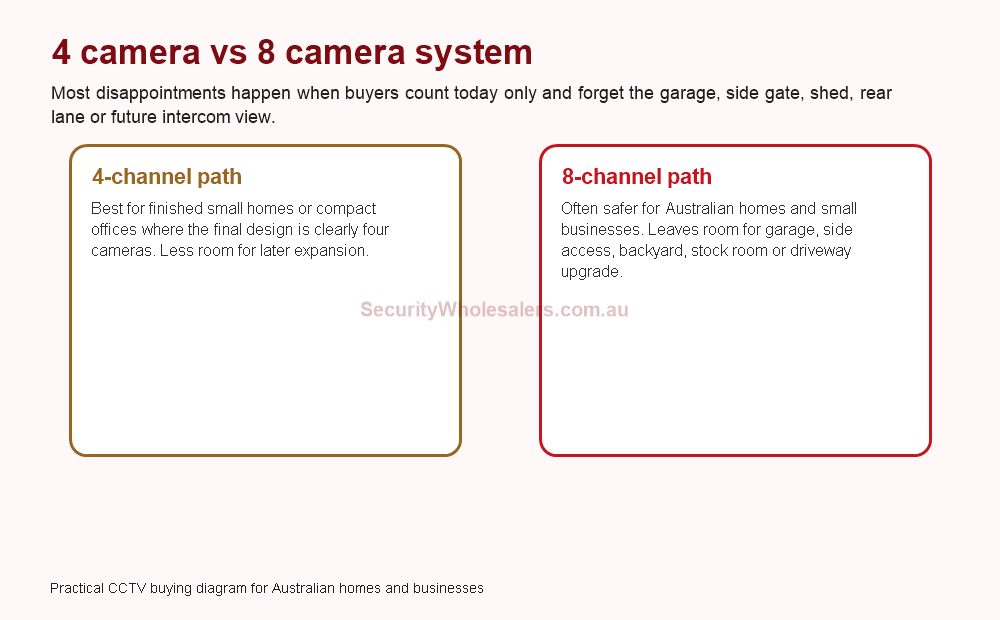
Four-camera, six-camera and eight-camera examples
For searchers comparing packages, the honest answer is that camera count should follow the scene list. Four cameras can be enough for a small finished layout. Six cameras often feels more realistic once side access and rear access are counted. Eight cameras is often the safest mainstream Hikvision path because it gives the customer room to add one or two sensible views later without replacing the recorder.
| Example | Suggested layout | Why it works |
|---|---|---|
| 4-camera home | Front door, driveway, side path and rear yard. | Simple, affordable and clean where the owner is certain no future views are needed. |
| 6-camera home or office | Entry, driveway, side gate, garage, rear door and one internal or rear-lane view. | More realistic for many Australian layouts without becoming overbuilt. |
| 8-camera small business | Front entry, counter, customer area, stock room, rear door, driveway/car park and two external approaches. | Separates transaction evidence, staff safety, stock movement and after-hours approach views. |
| 16-channel warehouse system | Office entry, roller doors, dispatch, stock aisles, yard, gate, rear access and selected specialist cameras. | Leaves room for growth, PTZ, ANPR, intercom or access-control expansion. |
High-intent Hikvision buying shortcuts
Hikvision CCTV Packages Australia
Use this when you want practical package examples instead of a brand overview.
4 Camera vs 8 Camera Systems
Use this when the main decision is recorder size, future expansion and whether a four-camera quote is too tight.
Hikvision for Warehouses
Use this for larger commercial sites, roller doors, yards, loading docks and after-hours risk.
Hikvision for Strata
Use this for apartment buildings, shared entries, garage gates, committees and privacy-sensitive common areas.
What I would quote in common Australian scenarios
| Scenario | Starting quote shape | Why this is usually safer |
|---|---|---|
| Suburban home with front door, driveway and side access | 6 cameras on an 8-channel PoE NVR, with ColorVu or Smart Hybrid Light only on the front/driveway views if night colour matters. | It avoids the false economy of filling a four-channel recorder too early. |
| Townhouse or strata driveway | Fixed cameras at the pedestrian entry and garage gate, intercom where visitor control matters, and ANPR only if the lane geometry is controlled. | Shared sites need reliability and governance more than flashy features. |
| Retail shop or clinic | Entry, counter/reception, customer area, stock room, rear door and exterior approach on an 8-channel NVR. | Transaction, staff safety and after-hours access are different problems. |
| Warehouse or trade unit | 16-channel planning with fixed cameras first, then selected PTZ, Live Guard, ANPR, access control or AX PRO where the workflow justifies it. | Warehouses usually grow, and recorder headroom is cheaper than redesigning later. |
How to compare two Hikvision quotes properly
Two Hikvision quotes can use the same brand and still be very different systems. The better quote usually names the actual scenes, leaves sensible recorder headroom, explains which cameras are standard and which are specialist, and shows how the customer will review footage after an incident. The weaker quote often looks clean because it hides the difficult decisions.
| Comparison point | Ask this | Why it matters |
|---|---|---|
| Camera placement | Which exact scene does each camera solve? | Prevents decorative wide views from replacing evidence. |
| NVR choice | Is this sized for the final system or just stage one? | Recorder replacement is an avoidable cost. |
| Night performance | Which views genuinely need ColorVu, hybrid light or deterrence? | Stops premium features being sprayed everywhere. |
| Specialist cameras | Who will use PTZ, ANPR, thermal or access-control events? | Specialist hardware needs an operational reason. |
| Handover | Are app users, playback and export tested? | A system is not finished until the customer can retrieve footage. |
The simplest buying rule
Start with the views that must produce evidence, then choose the camera family that improves those views, then choose the recorder and storage that can support the finished system. If the quote starts with a camera model before the site has been mapped, it is too early. If the quote fills the recorder on day one, it is probably too tight. If every camera is premium, the system may be overbuilt in the wrong places.
Hikvision is strong because the range is broad. That same breadth can make buyers overcomplicate the decision. The best Hikvision CCTV system in Australia is usually not the most expensive system. It is the one that puts reliable fixed evidence cameras in the right places, upgrades only the hard scenes, and leaves the owner with a recorder, app and handover they can actually use.
Frequently Asked Questions
How many cameras does a typical system need?
Most homes and small offices start around 4 to 8 cameras. Larger commercial sites often need 8 to 16 or more once gates, stock areas, rear doors, car parks and offices are counted properly.
Should I choose cameras or the NVR first?
Choose the site coverage first, then choose an NVR that fits the final camera count, storage target, PoE budget and remote-viewing workflow.
Is a PTZ better than fixed cameras?
Not by default. PTZ is useful for live overview and occasional zoom, but fixed cameras usually provide better reliable evidence at doors, gates and counters.
What should be tested before handover?
Important views should be tested by day and night, with camera names, app access, playback, user permissions and export workflow checked before the system is treated as finished.