Commercial

Hikvision CCTV for Strata and Apartment Buildings

Strata CCTV needs useful common-area evidence without creating privacy, app-access or footage-request problems for the committee.
Strata

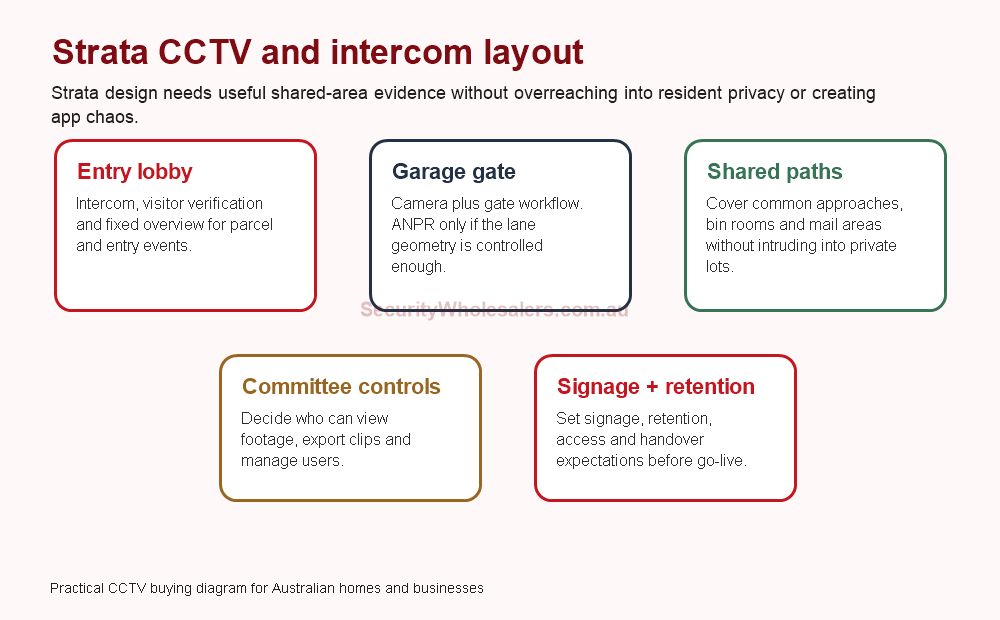
Hikvision strata CCTV and intercom layout diagram
Strata systems need common-area evidence, intercom workflow and governance without overreaching into private spaces.

Quick answer

For strata and apartment buildings, the best Hikvision system usually combines fixed CCTV at shared entries, garage gates and common approaches with a clear intercom and user-management plan. The hard part is often not the camera. It is privacy, committee access, footage requests, app users, gate workflow and retention.

Where Hikvision usually fits

Area Suggested approach Governance note
Lobby or front entry Intercom plus fixed CCTV overview. Decide who can answer, review and export footage.
Garage gate Camera on vehicle approach; ANPR only if geometry is suitable. Plate records need signage, retention and access rules.
Mail, parcel or bin room Fixed common-area camera. Avoid private doors or windows where possible.
External common paths Coverage of shared approaches and risk points. Use privacy-aware framing and signage.

What I would quote

Building type Starting system Why
Small block 4 to 6 cameras, simple intercom path, shared entry and garage coverage. Keeps the system manageable for a small committee.
Medium apartment building 8 to 16 cameras, intercom, garage and common-area coverage, defined user/admin roles. More shared areas and footage requests require better governance.
Mixed-use strata 16-channel planning, separation of commercial/residential views, possible access control. Different users and risk areas need cleaner structure.

Strata product paths from SecurityWholesalers

Hikvision strata intercom reference

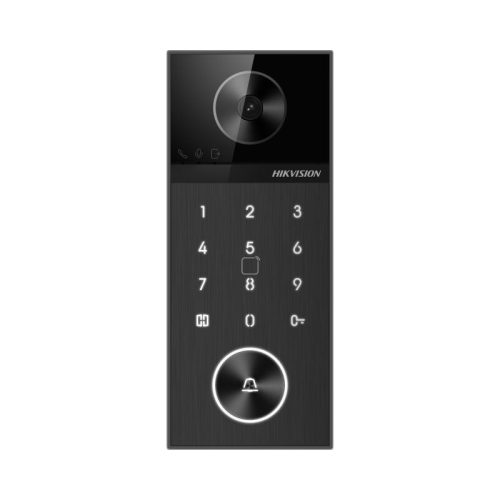
Hikvision intercom

Useful for visitor handling, lobby entry and gate workflows.

Hikvision strata CCTV camera reference

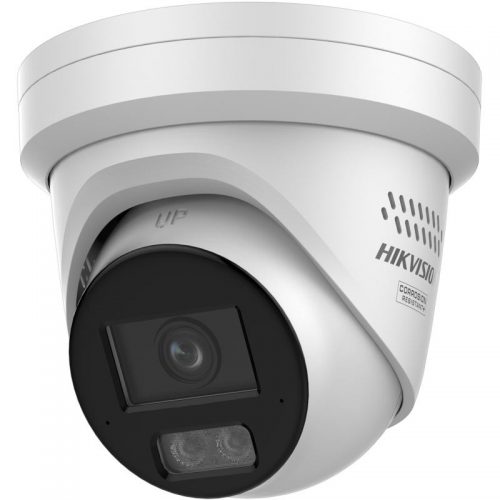
Common-area cameras

Use fixed cameras for shared entries, mail areas, garage gates and external approaches.
Hikvision strata ANPR reference

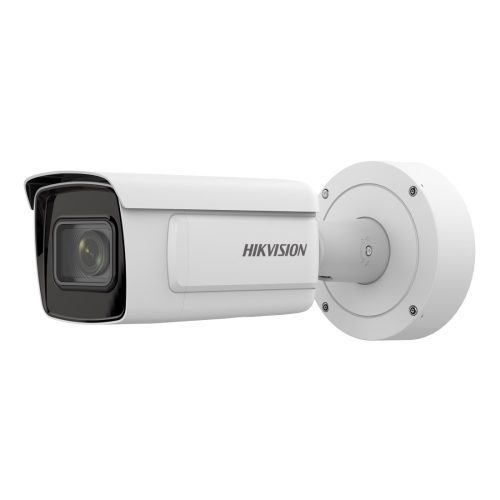
ANPR only where suitable

Useful for controlled garage lanes, but not a magic fix for wide or angled driveways.

Strata governance checklist

  • Confirm which areas are common property and which views should be avoided.
  • Decide who can view live cameras, play back footage and export evidence.
  • Document how residents request footage after an incident.
  • Set retention expectations before the NVR and hard drives are selected.
  • Remove app access when committee members, managers or contractors change.
  • Use signage and sensible privacy-aware framing around common areas.

Common strata mistakes

Mistake Better approach
Pointing cameras at private doors or windows unnecessarily. Frame common approaches and shared risk points.
Giving too many people administrator app access. Use named users and a clear approval process.
Assuming the intercom view is enough for the whole entry. Add a wider CCTV overview where parcels, vehicles or loitering matter.
Using ANPR on a poor driveway angle. Check lane geometry and lighting before specifying ANPR.

Strata design by common-area risk

Strata CCTV is useful when it solves shared-area problems without creating a bigger governance problem. The system should help with visitor entry, parcel disputes, garage damage, unauthorised access, bin room issues and common-area incidents. It should not casually watch private spaces, create unclear app access or leave the committee arguing about who can see footage.

Common area Useful Hikvision layer Design note
Front entry or lobby Intercom plus fixed CCTV. The intercom confirms the visitor; CCTV gives wider context and later review.
Garage gate Fixed vehicle approach camera; ANPR only if suitable. Gate cameras should capture incidents, tailgating and damage, not just the gate motor.
Mail or parcel area Fixed common-area camera. Frame shared space, not private apartment doors where avoidable.
Bin room or service area Fixed camera with clear signage. Useful for dumping issues, contractor access and damage review.
External path or side access Fixed camera or selected low-light camera. Use privacy-aware framing and avoid unnecessary private views.

Small, medium and complex strata examples

Small block

4 to 6 cameras covering lobby, garage, mail/parcel area and main external approach. Keep user access simple and documented.

Medium apartment building

8 to 16 cameras, intercom workflow, garage coverage and common-area retention rules. Plan committee and building-manager access carefully.

Mixed-use building

16-channel planning, separate residential and commercial risk areas, possible access control and stricter user permissions.

Questions a strata committee should settle first

  • Which incidents are the system meant to help investigate?
  • Who will approve footage requests?
  • Who can view live cameras and who can export clips?
  • How long should footage be retained?
  • Where will signage be placed?
  • Who removes app access when committee members or managers change?
  • Which views should be avoided because they affect private lots?

When strata needs more than cameras

Apartment buildings often need an intercom and access workflow as much as they need cameras. A lobby camera can show what happened, but an intercom controls visitor communication. A garage camera can show vehicle movement, but an access or gate system controls who should be there. ANPR may help with controlled vehicle entry, but only if the committee is comfortable managing plate records and the lane is technically suitable.

The strongest strata systems are boring in the best way: clear common-area views, limited authorised users, documented footage request process, sensible retention and a committee that knows how access is granted and removed. That is what keeps the system useful after the excitement of installation has passed.

Strata buying decision checklist

  • Map the common-property areas before choosing cameras.
  • Separate visitor entry, garage access, parcel disputes and after-hours incidents.
  • Confirm whether the site needs intercom, CCTV, access control, ANPR or a combination.
  • Keep admin access limited and documented.
  • Agree how footage will be requested and exported.
  • Review the design for privacy before installation, not after complaints.

Strata scenarios: small block, medium block and complex site

A small strata block may only need 6 to 8 cameras: front pedestrian entry, driveway or garage entry, foyer, mailboxes, bin area and one or two external approaches. The important part is not to over-cover private spaces. The system should be easy for the committee to justify because every camera has a clear shared-area purpose.

A medium apartment building usually needs 10 to 16 cameras and more careful recorder planning. Vehicle entry, pedestrian entry, lifts, foyer, mailboxes, bin room, car park, bike storage and rear paths are all different evidence points. A 16-channel NVR is often a practical starting point even when the first stage does not fill every channel, because strata upgrades tend to happen in waves after the first incident or annual meeting.

A complex strata site may need CCTV, video intercom and access control considered together. The committee may want residents to answer visitors, trades to have controlled entry, garage gates to be reviewed after damage, and common areas to be monitored without creating privacy problems. In these jobs, the best quote is not the one with the most cameras. It is the one that explains responsibility, user management, retention, signage, access levels and future serviceability.

Strata governance checklist

  • Confirm common property camera locations before equipment is ordered.
  • Document who can view, export and delete footage.
  • Decide whether residents, committee members, building managers or only nominated people get access.
  • Set a realistic retention period and make sure the drive size supports it.
  • Use camera names that match a site map so evidence requests are not painful later.
  • For intercom or access control, document how new residents, departing residents and lost fobs are managed.

Where Hikvision fits strata particularly well

Hikvision is useful in strata because it can cover several layers of the building: CCTV, video intercom, access control and selected alarm-style workflows. That does not mean every building needs everything at once. A sensible path is to stabilise the shared-area CCTV first, then improve visitor entry or access control where the resident workflow demands it. This staged approach is easier for committees to approve and easier for installers to support.

Resident experience matters

A strata system has to be technically sound, but it also has to be socially acceptable. Residents are more likely to support CCTV when the camera purpose is clear, the views are limited to shared areas and the committee can explain who has access to footage. Avoid camera positions that feel like they watch into apartment doors, balconies, private courtyards or windows unless there is a clearly approved and lawful reason.

Intercom and access control need the same discipline. A committee may want app answering, visitor entry, trades access and garage-gate control, but every extra feature creates administration. Someone has to add residents, remove departing residents, manage fobs, handle lost credentials and support people who change phones. The best design is often the one the building can maintain.

Strata quote inclusions worth asking for

  • Camera location schedule with purpose for each shared-area view.
  • NVR storage estimate matched to the committee's retention expectation.
  • User-management process for committee, building manager or installer support.
  • Intercom and fob administration process for move-ins and move-outs.
  • Garage, lift or door integration notes where relevant.
  • Signage, privacy and common-property considerations documented before installation.

Common strata upgrade path

Many buildings start with CCTV at entries, foyer, garage and bin areas. The second stage is usually intercom or access control because resident movement and visitor entry become the next pain point. The third stage may involve better garage coverage, bike-room protection or upgraded NVR storage. Designing the first stage with network, channel and cabinet capacity for later stages saves the committee from rebuilding the system too early.

Strata camera placement examples

Foyer and entry: this is usually the highest-value shared-area view. It should show arrivals clearly without feeling like it watches into private apartments.

Garage entry: this view should capture vehicle movement and damage events. If the building has repeated tailgating or remote-control sharing concerns, the committee may also consider access-control or gate-event review.

Mailboxes and parcel areas: use a specific view if parcel theft or mailbox damage is a known issue. A general foyer camera may not give enough detail.

Bin rooms and bike storage: these often justify coverage because incidents are common, but access and privacy boundaries still need to be explained.

Committee approval language

A useful proposal should say what each camera is for: resident safety, shared-area damage, vehicle incidents, parcel theft, unauthorised access or building management. That language helps avoid the feeling that CCTV is being installed because it is fashionable. It also helps future committees understand why the system exists when people change.

For buildings with intercom or access control, the proposal should also explain how resident turnover is handled. Lost fobs, tenant changes, owner-occupier changes and short-term contractors can quickly make a technically good system messy if no one owns administration.

Strata FAQs

  • Can strata install CCTV in common areas?

    Common-area CCTV is common, but committees should consider signage, privacy, access to footage, retention and whether views avoid private spaces where practical.

  • Is ANPR suitable for apartment garage gates?

    It can be, but only where the lane is controlled enough for reliable plate capture and the body corporate is ready to manage plate data properly.

  • Should strata combine intercom and CCTV?

    Often yes. The intercom handles visitor communication, while nearby CCTV gives better approach and common-area evidence.

  • Who should have Hikvision app access in a strata building?

    Access should be limited to authorised users with a clear committee or building-management process for adding, removing and auditing users.

Relevant SecurityWholesalers product paths

Use these live product paths as a shortlist after the site requirements are clear. The right choice still depends on camera position, recorder size, storage, lighting and handover expectations.

How to quote Hikvision For Strata And Apartment Buildings properly

The practical value of Hikvision For Strata And Apartment Buildings comes from how well it solves site-specific security design on a real Australian site. A strong recommendation should talk about evidence needs, mounting, lighting, recorder capacity, user permissions and handover, because those details decide whether the system is useful after the installer leaves.

The best quote explains the job of every camera and what the owner should expect from it after installation. This is where a good buying guide should help: it should make the trade-offs visible before the customer spends money, not after the first incident exposes a weak view.

Small site

For a small Hikvision Hikvision For Strata And Apartment Buildings project, focus on the few views that would prove the most likely incident. It is better to have fewer well-planned cameras than more cameras that miss faces, plates, doors or night detail.

Medium site

For a medium Hikvision For Strata And Apartment Buildings site, separate identification views from overview views. Use stronger cameras where people, vehicles or high-value stock must be identified, and use practical overview cameras where the goal is movement context.

Complex site

For a complex Hikvision For Strata And Apartment Buildings site, plan the recorder, permissions and expansion path before finalising cameras. Larger jobs often fail because the hardware is good but the storage, network or user workflow was never properly designed.

What a 95/100 Hikvision quote should include

  • A short explanation of what each recommended camera is expected to prove.
  • Enough recorder storage and spare channels for realistic future expansion.
  • Notes on night performance, glare, weather exposure, mounting height and service access.
  • A simple handover plan covering app access, playback, footage export and user permissions.

For Hikvision For Strata And Apartment Buildings, the best buying decision is the one that still feels obvious six months later. If the buyer can understand why each device was chosen, how footage will be found, and where the system can grow, the quote is far more likely to deliver long-term value.

Wrap up EOFY with extra bonus savings :) Use Coupon code: EOFY26 on orders over 800.
Trade Customers: Log In or Register to Unlock Even Better Prices.

Save & Share Cart
Your Shopping Cart will be saved and you'll be given a link. You, or anyone with the link, can use it to retrieve your Cart at any time.
Back Save & Share Cart
Your Shopping Cart will be saved with Product pictures and information, and Cart Totals. Then send it to yourself, or a friend, with a link to retrieve it at any time.
Your cart email sent successfully :)