

















Commercial
Hikvision CCTV and Intercom for Front Entry and Gates
Combined Systems
Quick answer
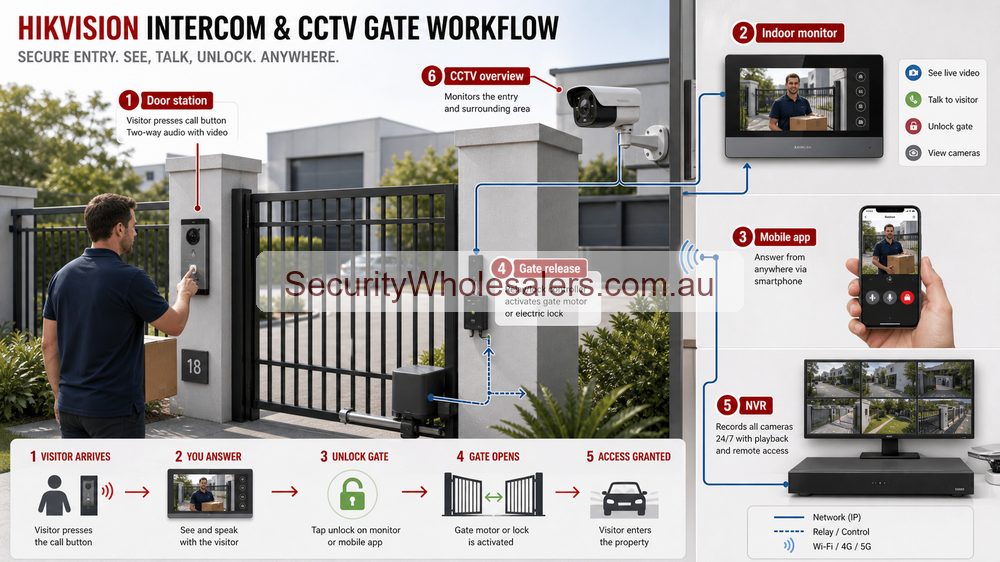
Use a Hikvision intercom when the site needs calling, answering, app response, indoor monitor support, or lock release. Add Hikvision CCTV when the site also wants a wider or more stable view of the approach, the gate lane, the front door environment, or stronger later playback than the intercom view alone provides.
Quote scenarios: front doors, gates and shared entries
| Site | Practical Hikvision path | Why |
|---|---|---|
| Single home front door | Villa intercom, indoor station or app access, nearby fixed CCTV overview. | The intercom answers the visitor; the CCTV gives wider evidence around approach and parcels. |
| Driveway gate | Intercom at gate, lock or relay planning, camera on vehicle approach, possible ANPR only if geometry suits. | The gate device alone rarely covers the whole vehicle approach properly. |
| Strata or small apartment entry | Intercom, common-entry camera, garage camera and clear user/admin rules. | Shared sites need predictable user management and privacy expectations. |
What the intercom does and what the camera does
| Layer | Main job | Why it matters |
|---|---|---|
| Intercom | Visitor interaction and release workflow | Lets the site call, answer, verify, and unlock or trigger the entry path. |
| CCTV | Approach coverage and review | Shows the wider driveway, footpath, gate area, or front-door approach before and after the intercom event. |
| Combined design | Better entry understanding | Gives the user both the interaction layer and the wider visual layer around the threshold. |
When the intercom alone is enough and when it is not
Usually enough
Simple single front doors where the main need is answering visitors and releasing one lock without worrying much about the wider approach.
Usually not enough
Longer driveways, front gates, visitor parking areas, clinics, offices, or managed entries where the site wants a broader view before unlocking.
Natural step-up
Add one or two fixed Hikvision cameras when the site wants stronger context, better review, or a clearer view of the approach lane.
Real front entry and gate scenarios
Home with front gate
The intercom handles calling and gate release. A separate camera covers the driveway or approach so the owner can see more than just the face at the panel.
Office or medical front door
The intercom lets reception verify and release the door, while a fixed camera shows the wider front entry zone and who else is waiting or moving nearby.
Rooming house or managed entry
The intercom handles the entry interaction, but CCTV usually becomes important because the site wants more reliable review of how the entry was used later.
Small commercial gate
An intercom can trigger the gate, but a separate camera often does a much better job on the vehicle lane, approach timing, or overall context around the entry.
Typical Hikvision pathways
| Site type | Usually start with | Then add | Why this path works |
|---|---|---|---|
| Simple front door | Villa-style intercom kit | Separate fixed camera only if the wider approach matters | The site may only need visitor verification and door release, not a much larger visual system. |
| Office or clinic entry | IP intercom with monitor or app workflow | One fixed camera on the front approach | Reception can answer the door while still seeing the wider entry environment. |
| Gate or longer approach | Intercom plus separate camera | Possibly access control logic if trusted users also need direct entry | The intercom camera usually does not replace a proper wider or more stable approach view. |
| Managed multi-user front entry | More structured IP intercom setup | CCTV, access control, and stronger release design | The site is no longer only an intercom job. It is becoming a combined front-entry system. |
What changes the installation
- Whether the intercom is only calling, or also releasing a strike, maglock, gate, or roller-door trigger
- Whether a PoE switch and Cat6 path are already planned for both the intercom and camera branches
- Whether the site wants indoor monitor answering, app answering, or both
- Whether the intercom camera can genuinely do the whole job or whether a separate fixed camera is the honest answer
- Whether the entry is simple local use or part of a broader access-control workflow
Useful product directions
DS-KV6124-WBE1
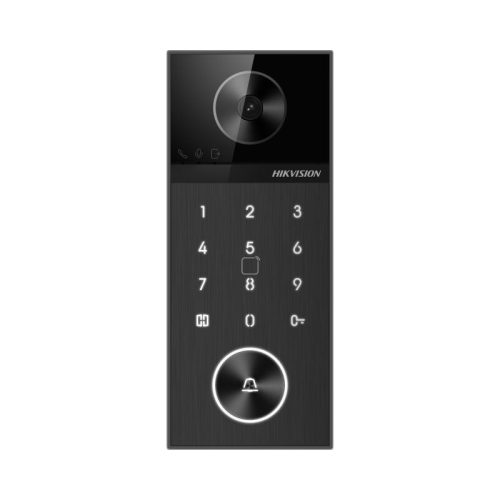
A strong example where intercom, keypad, Bluetooth, and door release all meet at the front entry.
DS-KIS602 IP kit
A useful starting path for straightforward IP intercom installs that still want app and monitor workflow done properly.
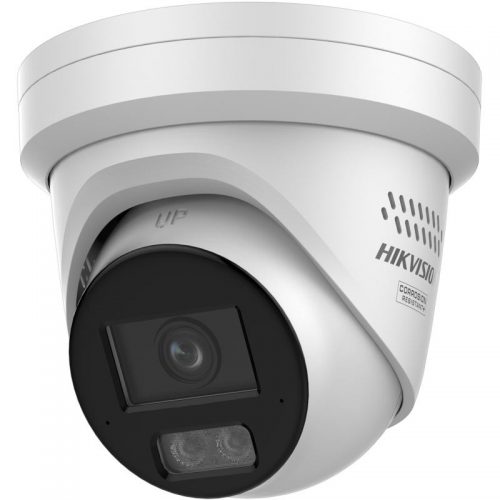
Fixed camera support view
Often the cleanest second layer when you want a stronger view of the wider approach than the intercom panel alone can provide.
Front entry and gate FAQs
-
When is a Hikvision intercom on its own enough?
Usually on a simple single entry where the site mainly wants visitor verification and door release rather than broader approach coverage.
-
Why add CCTV to an intercom entry?
Because a separate camera usually gives a wider and more stable view of the approach, driveway, gate lane, or front-door context than the intercom panel alone.
-
Can the intercom camera replace the main CCTV camera?
Usually no. The intercom camera is there for interaction and verification. A CCTV camera often does the broader scene and later review much better.
-
Which sites benefit most from this combined path?
Homes with gates, offices, clinics, managed entries, rooming houses, and any front-door workflow where both interaction and visual coverage matter.
Front entry quote examples
| Entry | Recommended design |
|---|---|
| Home gate | Intercom call station, app answering, gate release and CCTV driveway overview. |
| Office front door | Intercom or access reader plus entry camera and reception workflow. |
| Warehouse gate | Intercom, CCTV overview, possible ANPR and clear gate-release logic. |
Related Pages
Hikvision Video Intercom Buying Guide
Use this for the deeper villa, office, apartment, and monitor workflow logic.
Hikvision Access Control Buying Guide
Use this if the front entry is also moving into a stronger credential and permissions workflow.
How to Choose a Hikvision Camera
Use this if the wider approach camera still needs a cleaner fixed, varifocal, or deterrence decision.