

















Comparison
Hikvision AX PRO vs AX Hybrid PRO
Comparison Guide
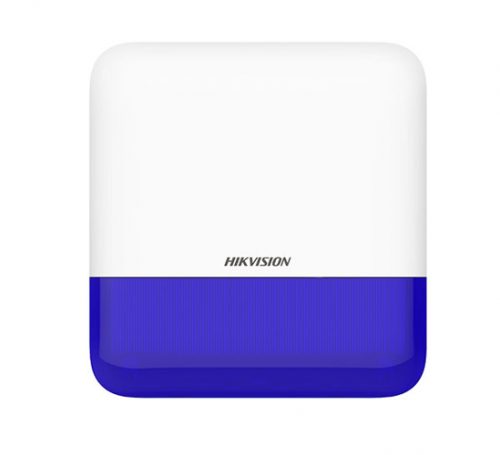
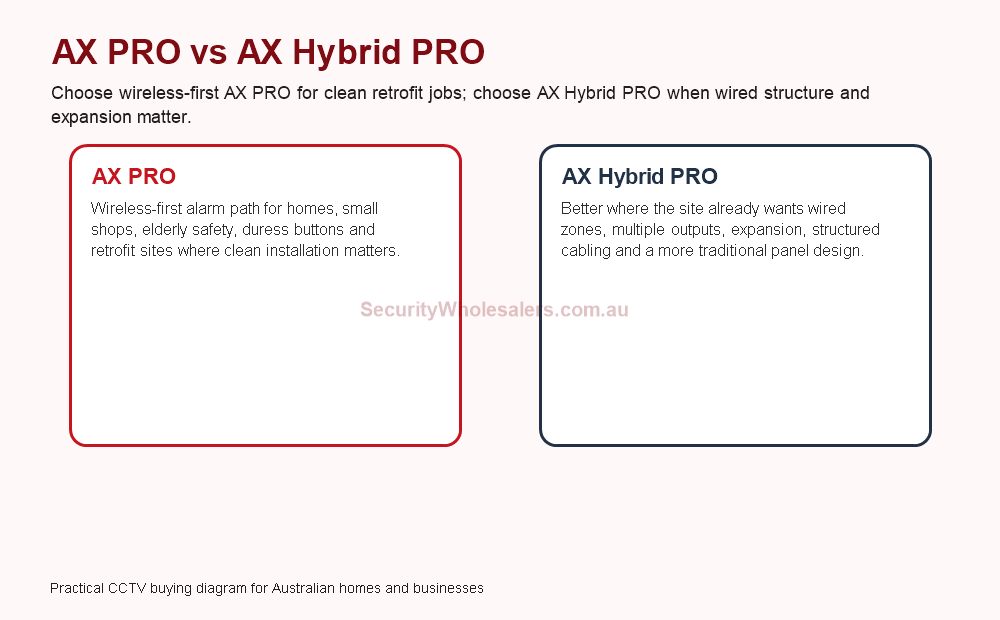
The useful split is wireless-first versus more structured hybrid
AX PRO makes most sense when the site wants a lighter wireless-first deployment. AX Hybrid Pro becomes more attractive when the project is already leaning toward more wired zones, longer-term growth, or a more structured field-wiring plan. That is the simplest way to think about the difference before model numbers enter the conversation.
Real quote scenarios for AX PRO and AX Hybrid PRO
| Scenario | Usually quote first | Why |
|---|---|---|
| Elderly resident or small home wanting panic button and app alerts for family | AX PRO hub, panic button, selected sensors and image verification where useful. | Wireless-first installation is usually less disruptive and easier to support. |
| Small shop wanting after-hours alerts without major cabling | AX PRO with door contacts, PIRs or curtain detectors, siren and app users. | The customer gets useful intrusion detection without turning the job into a full wiring project. |
| Larger business with existing wired zones or more outputs | AX Hybrid PRO. | The structured panel path suits expansion, wired inputs and more deliberate system design. |
Where AX PRO usually shines
AX PRO works very well on many residential, light-commercial, and retrofit jobs where the client wants modern app-backed intrusion detection without opening the building up for a large wiring program. It also fits well where external curtain or perimeter-style protection is wanted but the customer still values a relatively clean installation approach.
Where AX Hybrid Pro earns the step up
AX Hybrid Pro becomes the stronger answer when the project wants more wired discipline, more expansion, or a panel architecture that better suits a business, multi-zone site, or mixed wired and wireless environment. The difference is not only the zone count. It is the whole installation mindset.
Features and use cases that actually change the buying decision
The alarm conversation becomes much clearer when it is framed around features the site will really use. That usually means app notifications, partitioning, keypad and tag workflow, panic or duress buttons, indoor PIRs, external curtain detectors, siren or strobe behaviour, wired zone expansion, and communications backup.
| Feature or use case | Usually stronger fit | Why it matters |
|---|---|---|
| Fast retrofit with minimal cabling | AX PRO | Wireless-first design keeps disruption down while still allowing modern app use and detector options. |
| Wider multi-zone business or facility protection | AX Hybrid Pro | More structured wiring and expansion make the long-term system easier to manage. |
| Silent duress workflow with mobile alerts | Either, depending on system scale | The key is having clear response rules, annual battery replacement on wireless panic devices, and tested notification paths. |
| Outdoor curtain or perimeter-style protection | Usually AX PRO first | Wireless external detection can be very attractive where the site wants perimeter awareness without large wiring works. |
Installation insight: power, communications, and response workflow should be decided early
The installer should confirm whether the system needs only LAN or also cellular fallback, where the panel and power should sit, how external detectors will be protected from nuisance triggers, and who receives notifications when a real event or a silent panic signal occurs.
This is also where the broader power plan matters. If the system is there for after-hours security or duress, you should understand what stays live during a short outage and whether the CCTV system supporting that alarm workflow is also protected.
A practical installation sequence for a stronger alarm job
On a more serious installation, the workflow normally starts with zone planning, keypad and panel location, detector technology by area, communications connection, and power or battery strategy. Only after that should the installer lock in all device quantities. A warehouse, medical centre, rooming house, or childcare site may all use the same ecosystem but need very different detector mixes and user permissions.
Commissioning should include detector walk tests, external-device stability checks, app alert confirmation, siren and output testing, and clear handover on what the end user should do when a trouble, tamper, or duress event appears.
Relevant SecurityWholesalers Categories and Products
These alarm products show the real difference between a lighter wireless-first AX PRO path and a more structured hybrid system with wired expansion.
- Hikvision AX PRO category - The main category for wireless-first alarm projects and lighter retrofit deployments.
- Hikvision AX Hybrid Pro category - Useful where the job wants more wired structure, more zones, or a more deliberate hybrid design.
- AX PRO duress and silent-alarm kit - A practical example of how panic-button and silent app-alert workflows can be built.
- AX PRO outdoor curtain detector - Useful when the site wants tighter external protection without heavy cabling.
- AX Hybrid Pro wired input expander - A good example for how hybrid jobs grow beyond the lighter wireless-first model.
Sources and Further Reading
Frequently Asked Questions
-
When is AX PRO usually the better fit?
AX PRO is usually the better fit when the job benefits from a wireless-first retrofit path, lighter installation work, and a reasonably simple zone plan that still wants strong app alerts and modern detector options.
-
When does AX Hybrid Pro make more sense?
AX Hybrid Pro makes more sense when the site wants more wired structure, more expansion, or a stronger fit for jobs where several detectors, outputs, or longer-term growth are already expected.
-
Can panic buttons and silent alerts be part of either path?
Yes, but they are especially useful when the site has a clear duress or staff-safety workflow and the people receiving mobile alerts understand what should happen when the alarm is triggered.
-
How should battery maintenance be handled on wireless panic devices?
A sensible policy is to treat battery changes as routine maintenance rather than waiting for a last-minute low-battery event. Annual replacement is a practical discipline when the button is there for emergencies.
-
What does the installer need to confirm before choosing AX PRO or AX Hybrid Pro?
How many zones are required, how much wiring can be run, whether external detectors are needed, what the cellular or network connection looks like, how alarm notifications will be handled, and whether the customer expects the system to stay small or grow into something more structured.
-
Does the alarm choice affect CCTV design?
It can. Once the project includes alarm-backed detection, certain CCTV views, app workflow, and power-backup expectations become more important because the client expects the systems to support one another after hours.
Related Pages
Hikvision CCTV and AX PRO for After-Hours Security
Use this if the site is really deciding how cameras and the after-hours alarm layer should work together.
Hikvision Access Control Buying Guide
Choose the right Hikvision access-control setup and understand what the install requires.
Hikvision CCTV and Access Control for Offices and Warehouses
Use this if the project is now crossing over into staff-only entries and threshold evidence.
Hikvision Video Intercom Buying Guide
Choose the right Hikvision video intercom and understand the lock-release design.
Hikvision Thermal Cameras Buying Guide
The main Hikvision thermal guide for perimeter, fire, and bi-spectrum buying decisions.
Hikvision Buying Guide
The main Hikvision guide for choosing the right part of the range.