

















Informational
Visitor Management vs Access Control
Explainer Guide
What It Means
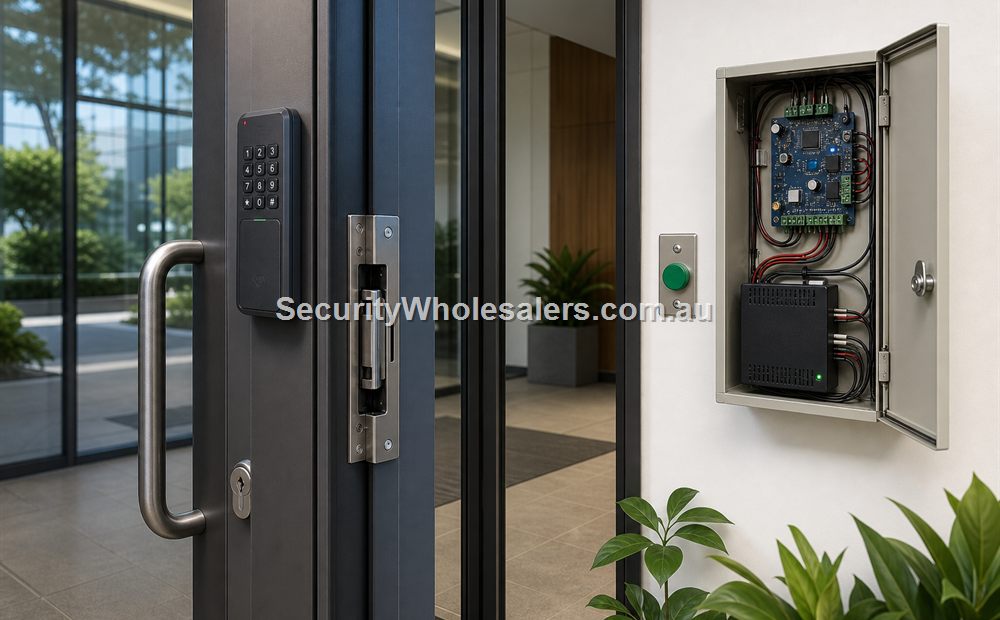
Access control manages regular authorised users such as staff, residents, contractors with formal permissions, or long-term site users. Visitor management is about how people outside that authorised group are identified, approved, refused, escorted, or temporarily admitted. On some sites the visitor workflow is informal and handled by reception. On other sites it needs structured intercom, logs, and temporary credentials.
Text Diagram: One Door, Two Different Jobs
[Known user] -----> [Reader / credential rule] ---> [Door unlocks]

[Unknown visitor] -> [Intercom / reception / approval] -> [Temporary release or denial]

One opening can need both paths.
Where Each One Usually Fits
| Question | Access Control | Visitor Management |
|---|---|---|
| Main job | Manage known users, permissions, schedules, and logs. | Handle arrivals who are not already authorised permanent users. |
| Common hardware path | Readers, controllers, credentials, strikes, maglocks, and software. | Intercom, reception release workflow, temporary credential logic, and related logging. |
| Where both matter | Front doors, medical centres, schools, apartment buildings, and visitor-facing commercial sites. | Front doors, medical centres, schools, apartment buildings, and visitor-facing commercial sites. |
How It Fits in Real Projects
A rear staff-only office door may need access control and nothing more. A medical-centre front door may need both, because staff enter by credential but patients or delivery drivers need to be checked before release. A school front office needs clear visitor handling plus staff-only permissions behind it. Apartment entries often need residents on tags, app credentials, or Bluetooth, while visitors still arrive through intercom.
What the Installer Should Confirm
- Is this opening mostly used by known users, visitors, or a true mix of both?
- Who answers unknown arrivals and how are they approved or refused?
- Does the site need only a release workflow, or also temporary visitor accountability and searchable logs?
- Will the same opening also serve staff, cleaners, contractors, or after-hours support personnel?
- Would the client be better served by a combined intercom and access terminal than by a plain reader alone?
What People Usually Get Wrong
The usual mistake is trying to solve a visitor problem with a staff-reader product, or trying to solve a staff-permissions problem with an intercom alone. That leads to awkward workarounds such as shared front-door codes, ad hoc receptionist release habits, or no clean audit trail when something needs to be checked later.
Useful Positioning Rule
If the door is supposed to handle both recognised users and unknown arrivals, design both workflows on purpose. Do not hope the site will "just manage it" once the hardware is on the wall.
Relevant SecurityWholesalers Product Areas
- Intercoms - Useful where visitor verification and remote release are central to the job.
- Hikvision DS-KV6124-WBE1 - A strong option where visitor interaction, card or PIN entry, Bluetooth, and door release need to share one front-door device.
- Hikvision DS-K1T502DBWX - Useful when the site wants intercom and access crossover in a more commercial-style entry path.
- Access Control - The wider category for controllers, readers, credentials, and the regular user-management side of the design.
Related Guides in This Series
Source References
Frequently Asked Questions
-
What is the plain-English difference between visitor management and access control?
Access control manages authorised users and doors, while visitor management is about how unregistered or short-term people are identified, approved, and moved through the site.
-
Can a site have access control without visitor management?
Yes. Many staff-only or resident-only doors need access control but do not need a formal visitor workflow.
-
When do both usually belong together?
They usually belong together at front doors, receptions, schools, childcare centres, clinics, apartment entries, and other sites where visitors and authorised users share the same door.
-
What is the common buyer mistake here?
The common mistake is buying a reader for a door that really needs a visitor-verification workflow, or buying an intercom when the ongoing issue is credential management for staff and regular users.
-
Does visitor management always mean complex software?
Not always. Sometimes it is a practical intercom and reception workflow. In larger sites it may also involve stronger software, logs, and temporary visitor credential handling.
-
Which related guide should I read next?
Read Access Control vs Intercom next, then move into the front-door or school buying guide if your site is visitor-facing.
Review information
Content owner: SecurityWholesalers access control guide team. Revision: 17 July 2026. Use these examples as a starting point, then confirm the details against current product manuals, approved drawings and relevant authority requirements.
NCC access and egress | ACMA cabling requirements | OAIC biometric guidance | Access control definitions