

















Commercial
Access Control for Warehouses
Sector Guide
Where this usually fits
Warehouse jobs are normally decided by how the site separates pedestrian doors, office entries, restricted areas, and triggered gates or operators. The lock hardware still matters, but the controller and user workflow matter just as much.
| Situation | Usually the cleaner path | Why it fits |
|---|---|---|
| One isolated staff amenities door | Single Door Access Control Kit | Possible if the rest of the site is unmanaged and the door has no strong reporting requirement. |
| Office entry plus warehouse staff door | 2 Door Access Control Kit | Named users and after-hours events start to matter quickly. |
| Warehouse doors plus plant room and supervisor room | 4 Door Access Control Kit | Several permission levels and spare capacity are usually cleaner than trying to join scattered standalone devices later. |
| Multiple doors, gates, and future expansion | Controller and lift / advanced integration path | The site is already a whole-of-workflow controller job. |
Sample site scenarios
Trade warehouse with one office door and one rear staff entry
A smaller trade warehouse may look like a two-door job at first. If the office and rear staff entry are the only meaningful openings, a two-door kit with named users and schedules can be enough. The mistake would be assuming that same design still works if a plant room and a caged stockroom are added six months later.
Distribution site with gates, roller-door triggers, and contractor access
A larger distribution site usually needs controller architecture immediately. The access question is no longer only whether the staff door unlocks. It becomes who opened the warehouse entry after hours, which contractor had gate access, and how the office, cage storage, and restricted rooms are separated cleanly.
Typical hardware and software direction
These jobs are usually decided by the management layer as much as the lock hardware. The right reader or terminal only solves part of the problem if the permissions, schedules, and review workflow have been underspecified.
- Reader or terminal on each pedestrian opening, with strike or maglock, safe egress, and door contact on every true access-controlled door.
- Controller path once the site has more than one meaningful opening or expects contractor schedules and after-hours review.
- Relay and integration planning for gates or operators, with clear boundaries between access control and the gate or door motor system.
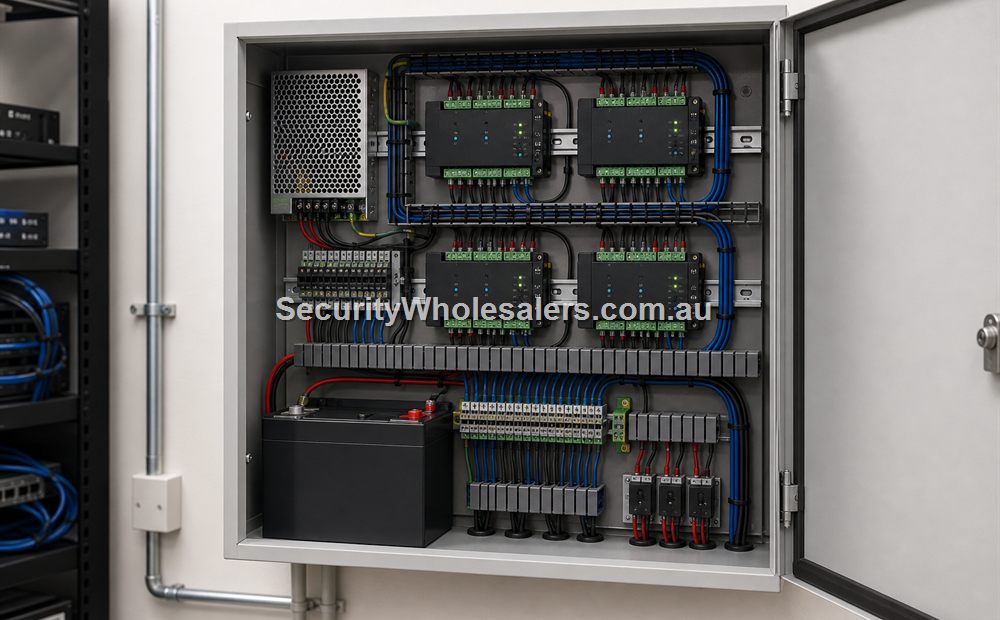
- UPS and secure cabinet for the controller, switch, and lock supplies if the site expects dependable logs during short outages.
- Software layer for user groups, shift schedules, and event review rather than ad hoc credential programming at each door.
Things to check
- Treating the warehouse as one back-door problem instead of a whole-site movement problem.
- Letting gates or roller-door triggers drift into the quote without deciding whether they belong inside the access workflow.
- Using isolated standalone devices on several warehouse doors and losing central administration almost immediately.
Relevant SecurityWholesalers product paths
- DS-K2704X for medium warehouse controller layout.
- DS-K2708X where door count and future growth are already obvious.
- Hikvision Access Control Base License Package where the site needs proper user and event administration.
- Door strikes and maglocks for each opening type.
Related guides
Frequently Asked Questions
- Do warehouses usually need controller-based access control?
Yes, once the site has several doors, user groups, after-hours review, or gate-related workflow, controller architecture usually becomes the cleaner path.
- Can a warehouse still use a simple standalone door?
It can on an isolated internal door, but that is rarely the whole warehouse answer once more than one meaningful opening is involved.
- Why do logs matter so much on warehouse jobs?
Because after-hours entry, contractor movement, and restricted-room access are common review questions in warehouse environments.
- Should gates and roller operators sit inside the same design conversation?
Yes. They need clear integration boundaries even when the access system is only triggering a relay into another operator.
- What is the most common warehouse access-control mistake?
Undersizing the management layer and ending up with several unrelated door devices instead of one clean site workflow.
- What page should someone read next?
If the warehouse already has several openings, the four-door kit page and the lift-and-controller guide are usually the right next steps.
Plan this site door by door
Download the editable workbook, list every controlled opening, then email it with matching door photos to sales@securitywholesalers.com.au. Include the site suburb, installation requirement and target timing.
Review information
Content owner: SecurityWholesalers access control guide team. Revision: 17 July 2026. Use these examples as a starting point, then confirm the details against current product manuals, approved drawings and relevant authority requirements.
NCC access and egress | ACMA cabling requirements | OAIC biometric guidance | Access control definitions