

















Dahua IP Video Intercom Buying Guide
Intercom
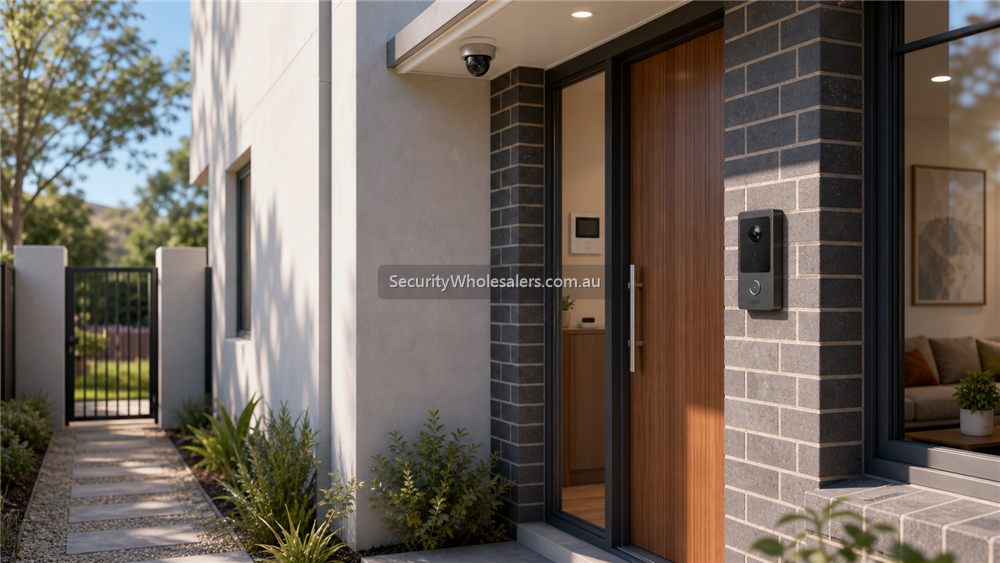
Focus on Dahua IP intercom first on new cabling jobs
If the site is running new cable and wants a clean modern entry path, Dahua IP intercom is normally the strongest place to start. The official Dahua Oceania intercom lineup is broad, but the most useful branch for many homes and small commercial jobs is usually the IP Series, especially villa door stations, indoor monitors, and complete kits.
That is because IP intercom gives the clearest path for PoE-powered door stations, indoor monitors on Ethernet, mobile app answering, and cleaner crossover with wider IP security design. It is a much easier conversation when the job is already comfortable with Cat6 and PoE.
Typical Dahua IP intercom wiring
[Dahua IP door station]
        |
        +--> Cat6 to [PoE switch]

[Dahua indoor monitor]
        |
        +--> Cat6 to [PoE switch]

[PoE switch]
        |
        +--> Ethernet to [Modem / router] if app access or remote communication is required

[If the intercom must unlock a door]
        |
        +--> 4-core from door station or secure relay / extension module to [electric strike or maglock]
        +--> exit button / REX and door contact as required
        +--> use the right power path for the lock, because PoE that powers the intercom devices is not the whole lock-power design
What that means in practical jobs
On a straightforward IP intercom kit such as the KTP03W-S2 path, the installer normally runs Cat6 from the door station to the PoE switch, Cat6 from the indoor monitor to the PoE switch, and then a patch from the switch to the modem or router if the site wants app-based answering and remote communication. That keeps the layout clean and makes commissioning much easier than improvised cabling.
If the intercom also has to release a strike, maglock, gate, or other locking device, the installer usually has to run separate lock-control cabling from the correct control point to the lock hardware and confirm the actual lock power arrangement. The intercom devices themselves may be PoE, but the lock side still needs its own disciplined wiring and egress logic.
Which Dahua IP intercom path suits which site
| Dahua IP intercom path | Usually strongest for | Why it fits |
|---|---|---|
| Simple IP villa kit | Homes, villas, small clinics, small offices, basic front doors | Fast path into a door station, indoor monitor, PoE switch, app answering, and simple remote unlock workflow. |
| Standalone IP door station plus monitor | Sites that want to choose door station and monitor separately | Lets the installer match the exact door hardware, look, and monitor path to the site rather than taking a fixed kit bundle. |
| Stronger villa / premium door station path | Higher-end entries, multi-button front doors, or more premium small-site entry points | Useful where the buyer wants better finish, multiple buttons, dual-lock output, or Wi-Fi plus IP flexibility. |
| IP intercom plus lift or building extension hardware | Apartments, offices, or mixed-use entries that go beyond one simple front door | Useful once the project starts crossing into building access, lift permissions, or a more structured entry workflow. |
Installation insight
The best Dahua intercom installs are usually the ones that treat entry as a full workflow. The installer needs to confirm where the visitor stands, what view the camera sees at that height, whether the call should ring only an indoor monitor or also an app, where the strike or maglock wiring should land, and how the site safely exits from inside.
Bracket choice and weather protection matter too. Surface vs flush mount, rain cover, and whether the site needs a more vandal-resistant or premium-looking station can all affect the right product choice before commissioning begins.
Relevant SecurityWholesalers Categories and Products
These Dahua IP intercom categories and examples are useful starting points because they reflect the kinds of products that usually fit front doors, villas, clinics, small offices, and selected small-building entry jobs.
- Dahua Intercoms - The main Dahua intercom category on SecurityWholesalers.
- IP Intercoms - Useful if the buyer wants to stay focused on IP-based entry systems rather than legacy wiring paths.
- Dahua KTP03W-S2 IP Video Intercom Kit - A very practical IP kit reference for simple front-door jobs with PoE, indoor monitor, and app unlock workflow.
- Dahua KTP02-S2 IP Video Intercom Kit - A clean IP kit path where the buyer wants a complete indoor + outdoor entry solution.
- Dahua VTO3311Q-WP IP & Wi-Fi Villa Door Station - A stronger villa-station option with PoE, IC card unlock, and flexible button variants.
- Dahua VTO2202F-P-S3 Villa Outdoor Station - A straightforward IP villa-station path where the site wants a single outdoor unit rather than a full kit immediately.
- Dahua VTH2621GW-P Indoor Monitor - A useful indoor-monitor reference for Dahua IP intercom layouts.
- Dahua VTM416 Lift Controller - Relevant where an intercom-led entry path also needs lift permissions in apartments or small building projects.
Sources and Further Reading
Frequently Asked Questions
-
What is the best Dahua intercom starting point on a new-cabling job?
Usually Dahua IP intercom, because it gives the cleanest path for Cat6, PoE, indoor monitors, app answering, and structured front-door design.
-
How is a Dahua IP intercom normally wired?
Typically Cat6 from the door station to the PoE switch, Cat6 from the indoor monitor to the PoE switch, and then an Ethernet path from the switch to the modem or router if remote communication is required.
-
Does unlocking a door need extra cabling on a Dahua IP intercom job?
Yes. If the intercom must release a strike, maglock, gate, or other locking device, the installer usually needs separate control cabling and must confirm the correct lock power and egress arrangement.
-
When is a Dahua IP kit enough?
Usually on homes, villas, small clinics, small offices, and other straightforward front-door jobs where one outdoor station, one indoor monitor, and one clean unlock path are enough.
-
When should a buyer move past a simple Dahua kit into separate devices?
When the site wants a different door station style, multiple buttons, a premium entry finish, more complex lock release, or a broader building-entry workflow.
-
Can Dahua intercom tie into bigger building functions like lift control?
Yes. Once the job moves into apartments or more structured building entry, Dahua intercom can be extended into lift-control and more formal visitor-entry workflows.
Related Pages
Dahua CCTV Buying Guide
Start here to decide which Dahua branch matters before diving into camera, PTZ, NVR, or use-case pages.
Best Dahua CCTV System for Small Business
Use Dahua in a small-business context, with practical camera, recorder, and installation logic.
Dahua Network Cameras Buying Guide
Map the Dahua network-camera range before you dive into individual models.
How to Choose a Dahua NVR
Choose the Dahua recorder path properly before locking in the camera mix.