

















How to Choose a Dahua NVR
Recorder Design
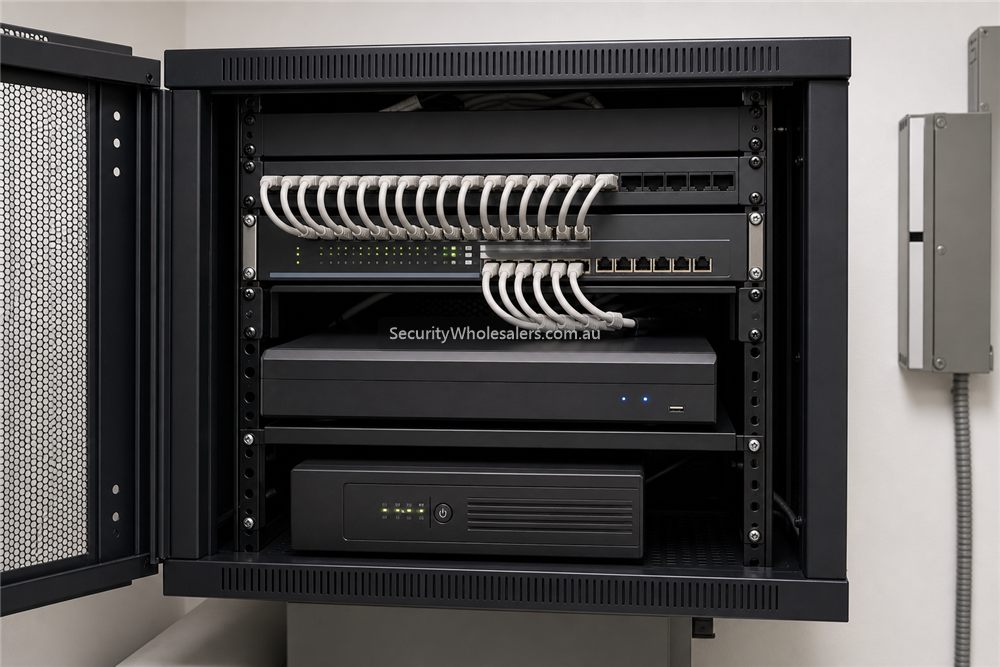
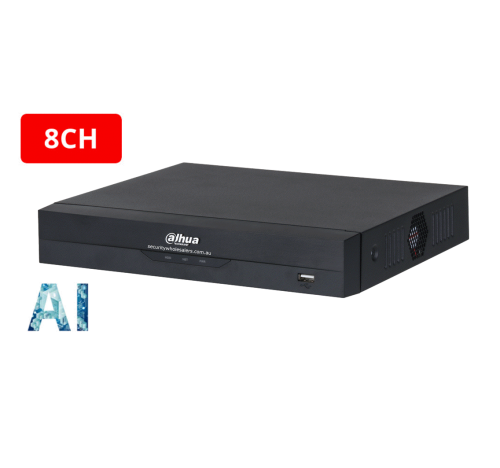
What buyers usually get wrong about Dahua NVRs
Many buyers still choose Dahua NVRs as if the only question is 4, 8, 16, or 32 channels. In reality, the recorder decision also needs to cover HDD bay count, incoming bandwidth, whether the recorder should supply PoE or the site should use separate switches, and what kind of AI search or investigation workflow the operator expects later.
That is especially important now that Dahua has a clearer split between everyday WizSense recorders and higher-tier WizMind or PRO recorders with deeper AI and search expectations.
Practical Dahua NVR topology
[Option 1: PoE NVR]
[Cameras] --> Cat5e / Cat6 --> [PoE NVR] --> [Router / modem]

[Option 2: Distributed switching]
[Cameras] --> [Local PoE switch] --> [Core switch / rack] --> [Non-PoE NVR]

[Recorder planning checks]
    |
    +--> Enough channels for stage 1?
    +--> Enough spare channels for growth?
    +--> Enough HDD bays for retention target?
    +--> WizSense enough, or is WizMind / PRO justified?
    +--> UPS runtime on recorder + switch path?
When compact PoE NVRs are enough
Compact 4CH and 8CH PoE Dahua NVRs are often ideal for homes, smaller businesses, and tidy single-zone jobs where all cameras can home-run sensibly and the growth expectation is honest. They keep the system simple and usually reduce the need for extra switching on smaller sites.
But once the job starts spreading across buildings, detached cabinets, long cable runs, or more cameras than the first phase suggests, it is often smarter to separate the switching plan from the recorder plan.
When bigger Dahua NVR tiers make sense
Larger sites often need more than just more channels. They may need two HDD bays or more, higher incoming bandwidth, AI-by-recorder search depth, and a better growth path. This is where Dahua's stronger WizSense and WizMind NVR lines become more relevant.
For bigger sites, one of the most commercial questions is whether the operator will later want faster forensic review rather than only basic playback. If that is likely, recorder choice deserves more attention than the average quote gives it.
Installation insight
Installers normally confirm whether the recorder should live in the main rack, whether local PoE switches are needed in remote zones, how many hard drives should be fitted now versus later, and whether the UPS should keep only the NVR alive or protect the key switch path as well.
These decisions affect whether the site keeps recording during an outage, whether detached buildings still work cleanly, and how easy it is to expand the system without replacing the recorder too soon.
NVR buying traps
- Buying exactly enough channels. A filled NVR leaves no room for the camera the buyer realises they need later.
- Ignoring HDD bays. Storage limits often appear after the cameras are already installed.
- Assuming every smart feature is camera-only. Recorder support can affect search, alerts and usability.
- Forgetting network topology. Built-in PoE is convenient, but larger sites may need switches and better structure.
- Skipping handover. A good NVR choice still fails if nobody knows how to search and export footage.
For many Dahua buyers, moving from a cramped 4-channel recorder to an 8-channel path is the most sensible upgrade in the whole quote.
Relevant SecurityWholesalers Categories and Products
These Dahua recorder categories and examples are the most useful starting points because they show the real spread from compact PoE units to higher-capacity AI NVRs.
- Dahua NVRs - The main category for Dahua recorders from compact PoE models to larger AI NVRs.
- DHI-NVR4104HS-P-AI/ANZ - A good reference point for a compact 4-channel PoE WizSense NVR.
- DHI-NVR4208HS-8P-AI/ANZ - A stronger 8-channel path when the site wants 2 HDD bays instead of a basic 1-bay design.
- DHI-NVR5432-16HP-AI/ANZ-PRO - A good pointer into the newer Dahua PRO NVR path where larger AI search and investigation workflows matter.
- Dahua PRO NVRs with Xinghan WizSeek - Useful where the buyer is comparing standard WizSense NVRs with higher-end search-led PRO recorders.
Sources and Further Reading
- Dahua Oceania Network Recorders
- Dahua Oceania WizSense NVRs
- Dahua Oceania WizMind NVRs
- SecurityWholesalers: Xinghan AI in Dahua WizMind NVRs
Dahua NVR decision ladder

Recorder examples
| System | NVR path | Reason |
|---|---|---|
| 4 camera home | 4 or 8 channel NVR | Use 8 channel if future cameras are likely. |
| 8 camera business | 8 channel if finished, 16 channel if likely to grow | Business sites often add rear or external views later. |
| Warehouse | 16 channel or larger | Doors, docks, yard and office areas add up quickly. |
| Investigation-heavy site | WizMind/PRO recorder path | Search workflow may matter more than the camera spec alone. |
Frequently Asked Questions
-
How should a buyer choose between a 4CH, 8CH, 16CH, or 32CH Dahua NVR?
Start with current cameras, then add honest headroom. The better question is often not just channel count, but whether the site will need more HDD bays, distributed PoE switching, or stronger AI search later.
-
When is a PoE NVR enough on Dahua?
Usually on smaller and tidier jobs where the cameras can home-run cleanly and the site is not likely to sprawl quickly into detached areas or remote switches.
-
Why do HDD bays matter so much?
Because retention goals often push beyond what a small single-bay recorder can support comfortably, especially once the site uses more cameras, higher resolutions, or heavier recording schedules.
-
What is the practical difference between Dahua WizSense and WizMind NVRs?
WizSense is usually the cost-performance recorder path for many business jobs. WizMind steps further into project-scale AI, metadata, and search expectations, especially on larger sites.
-
Should the recorder power the cameras directly or should the site use switches?
That depends on layout. Small simple jobs often suit direct PoE NVR design. Larger or multi-zone jobs often work better with local PoE switches and a recorder that focuses on recording rather than power distribution.
-
Which related guide helps with the next decision?
Usually the WizSense vs WizMind page, or the warehouse / small-business Dahua guides if the recorder choice is tied to a specific site type.
Related Pages
Dahua WizSense vs WizMind
Choose the right Dahua AI tier without turning the project into a buzzword argument.
Best Dahua CCTV System for Small Business
Use Dahua in a small-business context, with practical camera, recorder, and installation logic.
Dahua for Warehouses
Use Dahua in a warehouse context, especially where NVR scale, motorised lenses, and PTZ are real considerations.
Dahua PTZ Buying Guide
Understand where Dahua PTZ helps, where it does not, and how to choose the right zoom and power path.