

















Best Dahua CCTV System for Small Business
Use Case
What small businesses usually need first
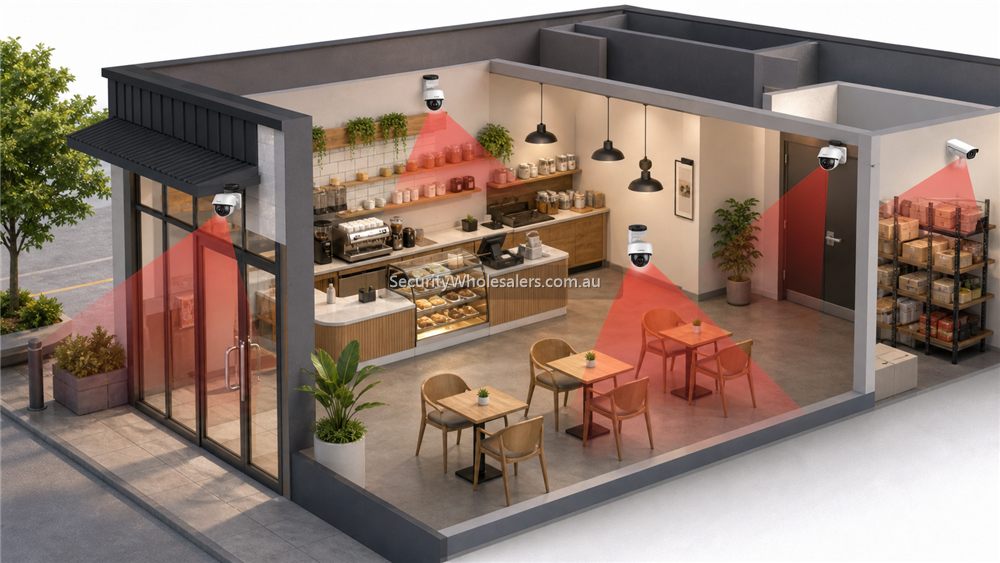
- Clear front-door and reception or counter coverage
- Useful internal circulation coverage rather than random wall coverage
- A sensible after-hours view of side entries, bins, delivery points, or car spaces
- A recorder that is simple to review and not under-sized after the first upgrade
Typical small-business Dahua layout
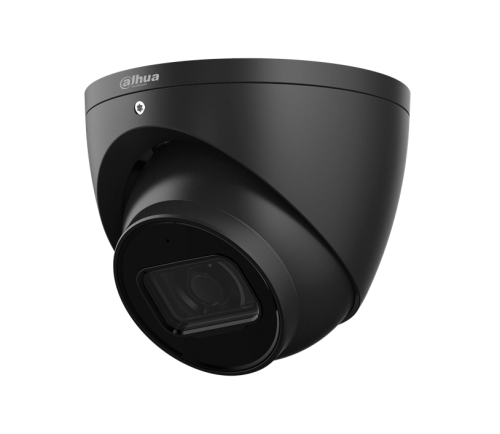
[Front entry turret]
[Counter / reception camera]
[Internal circulation camera]
[Rear or side-entry camera]
         |
         +--> Cat5e / Cat6 --> [4CH or 8CH Dahua PoE NVR]
                               |
                               +--> [Surveillance HDD]
                               +--> [Router / app access]
                               +--> [UPS if outage recording matters]
Where Dahua usually fits well on small business
Dahua is often a strong small-business choice where the owner wants proper commercial CCTV without stepping immediately into heavier enterprise design. Fixed 6MP or 8MP cameras, one motorised view where the frontage is awkward, and a sensible WizSense NVR often create a better result than overcomplicating the site.
PTZ is usually unnecessary on smaller sites unless there is a very specific yard or frontage problem. The better spend is often on the right fixed views, a stronger low-light choice on the key exterior, or a recorder with more honest headroom.
Installation insight
Small-business installs are often won or lost by the rear camera, not the front one. The installer should check deliveries, bins, side passages, and after-hours staff or cleaner access because those are often the views the owner needs later.
Recorder placement should also be sensible. A compact PoE NVR is often enough, but it still needs ventilation, UPS thought, and a clean path back to the modem or main network.
Small-business quote scenarios
| Business | Practical Dahua design | Why it works |
|---|---|---|
| Small office or clinic | 4 to 6 cameras: entry, reception, hallway, rear door, store/comms area and external approach. | Prioritises access points and after-hours evidence without over-monitoring private work areas. |
| Retail shop | 6 to 8 cameras: entry face view, counter, sales floor overview, high-value shelves, stock room, rear lane and register area. | Separates customer-flow evidence from transaction and stock evidence. |
| Workshop or trade unit | 6 to 10 cameras: roller door, office, tool area, vehicle bay, rear cage, driveway and side access. | Balances staff safety, tool theft risk and vehicle movements. |
| Hospitality venue | 6 to 12 cameras depending on layout: entry, POS, dining, bar/service, rear door, waste area and external queue/approach. | Lighting changes and public-facing areas need more careful camera behaviour than a standard office. |
What to avoid in a small-business Dahua system
- Putting one wide camera in the corner and expecting it to solve entry, counter and stock issues at once.
- Filling a 4-channel NVR on day one when the business is likely to add rear door, stock or external coverage later.
- Using active deterrence on a customer-facing area when it only needs clear evidence, not warnings.
- Forgetting the handover: the owner should know how to open live view, search playback, export a clip and manage app users.
- Choosing cameras by megapixels alone instead of lens angle, mounting height, lighting and evidence target.
Best starting point for most small businesses
For a typical Australian small business, an 8-channel Dahua PoE NVR with 4 to 6 well-chosen cameras is often a better starting point than a cheaper 4-channel system filled immediately. It leaves room for a rear door, stock room or external approach once the owner sees how the business actually uses the footage.
Relevant SecurityWholesalers Categories and Products
These Dahua categories and examples are the most relevant small-business starting points because they match the kinds of views and recorder paths small sites usually need.
- Dahua 6MP IP cameras - A strong default starting point for many small-business cameras.
- DHI-NVR4104HS-P-AI/ANZ - A good compact 4-channel PoE recorder path for tidy small-business layouts.
- DHI-NVR4208HS-8P-AI/ANZ - A better fit where the business wants 8 channels and 2 HDD bays.
- DH-IPC-HDW3667EM-S-IL-ANZ - A useful exterior low-light or Smart Dual Light path for smaller sites.
Sources and Further Reading
Best Dahua small-business system by risk level
| Risk level | Suggested design | Why |
|---|---|---|
| Low-risk office | 4 to 6 fixed cameras, 8-channel NVR, simple DMSS handover. | Entry, rear door and common areas usually matter more than advanced deterrence. |
| Retail or cafe | 6 to 8 cameras, dedicated entry and counter views, selective low-light for rear access. | Transaction evidence and after-hours access are different problems. |
| Workshop or trade unit | 8 to 12 cameras, stronger exterior coverage, possible Smart Dual Light or TiOC at exposed doors. | Tools, vehicles, roller doors and yards create more after-hours risk. |
| High-value stock business | 12+ camera planning, 16-channel recorder path, storage and export workflow scoped carefully. | The system needs to support investigation, not just live viewing. |
Questions to answer before buying
- Who will review footage: owner, manager, installer, or several staff?
- How long should footage be kept for the business to feel comfortable?
- Which areas need face detail, and which only need operational overview?
- Are there staff privacy or customer comfort concerns?
- Does the business need notifications after hours, or only recorded evidence?
- Will the site likely add cameras after stock, layout or trading hours change?
Frequently Asked Questions
-
What is the best Dahua starting point for many small businesses?
Usually a compact WizSense-led IP system with fixed cameras on the key views, one stronger low-light exterior if needed, and an NVR that leaves some honest headroom.
-
Does a small business usually need PTZ?
Usually no. Most small sites are better served by well-placed fixed or motorised cameras and a clearer recorder plan.
-
Is 4 channels enough for a small business?
Sometimes, but many sites are better designed on 8 channels once front, rear, internal, and external growth are considered honestly.
-
Should a small business buy 6MP or 8MP Dahua cameras?
Many are well served by 6MP. 8MP makes more sense where wider scenes or stronger detail margins justify the storage and bandwidth impact.
-
What exterior view gets missed most often on small-business jobs?
Rear and side access. Those areas often matter more later than the owner expected.
-
Which related guide helps with the next decision?
Usually the NVR guide or the Full-color vs Smart Dual Light page, depending on whether the next concern is recorder headroom or night-time performance.
Related Pages
How to Choose a Dahua NVR
Choose the Dahua recorder path properly before locking in the camera mix.
Dahua Full-color vs Smart Dual Light
Compare Dahua's low-light approaches based on what the site actually needs after dark.
How to Choose a Dahua Camera
Work through the real camera-selection questions rather than chasing Dahua model numbers too early.
Dahua Network Cameras Buying Guide
Map the Dahua network-camera range before you dive into individual models.