

















Dahua Pro Series Cameras Buying Guide
Pro Series
Quick answer
Move into Dahua PRO only when the site genuinely needs stronger camera or recorder intelligence. If the job is still mostly about tidy camera placement, decent low-light performance, and mainstream human and vehicle filtering, ordinary WizSense is often the better-value answer.
1. What is Dahua PRO in practical buying terms?
On SecurityWholesalers, the PRO conversation often shows up as a more feature-packed Dahua path around cameras, recorders, AcuPick-style search improvements, and newer AI NVR branches such as the Xinghan / WizSeek family. In plain language, it is where Dahua starts to feel more project-led and search-led rather than just camera-led.
2. Key benefits of the Dahua PRO path
- Stronger search and investigation workflow: useful when the operator actually reviews many events and wants faster target retrieval.
- Premium branch options: selected PRO models combine stronger low-light behaviour, better search integration, or more capable AI.
- Better fit for larger or more demanding sites: especially when a simple fixed-camera-only design is no longer enough.
3. Recommended use cases
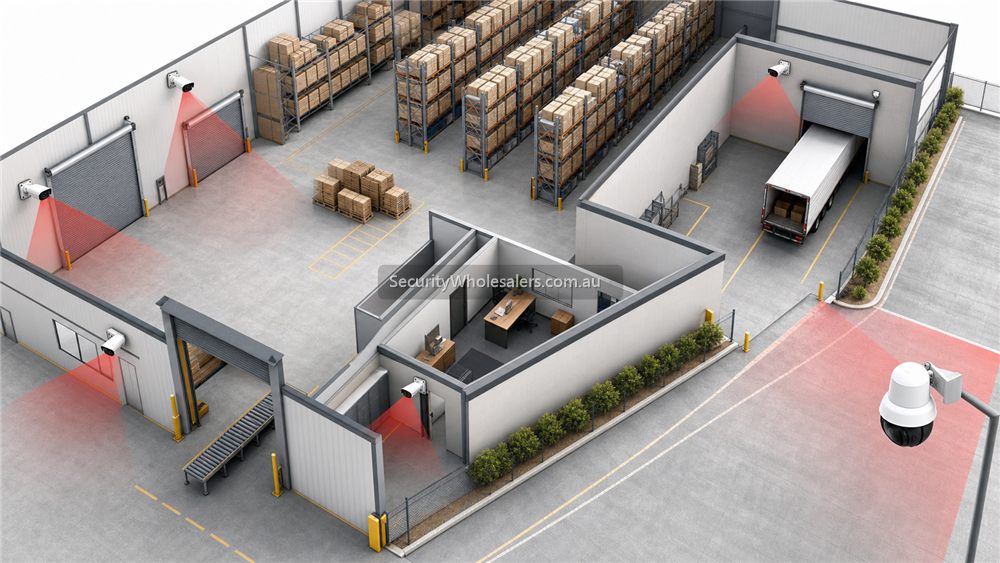
Heavier warehouse or yard jobs
When the site has many cameras and the operator actually needs stronger search or AI-led review later.
Larger business or campus installs
Where the recorder is becoming part of the real decision and not just a box with enough channels.
Selected premium scene upgrades
Where one or two views need a PRO-grade camera path because the basic model is no longer enough.
4. Types of PRO decisions buyers usually make
| PRO branch | Usually best for | Common mistake |
|---|---|---|
| PRO camera step-up | Premium frontages, harder low-light scenes, or more demanding evidence views | Paying for the branch without fixing the basic scene design |
| PRO AI NVR | Larger sites, stronger search expectations, and deeper investigation workflow | Buying the recorder first without knowing whether the staff will really use the extra functions |
| Xinghan / WizSeek | Recorder-led projects where semantic search and stronger review tools matter | Assuming every 8-camera site needs enterprise-style search behaviour |
5. Choose the PRO path by project size
- Small site: usually stay in WizSense unless one scene has a very specific premium requirement.
- Mid-size site: consider a mixed path with mostly mainstream cameras and only selected PRO camera or recorder upgrades.
- Larger site: stronger reason to review PRO AI NVRs, search workflow, and advanced analytics.
6. Choose by smart features
- AcuPick / stronger search: useful where the operator genuinely needs to find people or vehicles faster across larger footage sets.
- WizSeek semantic search: relevant when the NVR is part of the real commercial decision, not just the storage box.
- Premium low-light or deterrence blend: relevant on selected scenes, not necessarily the whole job.
7. Choosing PRO by environment
| Environment | Recommended PRO direction | Reason |
|---|---|---|
| Large warehouse | PRO AI NVR review | Search and workflow become more important as camera count grows |
| Vehicle yard | Selected PRO cameras plus stronger NVR | Lets the site improve key scenes without overspecifying every view |
| Multi-building site | Recorder-led PRO planning | The system starts to live or die on the recording and review layer |
8. Installation tips
- Do not jump into PRO to compensate for poor camera placement.
- Confirm the recorder network, HDD plan, and operator workflow before selling the heavier AI branch.
- If the site will never use deeper search, spend the budget on better lenses, placement, or storage instead.
9. Compatible recorders
Dahua PRO planning is often really a recorder conversation. That is why the strongest next step after a PRO shortlist is usually the NVR guide, especially if the project is comparing standard Dahua NVRs against the newer PRO AI or WizSeek-style models.
10. Current PRO reference paths on SecurityWholesalers
These are useful current Dahua reference paths on SecurityWholesalers as checked during this guide refresh on 29 May 2026.
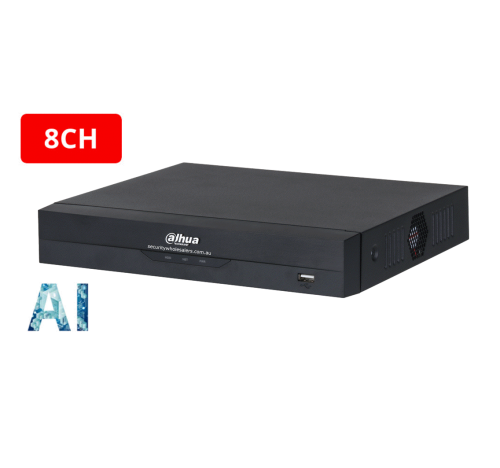
Dahua Pro AI Cameras and Recorders
The clearest current SecurityWholesalers category for the broader Dahua PRO AI branch.
Dahua NVRs with Xinghan WizSeek
A useful current recorder branch when the conversation is turning into stronger search and AI review.
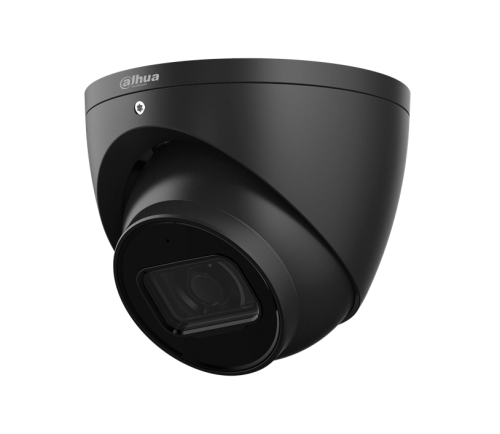
Dahua WizSense vs WizMind
Use this page when the buyer is still deciding whether the job really needs the heavier tier at all.
When PRO is the sensible upgrade
The Dahua PRO path is most useful when the site has moved beyond a simple camera count conversation. Stronger camera hardware, better search behaviour, larger recorder planning and more demanding scenes can justify the upgrade. For a straightforward four-camera home, PRO may be unnecessary. For a commercial site where missed events cost time or money, it can be the better long-term choice.
| Stay mainstream | Consider PRO |
|---|---|
| Simple home or office views. | Busy commercial entries, yards or high-value stock areas. |
| Basic playback and occasional app viewing. | Frequent review, stronger search and more demanding operators. |
| Tight budget and low complexity. | Expansion, better recorder pairing and future-proofing matter. |
Recommended PRO buying paths
Camera-first PRO step-up
Use a selected PRO camera where one scene needs better search, stronger low-light behaviour, or a more premium branch without rebuilding the whole site around that one requirement.
Recorder-first PRO step-up
Use a PRO NVR when the real pain point is investigation time, semantic search, or AI-led review across a larger camera count.
Enterprise-leaning path
Move toward the PRO branch when the project is already beyond a simple shop or office job and the operator will genuinely use the extra search and AI functions later.
PRO quote checklist
- Is the site busy enough to benefit from stronger search or analytics?
- Will the customer review footage often, or only after rare events?
- Does the recorder path match the camera tier?
- Are there lighting, distance or lens challenges that mainstream cameras may not handle as well?
- Is the buyer paying for a measurable operational benefit, not just a higher model tier?
When those answers are clear, PRO can be easy to justify. When they are vague, a well-designed mainstream Dahua system may be the better buy.
Related Pages
How to Choose a Dahua NVR
Use this next if the PRO discussion is really about channels, HDD bays, search workflow, and recorder tier.
Dahua WizSense vs WizMind
Compare the mainstream and heavier AI branches in plainer commercial terms.
Dahua for Warehouses
See where PRO recorder or camera branches usually start to become commercially real.
Dahua PTZ Buying Guide
Use this when the site is large enough that PTZ and heavier recorder logic are becoming part of the same conversation.