

















Dahua for Farms and Remote Sites
Remote Site Fit
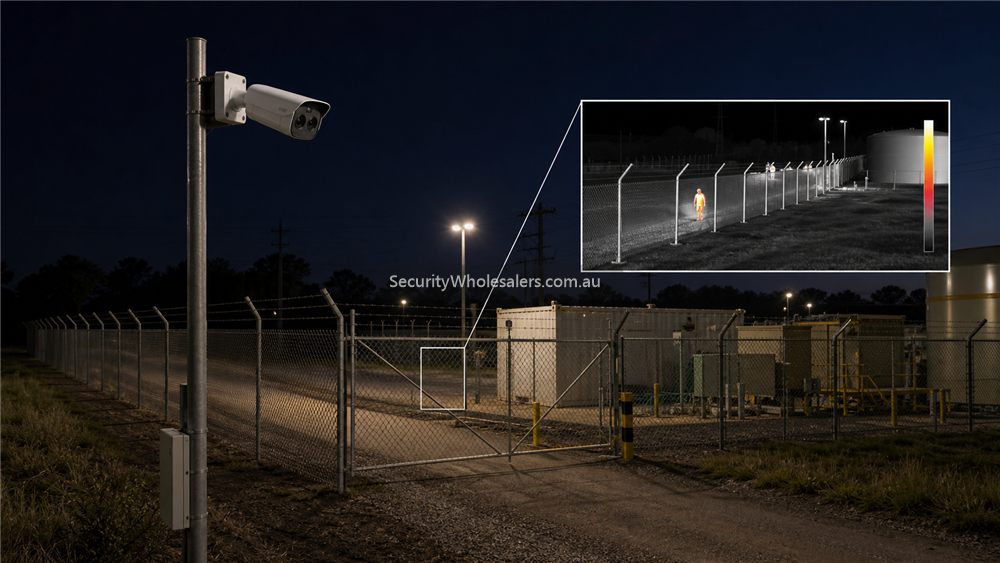
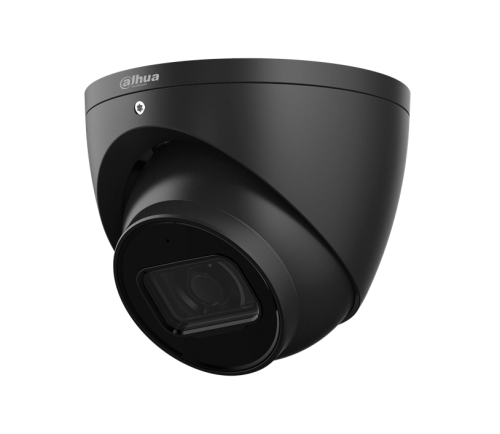
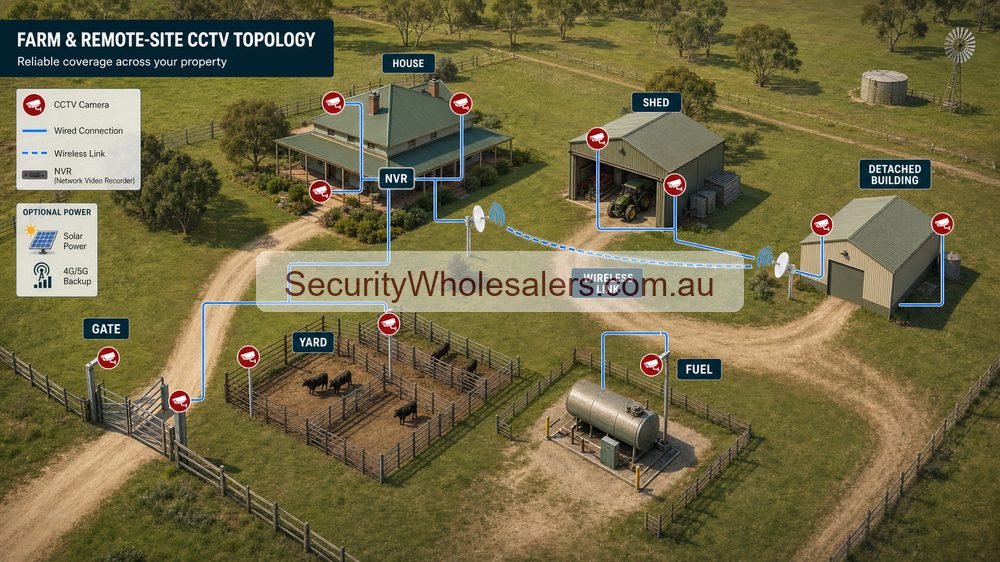
Where Dahua can suit farms and remote sites
- Front gate and driveway entries where one or two fixed cameras can create a dependable evidence view.
- Sheds, workshops, fuel storage, and machinery bays where simple fixed or motorised cameras make more sense than over-complicated analytics.
- Remote building links where the network design allows cameras to feed back to one recorder or an agreed remote-view path.
- Selected broader yard zones where one PTZ may help the operator understand movement over distance.
Sample scenarios
Example: a mixed rural property with one front gate, one machinery shed, one workshop, and one diesel tank area can suit Dahua very well if the design stays practical: two to four fixed cameras on the key evidence points, one stronger low-light camera on the fuel or workshop entry, and a recorder in the main secure building.
Example: a livestock property with a long remote track, detached sheds, and limited stable communications needs a bigger design conversation. Dahua can still be part of the answer, but the deciding factor becomes wireless links, power, and where the footage is actually going to be recorded and reviewed.
What remote-site buyers should check first
- Power availability at each camera or building.
- Whether Cat6, fibre, or wireless links are needed between structures.
- Whether the site wants one recorder location or multiple local recording points.
- How remote viewing will work when internet performance is poor or intermittent.
Where people often go wrong
The usual mistake is shopping for a camera before the property layout is understood. On remote sites, the bigger risk is often the link between buildings, not the camera spec. A good camera can still be the wrong choice if there is no reliable path back to the recorder or no realistic way to power it.
Remote-site design checklist
| Question | Why it matters | Common Dahua approach |
|---|---|---|
| Where is reliable power? | Detached sheds, gates and tanks may not have suitable power nearby. | Keep cameras near powered buildings first, then stage remote points carefully. |
| Where will the NVR live? | The recorder needs protection from dust, heat, theft and power interruptions. | Place it in the house, office or locked comms area where practical. |
| Is there usable internet? | DMSS remote viewing depends on the router and internet path, not just the camera. | Confirm internet before promising reliable remote access. |
| Are buildings separated? | Long cable runs and separate sheds may require wireless bridges or local switching. | Plan network links before quoting camera count. |
| Is lightning or surge risk high? | Rural cabling is more exposed. | Use proper surge protection and avoid casual long exposed cable runs. |
Farm quote scenarios
Small acreage: a practical first stage may cover the house entry, driveway, main shed and rear yard using an 8-channel NVR. This gives useful footage quickly and leaves room for the gate or tank area later.
Working farm: a stronger design may cover machinery shed, fuel tank, livestock yard, front gate and detached storage. Here the network design becomes as important as the camera selection because the best camera is useless if the link drops out or the recorder is poorly protected.
Remote gate or tank: do not treat this like a normal suburban camera. Check power, mounting, wireless path, mobile coverage if relevant, weather exposure and who will maintain the equipment.
Relevant SecurityWholesalers Categories and Products
These Dahua paths are the ones most likely to matter once the property spreads across sheds, yards, gates, and detached areas.
- Dahua CCTV cameras and kits - The broad Dahua starting point for rural and remote-site camera browsing.
- Dahua PTZ guide - Useful if the remote-site discussion includes one broader yard or gate PTZ.
- Dahua NVRs - Recorder planning matters more than many remote-site buyers expect.
Sources and Further Reading
What makes farm CCTV different from normal CCTV
On a farm, the hardest part is often not choosing the camera. It is getting reliable power, a stable network path and a protected recorder location across a larger property. A city-style kit can fail badly if it assumes every camera is close to the NVR and every cable run is simple.
- Distance: gates, sheds and tanks may be far beyond normal cabling assumptions.
- Exposure: cameras and cabling may face dust, heat, insects, rain, wind and surge risk.
- Connectivity: remote viewing depends on internet quality, router stability and sometimes mobile coverage.
- Maintenance: cameras in difficult locations need practical access for cleaning, adjustment and repair.
- Staging: many farms are better built in stages: house/shed first, then gate, fuel, yard and detached buildings.
Good better best approach
| Level | Design | Best fit |
|---|---|---|
| Good | 4-camera system around house, driveway, main shed and yard. | Small acreage where power and cabling are straightforward. |
| Better | 8-channel NVR with shed, gate or tank added through planned cabling or wireless link. | Most rural properties that want staged growth. |
| Best | 16-channel planning, wireless/fibre links where needed, surge protection and clear remote-access design. | Working farms, high-value machinery sites and detached building layouts. |
Useful Dahua product paths for farms and remote sites
Start with the Dahua CCTV range and choose cameras after the power and link path is known. A gate or shed may need fixed Dahua cameras; a large yard may justify PTZ; a perimeter or heat-risk job may need the Dahua thermal camera category. Do not quote remote cameras until internet, power, mounting and weather exposure are understood.
Frequently Asked Questions
-
Is Dahua a good fit for farms and remote properties?
Often yes, provided the design starts with the property layout, power, and link method rather than only the camera model.
-
What matters most on a remote-site Dahua job?
Usually power, network path, recorder placement, and how detached buildings connect back to the main system.
-
Should farms use PTZ cameras?
Sometimes, especially on broader yards or long gates, but fixed evidence cameras still do most of the hard work.
-
Can one recorder cover a whole remote property?
Sometimes, but only if the network between buildings is designed properly. Larger or fragmented sites may need a more deliberate architecture.
-
What should a rural buyer send before asking for product advice?
A simple property sketch, distances between buildings, photos of the gate and sheds, and a note about power and internet availability.
-
Which related guide helps after this one?
Usually the PTZ guide, the camera guide, or the NVR guide depending on whether the hard part of the site is distance, scene type, or recorder placement.
Related Pages
Dahua PTZ Buying Guide
Understand where Dahua PTZ helps, where it does not, and how to choose the right zoom and power path.
How to Choose a Dahua Camera
Work through the real camera-selection questions rather than chasing Dahua model numbers too early.
How to Choose a Dahua NVR
Choose the Dahua recorder path properly before locking in the camera mix.
Dahua CCTV Buying Guide
Start here to decide which Dahua branch matters before diving into camera, PTZ, NVR, or use-case pages.