

















Dahua WizSense Cameras Buying Guide
WizSense
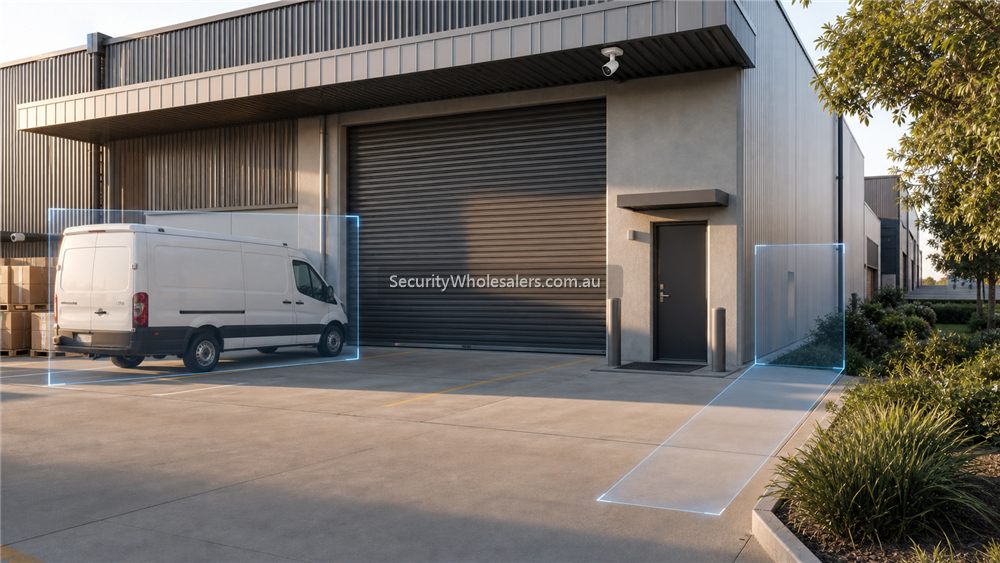
Quick answer
If the site is a shop, office, childcare centre, warehouse, workshop, medical clinic, or small yard that mainly wants cleaner alerts and easier review, Dahua WizSense is usually the first place to start.
- Mainstream AI filtering
- Human and vehicle detection
- Fixed or motorised lens options
- Works cleanly with Dahua WizSense NVRs
1. What is Dahua WizSense?
Dahua WizSense is the mainstream AI branch in the Dahua IP ecosystem. In plain terms, it is the part of the range that tries to give you useful human and vehicle classification, better search relevance, and stronger value than plain motion-based cameras without pushing you into heavier enterprise-style AI expectations.
2. Key benefits of Dahua WizSense
- Cleaner alerts: human and vehicle classification reduces the noise from rain, shadows, headlights, and scene clutter.
- Broad camera range: you can stay inside the same family while mixing fixed turret, bullet, dome, motorised, and selected active-deterrence paths.
- Easier NVR pairing: WizSense cameras and NVRs usually create the most straightforward Dahua recorder path for normal commercial jobs.
- Better value than overspecifying: many sites do not need PRO or deeper analytics if the real job is just cleaner review and smarter filtering.
3. Recommended use cases
Shops and offices
WizSense suits front doors, counters, corridors, staff doors, and rear lanes where the owner wants fewer nuisance notifications and a sensible recorder path.
Warehouses and workshops
Use WizSense for general aisles, dispatch, office entry, roller doors, and yards. Step into TiOC or a motorised branch only on the views that actually need it.
Schools and childcare
WizSense is often the honest starting point where clear review and manageable alerts matter more than aggressive deterrence.
4. Types of Dahua WizSense cameras
| Type | Usually best for | Common caution |
|---|---|---|
| Turret | General entries, walkways, offices, shopfronts, and most everyday internal or external scenes | Do not mount too high and expect face detail to fix itself later |
| Bullet | Driveways, longer approaches, rear lanes, yards, and external walls | Choose the lens for the distance, not just the shape |
| Dome | Public-facing internal areas and selected vandal-sensitive scenes | Watch glare, dust, and IR reflection in the housing |
| Motorised varifocal | Awkward entries, loading areas, longer corridors, and scenes where the lens must be tuned during commissioning | Do not buy fixed 2.8 mm everywhere if the scene really needs a tighter view |
5. Choose by resolution
- 4MP: usually enough for many tidy internal scenes and shorter external approaches.
- 6MP: often the sweet spot for mainstream business, school, and warehouse installs.
- 8MP: worth considering where wider scenes, crop margin, or stronger identification detail matter.
6. Choose by smart features
- Built-in microphone: useful on entries, counters, and selected external doors where sound adds context.
- Smart Dual Light: use where low-light behaviour matters but the site does not necessarily want a full-time colour-first path.
- Perimeter protection: useful on gates, lanes, and selected yard boundaries when the scene is set up properly.
7. Choosing WizSense by environment
| Location | Recommended camera type | Reason |
|---|---|---|
| Front entry | 6MP or 8MP turret with mic | Good all-round balance of detail, audio, and mounting flexibility |
| Rear lane | Bullet or motorised turret | Lets the installer tune the scene properly for distance and lighting |
| Warehouse aisle | Motorised turret or bullet | Stops the common mistake of using a lens that is too wide to be useful |
| Office corridor | Fixed turret or dome | Keeps the design simple where the scene shape is predictable |
8. Installation tips
- Keep the lens choice honest. Many Dahua disappointments are lens mistakes, not brand problems.
- Match camera height to the identification job. If you need useful face detail, do not mount like a streetlight.
- Use PoE and a sensible Dahua NVR where practical so the handover stays cleaner.
- Commission human and vehicle filtering on the live scene instead of trusting defaults.
9. Compatible recorders
For most mainstream WizSense jobs, the sensible recorder path is still a Dahua WizSense NVR sized around channel count, HDD bays, and future headroom. Move into PRO or heavier AI recorder tiers only if the search workflow, scene count, or operator expectations really justify it.
10. Current WizSense reference paths on SecurityWholesalers
These are useful current Dahua reference paths on SecurityWholesalers as checked during this guide refresh on 29 May 2026.
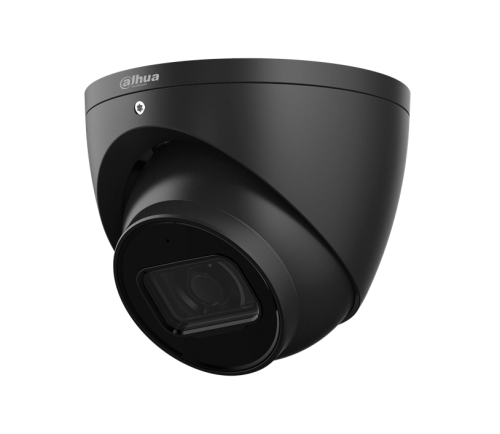
Dahua WizSense Cameras
The clearest current SecurityWholesalers category for the mainstream Dahua AI camera range.
3666 vs 3667 vs 3649
A practical model-level comparison if the buyer is already narrowing down everyday 6MP Dahua turret options.
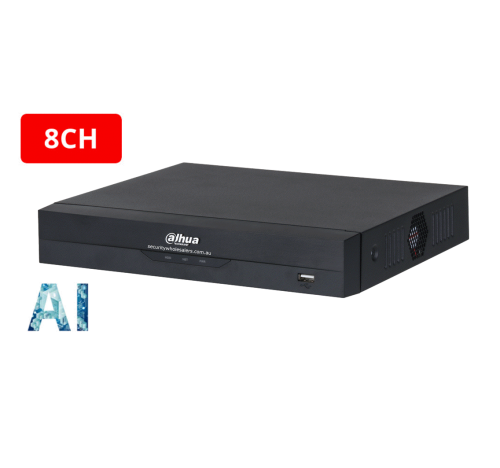
Dahua NVRs
Use the recorder category once you know whether the site is a 4, 8, 16, or 32 channel job.
Recommended WizSense buying paths
Simple mainstream path
Use Dahua WizSense cameras with a normal Dahua PoE NVR when the site mainly wants reliable fixed CCTV, human and vehicle filtering, and clean remote viewing without a heavier AI workflow.
Scene-upgrade path
Stay mostly in WizSense, then add one motorised lens, one stronger low-light view, or one TiOC camera only where the scene truly needs it.
Larger-site path
Use WizSense as the base camera family, then confirm whether the recorder needs to step up before you assume the cameras are the limiting factor.
Related Pages
Dahua WizSense vs WizMind
Read this when the buyer is starting to wonder if mainstream AI is enough or if the job is drifting into a heavier project tier.
Dahua TiOC Cameras Buying Guide
Use TiOC only on the scenes that truly benefit from active deterrence.
Dahua WizColor Cameras Buying Guide
Move into WizColor when the real question is night-time colour quality rather than generic AI filtering.
How to Choose a Dahua Camera
Turn the family discussion into an actual shortlist by scene and lens requirement.