

















Dahua Network Cameras Buying Guide
Camera Family
The main Dahua network-camera choices buyers actually make
| Camera path | Usually strongest for | Installation note |
|---|---|---|
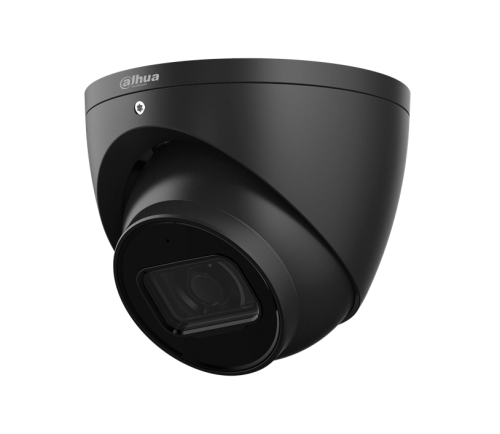
| Fixed turret or bullet | Entrances, corridors, counters, straightforward perimeter points | Needs the correct lens and mounting height from the start. A bad fixed-lens choice is hard to rescue later. |
| Motorised varifocal | Long approaches, loading areas, awkward frontages, mixed-depth scenes | Lets the installer tune the view properly during commissioning instead of guessing the lens on quote day. |
| Full-color or Smart Dual Light | Important low-light views where black-and-white IR is not enough | Needs realistic expectations around spill light, lighting behaviour, and what the site actually needs to identify at night. |
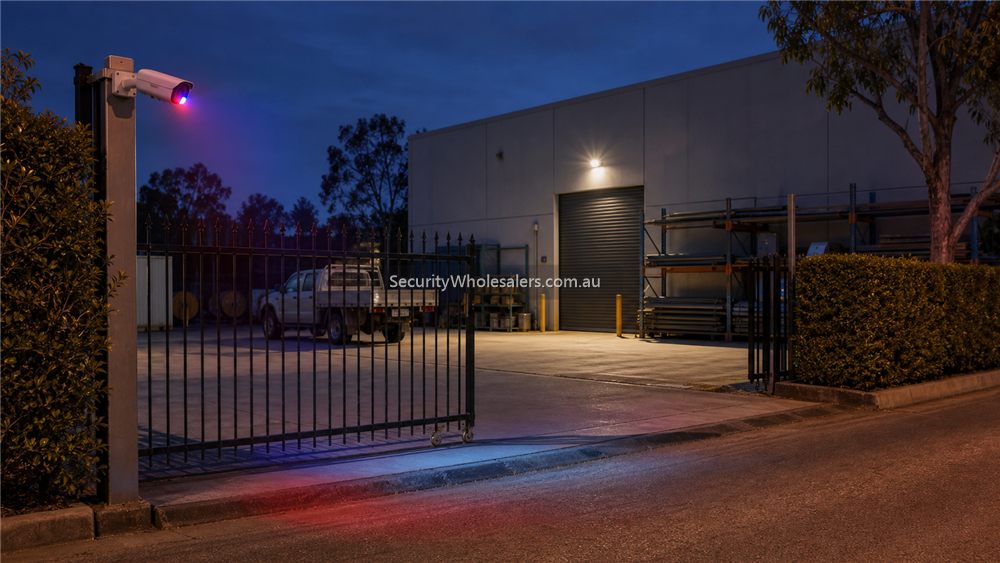
| TiOC 2.0 deterrence cameras | After-hours gates, side entries, vulnerable frontages, and other views where warning audio and strobe response can add value | Should be installed where deterrence is actually useful and acceptable. The installer still has to think about strobe visibility, speaker placement, nuisance activations, and whether a quieter low-light path is better elsewhere. |
| AI-led WizSense fixed cameras | General business and commercial coverage with strong cost-performance balance | Often the practical sweet spot where human and vehicle filtering matters but the site is not truly enterprise-scale. |
| Higher-tier WizMind cameras | Projects with heavier analytics, more specialised scenes, or deeper AI expectations | Best when the site is already heading into more serious search, metadata, or multi-zone investigation needs. |
Understand the Dahua tiers before chasing model numbers
Dahua's official network-camera structure makes more sense once it is read as a tier ladder. WizSense is the cost-performance balance for a large share of Australian business CCTV jobs. WizMind is the project-oriented tier where the site is willing to pay for deeper AI capability or more specialised application fit. Beneath that, simpler 2 and 3 series cameras can still make sense on straightforward coverage jobs where the brief is honest.
That means the buyer should usually decide the tier before getting stuck on individual SKUs. If the site needs dependable human and vehicle filtering, clean fixed or motorised lenses, sensible cost-performance, and maybe one or two stronger low-light or deterrence views, WizSense is often where the shortlist starts. If the site already wants stronger search depth, more specialised analytics, or a higher project tier, the conversation naturally shifts toward WizMind.
TiOC is worth treating as its own practical branch inside that discussion. It is not a camera style for every view. It is a stronger fit where the site wants the camera itself to contribute to after-hours deterrence with visible and audible warning, especially around gates, side paths, external entries, and selected vulnerable trade or retail edges.
Installation insight
On Dahua network-camera jobs, the installer still needs to confirm the same fundamentals as any other IP system: Cat5e or Cat6 path, switch location, cabinet ventilation, whether PoE from the NVR is enough or local switches make more sense, and whether any PTZ or larger camera requires PoE+ or a different power plan.
If the shortlist includes TiOC models, there is another layer to confirm: where the warning light will be seen, whether the speaker will be useful rather than annoying, and whether the scene is genuinely one where active deterrence makes sense. A side gate or isolated yard entry can be a strong TiOC candidate. A quiet internal corridor often is not.
The important point is that camera selection is not finished until those wiring decisions are checked. A motorised varifocal camera that looks perfect on paper can become the wrong choice if the site only planned a weak switch, no local UPS coverage, or a poor cabinet location.
Related Guides
- Move to How to Choose a Dahua Camera if you are now choosing fixed vs motorised, lens type, and low-light behaviour.
- Move to How to Choose a Dahua NVR if the recorder path is the real next decision.
- Move to Dahua PTZ Buying Guide if the site genuinely needs live overview and patrol behaviour.
- Move to Dahua Full-color vs Smart Dual Light if night-time behaviour is driving the purchase.
Relevant SecurityWholesalers Categories and Products
These are the Dahua network-camera categories and examples that usually help buyers move from theory into a shortlist.
- Dahua CCTV cameras and kits - The broadest starting point for Dahua network-camera browsing.
- Dahua 6MP IP cameras - A practical category for many commercial fixed-lens and general-purpose CCTV jobs.
- Dahua 8MP IP cameras - A stronger fit where scene width or detail requirements justify 4K.
- Dahua TiOC 2.0 cameras - A very useful category where the site wants active deterrence, low-light help, and stronger after-hours warning behaviour from the camera itself.
- Dahua TiOC 2.0 8MP kits - A practical package path when the buyer is happy with the camera family and wants a cleaner bundled TiOC system starting point.
- DH-IPC-HDW3667EM-S-IL-ANZ - A good 6MP Smart Dual Light WizSense reference point.
- Dahua 8MP IP cameras - The right category when the site is stepping into higher-detail Dahua IP.
Sources and Further Reading
Frequently Asked Questions
-
What is the strongest Dahua network-camera starting point for many commercial jobs?
For many Australian commercial jobs, Dahua WizSense is the strongest starting point because it balances AI filtering, commercial reliability, and cost-performance well.
-
When should a buyer step from fixed lens into motorised varifocal on Dahua?
Usually when the view has mixed depth, the frontage is awkward, or the installer needs tuning flexibility during commissioning. Long approaches, loading areas, and some vehicle zones are typical examples.
-
Is 8MP always better than 6MP on Dahua IP?
Not automatically. 8MP can be better where wider scenes and crop margin matter, but it also affects storage, bandwidth, and sometimes expectations. Many jobs are better designed around honest 6MP placement than unnecessary 4K everywhere.
-
When does Dahua TiOC deserve shortlist attention?
Usually when the site wants the camera itself to help deter after-hours intrusion at gates, side entries, vulnerable frontages, or similar external views where strobe and warning audio can add real value.
-
What is the difference between WizSense and WizMind in cameras?
WizSense is usually the cost-performance AI tier for many day-to-day business jobs. WizMind is aimed more at project-scale or deeper AI expectations where the site is prepared to pay for a higher product tier.
-
Should a buyer shortlist cameras before thinking about switches and NVRs?
Only roughly. The short list is not really finished until the recorder path, switch location, PoE design, and storage expectations are checked.
-
Which page should someone read next after this one?
Most buyers should go next to the Dahua camera-selection guide or the NVR guide, depending on whether camera type or recorder design is the bigger immediate decision.
Related Pages
How to Choose a Dahua Camera
Work through the real camera-selection questions rather than chasing Dahua model numbers too early.
How to Choose a Dahua NVR
Choose the Dahua recorder path properly before locking in the camera mix.
Dahua Full-color vs Smart Dual Light
Compare Dahua's low-light approaches based on what the site actually needs after dark.
Dahua WizSense vs WizMind
Choose the right Dahua AI tier without turning the project into a buzzword argument.