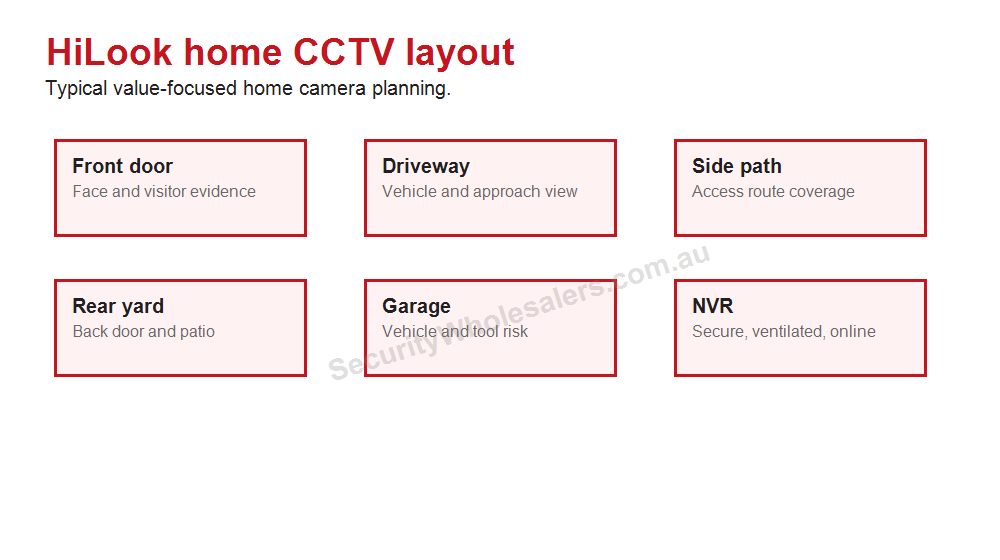
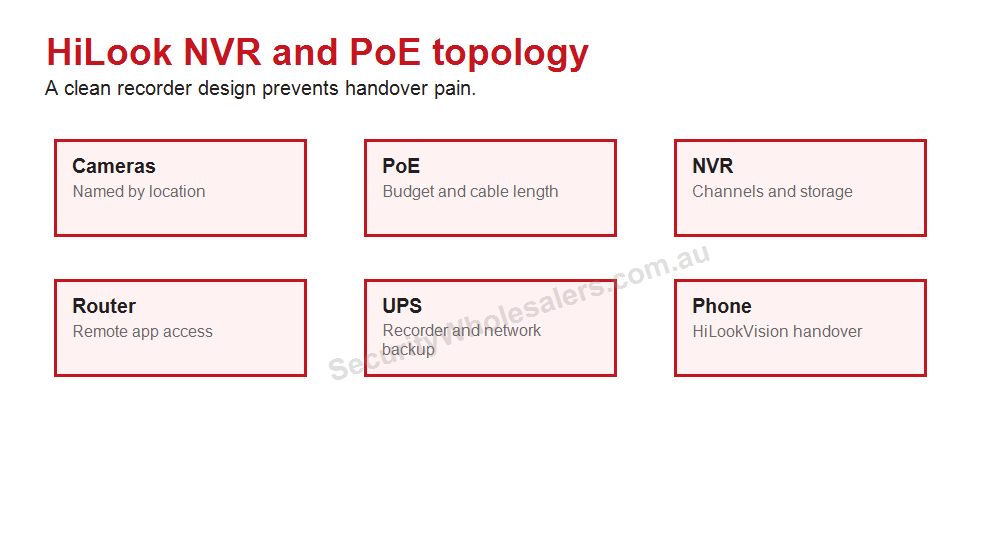
HiLookVision handover should prove live view, playback, users and account ownership before the installer leaves.
App handover
App setup is only reliable when the NVR, router, phone account and user handover are all clear.
Handover checklist
Confirm the owner account and recovery email.
Test live view on mobile data, not only Wi-Fi.
Test playback from yesterday or a test event.
Confirm push notifications if they are part of the brief.
Show how to share access without giving away the owner login.
Document who removes old users when staff or tenants change.
Common app problems
Many app issues are not camera faults. They are account ownership, router, internet, phone permission, notification schedule or recorder-online problems. A good handover separates these before the buyer needs support.
When to involve support
If the system is online locally but not remotely, check internet and platform access. If one phone works and another does not, check sharing and phone permissions. If playback is missing, check recording schedule and hard-drive status.
Final design example
Imagine a buyer choosing HiLook because they want a sensible system, not a complicated one. The best result usually comes from a staged plan. Stage one is the essential evidence points: front entry, driveway or customer entry, rear access and any high-risk side path. Stage two adds the views that are useful but not always urgent: garage, stockroom, shed, staff office, second side path or external approach. Stage three is where the buyer decides whether the site is still a HiLook job or whether it has grown into Hikvision.
This staged approach is useful because it protects the budget without pretending every property is tiny. A buyer can start with a smaller number of cameras while still choosing an NVR that leaves room for growth. That is often better than buying the cheapest recorder and replacing it a year later when the missing view becomes obvious.
What a good quote should explain
Quote item
Plain-English reason
Camera count
Each camera should map to a real evidence point, not a generic corner of the building.
NVR channels
The recorder should support the finished site, not only the first stage.
Storage
The hard drive should match the review window the buyer actually needs.
App handover
The buyer should know who owns the account, who has access and how playback works.
Upgrade path
The quote should say when HiLook remains enough and when Hikvision is the better long-term choice.
Common mistakes to avoid
Buying a 4-camera kit when the site has six important views.
Putting every camera too high for useful identification.
Choosing the smallest hard drive without checking retention.
Leaving no spare recorder channels on a site likely to expand.
Finishing handover without testing playback and mobile-data access.
Using HiLook for a job that clearly needs specialist Hikvision features.
HiLook is strongest when it is used honestly: practical CCTV, sensible recorder planning, clean installation and clear handover. That is enough for many Australian homes and small businesses, but the guide should always help the buyer recognise the point where spending more on the right platform will save trouble later.
Final buyer reminder
The simplest way to avoid a poor HiLook outcome is to test the system as the buyer will actually use it. Walk to the entry, trigger a recording, check playback, check mobile access away from Wi-Fi and confirm who owns the account. That short process catches many of the problems that make value CCTV feel frustrating later.
Where the project is still simple, HiLook remains a sensible value choice. Where the checklist starts to include specialist detection, larger integration or regular investigation work, the honest recommendation is to step up before the system is installed.
HiLook App Setup and Handover Checklist FAQs
Is HiLook the same as Hikvision?
HiLook is Hikvision-backed, but it is positioned as a value-focused range. It suits simpler CCTV jobs more than specialist or larger integrated Hikvision projects.
When should I step up to Hikvision instead?
Step up when the site needs deeper analytics, ANPR, thermal, larger access-control integration, complex commercial design or broader camera choice.
Is HiLook good for small business?
Yes, when the business needs practical fixed-camera coverage, sensible NVR sizing and clean app handover rather than advanced enterprise features.
What a proper HiLookVision handover looks like
A good HiLook handover should prove that the owner can use the system without calling the installer for every small task. Test live view on mobile data, not only on the site Wi-Fi. Open playback, find a recent event, export or share a clip, check that camera names make sense, and confirm who owns the main account.
Home handover: show the owner how to review last night, silence unnecessary notifications and avoid sharing the installer account. Small business handover: create user access for the owner or manager, name cameras by location, and check that staff cannot change admin settings unless they should.
Useful product paths: review the HiLook category for the installed system family and the HiLook NVR category when recorder access, storage or channel count is the root of the support question.
Handover scenarios that catch real problems
Owner is on site: stand next to the NVR, open the app, confirm live view, then turn Wi-Fi off and test again over mobile data. Many app problems are hidden when testing only on the local network. Then open yesterday's recordings, jump to a known event and export a short clip. If the owner cannot do that while the installer is still there, the handover is not finished.
Business manager is remote: confirm the manager has their own login, not a shared installer login. Check whether they can view all cameras, whether staff should have limited access, and whether exported clips show the right timestamp. Businesses often discover too late that access was set up for convenience rather than accountability.
Notifications are requested: agree what should trigger an alert. A front-yard motion alert every few minutes is not a useful security feature; it trains the owner to ignore the app. Test one sensible event, confirm it arrives, then tune schedules and detection areas so the alert has a chance of being acted on.
Support-ready handover notes
Record camera names that match the property.
Confirm the admin account owner.
Note NVR location, hard drive size and recording mode.
Confirm router/internet details if remote access is critical.
Show playback and export, not only live view.
Account ownership matters
One of the most important HiLook handover questions is who owns the account. If the installer keeps the only admin access, the customer may struggle when they change phones, add a user or need support later. If every staff member shares one login, the business has no accountability. Set this up properly at the beginning.
For families, decide whether everyone needs playback or only live view. For businesses, decide who can export clips and who can alter settings. For rental or managed properties, confirm whether tenants, owners or managers are allowed to view cameras and whether privacy expectations are documented.
A good handover should feel boring because everything works: live view, playback, notifications, clip export and user sharing. That boring finish is what makes the system useful months later.
Final handover rule
The person paying for the system should be able to use it before the installer leaves. If they cannot open playback, find an event, export a clip and understand who owns the account, the job is only partly complete. A HiLook system is meant to be straightforward, so the handover should feel straightforward too.
Final practical note
For app setup pages, the strongest advice is practical: test the exact thing the customer will do under pressure. Finding and sharing one useful clip proves more than ten minutes of live-view demonstration.
Useful final check
Before committing, ask whether the page advice matches the finished site, the person who will use the system and the support path after installation.
HiLook app handover that prevents support calls
The app setup page should be treated like an ownership checklist. The job is not finished when live view works; it is finished when the owner can find footage, manage users and understand what changes if the phone, router or internet service changes.
Situation
Practical direction
Common mistake
Home owner
Owner account, playback test and mobile-data test
Avoid leaving access trapped in an installer phone
Small business
Separate owner/admin from staff viewing users
Remove old users when staff leave
Rental or managed property
Document who can view, who can export and who pays for internet
Access rules matter as much as camera placement
Value-system checks
Choose camera count from doors, paths, vehicles and business evidence points.
Size the NVR for the finished site, not just the first stage.
Test playback, export and mobile viewing before calling the job complete.
Document app ownership and user permissions.
Step up to Hikvision when the site needs specialist analytics, ANPR, thermal or larger commercial design.
Remote viewing depends on the NVR, router, account ownership and phone setup working together.
HiLook App Setup and Handover Checklist: practical depth notes
HiLook App Setup and Handover Checklist should keep HiLook in its honest lane: straightforward value CCTV, clean recorder planning and a handover the owner can understand. If the job needs specialist analytics or a larger commercial ecosystem, the guide should say so clearly.
For this page, the useful buying question is where retention, user ownership, network reliability and playback decide usefulness. That question is more important than choosing the most impressive specification. A cheaper camera in the right place can beat a premium model mounted too high, pointed too wide or paired with the wrong recorder.
Real-world recording and handover examples
Site type
Practical recommendation
Why it helps
Simple site
Protect the main evidence point first, then add only the views that answer a likely incident question.
The buyer avoids paying for coverage that looks broad but proves little.
Typical Australian small business
Plan the camera, NVR, storage and app users together before model selection.
The system is easier to review after theft, damage, staff disputes or after-hours movement.
More complex site
Document zones, permissions, alert rules, cable paths and expansion before ordering.
The install remains supportable when the site changes or another technician takes over.
Good example scenes for this decision include NVR locations, routers, PoE runs and app users. In each case, the final choice should explain what the view must prove, what happens at night, how footage will be found, and what the buyer should not expect the system to do.
Quote wording that is actually useful
A useful quote for HiLook App Setup and Handover Checklist should include a short reason for each camera or recorder choice. For example: this camera protects the rear door at face height, this recorder leaves four spare channels, this lens avoids wasting pixels on the sky, this alert is scheduled after hours only, or this user can view but not export footage. That sort of explanation gives the buyer confidence because it connects the hardware to the site.
The weak version of HiLook App Setup and Handover Checklist is a quote that sounds impressive but does not name the job. The strong version explains the exact view, the evidence standard, the recorder assumption and the handover test. For HiLook buyers, that plain explanation is often more valuable than another feature label because it shows how the system will actually be used after an incident.
HiLook App Setup and Handover Checklist: final practical example
For HiLook App Setup and Handover Checklist, imagine the buyer asking what they will actually see after something happens at a townhouse, small shop, rental property or budget home. The answer should be specific: which camera proves the approach, which camera proves the person or vehicle, how many days the recorder keeps, and who can open the app to export footage.
If the recommendation for HiLook App Setup and Handover Checklist cannot answer those questions, the buyer is still shopping by product name rather than buying a security outcome. The better recommendation keeps the design simple where the site is simple and adds stronger features only where they solve a named weakness.
Your Shopping Cart will be saved and you'll be given a link. You, or anyone with the link, can use it to retrieve your Cart at any time.
Back
Save & Share Cart
Your Shopping Cart will be saved with Product pictures and information, and Cart Totals. Then send it to yourself, or a friend, with a link to retrieve it at any time.