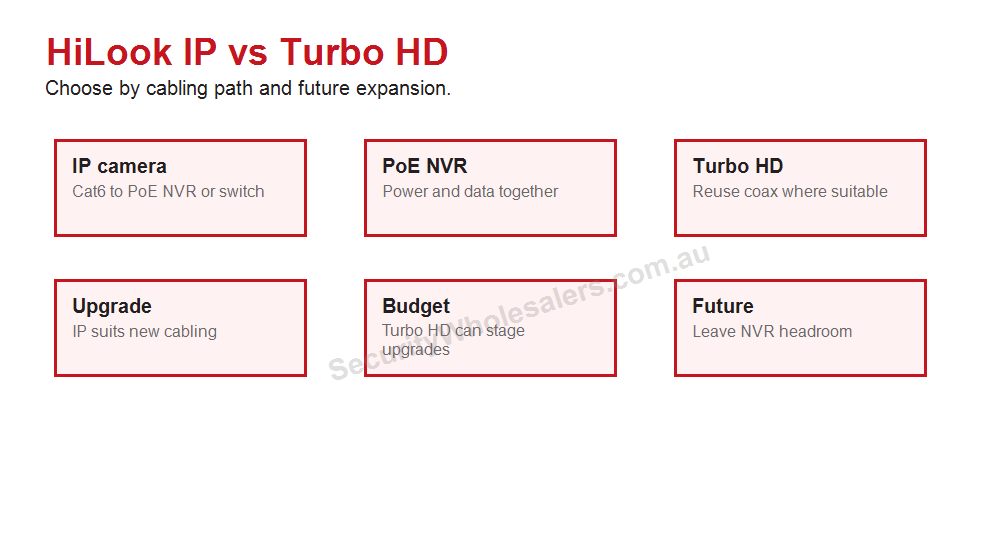
Coverage points to count
- Front door or porch.
- Driveway and car area.
- Side path or gate.
- Back door and rear yard.
- Garage, shed or side access.
- Shop entry, counter, rear door or stock area.
If this list already reaches six or seven useful views, an 8-camera plan will usually be less frustrating than trying to squeeze the site into four views.
Final design example
Imagine a buyer choosing HiLook because they want a sensible system, not a complicated one. The best result usually comes from a staged plan. Stage one is the essential evidence points: front entry, driveway or customer entry, rear access and any high-risk side path. Stage two adds the views that are useful but not always urgent: garage, stockroom, shed, staff office, second side path or external approach. Stage three is where the buyer decides whether the site is still a HiLook job or whether it has grown into Hikvision.
This staged approach is useful because it protects the budget without pretending every property is tiny. A buyer can start with a smaller number of cameras while still choosing an NVR that leaves room for growth. That is often better than buying the cheapest recorder and replacing it a year later when the missing view becomes obvious.
What a good quote should explain
| Quote item |
Plain-English reason |
| Camera count |
Each camera should map to a real evidence point, not a generic corner of the building. |
| NVR channels |
The recorder should support the finished site, not only the first stage. |
| Storage |
The hard drive should match the review window the buyer actually needs. |
| App handover |
The buyer should know who owns the account, who has access and how playback works. |
| Upgrade path |
The quote should say when HiLook remains enough and when Hikvision is the better long-term choice. |
Common mistakes to avoid
- Buying a 4-camera kit when the site has six important views.
- Putting every camera too high for useful identification.
- Choosing the smallest hard drive without checking retention.
- Leaving no spare recorder channels on a site likely to expand.
- Finishing handover without testing playback and mobile-data access.
- Using HiLook for a job that clearly needs specialist Hikvision features.
HiLook is strongest when it is used honestly: practical CCTV, sensible recorder planning, clean installation and clear handover. That is enough for many Australian homes and small businesses, but the guide should always help the buyer recognise the point where spending more on the right platform will save trouble later.
HiLook product paths to understand
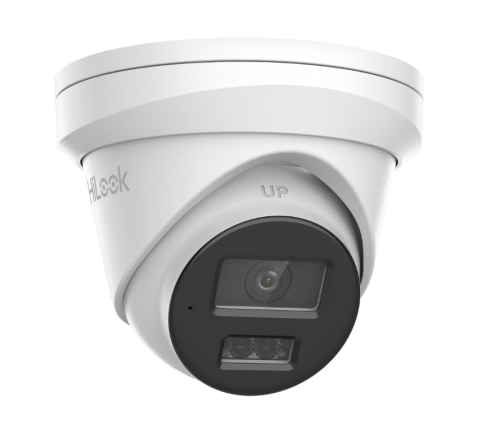
Best for ordinary home and small-business evidence views such as entry, driveway, side path, counter and rear door.
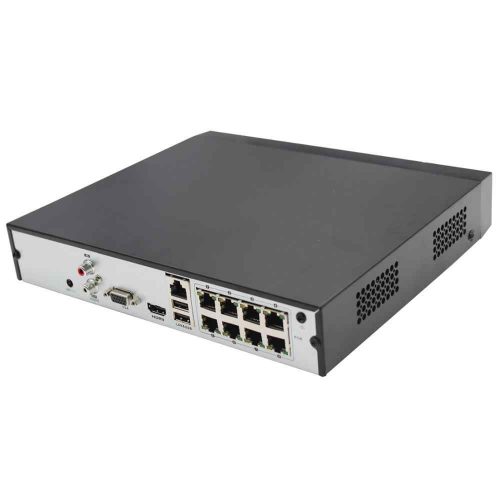
Choose recorder channels and storage for the finished site, not only the first camera stage.
4MP, 6MP and 8MP in plain English
| Resolution path |
Where it usually fits |
Buying note |
| 4MP |
Budget views, narrower scenes and simple coverage. |
Good where cost matters and the scene is not too wide. |
| 6MP |
Balanced home and small-business CCTV. |
Often the comfortable middle path for detail and storage. |
| 8MP |
Wider scenes and buyers wanting more crop margin. |
Check storage and night performance expectations. |
Turret vs bullet vs kit
Turrets are usually the easiest default for homes and small business because they are tidy, flexible and less visually aggressive. Bullets can suit obvious deterrence or longer external approaches, but they are more visible and can be more exposed. Kits are useful when the site is predictable, but the buyer still needs to check camera count, NVR channels and storage.
HiLook 4 Camera vs 8 Camera System FAQs
- Is HiLook the same as Hikvision?
HiLook is Hikvision-backed, but it is positioned as a value-focused range. It suits simpler CCTV jobs more than specialist or larger integrated Hikvision projects.
- When should I step up to Hikvision instead?
Step up when the site needs deeper analytics, ANPR, thermal, larger access-control integration, complex commercial design or broader camera choice.
- Is HiLook good for small business?
Yes, when the business needs practical fixed-camera coverage, sensible NVR sizing and clean app handover rather than advanced enterprise features.
How to count camera positions properly
A 4-camera HiLook system is not automatically too small. It is too small when the property has more than four evidence points. Count positions this way: front approach, front door, driveway, garage, left side, right side, rear door, rear yard, shed, gate and any business counter or stock point. If more than four of those matter, an 8-channel recorder is usually the more honest starting point.
Small townhouse: front door, driveway, side path and rear courtyard may be enough. Detached house: front, driveway, both side paths, rear door and garage often push the job to 6 cameras. Home business: add office entry, stock or delivery view before assuming the home layout still fits.
The real buying rule is simple: buy the recorder for the finished coverage, then install the first stage. That lets the buyer start sensibly without replacing the NVR later.
Real camera-count examples
| Property |
Likely count |
Why |
| Compact townhouse |
4 cameras |
Front, driveway or car space, side/rear path and back entry may cover the main risk. |
| Detached suburban home |
6 to 8 cameras |
Garage, two side paths, rear yard and front approach usually add up quickly. |
| Home with shed or gate |
8 cameras |
The extra outbuilding or gate becomes a separate evidence point. |
| Small shop |
6 to 8 cameras |
Entry, counter, stock, rear door and external approach are different jobs. |
The most common mistake is buying a 4-camera package because it feels neat, then discovering that the side gate or rear lane was the actual problem. The second mistake is buying 8 cameras and placing them all too wide. Count views first, then make each view earn its place.
What to do if the budget only allows four cameras
If the budget only allows four cameras, choose the four views that will hurt most to miss. For many homes that means front door, driveway, one side path and rear entry. For a small shop it may mean entry, counter, rear door and stock area. Do not waste one of four cameras on a wide decorative overview unless that view answers a real incident question.
Leave the cabling and recorder plan open for expansion where possible. An 8-channel NVR with four cameras installed can be a sensible staged system. A 4-channel NVR filled on day one can become a dead end if the owner later wants garage, shed, side gate or rear-lane coverage.
The most professional budget advice is not always "buy eight now." It is to stage the system in a way that does not punish the buyer later.
Final camera-count rule
Four cameras is a coverage decision, not a budget badge. Eight cameras is also not automatically better if the views are lazy. Count the evidence points, decide what each camera must prove, and choose the recorder so the owner can add sensible views later if the property demands it.
Final practical note
If the buyer is unsure, sketch the property and mark each door, vehicle area and blind side path. The count usually becomes obvious once the site is drawn instead of imagined from a package photo.
HiLook practical buying worksheet
HiLook 4 Camera vs 8 Camera System should keep HiLook practical: sensible camera count, clear recorder sizing and an app handover the owner can repeat later. The page should also be honest about when the site has grown into a Hikvision-style requirement.
| Situation |
Practical direction |
Common mistake |
| Compact home |
Front, driveway, side/rear path and back entry |
Four cameras only works when those are truly the main views |
| Detached home |
Often six to eight useful views |
Plan an 8-channel NVR if expansion is likely |
| Small business |
Entry, counter, rear door, stock and external approach |
Staff access and playback matter as much as camera count |
Value-system checks
- Choose camera count from doors, paths, vehicles and business evidence points.
- Size the NVR for the finished site, not just the first stage.
- Test playback, export and mobile viewing before calling the job complete.
- Document app ownership and user permissions.
- Step up to Hikvision when the site needs specialist analytics, ANPR, thermal or larger commercial design.
HiLook 4 Camera vs 8 Camera System: practical depth notes
HiLook 4 Camera vs 8 Camera System should keep HiLook in its honest lane: straightforward value CCTV, clean recorder planning and a handover the owner can understand. If the job needs specialist analytics or a larger commercial ecosystem, the guide should say so clearly.
For this page, the useful buying question is where camera count, recorder headroom and staged expansion matter. That question is more important than choosing the most impressive specification. A cheaper camera in the right place can beat a premium model mounted too high, pointed too wide or paired with the wrong recorder.
Real-world system sizing examples
| Site type |
Practical recommendation |
Why it helps |
| Simple site |
Protect the main evidence point first, then add only the views that answer a likely incident question. |
The buyer avoids paying for coverage that looks broad but proves little. |
| Typical Australian small business |
Plan the camera, NVR, storage and app users together before model selection. |
The system is easier to review after theft, damage, staff disputes or after-hours movement. |
| More complex site |
Document zones, permissions, alert rules, cable paths and expansion before ordering. |
The install remains supportable when the site changes or another technician takes over. |
Good example scenes for this decision include homes, rentals, small shops and budget-conscious sites. In each case, the final choice should explain what the view must prove, what happens at night, how footage will be found, and what the buyer should not expect the system to do.
Quote wording that is actually useful
A useful quote for HiLook 4 Camera vs 8 Camera System should include a short reason for each camera or recorder choice. For example: this camera protects the rear door at face height, this recorder leaves four spare channels, this lens avoids wasting pixels on the sky, this alert is scheduled after hours only, or this user can view but not export footage. That sort of explanation gives the buyer confidence because it connects the hardware to the site.
The weak version of HiLook 4 Camera vs 8 Camera System is a quote that sounds impressive but does not name the job. The strong version explains the exact view, the evidence standard, the recorder assumption and the handover test. For HiLook buyers, that plain explanation is often more valuable than another feature label because it shows how the system will actually be used after an incident.
Browse product paths after the design is clear
HiLook 4 Camera vs 8 Camera System: final practical example
For HiLook 4 Camera vs 8 Camera System, imagine the buyer asking what they will actually see after something happens at a townhouse, small shop, rental property or budget home. The answer should be specific: which camera proves the approach, which camera proves the person or vehicle, how many days the recorder keeps, and who can open the app to export footage.
If the recommendation for HiLook 4 Camera vs 8 Camera System cannot answer those questions, the buyer is still shopping by product name rather than buying a security outcome. The better recommendation keeps the design simple where the site is simple and adds stronger features only where they solve a named weakness.