

















Commercial
Best HiLook CCTV System in Australia
Brand Buyer Page
Quick answer
For most homes and small businesses, the best HiLook path is still a normal fixed-lens PoE system with a recorder that has some spare channels. Step up into Hi-Color or a deterrence-style path only when the actual scene needs it. Step up to Hikvision when the job wants broader commercial depth, heavier analytics, or tighter crossover with access control and intercom.
Which HiLook path usually fits best?
| Need | Best starting HiLook path | Why |
|---|---|---|
| Normal home or small office CCTV | Fixed-lens PoE kit | Usually the cleanest and most cost-effective answer. |
| Need better night colour on a key scene | Hi-Color style path | Useful when frontage or driveway review matters after dark. |
| Need stronger visible deterrence after hours | Selected deterrence path | Useful on side gates, rear doors or problem edges, not everywhere. |
| Need heavier commercial depth | Step up to Hikvision | Useful when the project outgrows HiLook's simpler sweet spot. |
Worked examples
Typical house: a four or eight camera fixed-lens PoE system is usually enough if the front door, driveway, side path and backyard entry are designed properly.
Small shop or office: a modest HiLook NVR with fixed turrets is often a better answer than a more complex system if the owner mainly needs stable entry, counter and rear-door review.
Side gate or rear lane problem: add a stronger deterrence or colour-at-night camera at that specific scene instead of overcomplicating the whole system.
Read next
Use How to Choose a HiLook Camera if you still need help on normal camera selection, and When HiLook Is Enough and When to Step Up to Hikvision if the job feels like it may be outgrowing the simpler HiLook path.
Best buying path by site type
The best HiLook CCTV system is not a single kit. It is the right balance of camera type, recorder size, storage time and installation quality for the site. Use HiLook when the buyer values budget-friendly Hikvision-backed CCTV for simple homes and small business systems.
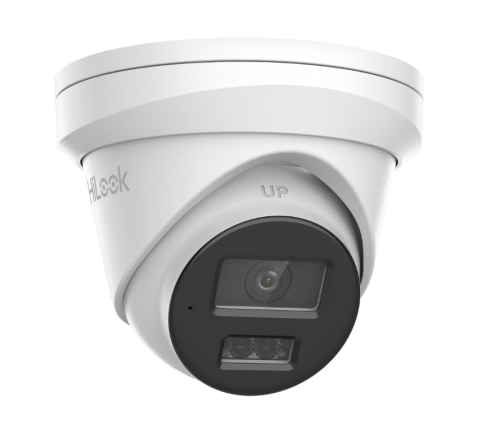
HiLook camera range
Start here when the site needs the camera family chosen around entries, driveways, stockrooms, gates, car parks and after-hours risk points.
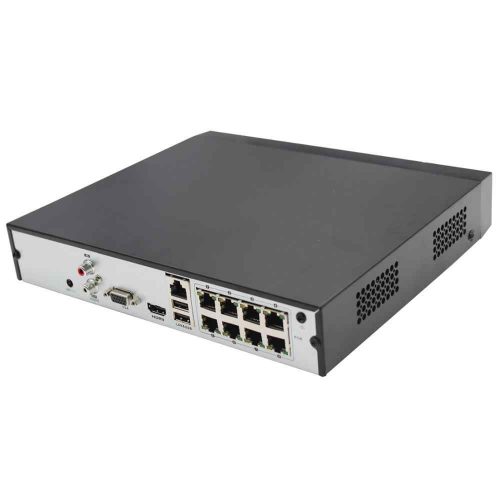
HiLook recorder path
Choose the recorder after estimating final camera count, PoE requirements, storage time and remote-viewing workflow.
| Site type | Usually start with | Upgrade only where needed |
|---|---|---|
| Home or small office | 4 to 8 fixed cameras with a matching PoE NVR. | Low-light, deterrence or motorised cameras on the specific hard views. |
| Retail, clinic or hospitality | Fixed cameras at entries, counters, stock areas and rear access. | Audio, deterrence or better night cameras only where the workflow supports it. |
| Warehouse, yard or larger site | 16 channel or larger recorder planning, fixed evidence cameras and selected specialist views. | PTZ, ANPR, thermal, intercom, alarm or access control where risk justifies it. |
Quote-ready checklist
- List the exact scenes that must be identifiable, not just generally visible.
- Choose the recorder by final camera count and storage target, not only today's stage-one camera count.
- Decide which cameras need low-light, deterrence, audio, motorised lens, ANPR or PTZ support.
- Confirm app users, admin permissions, password policy and handover process.
- Test important views by day and night before calling the job finished.
What not to buy
Do not buy by megapixels alone. A higher-resolution camera mounted too high, too wide or aimed into glare can be less useful than a modest camera aimed properly. Do not buy a small recorder if the site is obviously going to expand. Do not pay for active deterrence, PTZ or advanced analytics unless the site has a clear workflow for using them.
The better buying decision is usually balanced: fixed evidence cameras in the predictable places, stronger low-light or deterrence only on the hard scenes, a recorder with enough storage and channel headroom, and a clean handover so the customer can actually find footage after an incident.
Frequently asked questions
How many cameras does a typical system need?
Most homes and small offices start around 4 to 8 cameras. Larger commercial sites often need 8 to 16 or more once gates, stock areas, rear doors, car parks and offices are counted properly.
Should I choose cameras or the NVR first?
Choose the site coverage first, then choose an NVR that fits the final camera count, storage target, PoE budget and remote-viewing workflow.
Is a PTZ better than fixed cameras?
Not by default. PTZ is useful for live overview and occasional zoom, but fixed cameras usually provide better reliable evidence at doors, gates and counters.
What should be tested before handover?
Important views should be tested by day and night, with camera names, app access, playback, user permissions and export workflow checked before the system is treated as finished.