

















Setup
Construction Site Temporary Power, Solar Cameras, and CCTV Staging
Supporting Guide
If you are still choosing the first camera rather than refining a staged rollout, start with Best CCTV System for Construction Sites in Australia. For most small sites, the cleanest answer is the TP-Link VIGI solar kit, then step into the Hikvision solar PTZ when the job is more about monitoring reach than deterrence.
Stage the CCTV design around the build program
The gate and site office may matter first, then tool compounds, then material laydown areas, then after-hours perimeter around fit-out or finished services. A staged CCTV plan usually works better than trying to lock every final camera position on day one.
Solar cameras are useful when the site footprint changes faster than the power path
Solar cameras can be very useful on remote fence lines, compounds, or staging zones where trenching power is not practical for the period that coverage is needed. On many smaller jobs, the best answer is not "how do we get power there?" It is "how do we protect that risk point this week without building a temporary wired system we will regret later?"
If there is no power available at the risk point, or if running cable there means trenching across mud, fighting around temporary fencing, or building a network branch that may be wrong again in a month, solar is often the right answer. That is exactly why the VIGI solar kit has become such a strong construction-site starting point.
Do not stop at the camera if the site also needs disturbance alerts
A lot of small construction jobs are better with solar CCTV plus a wireless alarm layer. The camera handles view and evidence. A staged Hikvision AX Pro branch handles site-office doors, tool containers, side gates and compound approaches after hours.
If you want the quick construction site security view of that answer, use Construction Site Security in Australia.
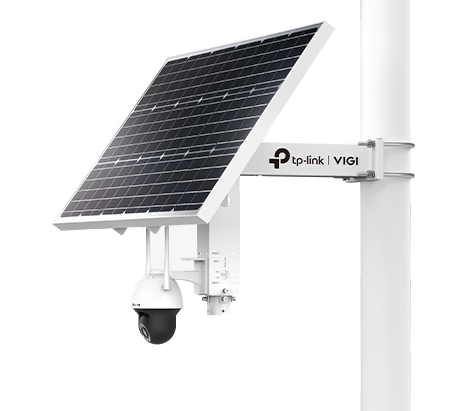
Best easy-deploy solar path
TP-Link VIGI Solar Kit SP9030 is the cleaner first move when the site needs a quick, moveable, standalone camera branch.
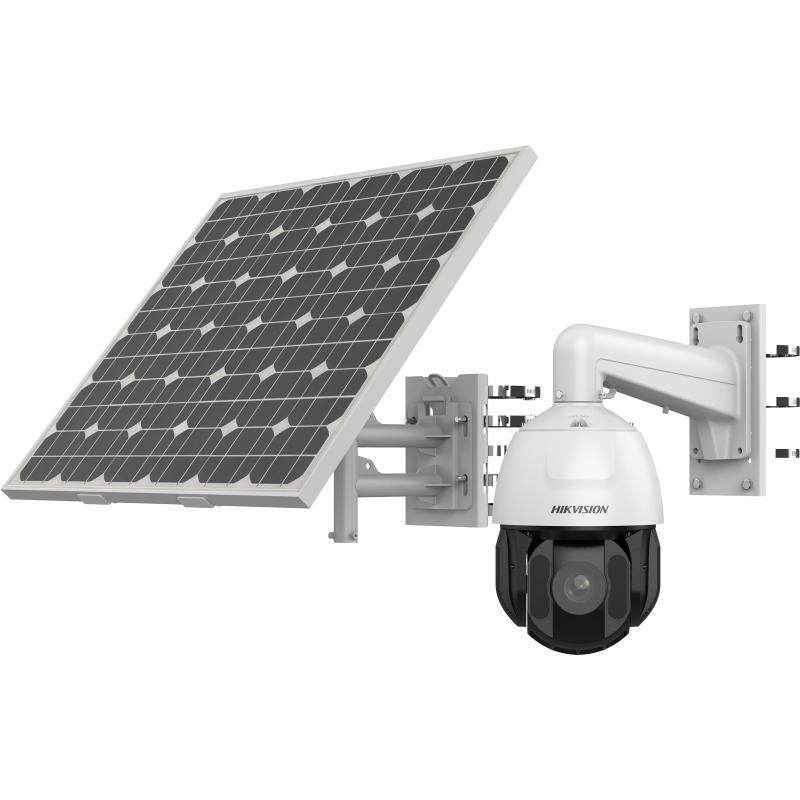
Best solar monitoring path
Hikvision solar PTZ is stronger when one elevated point needs to watch a much broader active scene.
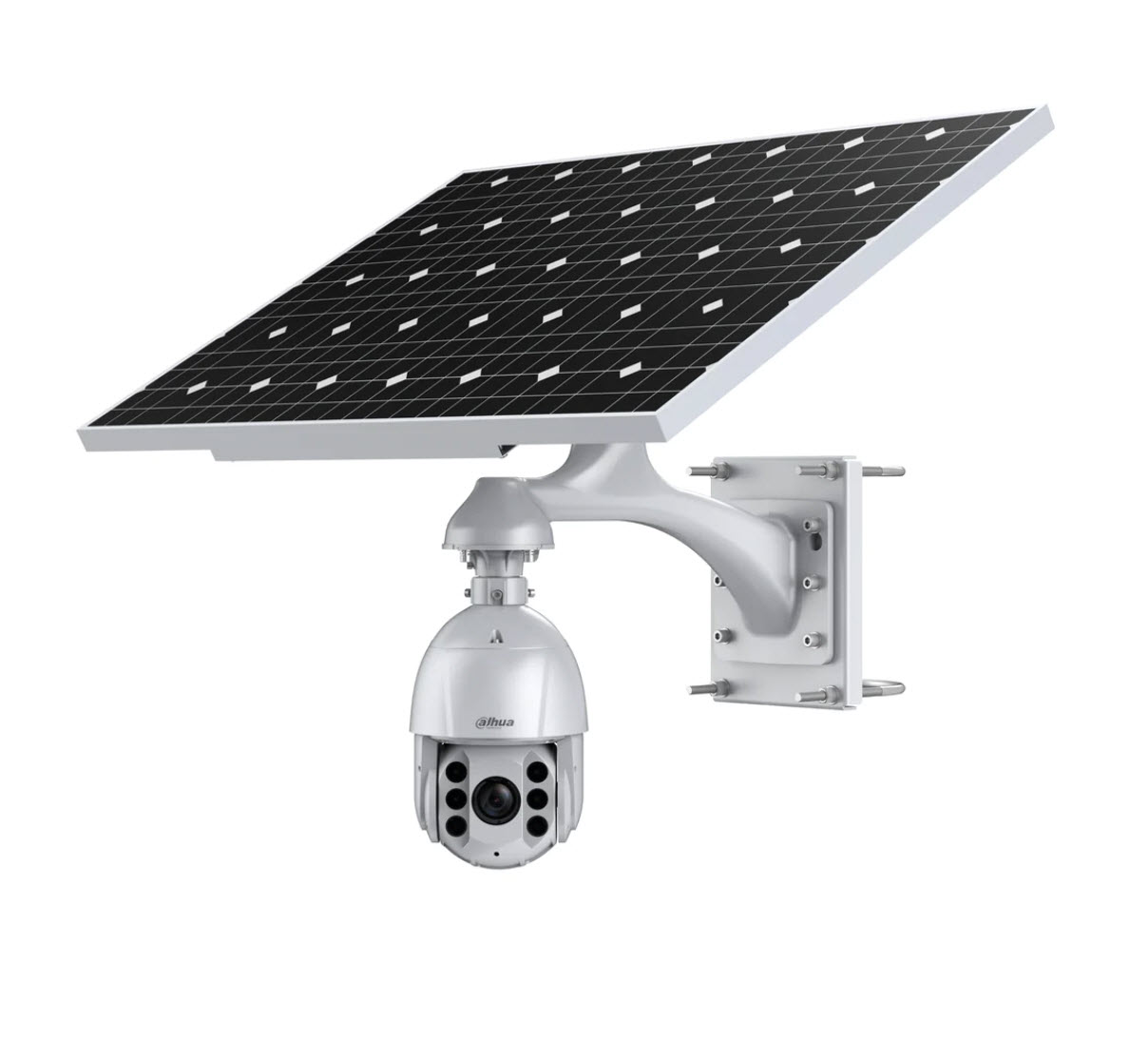
Feature-packed solar PTZ alternative
Dahua 120W solar PTZ kit belongs on the shortlist where the project wants a more feature-rich deterrence-capable PTZ path and can accept the longer lead time.
Lead-time note: the live product page states usually 7 to 10 weeks lead time as of 27 May 2026.
Why AX Pro often fits the staging problem
AX Pro is a strong fit for temporary and evolving sites because it gives the project a real after-hours disturbance layer without forcing a heavy wired alarm install into a site that may move again. The usual pieces are the AX Pro hub kit, outdoor tritechs across the real approach, outdoor magnetic reeds on doors and gates, an outdoor siren, and keyfobs so the site can arm and disarm without drama.
Small-site staging path
Use the VIGI solar kit for the gate or compound view, then add AX Pro to the office door or tool container if the site needs real disturbance notification after hours.
Larger-site staging path
Use solar PTZ or mixed camera coverage for the broader view, then use AX Pro tritechs and reeds to protect the container bank, office and inner compound openings that actually matter.
Outdoor PIR and tritech placement still matters
- Do not face detectors straight at public walkways, roads or busy authorised access paths.
- Cover the true approach across the zone instead of wide random open space.
- Avoid loose mesh, flapping wraps, unstable fencing and vegetation that can create nuisance triggers.
- Use magnetic contacts on the real opening points instead of expecting one detector to solve every alarm job.
Temporary wireless links and recorder location should be deliberate
It is easy to get temporary CCTV online quickly and then live with a weak recorder path for months. If the site is relying on wireless links or builder-board power, those choices should be reviewed as seriously as the camera placement itself.
Why these are easier to implement than a rushed wired build
The usual install order is simple: choose the risk point, confirm sun and 4G signal, mount the solar hardware properly, aim the camera, test the app, and then check playback. That is often far faster and cleaner than trying to organise trenching, fixed internet, local switching and a recorder cabinet for a site that is going to move again.
Use Construction Site Solar CCTV Reference Layouts if you want to see where the pole normally goes for gates, sheds and frontages. Use Construction Site Solar CCTV Installer Checklist if you want the real install and handover order. Use Construction Site Alarms, AX Pro, and After-Hours Detection if the site also needs a proper disturbance layer after hours.
Recorder and network decisions
| Operational issue | Stronger design decision | Reason |
|---|---|---|
| Incidents are sometimes reviewed late | Size retention around the real review window rather than guessing a drive size. | Jobs linked to material theft or temporary power loss often need more retention than first assumed. |
| The site has multiple zones or long cable paths | Treat switch location, cabinet protection, and uplinks as part of the recorder design. | The network path can fail before the recorder itself if the design is too simple for the site. |
| Short outages are operationally important | Put the recorder, key switch, and router path on UPS. | A recorder without its network or powered camera path may still leave the site blind during the outage that matters. |
Sample recording and network scenarios
Ben's retention decision
Ben assumed a modest recorder would be enough until it became clear that footage linked to material theft is sometimes not reviewed for days or weeks. Once that review window is understood, storage, drive count, and recording mode stop being background details and become part of the main buying decision.
Talia's outage problem
Talia is more exposed to short outages because the site depends on the recorder, the key switch path, and the router link staying alive when temporary power loss happens after hours. In that case, UPS should protect the whole core path, not just the recorder box sitting in the cabinet.
Relevant SecurityWholesalers Product Areas
Construction buyers usually review a mix of fixed commercial cameras, solar or temporary edge coverage, secure recorder storage, and network links that can adapt as the site changes.
- Hikvision CCTV cameras - A practical starting point for gates, compounds, and after-hours coverage.
- HiLook CCTV cameras - A cost-effective Hikvision-backed option for reliable fixed-lens coverage where the site does not need motorised zoom cameras on every view.
- Dahua CCTV cameras - A commercial alternative for mixed entry and perimeter coverage.
- Hikvision solar cameras - Useful where temporary power is awkward or a remote fence line needs coverage.
- PTZ cameras - Relevant where a larger project genuinely needs broad overview support.
- Hikvision AX Pro wireless alarms - Useful when site security also needs disturbance alerts at offices, containers, gates and inner compounds.
- Security rack cabinets - Useful where the recorder and switch path need stronger physical protection.
Australian Source References
Frequently Asked Questions
-
When is a solar camera worth considering on a construction site?
Usually when a remote fence line, compound, or staging area needs coverage but the cost or delay of getting permanent power there does not make sense.
-
Should the whole site use solar cameras?
Usually not. Many projects work best with fixed wired cameras at key gate or office points and solar units only where temporary or remote coverage is needed.
-
Why is staged CCTV planning important?
Because the security priorities often change as the build changes. A static design can quickly become misaligned with what is actually worth protecting.
-
Do temporary wireless links reduce footage reliability?
They can if they are not planned carefully. Link quality, power stability, and recorder placement all affect whether the footage remains usable.
-
Should this part of the site be marked on a plan before installation?
Usually yes. A marked-up plan helps confirm viewing direction, blind spots, mounting positions, and whether the chosen camera type still makes sense before hardware is finalised.
-
What matters more here: wide overview or clear identification detail?
That depends on the job of the camera. Some zones need a broad overview, while others need enough detail to identify a person, vehicle, or event clearly.