

















Door Contacts vs Motion Sensors
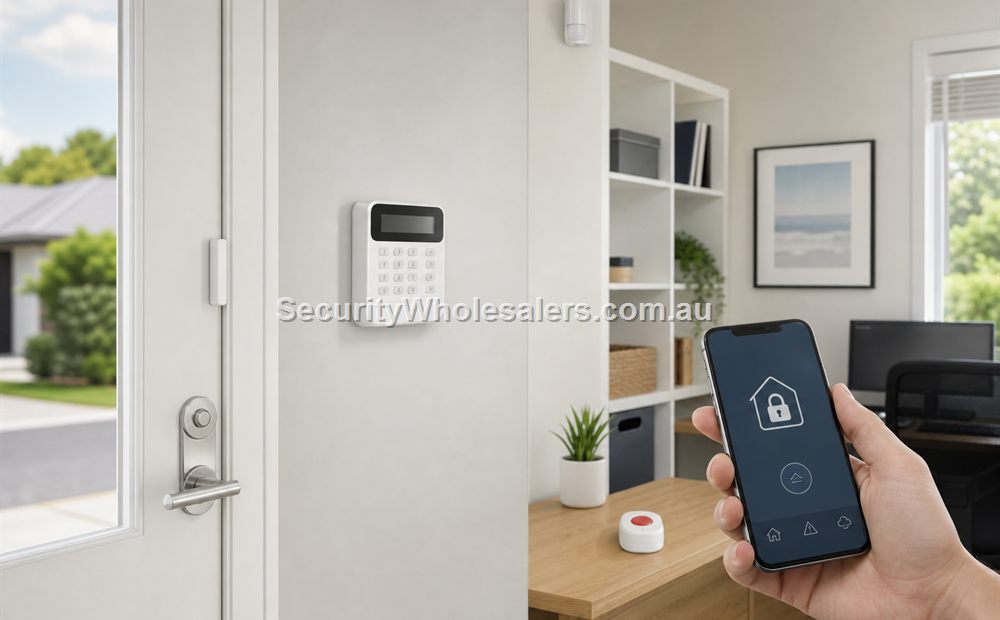
Sensors
Contacts versus motion in simple terms
| Sensor type | Main job | Usually strongest for |
|---|---|---|
| Door or window contact | Detect opening at the perimeter | Front doors, rear doors, windows, roller doors, cabinets |
| Motion sensor | Catch movement inside the protected area | Hallways, office interiors, stock rooms, internal routes |
When each matters most
Contacts are especially useful where the owner wants to know that a door has been opened at all, even before someone walks through the building. Motion sensors are useful where an internal catch zone matters. In many better systems the site uses contacts on the vulnerable openings and motion sensors on the internal path someone would actually take after entry.
Where contacts and motion sensors usually go
| Part of the building | Contact usually goes here | Motion sensor usually goes here |
|---|---|---|
| Home | Front door, rear door, laundry door, garage-entry door | Hallway, stair path, internal travel route after entry |
| Small office | Front office door, rear staff door, server-room or store-room door | Reception-to-corridor path, office hallway, internal route to valuables |
| Warehouse | Office entry, side personnel door, rear service door, selected roller-door path | Office corridor, mezzanine stair path, stock-room or dispatch route |
| Clinic or pharmacy | Front and rear doors, dispensary or restricted-room door | Reception path, corridor to consulting rooms, dispensary approach |
Worked examples
A home front and rear door plus hallway
Situation: A home has a front door, rear laundry door, and one main hallway that an intruder would use after entry.
Solution used: Contacts on the front and rear doors plus a PIR in the hallway rather than choosing only one sensor type.
Why this was chosen: Contacts tell the owner which opening was used, while the PIR confirms internal movement on the route that actually matters. The two layers answer different questions and work better together.
Installation notes: This type of layout is usually stronger than putting PIRs in multiple rooms while leaving the perimeter reporting vague.
A small warehouse office and roller door
Situation: A small warehouse has an office door, a rear personnel door, and one roller door that becomes the obvious after-hours attack point.
Solution used: Contacts or opening detection on the office and personnel doors, an appropriate trigger path for the roller door, and motion coverage on the office or internal passage route.
Why this was chosen: The roller door may justify a contact or perimeter trigger, while the office and internal passage still benefit from motion. That is why many commercial alarms need both layers rather than choosing only contacts or only PIRs.
Installation notes: This is one of the clearest examples of why sensor choice should follow door type and travel path rather than one blanket rule.
What usually works
For many homes and businesses, the best result is not choosing contacts or motion. It is choosing where the contact gives perimeter awareness and where the PIR gives internal confirmation. That is why a front and rear door plus one well-placed hallway PIR often outperforms a more random detector layout.
If pets, roller doors, detached buildings, or staff-only rooms are part of the site, the balance between contacts and motion may change, but the main idea stays the same: perimeter information plus internal catch zones.
What to be careful with
- Do not use only motion if the owner really wants perimeter awareness.
- Do not use only contacts if the internal catch zones also matter.
- Think about pets, air movement, and actual internal travel paths when placing PIRs.
- Do not put the PIR where it is easy to install if that position does not actually watch the route an intruder would use.
Relevant SecurityWholesalers Categories and Products
These detector examples and alarm branches are useful when the sensor mix is the main buying decision.
- Hikvision AX PRO wireless PIR - Useful internal motion reference.
- Hikvision AX PRO alarms - Useful sensor ecosystem reference.
- Dahua AirShield wireless door detector - Useful door-contact reference.
- Dahua AirShield - Useful wireless sensor branch.
Sources and Further Reading
Frequently Asked Questions
-
Do I need door contacts or motion sensors?
Many sites need both. Contacts and motion sensors do different jobs.
-
What is better for perimeter protection?
Door and window contacts are often the stronger starting point for perimeter awareness.
-
What is better for internal catch zones?
Motion sensors are usually better for that job.
-
Can a good alarm use only motion sensors?
Sometimes, but many sites lose useful perimeter information if they ignore contacts completely.
-
What is the biggest sensor-planning mistake?
The biggest mistake is assuming one sensor type should handle every part of the building.
Related Pages
Pet-Friendly Motion Sensor Guide
Use this page when pets change the way the alarm should be designed.
Alarm for Homes
Use this page to match the alarm design to the way people actually live in the home.
Alarm for Small Business
Use this page to match the alarm design to the way a small business actually opens, closes, and responds.
Quote checklist for Door Contacts vs Motion Sensors
Before ordering, ask for a short answer to these questions. They make the quote easier to compare and reduce the chance of buying hardware that does not match the site.
- What exact problem is being solved: alarm sensor selection, deterrence, evidence, access control, safety, compliance or convenience?
- What happens during poor light, bad weather, busy periods, after-hours events or staff changes?
- Who will administer users, review events, export evidence and test the system?
- Which part of the design is allowed to be basic, and which part must be strong because it proves the incident?
If those answers are vague, the buyer should pause before purchasing. Good security equipment becomes much more useful when the operating plan is written down before installation.
Final field note for Door Contacts vs Motion Sensors
For Door Contacts vs Motion Sensors, the final buying decision should be easy to explain to the person who will live with the system. The quote should identify the must-have outcome, the acceptable compromises, and the support path if users, doors, cameras, sensors or site conditions change later.
This is the difference between a list of products and a security design. The products matter, but the design is what makes them useful.
Final field note for Door Contacts vs Motion Sensors
For Door Contacts vs Motion Sensors, the final buying decision should be easy to explain to the person who will live with the system. The quote should identify the must-have outcome, the acceptable compromises, and the support path if users, doors, cameras, sensors or site conditions change later.
This is the difference between a list of products and a security design. The products matter, but the design is what makes them useful.
Final field note for Door Contacts vs Motion Sensors
For Door Contacts vs Motion Sensors, the final buying decision should be easy to explain to the person who will live with the system. The quote should identify the must-have outcome, the acceptable compromises, and the support path if users, doors, cameras, sensors or site conditions change later.
This is the difference between a list of products and a security design. The products matter, but the design is what makes them useful.
Final field note for Door Contacts vs Motion Sensors
For Door Contacts vs Motion Sensors, the final buying decision should be easy to explain to the person who will live with the system. The quote should identify the must-have outcome, the acceptable compromises, and the support path if users, doors, cameras, sensors or site conditions change later.
This is the difference between a list of products and a security design. The products matter, but the design is what makes them useful.
Real quote scenario for Door Contacts vs Motion Sensors
When quoting Door Contacts vs Motion Sensors, the useful starting point is door-by-door access planning. The buyer should be able to record the door type, lock type, reader position, exit method, power supply, fire requirement and daily user group. Without those details, two quotes can look similar while solving very different problems.
For Door Contacts vs Motion Sensors, a shopfront door, warehouse staff door, server-room door and shared tenancy door can all need different hardware even when the software is the same. This is why a strong SecurityWholesalers guide should talk about the site, the workflow and the equipment together rather than treating the product category as a simple shopping list.
Budget-conscious path
Use the simplest reliable hardware that solves the main risk. Keep administration simple and avoid specialist features unless they change the outcome.
Balanced path
Add better management, verification or expansion headroom where the site is likely to grow. This is usually the best path for small businesses and shared buildings.
Higher-risk path
Document response, audit trail, permissions and fallback procedures. Higher-risk sites need clearer operating rules, not just stronger hardware.
The final Door Contacts vs Motion Sensors quote should make the weak points visible. If cabling, power, monitoring, mobile app access, fire release, user management or future expansion are assumed rather than written down, the buyer is carrying risk that should have been solved during design.
Questions to ask before approving Door Contacts vs Motion Sensors
- What does the system need to prove or control on an ordinary day?
- What is different after hours, on weekends, during staff changes or during an emergency?
- Who will administer users, review events, export evidence or test the system?
- What happens if the internet is unavailable, a user loses a credential, a sensor triggers falsely or a door does not release?
- Which part of the system is easy to expand later, and which part would be expensive to change?
These questions are deliberately practical. They help separate a polished product list from a design that will remain useful after installation.
Extra buying notes for Door Contacts vs Motion Sensors
The Door Contacts vs Motion Sensors buying decision should be tested against normal use, after-hours use and failure conditions. If the quote cannot explain those three moments, it needs more design work before the customer commits. This is the kind of detail that helps a buyer compare quotes properly, because it turns the conversation from ?which model is cheapest?? into ?which design will still be useful after installation??
For Door Contacts vs Motion Sensors, the best final check is to ask what would make the system fail in practice. Common answers include poor cabling, weak power planning, missed user permissions, unclear response duties, too little storage, unsuitable mounting positions, or a handover that nobody can follow. A strong quote names those risks and deals with them before hardware is ordered.
For Door Contacts vs Motion Sensors, SecurityWholesalers should help buyers feel more confident, not more overwhelmed. The ideal outcome is a quote that is technically sound, easy to explain, and honest about where a simpler option is enough.