

















Alarm for Warehouses
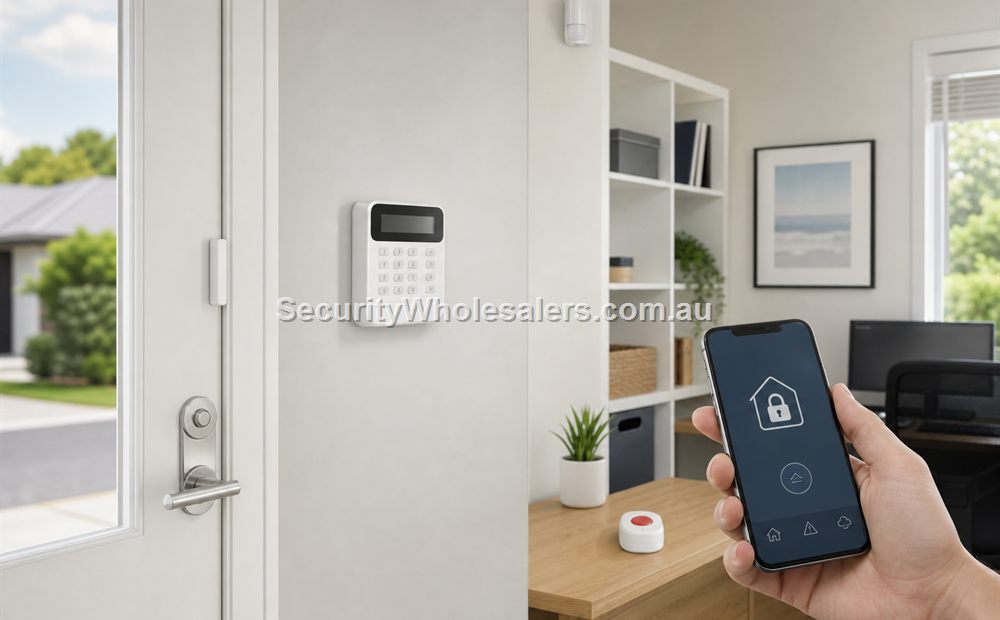
Warehouses
What a warehouse alarm should usually cover
- Main office entry and office internal movement.
- Roller doors, shutters, and service entries.
- Side doors and rear doors that are easier to test after hours.
- Mezzanines, internal stock routes, or rooms that matter more than open floor space alone.
- Where relevant, a clear CCTV review path after the alarm event.
Common warehouse alarm directions
| Warehouse pattern | Usually strongest alarm direction | Why |
|---|---|---|
| Small trade warehouse with office | Hybrid or structured wireless/hybrid alarm | Several important openings and one office zone |
| Larger warehouse with several roller doors | More structured hybrid or wired path | Growth and several perimeter points change the design |
| Warehouse plus yard CCTV | Alarm plus CCTV integration | After-hours verification matters as much as trigger count |
Typical warehouse sensor mix
| Sensor or device | What it is usually doing | Typical location |
|---|---|---|
| Door contact or opening sensor | Detects entry at office, side, or service doors | Office entry, rear staff door, side personnel door |
| Roller-door specific detection path | Protects a major opening that is often the real attack point | Main roller door, dispatch shutter, service shutter |
| Internal PIR | Catches movement through the office or along the internal route after entry | Office corridor, dispatch path, mezzanine stair access |
| Outdoor detector or outside camera crossover | Adds earlier warning on selected approaches | Rear fence line, side lane, loading area edge |
| Siren and strobe path | Creates a visible and audible response | Warehouse office, external wall, loading elevation if suitable |
Where the detectors usually go on a warehouse job
The mistake we often see is treating the whole warehouse like one open shed and forgetting that the office, rear staff door, mezzanine stair, dispatch path, and roller-door areas all behave differently. The office may need a cleaner internal PIR path, while the roller-door side of the site needs earlier perimeter awareness or CCTV confirmation.
Many warehouses also close empty for long periods. That changes the value of the notification path. The owner is not only asking whether the panel can trigger. The owner is asking whether the alert arrives quickly and whether the camera views make the event clear enough to act on.
Worked examples
A plumbing supplies warehouse with office and one rear roller door
Situation: A plumbing supplies warehouse has a front office, one rear staff door, one dispatch roller door, and a path from the warehouse floor into the office. The owner wants after-hours notification and CCTV confirmation when something triggers.
Solution used: Contacts on the office entry and rear staff door, a suitable trigger path for the roller-door side, a PIR covering the office corridor, another PIR watching the movement path from the warehouse into the office, and CCTV on the rear roller-door area.
Why this was chosen: The roller door and office behave differently, so a basic wireless home kit is not enough. The solution needs to identify which part of the site has triggered and give the owner a way to confirm the event before attending.
Installation notes: Roller-door hardware choice, zone naming, and camera alignment are the practical items that usually decide whether the system feels useful after handover.
A fast-growing warehouse adding a second roller door next quarter
Situation: A warehouse is operating now with one rear roller door, but the owner already knows a second opening and another dispatch space are being added next quarter.
Solution used: A more structured Hybrid Pro or similar panel path sized for the next stage, with the current office and roller-door zones built in now and spare capacity left for the second dispatch area.
Why this was chosen: If the business already knows the site is growing, it is easier to size the panel and zone structure properly now than to stretch a smaller system after the fact.
Installation notes: Leave spare zone and cable capacity for the future opening instead of forcing a second redesign later.
How warehouse notifications usually work
Warehouse owners usually want more than a phone alarm at 2 am. They want to know whether the event is at the office door, the rear staff entry, or the loading side of the building. Clear zone naming and useful camera overlap make that possible.
That is also why warehouse alarms often pair well with CCTV. The alarm identifies the event. The camera shows whether someone is forcing a door, walking through the office, or simply causing a nuisance event near the building edge.
What to be careful with
- Do not focus only on the office and forget the roller door logic.
- Do not assume a yard camera replaces the need for alarm detection.
- Think through who receives the alerts and what they can realistically do after hours.
- Do not size the alarm only around today if the site is already adding more openings or internal areas soon.
Relevant SecurityWholesalers Categories and Products
These alarm branches and products are useful starting points for warehouse sites and similar commercial premises.
- Hikvision Hybrid Pro - Useful structured warehouse alarm branch.
- Bosch alarms - Useful traditional warehouse alarm branch.
- Hikvision AX PRO alarms - Useful on smaller or retrofit warehouse jobs.
- CCTV systems - Useful where alarm verification also matters.
Sources and Further Reading
Frequently Asked Questions
-
What is the best alarm direction for a warehouse?
Warehouses usually need a more structured alarm path than a small home because roller doors, offices, and several perimeter openings all matter.
-
Should warehouse alarms work with CCTV?
Often yes, because after-hours verification is a major part of warehouse security.
-
What sensors are commonly used on a warehouse alarm?
Most warehouses use a mix of door contacts or opening sensors, PIRs on the internal routes, and often a more deliberate path for roller doors or loading areas.
-
Can a wireless alarm work on a warehouse?
Sometimes, especially on smaller or retrofit jobs, but many warehouses benefit from a more structured hybrid or wired approach.
-
What is the biggest warehouse alarm mistake?
Ignoring the real entry points such as roller doors and side doors, and treating the site like a scaled-up office.
-
When should a warehouse alarm be sized for growth?
As soon as extra doors, mezzanines, or yard areas are already visible in the business plan.
Related Pages
Alarm with CCTV Integration
Use this page when the site needs both alarm detection and visual verification.
Wireless vs Wired Alarm Systems
Choose between wireless and wired alarm design based on the building, not just the brochure.
Hikvision Hybrid Pro Alarm Buying Guide
Use Hybrid Pro when the site needs more structure, more zones, or a more wired alarm approach.
Quote checklist for Alarm for Warehouses
Before ordering, ask for a short answer to these questions. They make the quote easier to compare and reduce the chance of buying hardware that does not match the site.
- What exact problem is being solved: warehouse operations, deterrence, evidence, access control, safety, compliance or convenience?
- What happens during poor light, bad weather, busy periods, after-hours events or staff changes?
- Who will administer users, review events, export evidence and test the system?
- Which part of the design is allowed to be basic, and which part must be strong because it proves the incident?
If those answers are vague, the buyer should pause before purchasing. Good security equipment becomes much more useful when the operating plan is written down before installation.
Final field note for Alarm for Warehouses
For Alarm for Warehouses, the final buying decision should be easy to explain to the person who will live with the system. The quote should identify the must-have outcome, the acceptable compromises, and the support path if users, doors, cameras, sensors or site conditions change later.
This is the difference between a list of products and a security design. The products matter, but the design is what makes them useful.
Final field note for Alarm for Warehouses
For Alarm for Warehouses, the final buying decision should be easy to explain to the person who will live with the system. The quote should identify the must-have outcome, the acceptable compromises, and the support path if users, doors, cameras, sensors or site conditions change later.
This is the difference between a list of products and a security design. The products matter, but the design is what makes them useful.
Final field note for Alarm for Warehouses
For Alarm for Warehouses, the final buying decision should be easy to explain to the person who will live with the system. The quote should identify the must-have outcome, the acceptable compromises, and the support path if users, doors, cameras, sensors or site conditions change later.
This is the difference between a list of products and a security design. The products matter, but the design is what makes them useful.
Final field note for Alarm for Warehouses
For Alarm for Warehouses, the final buying decision should be easy to explain to the person who will live with the system. The quote should identify the must-have outcome, the acceptable compromises, and the support path if users, doors, cameras, sensors or site conditions change later.
This is the difference between a list of products and a security design. The products matter, but the design is what makes them useful.
Real quote scenario for Alarm for Warehouses
When quoting Alarm for Warehouses, the useful starting point is alarm zoning and response. The buyer should be able to confirm the perimeter, internal catch zones, pets, arming routine, verification method and who responds to alerts. Without those details, two quotes can look similar while solving very different problems.
For Alarm for Warehouses, a home alarm, warehouse alarm and farm shed alarm may use similar sensors, but the response timing and false-alarm risks are completely different. This is why a strong SecurityWholesalers guide should talk about the site, the workflow and the equipment together rather than treating the product category as a simple shopping list.
Budget-conscious path
Use the simplest reliable hardware that solves the main risk. Keep administration simple and avoid specialist features unless they change the outcome.
Balanced path
Add better management, verification or expansion headroom where the site is likely to grow. This is usually the best path for small businesses and shared buildings.
Higher-risk path
Document response, audit trail, permissions and fallback procedures. Higher-risk sites need clearer operating rules, not just stronger hardware.
The final Alarm for Warehouses quote should make the weak points visible. If cabling, power, monitoring, mobile app access, fire release, user management or future expansion are assumed rather than written down, the buyer is carrying risk that should have been solved during design.
Extra buying notes for Alarm for Warehouses
The Alarm for Warehouses buying decision should be tested against normal use, after-hours use and failure conditions. If the quote cannot explain those three moments, it needs more design work before the customer commits. This is the kind of detail that helps a buyer compare quotes properly, because it turns the conversation from ?which model is cheapest?? into ?which design will still be useful after installation??
For Alarm for Warehouses, the best final check is to ask what would make the system fail in practice. Common answers include poor cabling, weak power planning, missed user permissions, unclear response duties, too little storage, unsuitable mounting positions, or a handover that nobody can follow. A strong quote names those risks and deals with them before hardware is ordered.
For Alarm for Warehouses, SecurityWholesalers should help buyers feel more confident, not more overwhelmed. The ideal outcome is a quote that is technically sound, easy to explain, and honest about where a simpler option is enough.