

















Commercial
CCTV and Security Systems for Aged Care Facilities
Commercial
Start with the buyer page
If you are trying to work out what size CCTV system to buy and where it should usually go, start with Best CCTV System for Aged Care Facilities in Australia.
Then look at the wider security stack
If the facility is really asking about visitor management, controlled staff entry, reception verification, resident-safe workflow and care response, move next to Aged Care Security: Access Control, Intercoms and Nurse Call.
Coverage zones
Use this page when the real question is where cameras should and should not go in corridors, common rooms, visitor paths and after-hours edges.
Restricted-room workflow
Use this page when the facility needs clearer thinking around front entry, medication-room thresholds, staff-only areas and intercom-backed release.
Recorder and network planning
Use this page when the site is getting beyond a basic recorder and needs better retention, UPS, user-permission and network-cabinet thinking.
Privacy and governance
Use this page when the key concern is resident dignity, footage access, signage, review discipline and who should be allowed to see what.
After-hours and duress
Use this page when the facility is really trying to improve staff response, after-hours entry discipline, escalation paths and incident handling.
What makes aged care security different
Aged care sites combine reception, visitor entry, staff workflow, residents, families, contractors, medication-related access, common rooms, corridors, service areas and after-hours risk. That mix creates a real security need, but also a much stronger need for privacy discipline and resident dignity than many normal commercial environments.
That is why the strongest designs usually focus on transitions and shared spaces rather than trying to film or control everything equally. Entry, visitor movement, common-area circulation, staff-only doors, external approaches and after-hours access points are usually where the security value sits. Bedrooms, bathrooms and private-care spaces should not be treated casually.
CCTV is only one layer
| Layer | What it usually does | Why it matters on aged care sites |
|---|---|---|
| CCTV | Review, oversight, incident evidence, after-hours checks | Useful for entry, circulation, common areas, restricted thresholds and perimeter review. |
| Access control | Controls who enters staff-only or restricted areas | Often important on medication rooms, stores, admin rooms and service entries. |
| Intercom | Verifies visitors before release | Useful at main reception entry, after-hours front doors and some staff or service entries. |
| Nurse call | Resident care-response workflow | This is not a CCTV substitute. It is a care system and should be planned on its own terms. |
| Duress or emergency response | Helps staff raise an alert quickly | Important where aggression, wandering risk or after-hours staffing is part of the real brief. |
Where Hikvision fits well
Hikvision is often relevant on aged care projects because it can cover more than one layer if the facility wants one broader ecosystem. That can include Hikvision CCTV, Hikvision access control, and Hikvision video intercoms. The value is not that every site must use one brand for everything. The value is that some facilities want a cleaner, more consistent entry and review workflow.
In practical terms, Hikvision access control often suits staff entries, medication-room thresholds, admin or records rooms, and service doors where named-user control is more useful than shared codes. Hikvision video intercoms can make sense on a front reception door, after-hours visitor entry, staff side entries, or mixed staff-and-service doors where the site wants a monitor or app-backed answer point before release.
What this hub should help with
| Main question | Why it matters | Best starting point |
|---|---|---|
| What size CCTV system do we need? | Aged care facilities vary widely from a small residential site to multi-wing or multi-building care environments. | Best CCTV System for Aged Care Facilities in Australia |
| Where should cameras go, and where should they stay out? | Coverage mistakes in aged care can create privacy problems very quickly. | Aged Care CCTV Coverage Zones and Camera Placement |
| How should visitor entry and restricted rooms be handled? | Medication rooms, staff-only doors and reception release points often need more than cameras. | Aged Care Visitor Entry, Medication Rooms, and Staff-Only Zones |
| How should security be layered beyond cameras? | Many sites need staff-only control, reception verification and care-response coordination as well as CCTV. | Aged Care Security: Access Control, Intercoms and Nurse Call |
| How do we handle storage, outages and who can review footage? | Aged care sites often need a more careful recorder, UPS and permissions plan than a simple small business. | Aged Care CCTV Recording Time, Storage, UPS, and Network Planning |
| How should privacy, dignity and footage access be governed? | Resident dignity and footage discipline matter as much as the cameras themselves. | Aged Care CCTV Privacy, Dignity, Signage, and Footage Access |
| How should after-hours security and staff duress be handled? | Some sites need a clearer response layer, not just more coverage. | Aged Care Duress, After-Hours Security, and Incident Response |
| How do controlled doors fit into the facility? | Medication rooms, staff entries and service doors often need more than keys. | Access Control for Aged Care Facilities |
Core buying direction
Many smaller aged care sites will start with fixed cameras on the main entry, reception, visitor path, common-area circulation, one or two staff-only thresholds, the car park and the main after-hours access points. The next layer is usually not "more cameras everywhere". It is often one or two controlled doors, a better intercom or front-entry workflow, and clearer decisions around who can review footage and who can release visitors.
On larger facilities, the conversation usually broadens further. The site may want separate staff and visitor pathways, more deliberate medication-room access, a cleaner reception answer-point workflow, and a more formal relationship between CCTV review, access-control events, and care workflow. That is also where nurse call needs to stay clearly defined as a care system rather than being blurred into security.
How this hub is now structured
Buyer page
The commercial starting point for camera counts, system size and the typical first-stage recommendation.
Placement page
The practical guide to where cameras should go around reception, common areas and after-hours access points.
Workflow page
The front-entry, restricted-room and staff-only guide for sites that need more structure than keys and open doors.
Recorder page
The page for retention, UPS, permissions, cabinets, switches and multi-wing network planning.
Governance page
The page for privacy, dignity, signage, access logs, incident review and better footage discipline.
Response page
The page for duress, after-hours entry, escalation and what should happen after an event.
Privacy, dignity and care still lead the design
CCTV may capture residents, staff, families, contractors and visitors. Facilities should think carefully about signage, camera purpose, footage access, retention and state or territory privacy or workplace requirements. Avoid obviously sensitive spaces such as bedrooms, bathrooms and other private-care areas unless there is a very specific lawful and documented reason. This guide is general buying guidance, not legal advice.
Best product paths to compare first
A strong buying guide should not force one kit onto every site. These SecurityWholesalers product paths are practical starting points to compare against the actual risk, lighting, camera count and recorder needs on the site.
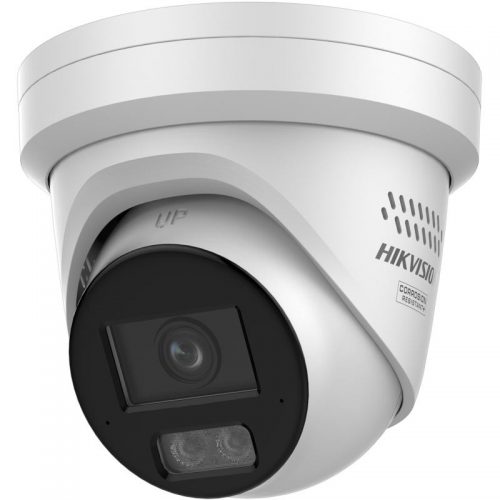
Hikvision commercial CCTV
Best first comparison for broad commercial CCTV, low-light options, deterrence cameras, ANPR, PTZ and mature recorder workflows.
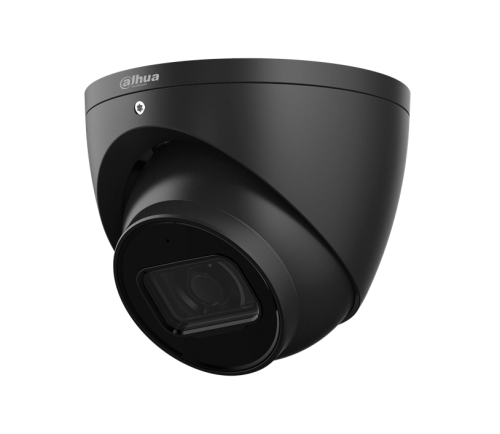
Dahua commercial CCTV
Strong alternative for value-focused business systems, WizSense/WizColor style detection, TiOC deterrence and practical NVR paths.
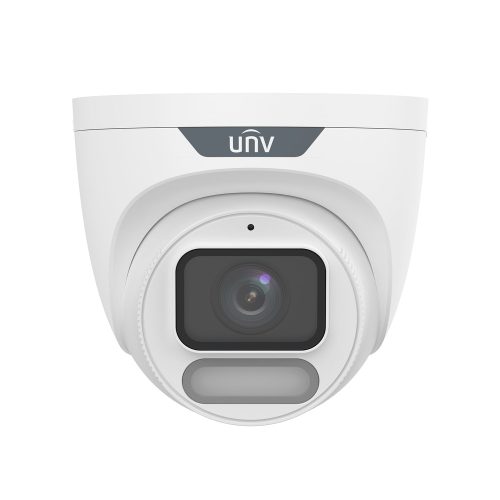
Uniview CCTV
Useful when the buyer wants a capable commercial IP CCTV system with sensible fixed cameras, OwlView, Tri-Guard and NVR options.
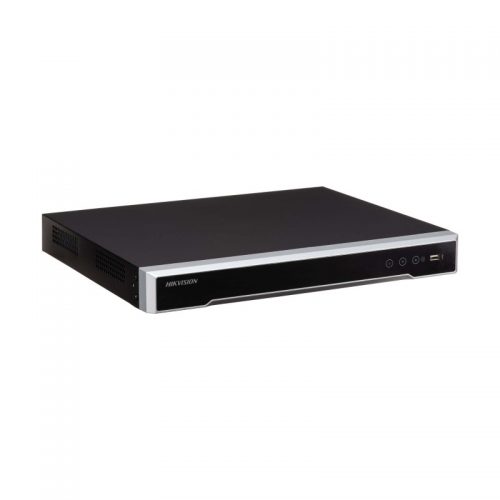
NVR and storage path
The recorder is the backbone of the system. Confirm channel count, storage, PoE budget, remote access and review workflow before finalising cameras.
Buyer decision table
| Buyer priority | Usually compare | What to confirm before ordering |
|---|---|---|
| Clean everyday evidence | Fixed turret or dome cameras | Camera height, lens width, lighting and storage time. |
| After-hours deterrence | Live Guard, TiOC, Tri-Guard or alarm plus CCTV | False-alarm risk, neighbours, notification workflow and response procedure. |
| Vehicle or gate activity | Dedicated gate views, ANPR where needed, and overview cameras | Whether the buyer needs readable footage, searchable plate events, or gate automation. |
| Large or awkward areas | Motorised varifocal, PTZ support or multiple fixed cameras | Whether the PTZ will be actively used or fixed evidence cameras are more valuable. |
Quote-ready checklist
- Mark the exact doors, gates, counters, car spaces or restricted areas that must be reviewed after an incident.
- Decide whether each view needs identification detail, general overview, deterrence, audio, ANPR or only movement context.
- Confirm lighting at night and whether visible white light or speaker warnings are acceptable.
- Estimate final camera count before choosing an NVR so the system has room to grow.
- Confirm who can view footage, who can export it, and how long the site needs to retain recordings.