Commercial

Uniview PTZ Buying Guide

A PTZ is useful when the site has a real overview and live-control job for it. It is a poor substitute for fixed evidence cameras and a poor answer to an underspecified camera plan.
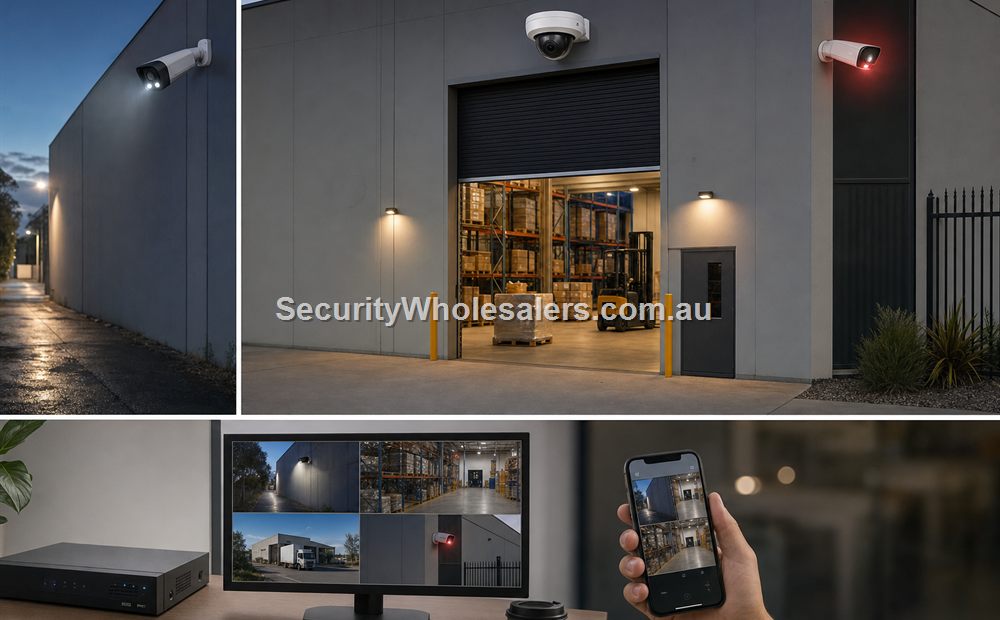
Uniview commercial CCTV planning scene
Uniview commercial CCTV planning image for this buying guide.

Specialist CCTV

Uniview PTZ Buying Guide visual planning guide
Use this Uniview planning visual to match the product family to the site before choosing exact models.
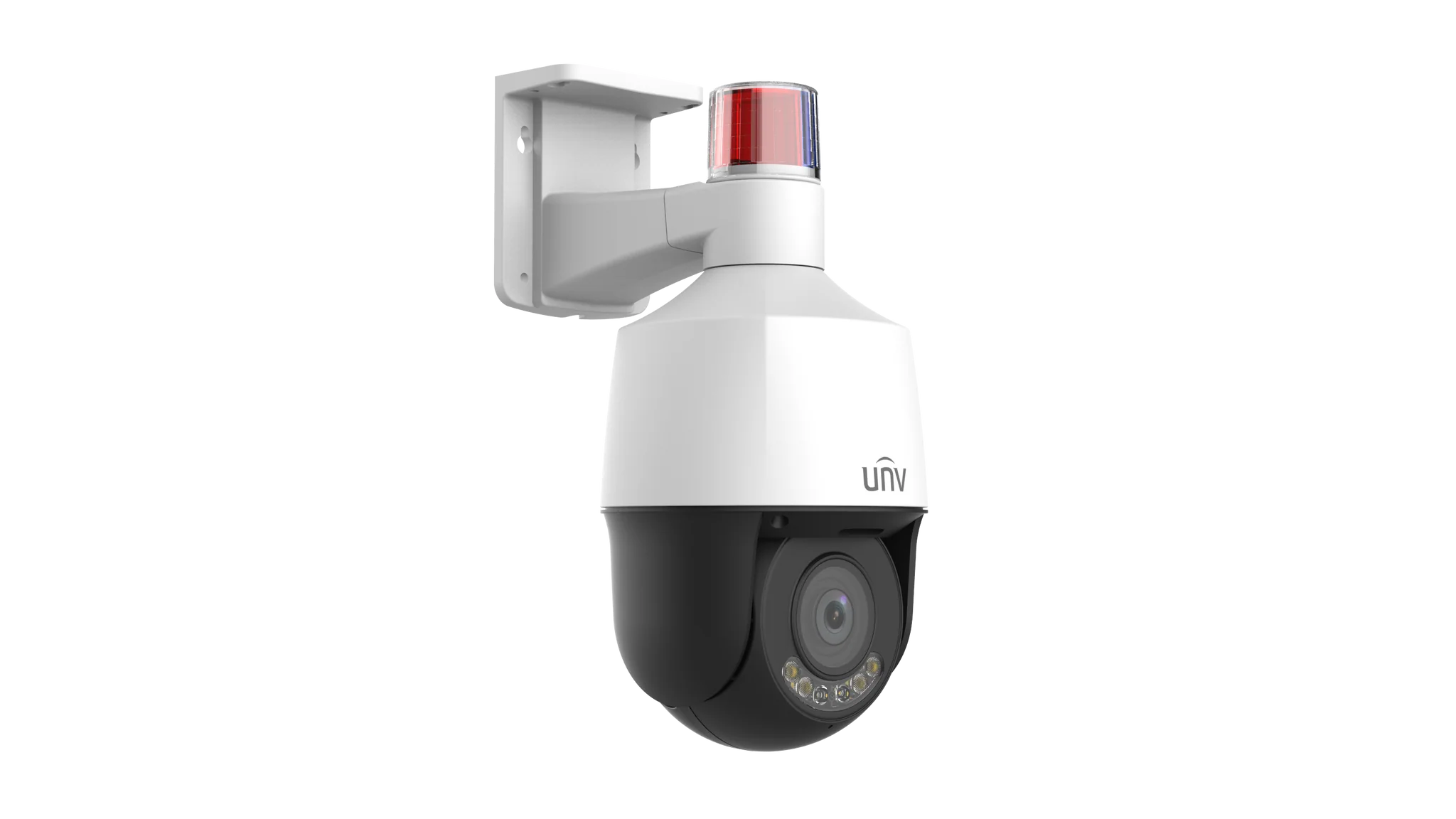
Uniview compact Tri-Guard PTZ camera
Compact PTZs suit short-to-mid range overview jobs. They are most useful when staff will actually use presets, tours, and zoom control.

Quick answer

Buy a Uniview PTZ when the site genuinely needs live overview, zoom, or patrol presets across a broad space. Do not buy one just because the site feels large. Many jobs improve more by adding two or three better-placed fixed cameras than by adding one PTZ.

What PTZ adds that fixed cameras do not

A PTZ adds live steering, presets, tours, optical zoom, and flexible follow-up viewing. That makes it useful on car yards, transport edges, larger hospitality venues, broader forecourts, school grounds, and commercial sites where someone will actually use the PTZ to review a live scene.

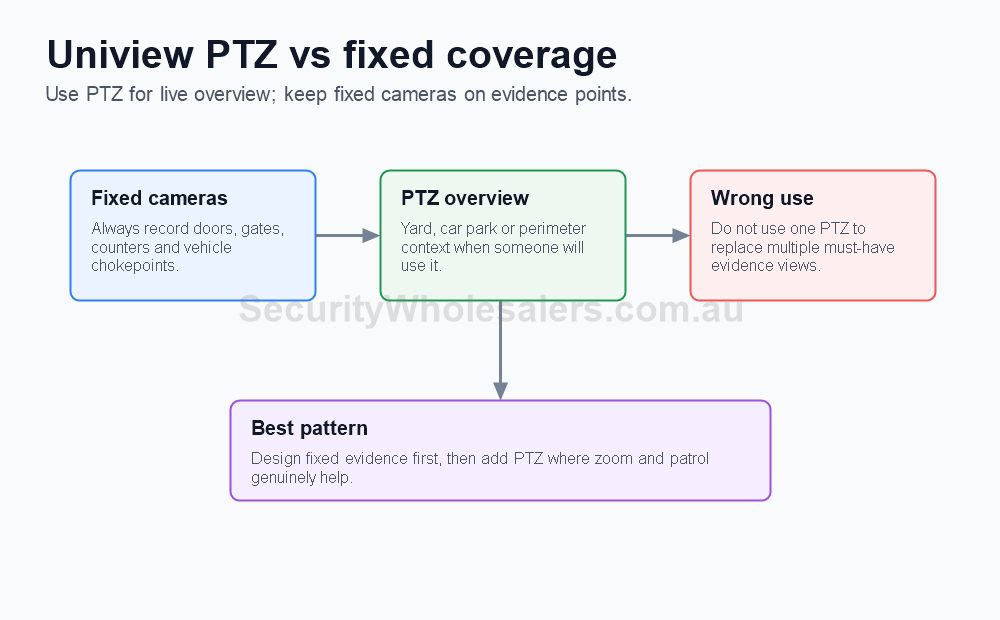
What it does not change is the need for fixed evidence cameras at gates, doors, counters, dispatch points, roller doors, or plate-capture lanes.

5x vs 25x vs larger PTZ paths

PTZ path What it usually means Common fit
5x to 10x compact PTZ Shorter-range overview with easier mounting and lower complexity Compact car yards, hospitality entries, school courtyard edges, smaller forecourts
20x to 25x external PTZ More serious zoom range for wider yards and longer sight lines Trade yards, transport depots, medium industrial exteriors, larger schools
30x and above Longer-range specialist PTZ where the scene and mounting position truly justify it Large campuses, open perimeter scenes, specialist external monitoring

Recommended buying paths

Compact PTZ path

IPC6324LWH-AX5C-VG2 is the cleaner starting point when the site wants live overview plus a more obvious deterrence layer on a compact frontage or yard.

Longer-range PTZ path

IPC6424SR-X25-VF-B is the more serious external path when the site has distance, open space, and a genuine reason to zoom further.

Best support camera pairing

Pair PTZ with fixed turrets or bullets on the gate, office entry, loading point, or plate-capture lane so the site always has a stable evidence view.

Best buyer type

PTZ suits sites with active operators, larger exteriors, or real operational review. It is a poor first buy for simple passive-review jobs.

Where Uniview PTZ usually fits best

Site type PTZ role What still needs fixed cameras
Car yard Broad frontage and row overview Entry gate, office door, key handover points
Transport depot Yard follow-up and dispatch overview Gate lanes, dispatch office, loading points
School or campus edge After-hours review of wider open areas Gateways, reception edge, walkway entries
Hospitality or event venue Open forecourt or broad public-area overview Entry doors, counters, cash points, service doors
Case study

Dealer yard frontage

A compact car yard can justify a small-to-mid PTZ if staff regularly review test-drive departures, late-night vehicle activity, or customer movement across a broad frontage. It still needs fixed cameras at the entry gate and office door because the PTZ cannot be everywhere at once.

Case study

School grounds overview

A school can justify a PTZ on the main external grounds if staff want a live overview of a broader field edge, drop-off lane, or open area after hours. It should still be treated as a support view. The gates, reception edge, and walkway entries still need fixed evidence cameras.

Case study

Where PTZ is the wrong first answer

A small business with one front door, one rear lane, and a car park usually improves more with two fixed cameras than with one PTZ. If the owner mainly wants dependable playback rather than live steering, a PTZ is often just a more expensive distraction.

Mounting and installation notes

  • Wall or parapet mounts are common on building edges looking across aprons, forecourts, and yards.
  • Pole mounts make more sense where the PTZ needs a clearer central vantage point.
  • Pendant or ceiling mounts are usually for internal open spaces or large covered zones.
  • Check the sightline before buying more zoom. If trees, rooflines, trucks, or awnings block the scene, the extra zoom will not fix the layout.

Common PTZ mistakes

  • Using PTZ instead of enough fixed cameras.
  • Buying more zoom than the site can realistically use.
  • Mounting too low so the PTZ is easy to tamper with or blocked by vehicles.
  • Ignoring preset and patrol planning during commissioning.

Related Uniview guides

How to Choose a Uniview Camera

Use this next if the project still needs the fixed camera structure built around the PTZ.

How to Choose a Uniview NVR

Use this next if adding PTZ has pushed the recorder and storage plan upward.

Uniview 2026 Camera and NVR Reference Points

Turn the PTZ conversation into a current-model shortlist.

How to Install Uniview CCTV Systems

Commissioning, mounts, and handover matter more on PTZ than on ordinary fixed cameras.

Practical buying scenarios

Yard overview: PTZ helps when somebody will use zoom or patrol. Evidence points: keep fixed cameras on gates, doors, counters and loading areas. Complex site: combine PTZ with fixed cameras so the site keeps recording useful detail even when the PTZ is looking elsewhere.

Quote-ready checks

  • What exact incident or workflow is this page trying to solve?
  • Which views need identification detail and which only need overview?
  • Does the recorder or management platform support the finished camera count?
  • What must be tested at handover: live view, playback, alerts, export, users and account ownership?
  • Where would this system become the wrong choice and need a different product family?

For Uniview PTZ Buying Guide, the strongest Uniview quote should read like a site plan, not a box list. It should explain why each camera or recorder path is being chosen, where the buyer should avoid overbuying, and what happens if the site expands later.

Small, medium and complex examples

Site size Practical direction What to avoid
Small Keep the system simple and solve the main evidence points first. Buying specialist features before the basic views are right.
Medium Plan recorder headroom, remote access and stage-two expansion. Filling the recorder or ignoring storage assumptions.
Complex Document permissions, network design, response workflow and handover. Choosing models without a support and review plan.

This extra planning step is often what separates a useful Uniview system from a quote that only looks good on paper.

PTZ field notes

PTZ is not magic coverage: when the camera is zoomed into one area, it is not recording detail somewhere else. That is why fixed cameras should protect roller doors, entrances, counters, gates and vehicle chokepoints first.

Good PTZ uses: live yard overview, car park patrol, perimeter follow-up, event verification and guard-assisted zoom. Poor PTZ uses include replacing several fixed evidence cameras or relying on automatic patrols to catch every incident.

Quote example: a warehouse yard may use 10 fixed cameras for evidence and one PTZ for overview. A farm gate may use fixed gate cameras before adding PTZ at the homestead or shed for broader situational awareness.

Final buyer rule

The final Uniview choice should stay practical after install: useful views, sensible recorder headroom and a handover the buyer can actually follow.

PTZ field notes

PTZ is not magic coverage: when the camera is zoomed into one area, it is not recording detail somewhere else. That is why fixed cameras should protect roller doors, entrances, counters, gates and vehicle chokepoints first.

Good PTZ uses: live yard overview, car park patrol, perimeter follow-up, event verification and guard-assisted zoom. Poor PTZ uses include replacing several fixed evidence cameras or relying on automatic patrols to catch every incident.

Quote example: a warehouse yard may use 10 fixed cameras for evidence and one PTZ for overview. A farm gate may use fixed gate cameras before adding PTZ at the homestead or shed for broader situational awareness.

Final buyer rule

The final Uniview choice should stay practical after install: useful views, sensible recorder headroom and a handover the buyer can actually follow.

Frequently Asked Questions

  • When is a Uniview PTZ justified?

    A Uniview PTZ is justified when the site has a real live-overview role, such as a car yard, transport edge, open forecourt, school grounds, or broader external yard where presets and zoom are actually used.

  • What does 5x, 25x, or longer zoom mean in practice?

    Zoom only matters when the PTZ has a clear sightline, a realistic mounting position, and a target distance that makes the zoom useful. A larger zoom number alone does not guarantee better results.

  • Should a PTZ replace fixed cameras?

    No. A PTZ should support fixed evidence cameras rather than replace them. Doors, gates, counters, lane entries, and other event points still need stable fixed coverage.

  • Where are Uniview PTZs usually mounted?

    Uniview PTZs are commonly mounted on walls, parapets, poles, or pendant arms depending on whether the scene is a yard, facade, forecourt, or open internal space.

  • Which Uniview PTZ products are useful reference points?

    Useful current references include the IPC6324LWH-AX5C-VG2 compact Tri-Guard PTZ and the IPC6424SR-X25-VF-B longer-range LightHunter PTZ.

How to quote Uniview PTZ Buying Guide properly

The practical value of Uniview PTZ Buying Guide comes from how well it solves wide-area detail on a real Australian site. A strong recommendation should talk about fixed-camera coverage, PTZ presets, mounting height, operator workflow and what happens when the PTZ is pointed elsewhere, because those details decide whether the system is useful after the installer leaves.

Treat PTZ as a detail tool, not a replacement for fixed evidence cameras. The fixed layer should still prove the incident. This is where a good buying guide should help: it should make the trade-offs visible before the customer spends money, not after the first incident exposes a weak view.

Small site

For a small Uniview Uniview PTZ Buying Guide project, focus on the few views that would prove the most likely incident. It is better to have fewer well-planned cameras than more cameras that miss faces, plates, doors or night detail.

Medium site

For a medium Uniview PTZ Buying Guide site, separate identification views from overview views. Use stronger cameras where people, vehicles or high-value stock must be identified, and use practical overview cameras where the goal is movement context.

Complex site

For a complex Uniview PTZ Buying Guide site, plan the recorder, permissions and expansion path before finalising cameras. Larger jobs often fail because the hardware is good but the storage, network or user workflow was never properly designed.

What a 95/100 Uniview quote should include

  • A short explanation of what each recommended camera is expected to prove.
  • Enough recorder storage and spare channels for realistic future expansion.
  • Notes on night performance, glare, weather exposure, mounting height and service access.
  • A simple handover plan covering app access, playback, footage export and user permissions.

For Uniview PTZ Buying Guide, the best buying decision is the one that still feels obvious six months later. If the buyer can understand why each device was chosen, how footage will be found, and where the system can grow, the quote is far more likely to deliver long-term value.

Final checks before ordering Uniview PTZ Buying Guide

Before ordering Uniview PTZ Buying Guide, ask the installer or sales team to describe the weakest part of the proposed design. That question is useful because every security system has a trade-off: lens width versus detail, deterrence versus discretion, recorder cost versus retention, or simplicity versus future expansion.

For Uniview PTZ Buying Guide, the better Uniview purchase is usually the one with a clear explanation rather than the longest specification sheet. The quote should say which views are for identification, which are for overview, which settings need commissioning, and which parts of the system should be reviewed after the first few weeks of real use.

A final practical check for Uniview PTZ Buying Guide is supportability. Choose a system that can be explained to the person who will actually use it: how to open the app, find yesterday's event, export a clip, add a user, and understand when a camera or recorder needs attention. That day-to-day clarity is what separates a decent product list from a genuinely useful Uniview security solution.

SecurityWholesalers product paths for Uniview PTZ Buying Guide

Use these product paths as a practical starting point after the buying logic is clear. The right product list should follow the site design, not replace it.

How to plan Uniview PTZ Buying Guide properly

The practical value of Uniview PTZ Buying Guide comes from how well it solves Uniview CCTV selection on a real Australian site. Before comparing model numbers, work through LightHunter, ColorHunter, OwlView, Tri-Guard, NVR size, EZView access and expansion. Those details decide whether the system is useful in six months or merely impressive on the day it is installed.

Uniview is strongest when the feature family is matched to the scene rather than copied across every camera position. A strong quote should explain which parts of the job are essential, which parts are optional, and where spending extra will actually improve evidence, safety, access control or response.

Small site

For Uniview PTZ Buying Guide, keep the design focused. Cover the highest-risk entry points or workflows first, choose equipment that is easy to use, and avoid adding features that nobody will maintain after handover.

Medium site

Separate critical views or doors from general coverage. Plan users, permissions, storage, power and network paths before filling every channel or controller output.

Complex site

For Uniview PTZ Buying Guide, document zones, responsibilities and expansion. Larger sites need a staged design so the system can grow without replacing the recorder, controller, cabling or user workflow too early.

What a 96/100 recommendation should include

  • A plain-English description of the incident, access event or workflow the system must solve.
  • Enough headroom for likely expansion, extra users, additional cameras, extra doors or future monitoring.
  • Installation notes covering cabling, power, mounting, weather, lighting, service access and handover.
  • A clear explanation of what the buyer should not overbuy and what would be a false economy.

We make product support and ordering easy! Reach out to our help team :)
Trade Customers: Log In or Register to Unlock Even Better Prices.

Save & Share Cart
Your Shopping Cart will be saved and you'll be given a link. You, or anyone with the link, can use it to retrieve your Cart at any time.
Back Save & Share Cart
Your Shopping Cart will be saved with Product pictures and information, and Cart Totals. Then send it to yourself, or a friend, with a link to retrieve it at any time.
Your cart email sent successfully :)