Quick answer
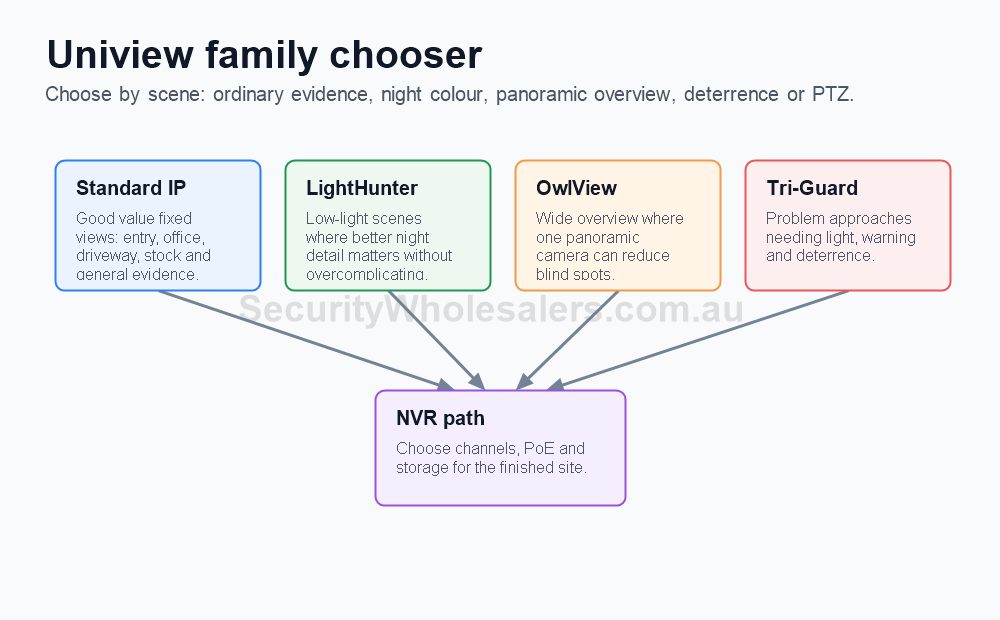
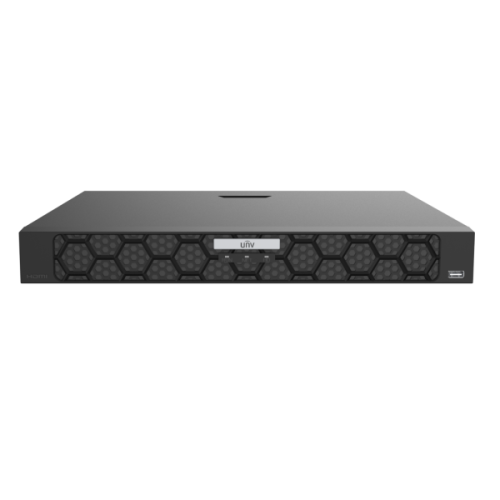
For many Uniview jobs, the honest 2026 starting point is still a strong everyday fixed camera plus an 8-channel or 16-channel PoE recorder. The newer 2026 story is really about when to step into OwlView, Tri-Guard, stronger LightHunter options, or bigger recorder headroom, not about replacing every proven model with the newest one.
Shortlist by buyer type
Small business buyer
Start with the proven fixed 8MP path and an 8-channel PoE NVR. Upgrade only if the site has a real darker external scene or likely expansion.
Growth-minded commercial buyer
Step into 16-channel NVR planning earlier and shortlist the stronger low-light families where the site really needs them.
After-hours risk buyer
Do not just chase megapixels. Look more closely at OwlView, LightHunter, or Tri-Guard style products on the exposed external scenes.
Broader yard or campus buyer
Shortlist the stronger recorder path and decide whether the job genuinely needs PTZ support rather than assuming every large site does.
Case study
Regional service station rebuild
A regional service station rebuild may still use popular fixed cameras on the shop, counter, and canopy edge, but add a newer night-performance or deterrence branch on the rear service area. The right design often combines proven everyday products with one or two newer specialist views.
Case study
Trade warehouse with staged growth
A trade warehouse may open on a 16-channel recorder even if day one only uses ten cameras. That is not overspending. It is acknowledging that roller doors, side gates, staff parking, and cage storage rarely stay outside the plan for long.
Case study
Where the newest model is not the best answer
A clean office, clinic, or small retail site often gets more value from a proven fixed camera and better placement than from forcing the newest specialist model onto every view. Newer branches matter when the scene needs them, not just because they are newer.
Relevant Uniview guides
Use this next if the buyer still needs help matching product families to real scenes.
Use this next when the recorder conversation is becoming the real bottleneck.
Use this next if the shortlist is really about darker scenes and deterrence rather than generic buying.
Use this next when the newer shortlist is drifting toward PTZ support or overview roles.
Practical buying scenarios
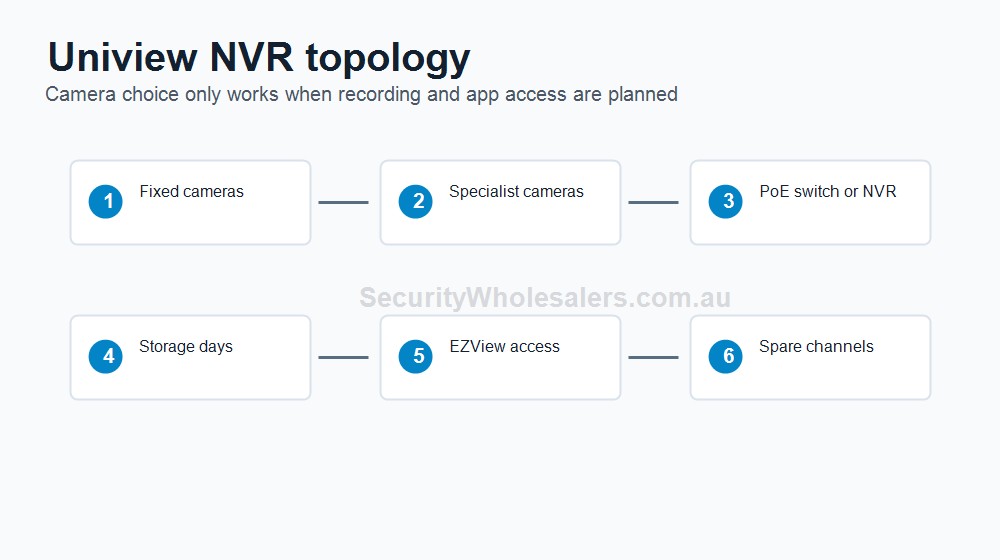
Small system: choose recorder channels and storage for the finished site, not only the first camera stage. Business system: check user access, playback workflow, export and UPS. Complex system: plan retention, network load, redundancy expectations and who supports the platform after handover.
Quote-ready checks
- What exact incident or workflow is this page trying to solve?
- Which views need identification detail and which only need overview?
- Does the recorder or management platform support the finished camera count?
- What must be tested at handover: live view, playback, alerts, export, users and account ownership?
- Where would this system become the wrong choice and need a different product family?
For Uniview 2026 Camera And NVR Reference Points, the strongest Uniview quote should read like a site plan, not a box list. It should explain why each camera or recorder path is being chosen, where the buyer should avoid overbuying, and what happens if the site expands later.
Small, medium and complex examples
| Site size |
Practical direction |
What to avoid |
| Small |
Keep the system simple and solve the main evidence points first. |
Buying specialist features before the basic views are right. |
| Medium |
Plan recorder headroom, remote access and stage-two expansion. |
Filling the recorder or ignoring storage assumptions. |
| Complex |
Document permissions, network design, response workflow and handover. |
Choosing models without a support and review plan. |
This extra planning step is often what separates a useful Uniview system from a quote that only looks good on paper.
Recorder field notes
Channel count: choose for the finished system, not only day one. Storage: choose around review window, resolution, motion and number of cameras. PoE: confirm whether camera power, switches and cable paths are clean.
Quote example: a 6-camera small business often belongs on an 8-channel recorder if the site is finished, but a likely stage-two business should be planned around 16 channels early.
Handover: camera names, playback, export, user permissions and remote access matter as much as the recorder model.
Final buyer rule
The final Uniview choice should stay practical after install: useful views, sensible recorder headroom and a handover the buyer can actually follow.
Recorder field notes
Channel count: choose for the finished system, not only day one. Storage: choose around review window, resolution, motion and number of cameras. PoE: confirm whether camera power, switches and cable paths are clean.
Quote example: a 6-camera small business often belongs on an 8-channel recorder if the site is finished, but a likely stage-two business should be planned around 16 channels early.
Handover: camera names, playback, export, user permissions and remote access matter as much as the recorder model.
Final buyer rule
The final Uniview choice should stay practical after install: useful views, sensible recorder headroom and a handover the buyer can actually follow.
Recorder field notes
Channel count: choose for the finished system, not only day one. Storage: choose around review window, resolution, motion and number of cameras. PoE: confirm whether camera power, switches and cable paths are clean.
Quote example: a 6-camera small business often belongs on an 8-channel recorder if the site is finished, but a likely stage-two business should be planned around 16 channels early.
Handover: camera names, playback, export, user permissions and remote access matter as much as the recorder model.
Final buyer rule
The final Uniview choice should stay practical after install: useful views, sensible recorder headroom and a handover the buyer can actually follow.
Frequently Asked Questions
- Why use current reference models in a Uniview buying guide?
Current reference models help buyers connect the feature families to real products and understand which models are practical starting points on SecurityWholesalers right now.
- Which popular Uniview products still matter in 2026?
Popular fixed cameras and compact PoE NVRs still matter because they remain the real starting point for many Uniview jobs.
- Which newer Uniview cameras stand out in 2026?
Newer OwlView, Tri-Guard, and updated LightHunter cameras stand out because they show where Uniview is pushing low-light and deterrence more deliberately.
- Which newer Uniview NVRs stand out in 2026?
The 16-channel and 32-channel iQ or enterprise-style recorders stand out because they show the stronger commercial recorder path beyond the smallest PoE NVRs.
- Should buyers automatically choose the newest Uniview model?
No. Newer models are useful references, but many sites are still better served by a proven model that fits the scene more cleanly and keeps the budget sensible.
How to quote Uniview 2026 Camera And NVR Reference Points properly
The practical value of Uniview 2026 Camera And NVR Reference Points comes from how well it solves recording design on a real Australian site. A strong recommendation should talk about channel count, HDD days, bitrate, PoE budget, remote access, user permissions and future camera count, because those details decide whether the system is useful after the installer leaves.
Recorder choice should be based on retention and expansion, not just the number of cameras being installed on day one. This is where a good buying guide should help: it should make the trade-offs visible before the customer spends money, not after the first incident exposes a weak view.
Small site
For a small Uniview Uniview 2026 Camera And NVR Reference Points project, focus on the few views that would prove the most likely incident. It is better to have fewer well-planned cameras than more cameras that miss faces, plates, doors or night detail.
Medium site
For a medium Uniview 2026 Camera And NVR Reference Points site, separate identification views from overview views. Use stronger cameras where people, vehicles or high-value stock must be identified, and use practical overview cameras where the goal is movement context.
Complex site
For a complex Uniview 2026 Camera And NVR Reference Points site, plan the recorder, permissions and expansion path before finalising cameras. Larger jobs often fail because the hardware is good but the storage, network or user workflow was never properly designed.
What a 95/100 Uniview quote should include
- A short explanation of what each recommended camera is expected to prove.
- Enough recorder storage and spare channels for realistic future expansion.
- Notes on night performance, glare, weather exposure, mounting height and service access.
- A simple handover plan covering app access, playback, footage export and user permissions.
For Uniview 2026 Camera And NVR Reference Points, the best buying decision is the one that still feels obvious six months later. If the buyer can understand why each device was chosen, how footage will be found, and where the system can grow, the quote is far more likely to deliver long-term value.
Final checks before ordering Uniview 2026 Camera And NVR Reference Points
Before ordering Uniview 2026 Camera And NVR Reference Points, ask the installer or sales team to describe the weakest part of the proposed design. That question is useful because every security system has a trade-off: lens width versus detail, deterrence versus discretion, recorder cost versus retention, or simplicity versus future expansion.
For Uniview 2026 Camera And NVR Reference Points, the better Uniview purchase is usually the one with a clear explanation rather than the longest specification sheet. The quote should say which views are for identification, which are for overview, which settings need commissioning, and which parts of the system should be reviewed after the first few weeks of real use.
A final practical check for Uniview 2026 Camera And NVR Reference Points is supportability. Choose a system that can be explained to the person who will actually use it: how to open the app, find yesterday's event, export a clip, add a user, and understand when a camera or recorder needs attention. That day-to-day clarity is what separates a decent product list from a genuinely useful Uniview security solution.
How to plan Uniview 2026 Camera and NVR Reference Points properly
The practical value of Uniview 2026 Camera and NVR Reference Points comes from how well it solves recording design on a real Australian site. Before comparing model numbers, work through channels, hard-drive days, bitrate, PoE budget, user permissions and footage export. Those details decide whether the system is useful in six months or merely impressive on the day it is installed.
Recorder decisions should be based on retention, search speed and expansion rather than channel count alone. A strong quote should explain which parts of the job are essential, which parts are optional, and where spending extra will actually improve evidence, safety, access control or response.
Small site
For Uniview 2026 Camera and NVR Reference Points, keep the design focused. Cover the highest-risk entry points or workflows first, choose equipment that is easy to use, and avoid adding features that nobody will maintain after handover.
Medium site
Separate critical views or doors from general coverage. Plan users, permissions, storage, power and network paths before filling every channel or controller output.
Complex site
For Uniview 2026 Camera and NVR Reference Points, document zones, responsibilities and expansion. Larger sites need a staged design so the system can grow without replacing the recorder, controller, cabling or user workflow too early.
What a 96/100 recommendation should include
- A plain-English description of the incident, access event or workflow the system must solve.
- Enough headroom for likely expansion, extra users, additional cameras, extra doors or future monitoring.
- Installation notes covering cabling, power, mounting, weather, lighting, service access and handover.
- A clear explanation of what the buyer should not overbuy and what would be a false economy.