

















Commercial
Uniview Buying Guide
Pillar Page
Need the buying answer first?
Start with Best Uniview CCTV System in Australia if you want the quicker answer on which Uniview branch usually fits best and when to use fixed cameras, stronger low-light models, Tri-Guard or PTZ.
Quick answer
Uniview is usually a very strong shortlist when the buyer wants a capable IP CCTV system, good low-light options, active-deterrence cameras where needed, and a practical NVR path without jumping straight into a more expensive premium ecosystem. Start with ordinary fixed cameras and the right NVR, then step up to OwlView, LightHunter, Tri-Guard, motorised varifocal or PTZ only where the site genuinely needs those features.
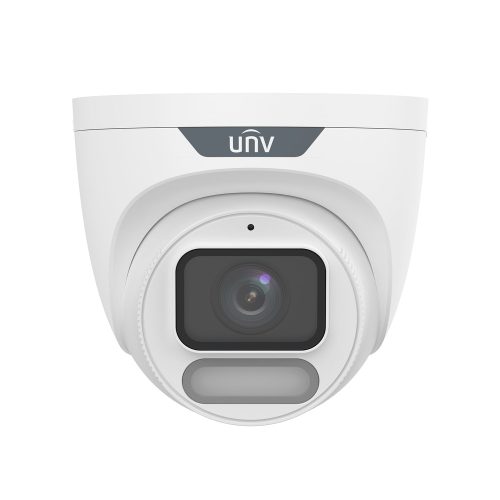
How the Uniview range is usually structured
On SecurityWholesalers, Uniview makes the most sense when it is broken into three layers. The first layer is the everyday fixed camera branch: domes, eyeballs, and bullets that handle most entries, counters, corridors, yards, and external approaches. The second layer is the feature-family branch: LightHunter for stronger low-light work, OwlView for more aggressive night-time colour and white-light behaviour, and Tri-Guard for visible deterrence with speaker and warning light. The third layer is the recorder branch, where the decision moves from a simple small PoE NVR to larger iQ or enterprise-style recorders that better suit review-heavy sites.
This is important because buyers can waste time comparing one low-light camera against another without first deciding whether the site actually needs better colour at night, active deterrence, longer motorised framing flexibility, or simply a dependable fixed camera and recorder path. A four-camera clinic, a 12-camera trade-supply branch, and a 28-camera warehouse do not need the same Uniview conversation.
Why Uniview is getting more attention
Uniview is sitting in a useful place for many Australian buyers. It is not trying to be the cheapest possible CCTV path, and it is not always trying to compete as a premium enterprise-only platform. The strength is the middle: practical commercial IP cameras, a wide choice of 6MP and 8MP fixed models, more serious night branches, active-deterrence options, and NVRs that make sense for both small and medium-sized systems.
That is why Uniview often comes up when a buyer wants something stronger than a basic economy kit but does not want to overbuild the job. A small warehouse, medical clinic, trade counter, school administration building, hospitality venue or strata common area may not need the most expensive brand conversation. It may need clear footage, sensible event review, reliable PoE, a known app handover, and a few carefully chosen stronger cameras on the hard scenes.
Uniview decision order
| Step | Decision | What it usually changes |
|---|---|---|
| 1 | Scene type | Entry, counter, rear lane, car park, warehouse aisle, gate and yard views all need different camera thinking. |
| 2 | Camera shape | Eyeball/turret for most practical fixed views, bullet for longer outdoor direction, dome where vandal resistance or discretion matters. |
| 3 | Night strategy | Standard IR, LightHunter, OwlView, dual-light or Tri-Guard depending on lighting, deterrence and colour expectations. |
| 4 | Lens | Fixed lens for predictable scenes; motorised varifocal when the distance, mounting height or final field of view needs tuning. |
| 5 | NVR and storage | 4/8/16/32-channel path, PoE layout, HDD size, retention, app access and future camera growth. |
What the SecurityWholesalers category shows clearly
The SecurityWholesalers Uniview category is ordered by popularity. That matters because the early products are practical reference points, not just abstract catalogue entries. A product appearing near the top is usually worth understanding because it often shows what installers and buyers are actually using as current starting points.
That does not mean popularity alone should drive the choice. It does mean the category is useful as a reality check. If the top products are mostly fixed eyeballs, practical PoE NVRs, and selected low-light or deterrence models, that usually reflects where the real buying decisions are happening.
Main Uniview branches on SecurityWholesalers
| Uniview branch | Usually strongest for | Good starting point |
|---|---|---|
| Standard fixed IP cameras | General commercial entries, counters, corridors, yards, storerooms, and ordinary external approaches | Uniview CCTV |
| LightHunter | Difficult low-light scenes where night detail matters more than simple IR coverage | Uniview low-light cameras |
| OwlView | Low-light colour coverage, white-light support, and stronger night-time scene visibility | Uniview OwlView cameras |
| Tri-Guard | After-hours gates, side lanes, rear doors, loading areas, and other positions where active deterrence is part of the brief | Uniview Tri-Guard cameras |
| PTZ cameras | Car yards, schools, transport, yards, and other sites where live overview and zoom control add real value | Uniview PTZ cameras |
| NVRs | 4-channel home or small business systems through to larger commercial recorder paths | Uniview NVRs |
Uniview family chooser
| If the site says⦠| Usually start with | Why |
|---|---|---|
| "We just need reliable cameras for normal entries and work areas." | Standard 6MP or 8MP fixed eyeball/turret cameras | Most sites do not need every special feature on every view. |
| "Night footage looks too dark, but we do not want warning lights everywhere." | LightHunter or OwlView | These branches are about seeing better at night rather than actively warning people away. |
| "The rear lane or gate needs to warn intruders off." | Tri-Guard | Use active deterrence selectively on after-hours or perimeter-risk scenes. |
| "The installer will not know the perfect angle until site day." | Motorised varifocal camera | Zoom and focus flexibility can save a hard-to-predict install. |
| "The site has a wide yard or car park that someone monitors live." | PTZ as a support camera | PTZ supports overview and live investigation; it should not replace fixed evidence cameras. |
| "We are installing more than eight cameras or expect growth." | 16-channel or larger iQ recorder path | The NVR should leave room for expansion, storage and review workflow. |
Popular Uniview reference points on SecurityWholesalers
| Popular reference point | Why it matters | Typical fit |
|---|---|---|
| IPC3618LE-ADF28K-GM | Strong example of the everyday 8MP fixed eyeball path on Uniview | Entrances, warehouse aisles, trade counters, clinic reception, and straightforward perimeter points |
| NVR501-08B-P8-IQ | Shows the common 8-channel PoE recorder path for small commercial systems | Small offices, homes, clinics, and compact shops with room for modest growth |
| IPC3624LE-ADF28K-WP | Useful illustration of Uniview's more night-focused fixed camera path | Entries, side lanes, narrow car parks, and darker external positions where ordinary IR can feel flat |
| NVR502-16B-P16-IQ | Practical 16-channel PoE step-up for business sites | Warehouses, schools, larger offices, hospitality, and staged-expansion sites |
| IPC6324LWH-AX5C-VG2 | Shows where Uniview PTZ begins to become useful instead of theoretical | Compact car yards, forecourts, external yards, hospitality, and campus-style overview roles |
Current product signals worth understanding
The live SecurityWholesalers range shows Uniview's current direction clearly. OwlView and OwlView Plus products are getting attention because they combine full-colour low-light behaviour, Wise-ISP or ColorHunter style imaging, AI detection and, on selected models, Tri-Guard deterrence. The Tri-Guard category shows that Uniview is not only selling passive cameras; it is offering visible and audible deterrence for sites that want the camera to do more than record.
The recorder side is just as important. The NVR501 and NVR502 iQ paths show the everyday 8-channel and 16-channel PoE recorder logic for small to medium systems. Those recorders are often the real backbone of a Uniview quote because they decide channel headroom, storage path, app access and how easy the system will be to support after handover.
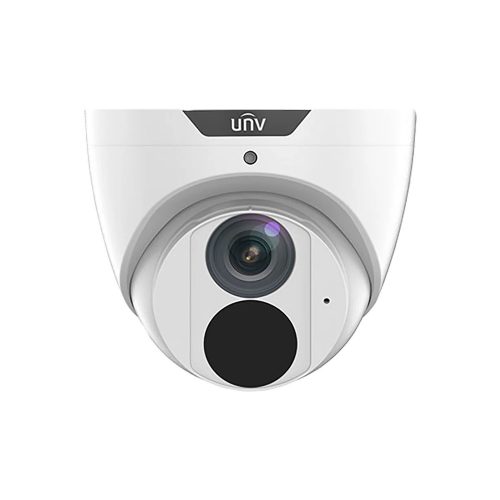
IPC3616LE-ADF28KM-G
A useful everyday 6MP turret path for buyers who want a clean standard Uniview camera before stepping into more specialised night or deterrence features.
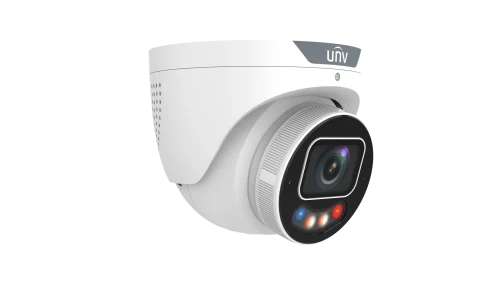
IPC3638SE-ADF28KMC-WP-I1
An 8MP OwlView Plus and Tri-Guard turret reference point for buyers who need stronger low-light colour, AI human/vehicle detection and active warning behaviour in one camera.
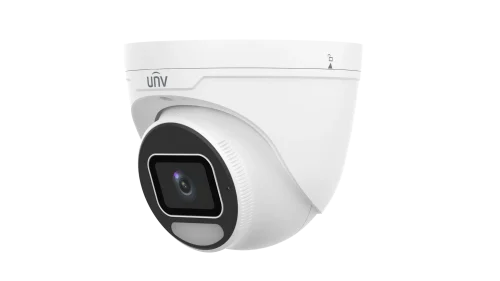
IPC3638SE-ADF28K-WP-I1
A fixed OwlView Plus turret path for buyers who want stronger 8MP low-light colour without necessarily using active deterrence on that view.
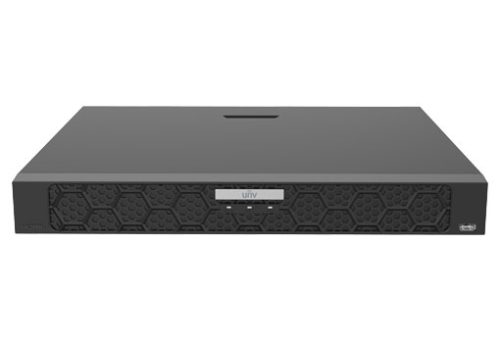
NVR502-16B-P16-IQ
A practical 16-channel recorder reference for commercial Uniview jobs that need PoE, storage, channel headroom and room to grow.
Leah's suburban medical clinic
Leah's clinic has one front door, a reception desk, a side corridor, a rear staff exit, and four car spaces. The right Uniview conversation is not about PTZ or heavy active deterrence. It is about four to six fixed cameras, one suitable NVR, and deciding whether the rear exit needs a stronger low-light branch. A fixed 8MP eyeball path and an 8-channel PoE NVR are a much better starting point than overcomplicating the system.
Glen's trade supply yard
Glen runs a trade supply site with a front counter, two gates, pallet storage, a roller door, and after-hours vehicle movement. This is where a standard fixed-camera-only discussion stops being enough. The site may still use many fixed cameras, but selected OwlView or Tri-Guard positions and a 16-channel recorder path are more likely to make operational sense.
Where Uniview usually fits well
Uniview fits well where the buyer wants a credible commercial IP CCTV system, practical low-light options, and a sensible NVR range without treating every site as a premium appliance-led project. It suits small business, schools, clinics, warehouses, logistics yards, hospitality venues, and compact retail sites well when the system is designed properly.
Best-fit use cases
Small business and retail
Uniview is a strong fit for entries, counters, stockrooms, rear doors and small car parks where the buyer wants solid IP CCTV and a manageable NVR.
Medical and professional suites
Use fixed cameras carefully around reception, entries, corridors and staff-only zones. Avoid over-monitoring private workspaces.
Warehouses and trade suppliers
Uniview works well when fixed evidence cameras are combined with selected Tri-Guard, OwlView or PTZ support on harder external views.
Hospitality and after-hours risk
Tri-Guard and OwlView can be useful around rear lanes, beer gardens, service doors, car parks and delivery areas where night behaviour matters.
Strata and shared commercial sites
Use reliable fixed cameras for lobbies, driveways and common areas, with careful signage, user access and retention planning.
Yards and car parks
Combine fixed evidence cameras with PTZ only where someone will actually use live overview or zoom support.
Recommended Uniview system patterns
| Site type | Usually start with | Upgrade only where needed |
|---|---|---|
| Home or small office | 4 to 8 fixed cameras with an 8-channel PoE NVR. | OwlView on the driveway or dark side path if night colour is genuinely useful. |
| Retail shop or clinic | Fixed cameras on entry, counter, reception, corridors and rear access with an 8-channel or 16-channel NVR. | Tri-Guard at rear doors or after-hours external approaches, not across the whole interior. |
| Warehouse or trade supplier | 16-channel NVR, fixed evidence cameras on doors and aisles, stronger cameras on gates and loading areas. | PTZ for yard overview only if someone will actually use live zoom or patrol views. |
| Hospitality venue | Fixed cameras for entries, bars, service corridors and POS areas, with careful retention and manager access. | OwlView or Tri-Guard for rear lanes, outdoor areas and after-hours risk points. |
| Strata or shared commercial building | Fixed cameras at entries, lobbies, mail areas, car park paths and plant-room approaches. | Motorised varifocal for long or awkward car park views where fixed lens framing is uncertain. |
What not to overbuy
The best Uniview quote is not the one with the most feature names. It is the one where every feature has a job. Do not put Tri-Guard on a quiet internal corridor. Do not use PTZ where a fixed camera would give better evidence. Do not buy OwlView for a brightly lit reception unless colour-at-night genuinely changes the outcome. Do not choose a tiny recorder on a site that is obviously going to grow.
A strong Uniview system usually has a simple backbone: good fixed cameras in the obvious places, a recorder with enough headroom, and then a few carefully chosen specialist cameras on the hard views. That is what makes the system feel professional six months later, not just impressive on the quote.
Installation and handover considerations
A good Uniview system still depends on the basics: camera height, lens choice, cable path, PoE budget, recorder location, UPS expectations, app handover and user permissions. Uniview can give you strong cameras for the money, but it cannot rescue a camera mounted too high, too wide, or aimed at a scene that needed a different lens.
For smaller systems, an 8-channel PoE NVR can be a neat path because the cameras cable back to one recorder. For larger sites, do not force every camera back to the recorder just because a PoE recorder exists. A switch-based layout can be cleaner across warehouses, multi-building sites, upstairs/downstairs offices and sites with remote external structures.
Commissioning checklist
- Confirm every camera answers a named site question: who entered, what happened, which vehicle, which door, which direction.
- Check day and night views before handover, especially OwlView, LightHunter and Tri-Guard positions.
- Confirm smart detection zones are aimed at people and vehicles, not trees, road glare, flags or busy public footpaths.
- Test app access in EZView with the actual users who will review footage.
- Confirm storage expectations against the number of cameras, resolution and recording mode.
- Label cameras clearly in the NVR so playback is easy for non-technical users.
- Document which cameras have audio, warning lights or speaker behaviour enabled.
Uniview vs Uniarch
Uniarch is the simpler economy branch related to Uniview. It can be perfectly sensible for budget-driven small systems, but buyers should step up to Uniview when the site needs a stronger commercial product range, better low-light options, more active-deterrence choices, richer recorder paths or more room to scale. The full comparison is here: Uniview vs Uniarch.
Uniview compared with other common CCTV brands
| Brand path | Where it usually shines | How to think about it against Uniview |
|---|---|---|
| Hikvision | Very broad range, mature analytics, strong specialty categories and huge installer familiarity. | Compare Hikvision when the site needs the widest ecosystem or a specific specialty camera. Compare Uniview when the buyer wants a practical commercial IP system with strong value and simpler range logic. |
| Dahua | Broad commercial CCTV, good value, strong access and vehicle-related product branches. | Dahua and Uniview often compete in similar buyer conversations. Let product availability, NVR workflow, low-light branch and installer preference decide. |
| HiLook or Uniarch | Budget-sensitive small systems where the buyer mostly needs basic coverage. | Stay budget when the site is simple. Step up to Uniview when commercial growth, low-light quality, active deterrence or recorder headroom matters. |
| TP-Link VIGI | Simple SMB systems, easy networking conversation and approachable pricing. | VIGI can be neat for straightforward small business installs. Uniview is the more CCTV-specialist path when the site needs a deeper camera/NVR range. |
| AXIS or Hanwha | Premium, enterprise, open-platform or higher-governance deployments. | Use AXIS or Hanwha when the site justifies a premium platform. Uniview is usually the better value-commercial conversation for everyday Australian businesses. |
Where buyers usually go wrong on Uniview
- Paying for active deterrence on every camera when only one or two higher-risk views actually justify it.
- Using a fixed wide camera where the site really needs a motorised field of view or a different mounting position.
- Choosing the recorder by channel count alone and forgetting storage, review workflow, or future camera growth.
- Buying a low-light branch for brightly lit scenes where a simpler fixed camera would perform perfectly well.
- Assuming a PTZ can replace the fixed evidence cameras the site still needs.
- Choosing Uniarch when the site really needs the stronger Uniview branch for growth, low-light performance or commercial support.
- Forgetting the app handover, user permissions and remote-viewing setup until the end of the job.
Current 2026 Uniview reference points
The newer products currently surfacing on SecurityWholesalers are useful because they show where Uniview is putting effort: better night branches, more aggressive fixed active-deterrence cameras, and smarter larger recorders. The current reference page covers that branch in more detail: Uniview 2026 Camera and NVR Reference Points.
Relevant SecurityWholesalers categories and products
Sources and further reading
Frequently Asked Questions
- Where should most buyers start with Uniview?
Most buyers should start with the camera task and the recorder path. On Uniview, the useful early decisions are fixed lens versus motorised, ordinary IR versus stronger low-light branches such as LightHunter or OwlView, and whether the recorder is a small PoE NVR or a larger iQ or enterprise-style path.
- What does the SecurityWholesalers Uniview category show well?
The SecurityWholesalers category is ordered by popularity, so it is a good way to see which Uniview products are being used as real starting points rather than only reading the manufacturer catalogue in isolation.
- Which Uniview camera families matter most for buyers?
The main families buyers usually compare are standard fixed IP cameras, LightHunter low-light models, OwlView low-light and white-light models, Tri-Guard active-deterrence cameras, and PTZ cameras.
- Is Uniview mainly a budget brand?
No. Uniview can sit in a value-conscious position compared with some premium brands, but the range still has serious commercial cameras, PTZs, and recorder branches. The better question is whether the site needs the simpler everyday path or the stronger specialist branches.
- What are the most useful Uniview recorder paths?
The most useful recorder paths are the compact 4-channel and 8-channel PoE NVRs for smaller systems, the 16-channel PoE iQ recorders for growing business sites, and the larger 32-channel iQ or enterprise-style recorders for bigger camera counts and smarter review workflow.
- When is Uniview usually worth shortlisting?
Uniview is worth shortlisting when the buyer wants a solid commercial IP CCTV system, practical low-light options, and a sensible recorder path without automatically moving into a higher-cost premium ecosystem.
- Does Uniview have current 2026 reference models worth watching?
Yes. Current reference points on SecurityWholesalers include newer OwlView and Tri-Guard fixed cameras, current LightHunter models, and newer iQ or enterprise-style recorders that show where the Uniview range is moving.
- Is OwlView the same as Tri-Guard?
No. OwlView is mainly about stronger low-light colour imaging and night visibility. Tri-Guard is about active deterrence, usually using warning light and audio. Some current models combine both ideas, which is useful but also easy to misunderstand.
- Should every Uniview camera be Tri-Guard?
No. Use Tri-Guard where warning behaviour is actually wanted, such as rear lanes, gates, yards and after-hours risk points. Ordinary internal views usually do not need flashing lights or speaker warnings.
- Is a 16-channel Uniview NVR overkill for a small business?
Not always. If the business starts with eight to ten cameras, or expects to add more external views later, a 16-channel recorder can be the more sensible long-term choice.
- When should I choose motorised varifocal Uniview cameras?
Choose motorised varifocal when the scene is hard to judge from plans, the camera is mounted farther away, or the installer needs tuning flexibility after seeing the real site.
- Is Uniview suitable for Australian outdoor installs?
Yes, when the correct outdoor-rated model and mounting hardware are selected. For exposed, coastal, dusty or high-vibration sites, bracket choice, cable protection and service access still matter.
Related pages
How to Choose a Uniview Camera
Choose the right Uniview camera by scene type, night behaviour, and fixed versus motorised design.
Uniview Camera Shapes and Feature Families
Compare domes, eyeballs, bullets, PTZ, LightHunter, OwlView, and Tri-Guard.
How to Choose a Uniview NVR
Work out when a small PoE NVR is enough and when the site needs a larger recorder branch.
Uniview PTZ Buying Guide
Understand where Uniview PTZ adds operational value and where fixed cameras still matter more.
Uniview 2026 Camera and NVR Reference Points
Review the current Uniview products that are most useful as buying reference points.
Uniview vs Uniarch
See where buyers should stay on Uniarch and where it makes sense to step up to Uniview.
Uniview FAQs
Read the longer buyer questions around low light, NVRs, PTZ, and commercial fit.