

















Hikvision IP Intercom Buying Guide
Hikvision IP
Where Hikvision IP intercom usually fits
Hikvision IP intercom is usually the cleaner path for new builds, office entries, clinics, villas, and many apartment-style jobs because the core devices can run on predictable network cabling and the range is broad enough to move from simple villa stations into apartment and concierge-style hardware.
It is also one of the better options when the buyer already knows the front door may overlap with access control later. A device such as the DS-KV6124-WBE1 already hints at that crossover because it brings together visitor calling, keypad, Bluetooth, and lock-release logic on one front entry.
Typical Hikvision IP intercom paths
| Hikvision IP path | Usually strongest for | Why it fits |
|---|---|---|
| DS-KIS602 | Simple homes, clinics, small offices | Straightforward door station plus monitor plus app workflow on Cat6 and PoE |
| DS-KV6124-WBE1 | Managed front doors, clinics, offices, higher-value homes | Useful where the entry also needs keypad, Bluetooth, or dual lock logic |
| DS-KIS901-P | Sites wanting stronger face-based or higher-spec front entry | Good reference where the front door sits closer to access control than a simple home kit |
| Apartment intercom range | Apartments, strata, rooming houses, mixed-use buildings | Needed once resident directories, tenant changeover, and multi-user workflow become the real problem |
What the cabling normally looks like
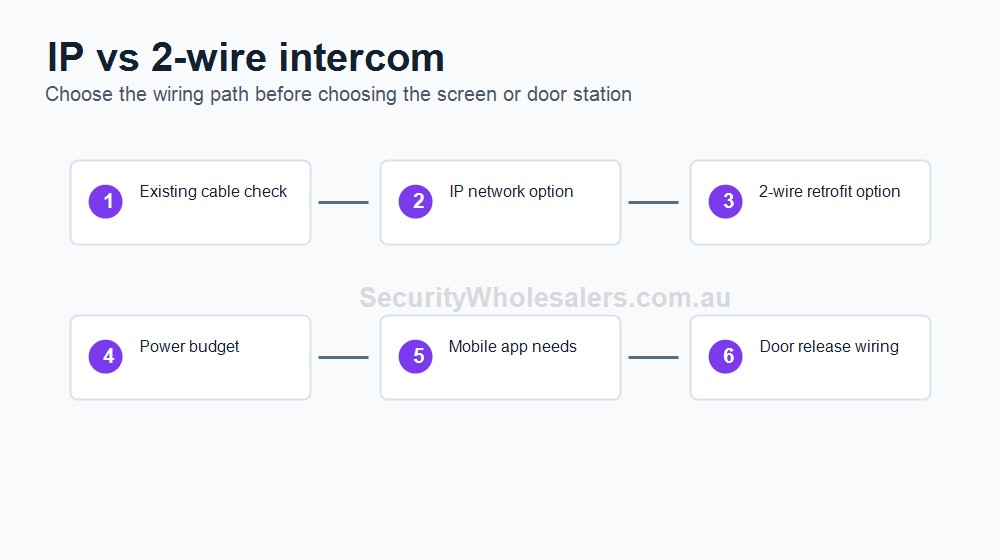
On a straightforward Hikvision IP job, installers usually run one Cat6 cable from the door station back to a PoE switch, one Cat6 cable from the indoor monitor back to the same PoE switch, and one uplink from the switch to the modem or router if the owner wants mobile answering through Hik-Connect. Additional indoor monitors usually mean additional Cat6 runs back to the switching layer.
That network path powers the intercom devices cleanly, but it does not remove the need for separate low-voltage lock wiring if the intercom also has to release a strike, maglock, gate, or roller-door input.
Typical Hikvision IP installation sequence
On most one-door Hikvision IP installs, the installer first confirms the door hardware and release path, then runs Cat6 from the door station location back to the PoE switch position and Cat6 from each indoor monitor position back to the same network point. If app answering is part of the brief, the switch needs a clean uplink to the wider network.
After the data side is in place, the lock-release path is treated separately. A strike, maglock, or gate input still needs its own low-voltage wiring, power supply where required, and a clear exit method on the safe side. The final stage is programming, app pairing, unlock timing, and making sure the receptionist, owner, or tenant actually knows how to use it.
Worked examples
Grace Allied Health Reception
Situation: This clinic has one front door that stays locked after lunch. Reception still needs to see and answer callers, but app answering is useful when staff step away from the desk.
Solution used: A DS-KIS602 or DS-KV6124-WBE1 style Hikvision IP path with one outdoor station, one indoor reception monitor, Cat6 back to a PoE switch, Hik-Connect app backup, and strike or maglock release chosen to suit the actual door.
Why this was chosen: The site only has one meaningful public entry, so a full apartment system would be unnecessary. What it does need is a dependable monitor at reception and enough flexibility that the door can still be answered when reception is temporarily unattended.
Installation notes: The lock path and monitor placement matter more than screen size. Reception should be able to answer naturally without leaving the desk.
Bennett Chambers Office Entry
Situation: A professional office wants one front station, one indoor reception answer point, after-hours mobile answering, and keypad access for trusted staff.
Solution used: A DS-KV6124-WBE1-led Hikvision IP design with one reception monitor, Cat6 back to PoE, app answering for after-hours use, and credential entry for known users.
Why this was chosen: The site is asking for visitor entry and simple staff credential entry together. That pushes the job beyond a very simple villa kit and makes the stronger front-door station more suitable.
Installation notes: This type of office should test not only visitor calling, but also staff unlock timing, keypad use, and who receives app calls after hours.
What to be careful with
- Do not choose the station before confirming whether the door uses a strike, maglock, or other release path.
- Do not treat a rooming house or apartment entrance like a large front door at a home.
- Do not assume PoE for the intercom also means the lock power has been solved.
- If the site wants tenant directories or several indoor stations, size the system around that from the start.
- If the intercom is replacing a simple bell on a glazed entry, make sure there is actually a sensible route for cable, release wiring, and monitor location before the hardware is chosen.
Relevant SecurityWholesalers Categories and Products
These Hikvision IP products and categories are the main reference points when the job is new, re-cabled, or expected to grow.
- Hikvision Video Intercoms - Main Hikvision intercom category.
- Hikvision DS-KIS602 - Reference IP kit for simple front doors.
- Hikvision DS-KV6124-WBE1 - Reference front-door device where intercom and access crossover starts to matter.
- Hikvision DS-KIS901-P - Reference kit when the front entry needs a higher-spec authentication path.
- Hikvision apartment intercoms - Relevant when the job is clearly multi-tenant.
Sources and Further Reading
Frequently Asked Questions
-
When is Hikvision IP intercom a better choice than 2-wire?
Usually when the site is new, being re-cabled, or wants the cleanest long-term network path for monitors, app access, and system growth.
-
Can Hikvision IP intercom work for an office front door?
Yes. It is often one of the better front-door options for clinics and offices because the range covers simple kits through to access-style door stations.
-
What cabling does a Hikvision IP intercom need?
Normally Cat6 from the door station to a PoE switch, Cat6 from the monitor to the same switch, and an uplink from the switch to the wider network if app access is wanted.
-
Can Hikvision IP intercom unlock two different outputs?
Some front-door devices can handle more than one lock or output path, but the installer still needs to design the lock wiring and power correctly.
-
When should a Hikvision IP intercom project move into the apartment range?
That usually happens once the site has several units, several user groups, or a resident directory and changeover workflow.
Related Pages
Hikvision 2-Wire Intercom Buying Guide
Use 2-wire when retrofit and cable reuse matter more than a fresh Cat6 start.
Intercom for Apartments and Units
Use this page when the intercom is for shared residential entry rather than a simple house front door.
Intercom with Door Strike or Maglock Release
Use this page to match the intercom to the actual release hardware, not just the wall station.
Quote checklist for Hikvision IP Intercom Buying Guide
Before ordering, ask for a short answer to these questions. They make the quote easier to compare and reduce the chance of buying hardware that does not match the site.
- What exact problem is being solved: intercom planning, deterrence, evidence, access control, safety, compliance or convenience?
- What happens during poor light, bad weather, busy periods, after-hours events or staff changes?
- Who will administer users, review events, export evidence and test the system?
- Which part of the design is allowed to be basic, and which part must be strong because it proves the incident?
If those answers are vague, the buyer should pause before purchasing. Good security equipment becomes much more useful when the operating plan is written down before installation.
Final field note for Hikvision IP Intercom Buying Guide
For Hikvision IP Intercom Buying Guide, the final buying decision should be easy to explain to the person who will live with the system. The quote should identify the must-have outcome, the acceptable compromises, and the support path if users, doors, cameras, sensors or site conditions change later.
This is the difference between a list of products and a security design. The products matter, but the design is what makes them useful.
Final field note for Hikvision IP Intercom Buying Guide
For Hikvision IP Intercom Buying Guide, the final buying decision should be easy to explain to the person who will live with the system. The quote should identify the must-have outcome, the acceptable compromises, and the support path if users, doors, cameras, sensors or site conditions change later.
This is the difference between a list of products and a security design. The products matter, but the design is what makes them useful.
Final field note for Hikvision IP Intercom Buying Guide
For Hikvision IP Intercom Buying Guide, the final buying decision should be easy to explain to the person who will live with the system. The quote should identify the must-have outcome, the acceptable compromises, and the support path if users, doors, cameras, sensors or site conditions change later.
This is the difference between a list of products and a security design. The products matter, but the design is what makes them useful.
Final field note for Hikvision IP Intercom Buying Guide
For Hikvision IP Intercom Buying Guide, the final buying decision should be easy to explain to the person who will live with the system. The quote should identify the must-have outcome, the acceptable compromises, and the support path if users, doors, cameras, sensors or site conditions change later.
This is the difference between a list of products and a security design. The products matter, but the design is what makes them useful.
Real quote scenario for Hikvision IP Intercom Buying Guide
When quoting Hikvision IP Intercom Buying Guide, the useful starting point is visitor entry workflow. The buyer should be able to confirm cabling, power, call destination, mobile app needs, relay release, gate/door controller and backup process. Without those details, two quotes can look similar while solving very different problems.
For Hikvision IP Intercom Buying Guide, a residential gate, apartment lobby, warehouse reception and old 2-wire retrofit may all need different wiring and release logic. This is why a strong SecurityWholesalers guide should talk about the site, the workflow and the equipment together rather than treating the product category as a simple shopping list.
Budget-conscious path
Use the simplest reliable hardware that solves the main risk. Keep administration simple and avoid specialist features unless they change the outcome.
Balanced path
Add better management, verification or expansion headroom where the site is likely to grow. This is usually the best path for small businesses and shared buildings.
Higher-risk path
Document response, audit trail, permissions and fallback procedures. Higher-risk sites need clearer operating rules, not just stronger hardware.
The final Hikvision IP Intercom Buying Guide quote should make the weak points visible. If cabling, power, monitoring, mobile app access, fire release, user management or future expansion are assumed rather than written down, the buyer is carrying risk that should have been solved during design.