

















Video Intercom Buying Guide
Overview
New gate buyer page
If the site question is really about driveway gates, vehicle entry, long runs or gate relays, start with Best Intercom System for Gates in Australia.
How intercom decisions usually start
In simple terms, most intercom projects come down to five questions. Is the site easy to cable or is it a retrofit? Does the user want a monitor inside, or is app answering enough? Is the door releasing a strike, a maglock, or a gate operator? Is the site a single front door or a multi-tenant building? Does the site need a brand with stronger apartment and access-control crossover, or just a clean one-door solution?
That is why intercom buying can feel confusing on a product page alone. A villa kit, a 2-wire retrofit kit, an apartment panel, and a SIP door station can all look like intercoms, but they solve very different problems.
Main intercom paths
| Intercom path | Usually strongest for | What to check first |
|---|---|---|
| IP intercom | New builds, re-cabled front doors, offices, clinics, warehouses, modern app-backed entry | Cat6 path, PoE, indoor monitor position, network and lock wiring |
| 2-wire intercom | Replacing an older intercom where opening walls is undesirable | Existing cable quality, distributor path, distance, and whether the old cable route is worth reusing |
| Apartment or multi-tenant intercom | Units, strata, rooming houses, mixed-use buildings | Directory, resident turnover, indoor station count, tenancy workflow |
| Gate intercom | Driveways, electric gates, vehicle entry, remote front boundaries | Relay path to the gate operator, long cable run, Wi-Fi or app expectations |
| App-first intercom | Homes and small offices where indoor answering is not always needed | Whether the owner still wants at least one fixed answer point or only phone-based answering |
Current intercom brand branches on SecurityWholesalers
| Brand branch | What it is usually known for | Useful starting point |
|---|---|---|
| Hikvision IP intercom | Strong overall range for villas, clinics, offices, apartments, and access-control crossover | Hikvision intercoms |
| Hikvision 2-wire | One of the clearest retrofit paths where existing intercom cabling can be reused | Hikvision 2-wire |
| Dahua intercom | Practical IP kits and villa door stations for homes and small commercial sites | Dahua intercoms |
| Akuvox intercom | SIP-minded, compact IP doorphones, 2-wire upgrade options, and strong phone/PBX crossover | Akuvox intercoms |
| Aiphone intercom | Strong reputation on straightforward door entry and premium multi-tenant systems | Aiphone intercoms |
How intercom installation usually works
| Install stage | What is usually checked | Why it matters |
|---|---|---|
| 1. Site survey | Door or gate type, frame, lock path, exit method, cable route, power availability | The hardware and cable route often decide the platform before the screen does |
| 2. System choice | IP, 2-wire, apartment, gate, or app-first path | This decides whether the job is a Cat6/PoE job, a retrofit reuse job, or a multi-tenant distribution job |
| 3. Cabling and power | Cat6 runs, 2-wire path, PoE switch, lock PSU, gate relay path, monitor locations | Intercom devices and release hardware rarely share exactly the same power requirements |
| 4. Door release and egress | Strike, maglock, gate operator input, exit button, safe-side release method | The release side is where many intercom jobs actually succeed or fail |
| 5. Testing and handover | Call quality, app answering, monitor answer, unlock timing, exit behaviour, user setup | The site needs a usable system, not just a mounted panel |
What installers usually want to know before quoting
For a basic front door, the useful pre-quote details are the door material, frame type, whether the lock is a strike or maglock candidate, where the indoor monitor could go, and whether Cat6 can be run cleanly back to the switch or router. For a gate, the distance to the gate motor and the dry-contact input matter immediately.
For apartment, strata, and rooming-house jobs, the survey expands quickly. The installer usually needs to know how many tenancies, whether there is an existing riser path, where the distribution hardware can sit, and whether the building wants a true resident directory or just a simpler call list. This is where a few photos and a quick sketch often save a lot of wrong assumptions.
Worked examples
A reception door that stays locked after lunch
Situation: A suburban medical clinic wants the front door locked after lunch while still letting staff see who is outside, speak to patients, and release the door from reception.
Solution used: An IP intercom path with one outdoor station, one indoor reception answer point, app answering as backup, and a strike or maglock chosen to suit the actual door and frame.
Why this was chosen: This is not a generic buzzer job. The clinic needs a reliable day-to-day screening workflow, not just a button on the wall. IP makes sense because the site wants a proper answer point, remote backup, and a cleaner path if access control also matters later.
Installation notes: The real survey questions are the door material, release hardware, monitor location, and whether Cat6 can be run cleanly back to the switch or router.
A unit block replacing a dead old intercom
Situation: An older unit block has a failed intercom system and the owners do not want to open every wall and riser just to get a modern system back online.
Solution used: A 2-wire or structured apartment-upgrade conversation first, before choosing any brand-specific front station or monitor.
Why this was chosen: The key decision is whether the existing building path is worth preserving. Treating the site like a brand-new IP villa install would ignore the real retrofit constraints and usually push cost and disruption in the wrong direction.
Installation notes: Photos of the old panel, indoor stations, riser cupboard, and any visible cable path usually save a lot of wrong assumptions.
What people usually get wrong
- Buying the door station first and only later asking how the door actually releases.
- Assuming mobile app answering means the site no longer needs stable cabling or a fixed indoor answer point.
- Treating a multi-tenant building like a large house.
- Trying to reuse old intercom cable without checking whether the 2-wire path really suits the building.
- Forgetting that exit method, egress, and lock power still need the same care as the intercom screen itself.
Relevant SecurityWholesalers Categories and Products
These are the main SecurityWholesalers intercom categories and reference products that make the range easier to understand in practice.
- Intercoms - Main intercom category across Hikvision, Dahua, Akuvox, Aiphone, and related systems.
- IP Intercoms - Best starting point when the site is new or being re-cabled.
- Hikvision DS-KIS602 IP kit - Useful reference point for a simple IP intercom workflow.
- Hikvision DS-KIS702Y-P 2-wire kit - Useful retrofit reference point where old cabling may be reused.
- Dahua KTP03W-S2 IP kit - Practical Dahua IP kit for homes and small business entries.
- Akuvox R20A/S563 kit - Good reference for a SIP-style Akuvox IP kit path.
- Aiphone JOS-1VW - Common Aiphone front-door reference point with app support.
Sources and Further Reading
Frequently Asked Questions
-
What is the main difference between an IP intercom and a 2-wire intercom?
IP intercom is usually the cleaner path on new cable, while 2-wire is usually about retrofit convenience and reusing existing cable where practical.
-
Can an intercom also unlock a door or gate?
Yes, but the release hardware still needs proper design. The relay, lock or gate input, power supply, and safe exit path all need to be considered together.
-
Do I need an indoor monitor if the intercom has a mobile app?
Not always, but many sites still benefit from one fixed answer point. App-only operation is not automatically the right answer for every building.
-
What is the best intercom for a unit block or apartment building?
That is usually an apartment or multi-tenant system, not a simple villa kit. Directory logic, resident turnover, and building workflow matter as much as the screen.
-
What photos help before buying an intercom?
A photo of the door or gate, the frame, the existing lock area, the cable path if visible, and the place where the reader or door station is likely to go are all useful.
Related Pages
IP Intercom vs 2-Wire Intercom
Choose between fresh IP and retrofit 2-wire based on the building, not just the brochure.
Intercom with Door Strike or Maglock Release
Use this page to match the intercom to the actual release hardware, not just the wall station.
Best Intercom for Replacing an Old System
Use this page when the site already has an old intercom and the main question is upgrade strategy.
Best product paths to compare first
Intercom buying should start with the door, gate, cabling and user workflow. These SecurityWholesalers product paths are useful comparison points before choosing a final kit.
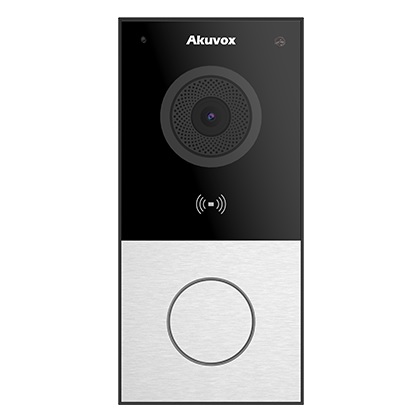
Akuvox IP intercoms
Strong app-first path for homes, gates, offices and modern IP intercom upgrades.
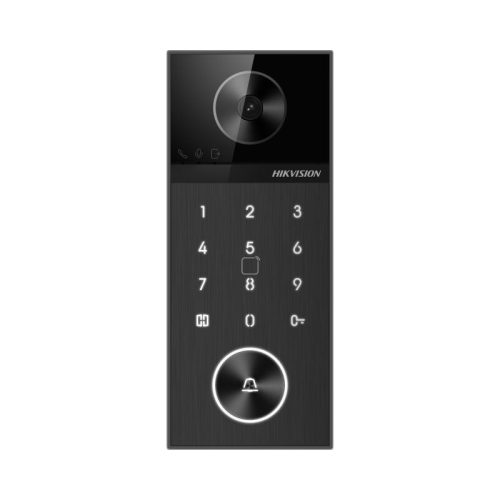
Hikvision intercoms
Good comparison for villa kits, small business entries and buyers already using Hikvision CCTV.
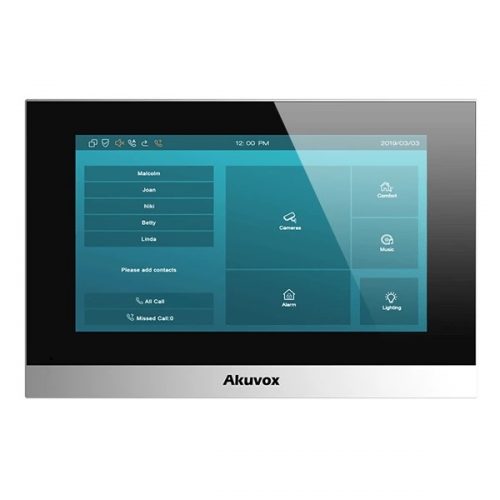
Indoor monitors and app paths
Compare whether the site needs wall monitors, mobile app answering, or both.
Quote-ready checklist
- Confirm whether the site has IP cabling, 2-wire cabling, or old unknown cable.
- Decide who answers calls: phone app, indoor monitor, reception, guard or tenant.
- Confirm door strike, maglock, gate motor or relay requirements before choosing the station.
- Check Wi-Fi, mobile coverage and network access for app-heavy systems.
- Document visitor, delivery and after-hours workflows.
Quote checklist for Video Intercom Buying Guide
Before ordering, ask for a short answer to these questions. They make the quote easier to compare and reduce the chance of buying hardware that does not match the site.
- What exact problem is being solved: intercom planning, deterrence, evidence, access control, safety, compliance or convenience?
- What happens during poor light, bad weather, busy periods, after-hours events or staff changes?
- Who will administer users, review events, export evidence and test the system?
- Which part of the design is allowed to be basic, and which part must be strong because it proves the incident?
If those answers are vague, the buyer should pause before purchasing. Good security equipment becomes much more useful when the operating plan is written down before installation.
Final field note for Video Intercom Buying Guide
For Video Intercom Buying Guide, the final buying decision should be easy to explain to the person who will live with the system. The quote should identify the must-have outcome, the acceptable compromises, and the support path if users, doors, cameras, sensors or site conditions change later.
This is the difference between a list of products and a security design. The products matter, but the design is what makes them useful.
Extra buying notes for Video Intercom Buying Guide
The Video Intercom Buying Guide buying decision should be tested against normal use, after-hours use and failure conditions. If the quote cannot explain those three moments, it needs more design work before the customer commits. This is the kind of detail that helps a buyer compare quotes properly, because it turns the conversation from ?which model is cheapest?? into ?which design will still be useful after installation??
For Video Intercom Buying Guide, the best final check is to ask what would make the system fail in practice. Common answers include poor cabling, weak power planning, missed user permissions, unclear response duties, too little storage, unsuitable mounting positions, or a handover that nobody can follow. A strong quote names those risks and deals with them before hardware is ordered.
For Video Intercom Buying Guide, SecurityWholesalers should help buyers feel more confident, not more overwhelmed. The ideal outcome is a quote that is technically sound, easy to explain, and honest about where a simpler option is enough.