

















Intercom for Offices and Warehouses
Commercial
Common office and warehouse intercom patterns
| Pattern | Usually strongest for | Main design issue |
|---|---|---|
| Front office intercom with one monitor | Reception-led offices and clinics | Who answers when reception is busy or unattended? |
| Front office intercom with app backup | Small businesses without permanent front-desk coverage | Should the site still keep one fixed answer point? |
| Warehouse office plus vehicle gate | Warehouse sites with separate pedestrian and vehicle entry | How many relays or outputs are needed and where do they go? |
| Intercom plus staff credential entry | Sites where known users and visitors share one entry zone | Has the job crossed over into access control? |
What the office or warehouse installation usually involves
| Install item | What is usually checked | Why |
|---|---|---|
| Door hardware | Strike, maglock, gate relay, or existing latch path | Business doors are often the part that complicates the intercom, not the screen |
| Answer point | Reception monitor, manager office, app backup, or all three | The person answering needs a stable place to work from |
| Network path | Cat6, PoE switch, router uplink, warehouse distance | The front office and the outer gate or side entry may be far apart |
| After-hours workflow | Who answers, who unlocks, who gets app alerts | Businesses often need a more deliberate workflow than a family home |
What usually works
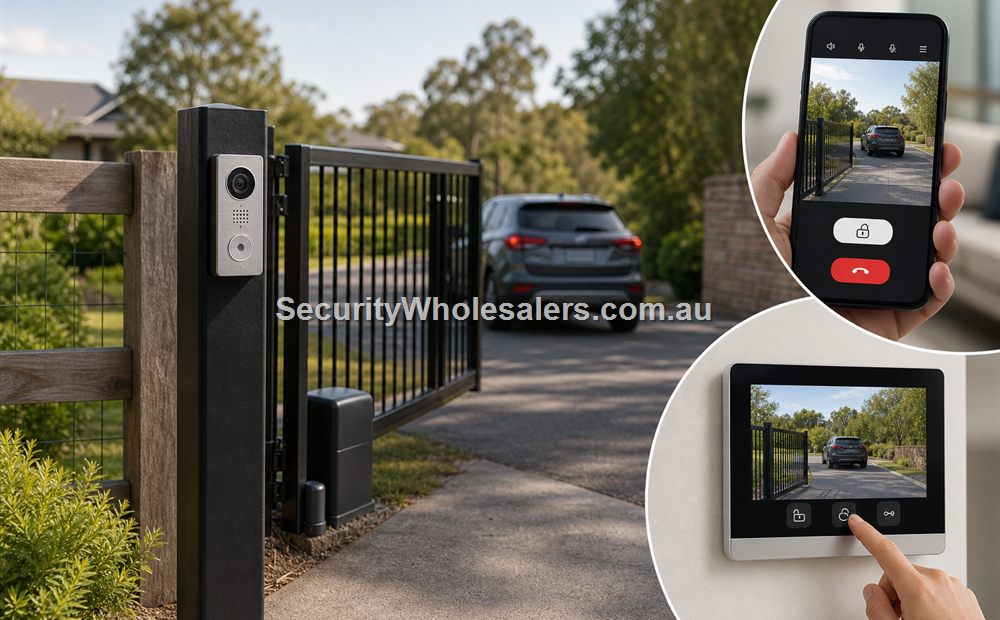
For a basic office door, a straightforward IP intercom with one indoor monitor and app backup is often enough. For a warehouse or trade counter, the intercom may sit on the office door while a second relay or separate system handles a gate, side door, or staff entry. The mistake we often see is trying to make one front-door kit solve every opening on the site without checking how each door actually works.
Worked examples
A freight office with an unattended front counter after 4 pm
Situation: A freight office wants visitors screened after hours, but reception finishes earlier than warehouse operations and the front counter becomes unattended.
Solution used: A monitor-plus-app design with one fixed answer point while reception is staffed, plus mobile answering to the warehouse manager or supervisor after 4 pm.
Why this was chosen: This is usually better than app-only because the office still has a real reception workflow for part of the day. The app is supplementing that workflow, not replacing it entirely.
Installation notes: The key question is who receives the call after reception leaves and whether that person can reliably unlock the door from where they work.
A trade supplier with a side gate and a front office door
Situation: A trade supplier has a front office door for visitors and a side gate used by staff and deliveries.
Solution used: Keep the front office intercom relatively simple, but treat the side gate as a separate relay or access-control conversation rather than assuming one intercom kit will solve both entries cleanly.
Why this was chosen: The front office and the side gate are different workflows. Treating them as one identical intercom job usually causes trouble because the gate often needs different release logic and user permissions.
Installation notes: This is one of the clearest signs the project is crossing into access control as well as intercom.
When intercom becomes access control
Once trusted staff need codes, cards, Bluetooth, or app-based direct entry rather than only visitor calling, the site has crossed into access-control territory. At that point it helps to read the intercom and access-control guide alongside the intercom pages.
Relevant SecurityWholesalers Categories and Products
These categories and products are useful starting points for offices, warehouses, and mixed business sites.
- IP Intercoms - Most office and warehouse intercom jobs start here.
- Hikvision DS-KV6124-WBE1 - Useful when intercom and simple staff credential entry overlap.
- Dahua KTP03W-S2 - Simple office door IP kit reference.
- Akuvox R25A - Compact office or narrow-frame intercom reference.
- Access Control - Useful when the intercom is clearly crossing into staff credential entry.
Sources and Further Reading
Frequently Asked Questions
-
What is the best intercom pattern for a normal office front door?
Usually a simple IP intercom with one indoor answer point and app backup is enough.
-
Should a warehouse use the same intercom for the office door and the gate?
Not always. The gate path often needs different relay logic and may overlap with access control.
-
When should an office intercom include a keypad or card entry method?
That usually makes sense once trusted staff also need direct entry rather than only visitor calling.
-
Is app-only intercom enough for a warehouse office?
Sometimes, but many business sites still work better with one fixed indoor answer point.
-
What is the biggest design mistake on business intercoms?
Trying to make one simple front-door kit solve several different door and gate workflows without checking each opening separately.
Related Pages
Intercom for Electric Gates
Use this page when the visitor point is at a gate, boundary fence, or long driveway instead of a normal front door.
Intercom with Mobile App
Use this page to decide whether app answering is a convenience feature or the main operating model.
Intercom with Door Strike or Maglock Release
Use this page to match the intercom to the actual release hardware, not just the wall station.
Quote checklist for Intercom for Offices and Warehouses
Before ordering, ask for a short answer to these questions. They make the quote easier to compare and reduce the chance of buying hardware that does not match the site.
- What exact problem is being solved: office security, deterrence, evidence, access control, safety, compliance or convenience?
- What happens during poor light, bad weather, busy periods, after-hours events or staff changes?
- Who will administer users, review events, export evidence and test the system?
- Which part of the design is allowed to be basic, and which part must be strong because it proves the incident?
If those answers are vague, the buyer should pause before purchasing. Good security equipment becomes much more useful when the operating plan is written down before installation.
Final field note for Intercom for Offices and Warehouses
For Intercom for Offices and Warehouses, the final buying decision should be easy to explain to the person who will live with the system. The quote should identify the must-have outcome, the acceptable compromises, and the support path if users, doors, cameras, sensors or site conditions change later.
This is the difference between a list of products and a security design. The products matter, but the design is what makes them useful.
Final field note for Intercom for Offices and Warehouses
For Intercom for Offices and Warehouses, the final buying decision should be easy to explain to the person who will live with the system. The quote should identify the must-have outcome, the acceptable compromises, and the support path if users, doors, cameras, sensors or site conditions change later.
This is the difference between a list of products and a security design. The products matter, but the design is what makes them useful.
Final field note for Intercom for Offices and Warehouses
For Intercom for Offices and Warehouses, the final buying decision should be easy to explain to the person who will live with the system. The quote should identify the must-have outcome, the acceptable compromises, and the support path if users, doors, cameras, sensors or site conditions change later.
This is the difference between a list of products and a security design. The products matter, but the design is what makes them useful.
Final field note for Intercom for Offices and Warehouses
For Intercom for Offices and Warehouses, the final buying decision should be easy to explain to the person who will live with the system. The quote should identify the must-have outcome, the acceptable compromises, and the support path if users, doors, cameras, sensors or site conditions change later.
This is the difference between a list of products and a security design. The products matter, but the design is what makes them useful.
Real quote scenario for Intercom for Offices and Warehouses
When quoting Intercom for Offices and Warehouses, the useful starting point is visitor entry workflow. The buyer should be able to confirm cabling, power, call destination, mobile app needs, relay release, gate/door controller and backup process. Without those details, two quotes can look similar while solving very different problems.
For Intercom for Offices and Warehouses, a residential gate, apartment lobby, warehouse reception and old 2-wire retrofit may all need different wiring and release logic. This is why a strong SecurityWholesalers guide should talk about the site, the workflow and the equipment together rather than treating the product category as a simple shopping list.
Budget-conscious path
Use the simplest reliable hardware that solves the main risk. Keep administration simple and avoid specialist features unless they change the outcome.
Balanced path
Add better management, verification or expansion headroom where the site is likely to grow. This is usually the best path for small businesses and shared buildings.
Higher-risk path
Document response, audit trail, permissions and fallback procedures. Higher-risk sites need clearer operating rules, not just stronger hardware.
The final Intercom for Offices and Warehouses quote should make the weak points visible. If cabling, power, monitoring, mobile app access, fire release, user management or future expansion are assumed rather than written down, the buyer is carrying risk that should have been solved during design.
Questions to ask before approving Intercom for Offices and Warehouses
- What does the system need to prove or control on an ordinary day?
- What is different after hours, on weekends, during staff changes or during an emergency?
- Who will administer users, review events, export evidence or test the system?
- What happens if the internet is unavailable, a user loses a credential, a sensor triggers falsely or a door does not release?
- Which part of the system is easy to expand later, and which part would be expensive to change?
These questions are deliberately practical. They help separate a polished product list from a design that will remain useful after installation.
Extra buying notes for Intercom for Offices and Warehouses
Office CCTV should feel proportionate. It needs useful entry and after-hours evidence while respecting staff privacy and avoiding camera positions that create unnecessary workplace friction. This is the kind of detail that helps a buyer compare quotes properly, because it turns the conversation from ?which model is cheapest?? into ?which design will still be useful after installation??
For Intercom for Offices and Warehouses, the best final check is to ask what would make the system fail in practice. Common answers include poor cabling, weak power planning, missed user permissions, unclear response duties, too little storage, unsuitable mounting positions, or a handover that nobody can follow. A strong quote names those risks and deals with them before hardware is ordered.
For Intercom for Offices and Warehouses, SecurityWholesalers should help buyers feel more confident, not more overwhelmed. The ideal outcome is a quote that is technically sound, easy to explain, and honest about where a simpler option is enough.