Recommended buying paths
Small and stable
Choose a 4-channel or 8-channel PoE NVR when the site is genuinely compact and the camera count is unlikely to grow.
Small but likely to expand
Choose 8 channels even if day one is only five or six cameras. This is one of the safest buying decisions in CCTV.
Growing commercial site
Choose 16 channels when the site already has multiple zones or the owner is likely to add external areas later.
Broader multi-zone rollout
Choose the 32-channel branch when the system already needs heavier storage planning, more users, or staged expansion.
Case study
Compact allied-health practice
A six-room allied-health practice with reception, one entry, one rear door, a corridor, and a small car park may look like a four-camera quote at first. In practice it usually becomes a six or seven camera job once the rear exit and parking edge are mapped properly. An 8-channel PoE NVR is the cleaner choice even if day one starts at five cameras.
Case study
Trade warehouse with staged growth
A trade warehouse may open with eight cameras, but roller doors, cage storage, staff parking, and yard edges often push it to 12 or more. A 16-channel path is more realistic than trying to squeeze the project onto an 8-channel recorder and creating a second head-end too early.
Case study
Where the bigger recorder is the cheaper decision
A school or mixed commercial site that already knows a second stage is coming will often spend less by choosing the larger recorder once, rather than forcing an undersized first head-end and revisiting storage, switching, and user workflow later.
Related Uniview guides
Use this next if the recorder choice is clear but the camera family is not.
Use current product examples to turn the NVR decision into a practical shortlist.
Installation, PoE layout, and commissioning often decide whether the NVR choice ages well.
Remote viewing becomes easier once the recorder and user setup are planned properly.
Practical buying scenarios
Small system: choose recorder channels and storage for the finished site, not only the first camera stage. Business system: check user access, playback workflow, export and UPS. Complex system: plan retention, network load, redundancy expectations and who supports the platform after handover.
Quote-ready checks
- What exact incident or workflow is this page trying to solve?
- Which views need identification detail and which only need overview?
- Does the recorder or management platform support the finished camera count?
- What must be tested at handover: live view, playback, alerts, export, users and account ownership?
- Where would this system become the wrong choice and need a different product family?
For How To Choose A Uniview NVR, the strongest Uniview quote should read like a site plan, not a box list. It should explain why each camera or recorder path is being chosen, where the buyer should avoid overbuying, and what happens if the site expands later.
Small, medium and complex examples
| Site size |
Practical direction |
What to avoid |
| Small |
Keep the system simple and solve the main evidence points first. |
Buying specialist features before the basic views are right. |
| Medium |
Plan recorder headroom, remote access and stage-two expansion. |
Filling the recorder or ignoring storage assumptions. |
| Complex |
Document permissions, network design, response workflow and handover. |
Choosing models without a support and review plan. |
This extra planning step is often what separates a useful Uniview system from a quote that only looks good on paper.
Recorder field notes
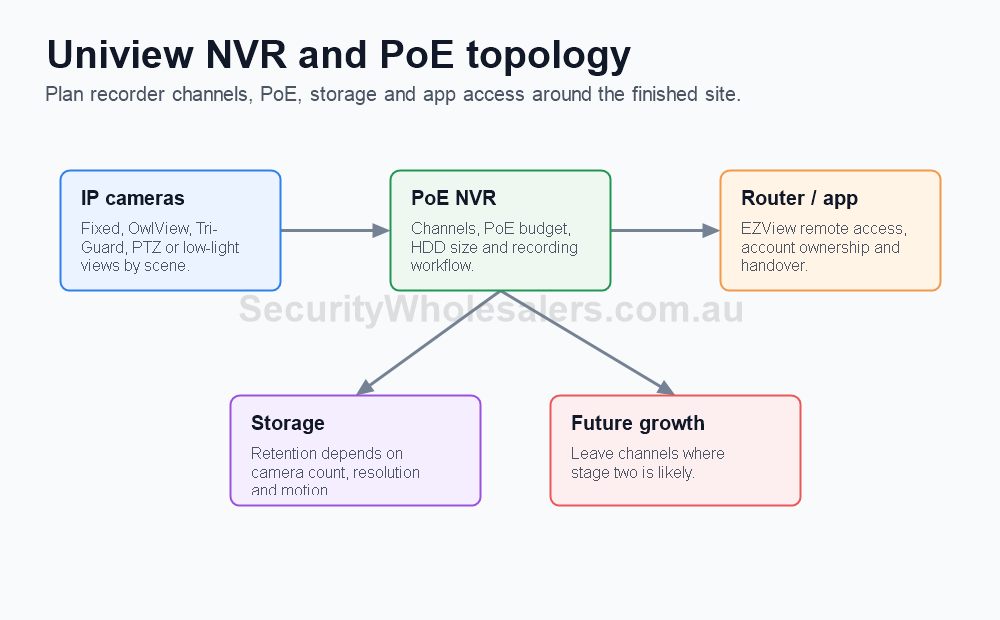
Channel count: choose for the finished system, not only day one. Storage: choose around review window, resolution, motion and number of cameras. PoE: confirm whether camera power, switches and cable paths are clean.
Quote example: a 6-camera small business often belongs on an 8-channel recorder if the site is finished, but a likely stage-two business should be planned around 16 channels early.
Handover: camera names, playback, export, user permissions and remote access matter as much as the recorder model.
Final buyer rule
The final Uniview choice should stay practical after install: useful views, sensible recorder headroom and a handover the buyer can actually follow.
Recorder field notes
Channel count: choose for the finished system, not only day one. Storage: choose around review window, resolution, motion and number of cameras. PoE: confirm whether camera power, switches and cable paths are clean.
Quote example: a 6-camera small business often belongs on an 8-channel recorder if the site is finished, but a likely stage-two business should be planned around 16 channels early.
Handover: camera names, playback, export, user permissions and remote access matter as much as the recorder model.
Final buyer rule
The final Uniview choice should stay practical after install: useful views, sensible recorder headroom and a handover the buyer can actually follow.
Recorder field notes
Channel count: choose for the finished system, not only day one. Storage: choose around review window, resolution, motion and number of cameras. PoE: confirm whether camera power, switches and cable paths are clean.
Quote example: a 6-camera small business often belongs on an 8-channel recorder if the site is finished, but a likely stage-two business should be planned around 16 channels early.
Handover: camera names, playback, export, user permissions and remote access matter as much as the recorder model.
Final buyer rule
The final Uniview choice should stay practical after install: useful views, sensible recorder headroom and a handover the buyer can actually follow.
Frequently Asked Questions
- What is the most common mistake when choosing a Uniview NVR?
The most common mistake is choosing only by current camera count. The better decision also considers storage, PoE layout, future growth, and how often footage will actually be reviewed.
- When is a 4-channel Uniview NVR enough?
A 4-channel Uniview NVR is enough on genuinely small jobs such as compact homes or very small offices where the layout is unlikely to expand.
- When does an 8-channel Uniview NVR make more sense than a 4-channel one?
An 8-channel NVR makes more sense when the site already has more than four meaningful views or modest expansion is likely, which is common on homes, clinics, and small businesses.
- When should buyers step into a 16-channel or larger Uniview recorder?
Step into a 16-channel or larger recorder when the site already has several zones, more demanding retention, more users, or a realistic chance of future growth beyond a compact system.
- What does iQ matter for on Uniview recorders?
The iQ branch matters when the buyer wants a more capable recorder path and a stronger compact-to-mid commercial head-end than the smallest basic NVRs.
How to quote How To Choose A Uniview NVR properly
The practical value of How To Choose A Uniview NVR comes from how well it solves recording design on a real Australian site. A strong recommendation should talk about channel count, HDD days, bitrate, PoE budget, remote access, user permissions and future camera count, because those details decide whether the system is useful after the installer leaves.
Recorder choice should be based on retention and expansion, not just the number of cameras being installed on day one. This is where a good buying guide should help: it should make the trade-offs visible before the customer spends money, not after the first incident exposes a weak view.
Small site
For a small Uniview How To Choose A Uniview NVR project, focus on the few views that would prove the most likely incident. It is better to have fewer well-planned cameras than more cameras that miss faces, plates, doors or night detail.
Medium site
For a medium How To Choose A Uniview NVR site, separate identification views from overview views. Use stronger cameras where people, vehicles or high-value stock must be identified, and use practical overview cameras where the goal is movement context.
Complex site
For a complex How To Choose A Uniview NVR site, plan the recorder, permissions and expansion path before finalising cameras. Larger jobs often fail because the hardware is good but the storage, network or user workflow was never properly designed.
What a 95/100 Uniview quote should include
- A short explanation of what each recommended camera is expected to prove.
- Enough recorder storage and spare channels for realistic future expansion.
- Notes on night performance, glare, weather exposure, mounting height and service access.
- A simple handover plan covering app access, playback, footage export and user permissions.
For How To Choose A Uniview NVR, the best buying decision is the one that still feels obvious six months later. If the buyer can understand why each device was chosen, how footage will be found, and where the system can grow, the quote is far more likely to deliver long-term value.
Final checks before ordering How To Choose A Uniview NVR
Before ordering How To Choose A Uniview NVR, ask the installer or sales team to describe the weakest part of the proposed design. That question is useful because every security system has a trade-off: lens width versus detail, deterrence versus discretion, recorder cost versus retention, or simplicity versus future expansion.
For How To Choose A Uniview NVR, the better Uniview purchase is usually the one with a clear explanation rather than the longest specification sheet. The quote should say which views are for identification, which are for overview, which settings need commissioning, and which parts of the system should be reviewed after the first few weeks of real use.
A final practical check for How To Choose A Uniview NVR is supportability. Choose a system that can be explained to the person who will actually use it: how to open the app, find yesterday's event, export a clip, add a user, and understand when a camera or recorder needs attention. That day-to-day clarity is what separates a decent product list from a genuinely useful Uniview security solution.
How to plan How to Choose a Uniview NVR properly
The practical value of How to Choose a Uniview NVR comes from how well it solves recording design on a real Australian site. Before comparing model numbers, work through channels, hard-drive days, bitrate, PoE budget, user permissions and footage export. Those details decide whether the system is useful in six months or merely impressive on the day it is installed.
Recorder decisions should be based on retention, search speed and expansion rather than channel count alone. A strong quote should explain which parts of the job are essential, which parts are optional, and where spending extra will actually improve evidence, safety, access control or response.
Small site
For How to Choose a Uniview NVR, keep the design focused. Cover the highest-risk entry points or workflows first, choose equipment that is easy to use, and avoid adding features that nobody will maintain after handover.
Medium site
Separate critical views or doors from general coverage. Plan users, permissions, storage, power and network paths before filling every channel or controller output.
Complex site
For How to Choose a Uniview NVR, document zones, responsibilities and expansion. Larger sites need a staged design so the system can grow without replacing the recorder, controller, cabling or user workflow too early.
What a 96/100 recommendation should include
- A plain-English description of the incident, access event or workflow the system must solve.
- Enough headroom for likely expansion, extra users, additional cameras, extra doors or future monitoring.
- Installation notes covering cabling, power, mounting, weather, lighting, service access and handover.
- A clear explanation of what the buyer should not overbuy and what would be a false economy.