Product Overview
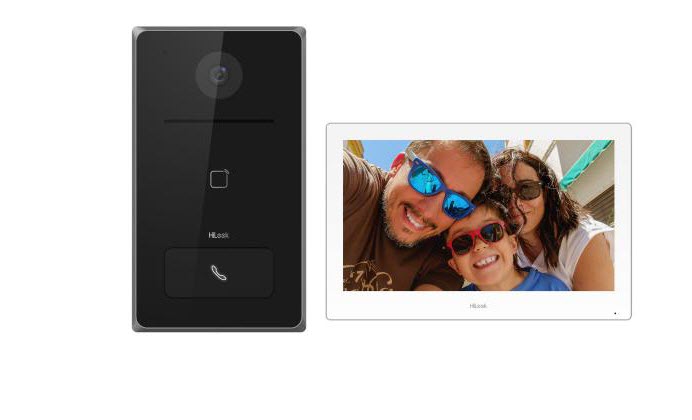
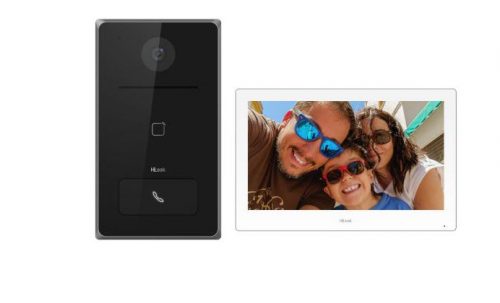
Built for residential front doors and small commercial entries, the HiLook HA-KIT-IP2 is a ready-to-install IP video intercom kit that pairs a PoE-powered door station with a 7-inch indoor monitor in a single bundle. Featuring Power over Ethernet on both devices, the kit simplifies cabling by running power and data through a single Ethernet cable to each unit. Equipped with Hik-Connect app integration, residents or staff can receive calls, view live video, and remotely unlock a connected door lock from a smartphone anywhere with an internet connection. The indoor monitor supports up to 128 GB via TF card for local call snapshot storage, and the door station ships with a rain cover and wall mount bracket for straightforward external installation. An Australian standard power adapter is included for the indoor monitor, covering the essential hardware needed to get a working intercom system up and running.
Key Capabilities
PoE on Both Devices
Both the door station and the indoor monitor are powered over Ethernet, eliminating the need for separate power points at either location. A single Cat5e or Cat6 cable to each device handles both data and power through a PoE switch.
Remote Access via Hik-Connect App
When the PoE switch is connected to a router, the Hik-Connect app allows users to answer door calls, view live video from the door station, and trigger the lock relay from a smartphone. Internet access is required for app functionality.
7-Inch Indoor Monitor with WiFi Support
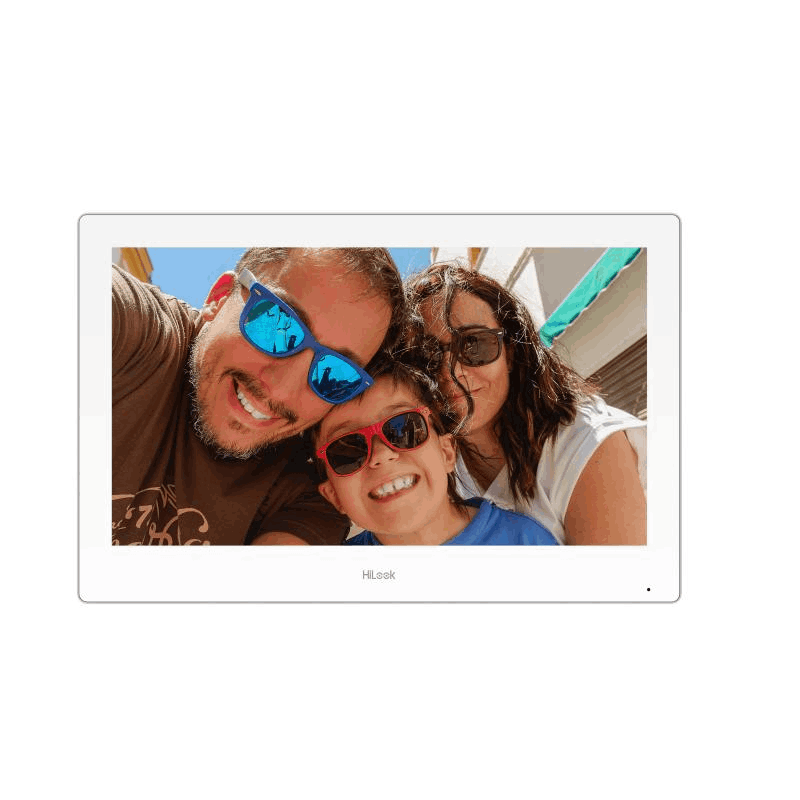
The HA-IN-IP2 indoor monitor features a 7-inch display for clear visitor viewing. WiFi support provides a flexible connection option for the monitor, and TF card compatibility allows local storage of up to 128 GB for call snapshots.
Door Station with Rain Cover Included
The door station ships with a rain cover and wall mount bracket, providing practical weatherproofing for external installation without requiring additional accessories. This reduces the component count needed before installation can begin.
Electric Lock Output
The door station includes a lock output terminal that can be wired to an electric strike or magnetic lock using a separate lock power supply. The unlock duration is configurable through the monitor or app settings, enabling access control alongside the intercom function.
Best For
- Residential Front Door Entry: The single call button and 7-inch monitor make this a practical intercom for homes where one door station covers the main entry point.
- Small Commercial Premises: Offices, consulting rooms, or small retail entries benefit from the Hik-Connect app integration, allowing staff to answer door calls from a smartphone when away from the indoor monitor.
- New Installations with Ethernet Cabling: Sites being cabled from scratch suit this kit well, as the PoE architecture means a single Cat5e or Cat6 run to each device covers both power and data.
- Access-Controlled Entry Points: Where an electric strike or maglock is being added to a door, the door station lock output provides the relay connection without requiring a separate access controller.
Why Choose the HiLook HA-KIT-IP2
The HA-KIT-IP2 brings together a door station, a 7-inch indoor monitor with WiFi support and 128 GB TF card compatibility, a rain cover, wall mount bracket, and an Australian standard power adapter in a single purchase. Compared to sourcing each component separately, the kit reduces compatibility risk and ensures the door station and indoor monitor are firmware-matched out of the box. The Hik-Connect app integration means remote answering and unlock is available immediately once the system is connected to a router, without additional licensing or cloud subscription fees. The PoE architecture on both devices also means clean, single-cable runs rather than running separate power at the door station location. Available through Security Wholesalers, the HA-KIT-IP2 is a straightforward starting point for single-door intercom installations in both residential and light commercial settings.
Package Inclusions
Buyer Decision Tips
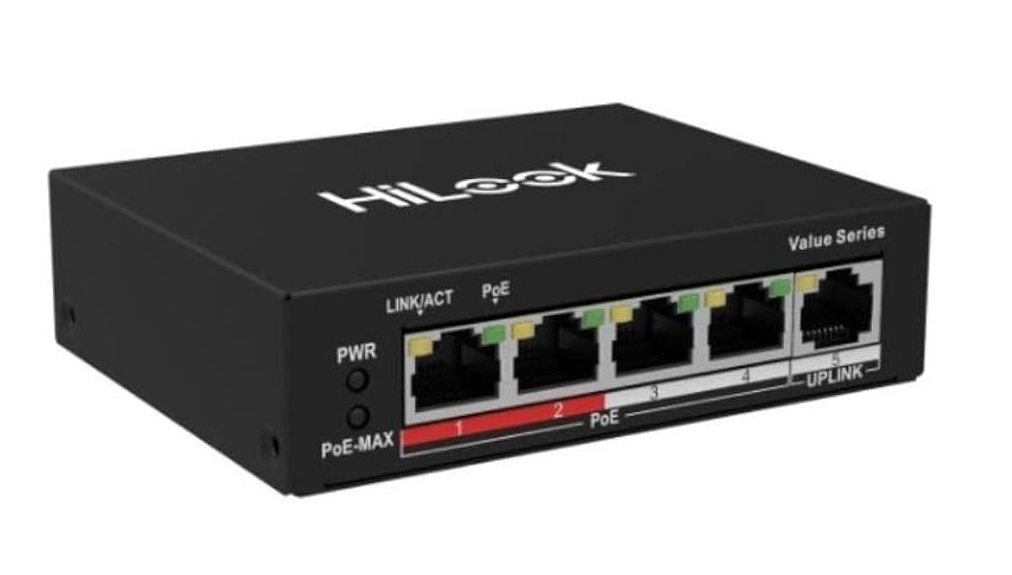
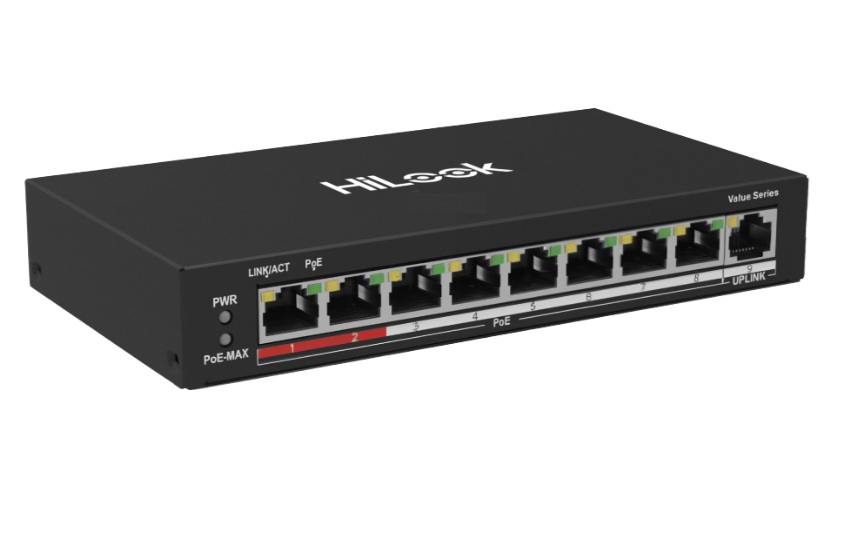
A PoE switch is not included in this kit: Both the door station and the indoor monitor require connection to a PoE switch to receive power and communicate. A minimum 2-port PoE switch is needed for basic local operation, and the switch must also be connected to a router if Hik-Connect remote access is required. Compatible HiLook PoE switches are available separately and should be ordered alongside this kit to avoid installation delays.
Electric lock wiring is a separate task: The door station has a lock output terminal that supports electric strikes and maglocks, but the lock, lock power supply, and any exit button are not included in this kit. Plan the lock wiring and power supply separately before installation. The unlock relay time is configurable in the monitor or app settings once the system is running.
Key Features & Technical Specifications
| Kit Contents |
1 x door station, 1 x HA-IN-IP2 7-inch indoor monitor, 1 x rain cover, 1 x wall mount bracket, 1 x Australian standard power adapter |
| Indoor Monitor Display |
7-inch |
| Indoor Monitor Connectivity |
Wired Ethernet (PoE), WiFi supported |
| Indoor Monitor Local Storage |
TF card slot, supports up to 128 GB |
| Indoor Monitor Power |
PoE (via network cable) or Australian standard power adapter (included) |
| Door Station Power |
Standard PoE (Power over Ethernet) |
| Door Station Call Button |
Single call button |
| Door Station Weatherproofing |
Rain cover included |
| Lock Output |
Yes – door station lock output terminal for electric strike or maglock (lock not included) |
| Remote Access App |
Hik-Connect (iOS and Android) |
| Remote Access Requirement |
PoE switch connected to router/modem |
| Device Discovery Tool |
SADP or HiTools Delivery (Windows PC on same network) |
| Network Configuration |
DHCP or static IP; both devices must be on the same IP subnet |
| PoE Switch Required |
Yes – sold separately (minimum 2-port PoE switch required) |
| Brand / Range |
HiLook by Hikvision |
Ideal Use Cases
Residential Front Entry
The single call button door station and 7-inch indoor monitor suit a standard home front door. The included rain cover handles exposed outdoor installation, and the Hik-Connect app means occupants can see and speak to visitors from anywhere with internet access.
Small Office Reception Entry
A single-door office entry where staff need to screen visitors before granting access benefits from the monitor-to-door-station call flow. The lock output allows a wired electric strike to be released from the indoor monitor or remotely via the app.
Gated Driveway or Side Access
Where a secondary entry point needs a call station with remote unlock capability, the HA-KIT-IP2 provides visitor video and the lock relay output needed for a gate motor or electric strike, managed from the indoor monitor or Hik-Connect app.
Rental Property or Investment Property
Property managers overseeing a rental can use Hik-Connect remote access to monitor entry activity and respond to visitor calls without being on-site. TF card local storage on the indoor monitor retains call snapshot records independently of cloud services.
New Build or Renovation with Structured Cabling
New builds running Cat5e or Cat6 throughout benefit from the PoE architecture of this kit, where a single cable run to both the door station location and the monitor position replaces the need for dedicated power points or additional cabling at either device.
Choosing the Right Model
- Choose this kit if: You need a single-door IP intercom solution with a 7-inch indoor monitor, Hik-Connect remote access, PoE power on both devices, and a door station that can drive an electric lock relay, all in one bundle with mounting hardware included.
- Choose a different solution if: You need to cover multiple apartment units or multiple entry doors from a single system – this kit is designed for a 1-to-1 door station to indoor monitor configuration and does not scale to multi-tenant intercom requirements without additional hardware and planning beyond this kit.
- Check before ordering: A PoE switch is required and sold separately. If the installation site has no network infrastructure, budget for a compatible PoE switch and router connection as part of the overall system cost.
FAQs
- Does the HA-KIT-IP2 include a PoE switch?
No. The kit includes the door station, the 7-inch HA-IN-IP2 indoor monitor, a rain cover, wall mount bracket, and an Australian power adapter for the monitor. A PoE switch must be purchased separately to power both devices and allow them to communicate. Compatible HiLook PoE switches are available through Security Wholesalers and should be ordered alongside this kit.
- Can I answer the door from my phone when I am away from home?
Yes, provided the PoE switch is connected to a router with an active internet connection. The Hik-Connect app on iOS or Android can receive incoming door calls, display live video from the door station, and trigger the lock relay remotely. If the switch is not connected to a router, remote app access will not function, but local monitor-to-door-station operation will still work.
- What cabling is required to install the HA-KIT-IP2?
You need 1 Ethernet cable from the door station to a PoE port on a PoE switch, 1 Ethernet cable from the indoor monitor to a PoE port on the same switch, and 1 Ethernet cable from the switch uplink port to your router if remote Hik-Connect access is required. Both devices run on standard Cat5e or Cat6 cabling.
- Can this kit control an electric door lock or gate?
Yes. The door station includes a lock output terminal that can be wired to an electric strike or magnetic lock using a separate lock power supply. The lock, power supply, and any exit button are not included in this kit and must be purchased separately. The unlock relay duration is adjustable through the indoor monitor or app settings, typically set between 1 and 5 seconds for an electric strike.
- How does the door station get linked to the indoor monitor?
After powering both devices via the PoE switch and ensuring they are on the same IP subnet, navigate to Settings, then Configuration or Advanced Settings, then Device Management on the indoor monitor. Search for nearby devices, select the door station, and add it as the main door station. If the door station is brand new, the monitor may activate it automatically. If it has been previously activated, you will need the existing admin password to link it.
- Does the indoor monitor record footage or calls?
The HA-IN-IP2 indoor monitor supports a TF card of up to 128 GB for local storage of call snapshots. A TF card is not included in the kit and must be supplied separately if local storage is required.
- What should I do if the indoor monitor does not ring when the door station button is pressed?
The most common causes are: the door station and monitor are on different IP subnets; the door station has not been added to the monitor through Device Management; the door station has an unknown admin password preventing pairing; or the PoE switch is not providing power to one of the devices. Use SADP or HiTools Delivery on a Windows PC connected to the same switch to check device IP addresses and activation status if the standard linking process fails.
Cabling Considerations
- Cable Type: Cat5e or Cat6 Ethernet cable recommended for all runs between the door station, indoor monitor, PoE switch, and router.
- Maximum Cable Run: Standard PoE Ethernet maximum of 100 metres per cable segment between device and PoE switch.
- PoE Considerations: A PoE switch is required and sold separately. Both the door station and the indoor monitor must be connected to PoE ports. A minimum 2-port PoE switch is needed for basic operation. Budget for a switch with sufficient PoE wattage to power both devices simultaneously.
- Router Connection: An additional Ethernet cable from the PoE switch uplink port to the router is required only if Hik-Connect remote app access is needed. Local monitor-to-door-station communication works without a router connection.
- Lock Wiring: If wiring an electric lock, run a separate two-core cable from the door station lock output terminals to the lock and to a dedicated lock power supply. Do not attempt to power a door lock through the PoE switch. An exit button, if required, also wires directly to the door station terminals.
Additional Information
Add Options
| Image | Name | Price | Buy | hf:att:pa_ai-technology | hf:att:pa_audio-features | hf:att:pa_camera-count | hf:att:pa_camera-style | hf:att:pa_detection-features | hf:att:pa_deterrence-features | hf:att:pa_environmental-features | hf:att:pa_focal-length | hf:att:pa_hdd-bays | hf:att:pa_hdd-included | hf:att:pa_ik-rating | hf:att:pa_included-storage | hf:att:pa_installation-level | hf:att:pa_ip-rating | hf:att:pa_kit-camera-style | hf:att:pa_lens-type | hf:att:pa_low-light-technology | hf:att:pa_max-recording-resolution | hf:att:pa_mounting-position | hf:att:pa_night-vision-range | hf:att:pa_night-vision-type | hf:att:pa_optical-zoom | hf:att:pa_poe-ports | hf:att:pa_power-connectivity | hf:att:pa_protocol-compatibility | hf:att:pa_recorder-channels | hf:att:pa_remote-viewing | hf:att:pa_resolution | hf:att:pa_specialist-features | hf:att:pa_system-format | hf:att:pa_white-light-range | hf:att:pa_zoom-type |
|---|
| HiLook NS-0105P-35(B) 5-Port PoE Network Switch – 35W Total Budget, Desktop Design | $50.00 inc GST +3 Year Warranty & Support |
| | | | | | | | | | | | | | | | | | | | | | | | | | | | | | | | |
| HiLook NS-0109P-60 8 Port Fast Ethernet Unmanaged POE Switch | $80.00 inc GST +3 Year Warranty & Support |
| | | | | | | | | | | | | | | | | | | | | | | | | | | | | | | | |
| HiLook HA-IN-IP2 | 7″ IP Intercom Indoor Monitor PoE, WiFi Support, 128 GB TF Card | $167.00 $175.00 inc GST +3 Year Warranty & Support |
| | | | | | | | | | | | | | | | | | | | | | | | | | | | | | | | |