

















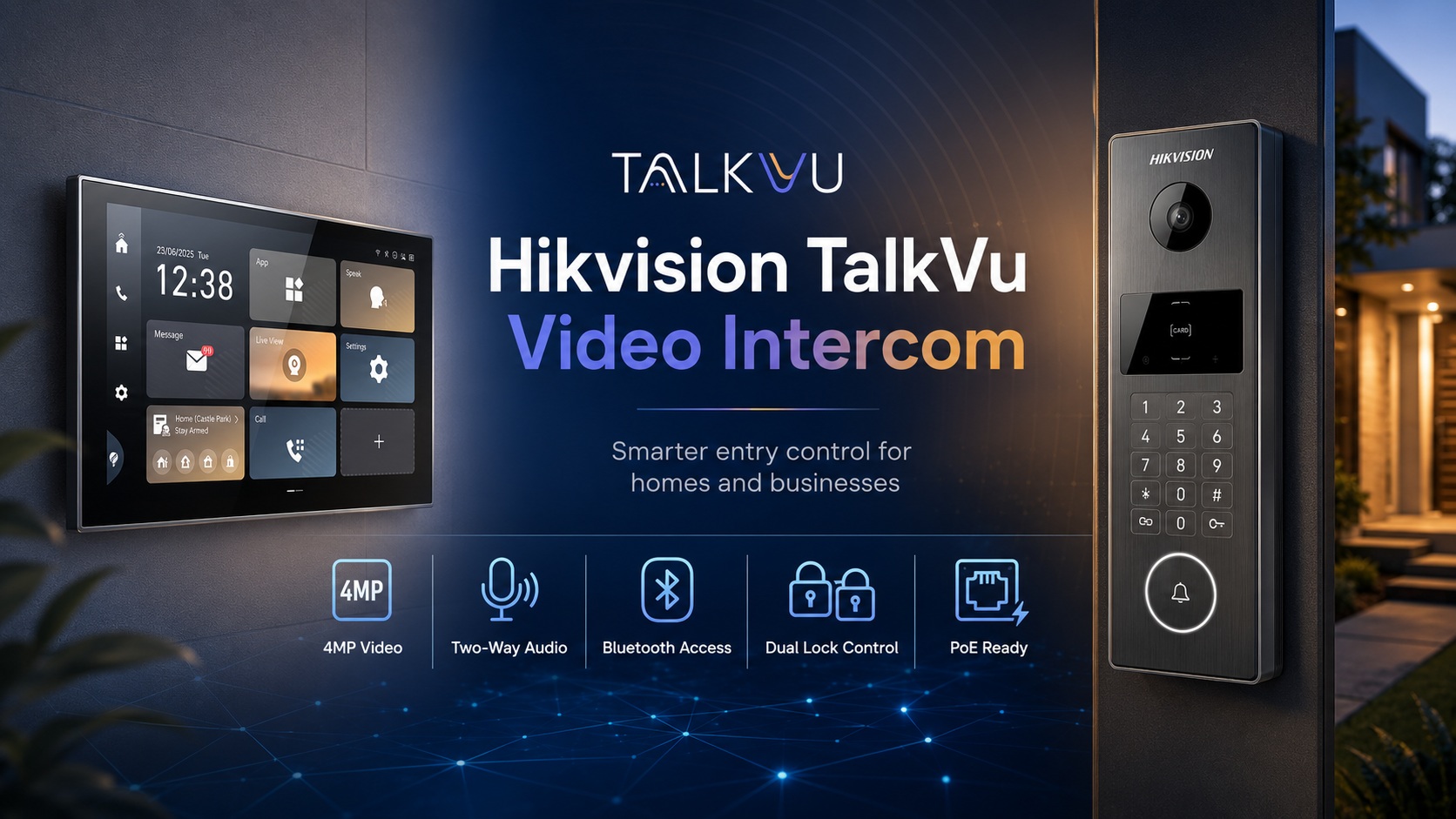
Hikvision Talkvu Video Intercom – kv6114 / kv6124 / kh9570 Review
Hikvision has introduced its new TalkVu video intercom series, bringing together clearer visitor identification, flexible door access, mobile communication and a more modern indoor user experience.
Designed for houses, townhouses, offices, warehouses and other single-entry or dual-entry properties, the latest Hikvision KV6 Series door stations provide a considerable upgrade over a basic doorbell. Instead of merely notifying occupants that somebody is at the entrance, a properly configured TalkVu system lets users see the visitor, hold a two-way conversation, unlock one or two doors, review recorded events and answer calls remotely through Hik-Connect.
For customers building a new property or upgrading an older intercom, a typical system can be created using:
- A Hikvision DS-KV6114-WBE1 door station for card, Bluetooth, indoor monitor and Hik-Connect unlocking
- A Hikvision DS-KV6124-WBE1 door station when an integrated keypad and PIN access are also required
- A Hikvision DS-KH9570-WTE1/S 10.1-inch Android indoor station
- A compatible Hikvision PoE network switch
- A suitable electric strike, maglock or gate-controller interface
- Network cabling and an internet-connected router for mobile access
Hikvision announced the TalkVu series as a new generation of video intercom products intended to improve security, communication and entry management. The KV6 door stations feature 4MP video, a wide viewing angle, two-lock control and multiple unlocking options, while the Ultra Series indoor station adds a large Super HD touchscreen and Android 14 platform.
Recommended Hikvision TalkVu Components
Hikvision DS-KV6114-WBE1 Villa Door Station
View the Hikvision DS-KV6114-WBE1 at Security Wholesalers
The DS-KV6114-WBE1 is the streamlined model for properties that do not need a keypad on the outdoor station.
It combines:
- 4MP visitor video
- Approximately 150-degree horizontal viewing
- Built-in microphone and speaker
- Card access
- Bluetooth unlocking
- Hik-Connect mobile unlocking
- Indoor-station unlocking
- Two independent lock-control relays
- PoE or 12V DC power
- IP65 weather protection
- Wi-Fi connectivity
- Local microSD storage support
- Video recording and playback support
The wide-angle camera is particularly useful at residential entrances where a visitor may be standing close to the door station. It provides a broader view of the doorway than many older intercom cameras, helping occupants see more than just the visitor’s face.
The two relay outputs allow the system to control two separate entry functions. Depending on the property, this could be:
- A pedestrian gate and front door
- A gate latch and driveway gate
- Two doors at a small office
- A door release and a secondary access device
The DS-KV6114-WBE1 supports MIFARE card access, Bluetooth, Hik-Connect and unlocking from a paired indoor station. Unlike the keypad-equipped version, it does not provide direct PIN entry at the outdoor station.
Hikvision DS-KV6124-WBE1 Villa Door Station with Keypad
View the Hikvision DS-KV6124-WBE1 at Security Wholesalers
The DS-KV6124-WBE1 offers the same core TalkVu video and communication functions while adding a physical keypad.
This model is the better option where residents, staff, cleaners, contractors or regular visitors need to enter using a PIN.
Supported unlocking methods include:
- MIFARE access card
- PIN code
- Bluetooth
- Hik-Connect mobile app
- Indoor video station
- Remote operator release
The keypad makes the DS-KV6124-WBE1 particularly suitable for:
- Offices
- Warehouses
- Workshops
- Gated homes
- Holiday properties
- Short-stay accommodation
- Properties with cleaners or maintenance personnel
- Sites where issuing a physical access card is inconvenient
PIN access should be configured carefully. Avoid simple codes such as 1234, property numbers or easily guessed dates. Each person or user group should preferably receive a separate credential so access can be changed without affecting everybody else.
Like the DS-KV6114-WBE1, the keypad model supports 4MP imaging, an approximately 150-degree viewing angle, two lock outputs, standard IEEE 802.3at PoE, video recording and playback through supported Hik-Connect or web functions.
Which Door Station Should You Choose?
| Requirement | DS-KV6114-WBE1 | DS-KV6124-WBE1 |
|---|---|---|
| 4MP video | Yes | Yes |
| Wide-angle entry view | Yes | Yes |
| Two-way audio | Yes | Yes |
| Two-lock control | Yes | Yes |
| Card access | Yes | Yes |
| Bluetooth unlocking | Yes | Yes |
| Hik-Connect unlocking | Yes | Yes |
| Indoor monitor unlocking | Yes | Yes |
| Outdoor PIN keypad | No | Yes |
| Best suited to | Homes and controlled private entrances | Homes, offices and sites needing coded entry |
Choose the DS-KV6114-WBE1 when mobile, card and indoor-monitor access are sufficient.
Choose the DS-KV6124-WBE1 when users must also be able to enter a code directly at the gate or door.
Hikvision DS-KH9570-WTE1/S 10.1-Inch Android Indoor Station
View the Hikvision DS-KH9570-WTE1/S at Security Wholesalers
The DS-KH9570-WTE1/S is a premium indoor station for customers who want a larger, higher-resolution control interface than a conventional 7-inch intercom monitor.
Its major features include:
- 10.1-inch IPS touchscreen
- 1920 × 1200 Super HD display
- Android 14 operating platform
- Four-core processor
- Up to 4GB RAM and 8GB ROM
- Dual microphones
- Dual speakers
- Video intercom call handling
- Live view and visitor verification
- Door and gate release
- Integration with compatible Hikvision devices
- A modern interface suitable for higher-end homes and commercial reception areas
A larger indoor screen is helpful when the monitor is being used not only to answer calls, but also as a central security interface. The high-resolution display makes it easier to identify visitors, view compatible cameras and navigate system controls.
The Android platform also gives the indoor station greater flexibility than a basic proprietary monitor. However, this should not be interpreted as unrestricted access to every Android application. Compatibility, available applications and third-party integrations should be confirmed against the installed firmware and Hikvision’s supported configuration.
Recommended PoE Switch
View the Hikvision DS-3E1105P-EI 4-Port Smart PoE Switch
For a standard single-door residential or small-business system, the Hikvision DS-3E1105P-EI is a practical PoE switch option.
It provides:
- Four 100Mbps PoE ports
- One 100Mbps network uplink
- IEEE 802.3af/at PoE support
- Network topology and health-management functions
- 6kV surge protection on PoE ports
- Fanless metal construction
- Extended transmission support where properly configured
A typical system may use one PoE port for the outdoor door station and one for the indoor station, leaving spare ports for another monitor, compatible camera or future expansion.
The switch should be installed indoors in a dry, ventilated and secure location. It should not be mounted inside an exposed gate post or unsealed outdoor enclosure unless the enclosure is properly rated and designed for electrical and network equipment.
How a Hikvision TalkVu System Works
When a visitor presses the call button:
- The outdoor station captures the visitor’s video and audio.
- The indoor station rings and displays the live image.
- Connected Hik-Connect users can also receive the call remotely, subject to network availability and configuration.
- The occupant speaks to the visitor through the indoor monitor or mobile app.
- The occupant can activate the configured door or gate relay.
- Supported call, image or video events can be stored or reviewed depending on the system configuration and available storage.
- The door station returns to standby after the call ends.
The system remains network-based even when the indoor monitor and door station are connected through the same PoE switch. The router provides local network addressing and, where mobile access is required, internet connectivity to Hik-Connect.
Typical Network Layout
A standard installation can be arranged as follows:
Internet or NBN connection
↓
Router or network gateway
↓
Hikvision DS-3E1105P-EI PoE switch
↓
PoE Port 1: DS-KV6114-WBE1 or DS-KV6124-WBE1 door station
PoE Port 2: DS-KH9570-WTE1/S indoor station
PoE Port 3: Optional second indoor station or compatible IP camera
PoE Port 4: Future expansion
The door station’s relay terminals then connect to the lock power system or gate input.
Importantly, the PoE switch normally powers the intercom devices, but it should not be assumed to power the electric strike or maglock. Door-lock hardware generally requires a separate correctly rated power supply, and magnetic locks may also require backup power, emergency-release equipment and fire-system interfaces.
Planning the Installation
Before running cable or ordering the lock hardware, confirm the following:
1. Entry Type
Determine whether the intercom is controlling:
- A timber front door
- An aluminium commercial door
- A pedestrian gate
- A sliding driveway gate
- A swing gate
- Two separate entry points
The physical entry type affects the required lock, mounting bracket, cable route and weather protection.
2. Lock Type
Common options include:
- Electric strike
- Magnetic lock
- Electric gate latch
- Motorised gate controller input
- Drop bolt
- Existing access-control interface
The door station provides relay control. It is not a universal power supply for every lock.
A dry relay can often be connected to a gate controller’s push-button or open input. For an electric strike or maglock, a separate power supply and correctly designed release circuit will usually be required.
3. Fail-Safe or Fail-Secure Operation
A fail-secure lock normally remains locked if power fails.
A fail-safe lock normally releases if power fails.
Maglocks are generally fail-safe. Electric strikes are available in different configurations. The correct selection depends on the door, egress requirements and applicable building and fire-safety rules.
4. Exit Method
People inside the property must be able to leave safely.
Depending on the installation, this may require:
- A mechanical door handle
- Request-to-exit button
- PIR request-to-exit sensor
- Emergency break-glass release
- Fire-alarm interface
- Gate exit loop or exit button
5. Cable Route
For best reliability, run solid-copper Cat5e or Cat6 cable from the PoE switch to each network device.
Avoid:
- Copper-clad aluminium cable
- Unprotected external joins
- Running data cable beside mains cabling for long distances
- Exceeding Ethernet distance limits
- Installing indoor cable where outdoor UV-rated cable is required
- Terminating network cable inside a wet or unsealed cavity
6. Mounting Height and Camera Angle
The outdoor station should normally be positioned so the camera captures the face of an approaching visitor without pointing excessively toward the sky or ground.
The ideal height depends on:
- Adult and child users
- Accessibility requirements
- Whether the visitor stands on a step
- Gate-post geometry
- Door recesses
- Sun direction
- Existing wall openings
An angled mounting bracket may be useful when the station is installed beside a doorway and must look across the entrance rather than directly outward.
Step-by-Step Hikvision TalkVu Installation Overview
The following is a general installation sequence. Exact terminals, menus and firmware options can vary, so the current Hikvision manuals and datasheets should be followed.
Step 1: Bench-Test the Equipment
Before mounting anything permanently:
- Connect the PoE switch to the router.
- Connect the indoor station and door station to PoE ports.
- Connect a configuration computer to the same network.
- Confirm that both devices power up.
- Confirm that they can be discovered and activated.
- Update firmware using the correct Australian-region files where required.
- Test calling, video and audio before going to site or sealing wall cavities.
Bench testing helps identify addressing, firmware or compatibility issues before installation becomes difficult to access.
Step 2: Activate the Devices
New Hikvision network devices generally require activation by setting an administrator password.
Activation can commonly be performed through compatible Hikvision software, a web interface or the indoor station’s setup process, depending on the model and firmware.
Use a unique, strong password. Do not reuse the property’s Wi-Fi password or leave the default credentials recorded on an exposed label.
Step 3: Assign Network Addresses
Place the door station and indoor station on the same IP network as the router.
For example:
- Router:
192.168.1.1 - Door station:
192.168.1.201 - Indoor station:
192.168.1.202
The exact range must match the customer’s network.
Reserved DHCP addresses or carefully documented static IP addresses can reduce the risk of an address changing later.
Step 4: Configure the Door Station
Set:
- Device name
- Room or station relationship
- Call destination
- Time zone and daylight-saving settings
- Video parameters
- Audio volume
- Unlock duration
- Relay one function
- Relay two function
- Card credentials
- PIN credentials on the DS-KV6124-WBE1
- Bluetooth and mobile-access settings where supported
- Recording and storage options
- Tamper or alarm inputs where applicable
Use the shortest unlock time that still allows practical entry. A door release should not remain active longer than needed.
Step 5: Configure the Indoor Station
Configure the indoor monitor as the correct main indoor station or extension.
Then:
- Link it to the outdoor station.
- Confirm incoming calls.
- Test two-way audio.
- Test live view.
- Label the door and lock controls clearly.
- Set ring volume and do-not-disturb periods if required.
- Configure additional compatible cameras if the project requires them.
- Set network, time and display preferences.
Step 6: Connect Hik-Connect
For remote answering:
- Enable Hik-Connect or platform access on the relevant device.
- Confirm the system has internet access.
- Add the device to the customer’s Hik-Connect account.
- Complete verification.
- Enable call notifications on the customer’s phone.
- Allow the required phone permissions.
- Test using mobile data, not only the local Wi-Fi network.
Testing over mobile data confirms that remote access is functioning outside the property.
Step 7: Wire the Lock Circuit
The relay circuit depends on the lock type.
A simplified arrangement may include:
For an electric strike:
Lock power supply
→ Door-station relay common and normally open or normally closed contact
→ Electric strike
→ Return to power supply
For a gate motor:
Door-station relay common and normally open contact
→ Gate-controller open or push-button input
The door station relay should only switch loads within its supported ratings. Use an additional relay or interface when required.
Step 8: Install Surge and Power Protection
For a more reliable system:
- Connect the network equipment to a UPS.
- Use surge protection where appropriate.
- Protect external cable routes.
- Keep lock power and network power correctly separated.
- Use suitable weatherproof junctions.
- Provide battery backup if the door must continue operating during an outage.
A UPS can keep the router, PoE switch and intercom online during short power failures. Lock backup requirements must be assessed separately.
Step 9: Complete Functional Testing
Test every normal and abnormal operating condition:
- Visitor call
- Indoor answering
- Mobile answering
- Two-way audio
- Lock one release
- Lock two release
- Card entry
- PIN entry where fitted
- Bluetooth entry
- Hik-Connect entry
- Night-time image
- Rain cover or weather sealing
- Internet disconnection
- Power interruption
- Exit button
- Emergency release
- Door closing and relocking
Do not consider the job complete merely because the monitor rings.
Major Benefits of the Hikvision TalkVu Platform
Clearer Visitor Identification
The move to 4MP imaging provides more detail than older low-resolution intercom cameras. This is particularly valuable when distinguishing faces, parcels, uniforms or vehicles near the entrance.
Wide Doorway Coverage
The approximately 150-degree view helps capture visitors standing close to the station and provides better awareness of the surrounding entry area.
Multiple Ways to Unlock
Users are not restricted to a single key or card. Depending on the model and configuration, access can be granted through:
- Indoor monitor
- Hik-Connect
- Bluetooth
- MIFARE card
- PIN code
- Remote operator control
This flexibility is useful for family members, employees, deliveries and temporary visitors.
Dual-Lock Control
Two relays can reduce the need for a separate controller in straightforward applications. A single station may control a gate and door, or two different lock functions.
Remote Visitor Management
Users can answer the intercom while away from the property, speak with visitors and open the configured entrance remotely.
This is helpful for:
- Couriers
- Tradespeople
- Family arrivals
- Staff access
- After-hours visitors
- Property managers
Remote unlocking should only be used after the visitor has been positively identified.
Simplified PoE Cabling
PoE carries network data and device power over one Ethernet cable. This can reduce the number of power supplies installed near each intercom device and create a cleaner installation.
Expandable IP Architecture
Because the system operates over an IP network, it can be expanded more easily than many basic analogue doorbells.
Possible additions include:
- Extra indoor monitors
- Compatible Hikvision cameras
- Additional door stations
- Network recording
- Access credentials
- Larger PoE switches
- UPS-backed network equipment
Can the TalkVu Intercom Display Hikvision CCTV Cameras?
Compatible Hikvision indoor stations can support live viewing from selected Hikvision devices, depending on model, firmware, stream settings and system architecture.
This allows an occupant to check another area before unlocking the door. For example, the screen may show:
- The driveway
- Front gate
- Parcel area
- Side access
- Reception
- Vehicle entrance
Compatibility should be verified before promising that every existing camera will display on the indoor station. High-resolution CCTV streams may need an appropriate sub-stream configuration for smooth viewing.
Can Calls Be Answered Without an Indoor Monitor?
Hik-Connect remote functionality can provide mobile call notification and unlocking, but a dedicated indoor monitor remains highly recommended.
An indoor station provides:
- A fixed call point in the building
- Operation when a resident’s phone is flat or unavailable
- Easier use for children and older occupants
- A larger live image
- More consistent local control
- Better availability for staff or reception areas
A mobile-only design may be suitable in some applications, but it creates greater dependence on phone permissions, internet connectivity and push notifications.
Can the System Work Without Internet?
Local calling between the door station and indoor station can operate over the local network when correctly configured.
However, internet access is required for remote Hik-Connect functions.
If the internet fails:
- Local indoor calls may continue.
- Indoor unlocking may continue.
- Card or PIN access may continue.
- Mobile notifications and remote answering may stop until internet service returns.
A properly designed system should not depend solely on cloud connectivity for essential local entry.
Security Best Practices
To reduce cyber and access risks:
- Use strong, unique administrator passwords.
- Keep firmware current.
- Use Australian-region firmware intended for the exact model.
- Avoid exposing device management ports directly to the internet.
- Use Hik-Connect rather than unnecessary manual port forwarding.
- Secure the customer’s router and Wi-Fi.
- Remove old cards and PINs when staff or occupants leave.
- Review mobile account access periodically.
- Use separate credentials for separate users where possible.
- Document device IP addresses and configuration securely.
- Back up configuration files after commissioning.
- Disable functions that are not required.
Common Installation Mistakes
Powering the Lock Directly from the Wrong Terminals
The door station relay is a control output, not a universal lock power source. An incorrectly powered lock can damage equipment or operate unreliably.
Using the Wrong PoE Standard
Confirm that the PoE switch supports the standard required by each device. The KV6 models support IEEE 802.3at PoE.
Relying Entirely on Wi-Fi
Although selected devices support Wi-Fi, wired Ethernet is generally preferred for permanent intercom installations because it provides more predictable connectivity and can also deliver PoE.
Poor Door-Station Positioning
A camera aimed into direct sun, mounted too low or recessed behind a wall may provide poor visitor images despite having a high-resolution sensor.
Ignoring Egress and Fire Requirements
A door that can be electronically locked must still permit safe and compliant exit. This is especially important with maglocks and commercial doors.
Failing to Test Remote Calls Away from the Site
A phone that rings while connected to the same Wi-Fi network does not prove that remote access works. Always test using mobile data.
No Backup Power
Without a UPS, a brief outage may disable the router, switch, intercom and remote access. Lock behaviour must also be considered separately.
Ideal Applications
The Hikvision TalkVu range is well suited to:
Homes and Villas
See visitors, speak with them, open the front door or gate and answer calls from a phone.
Townhouses and Duplexes
Provide modern video entry while keeping each residence’s access arrangements clearly separated.
Offices
Let reception or authorised staff answer calls and release the entry door from an indoor station or mobile device.
Warehouses and Workshops
Use keypad, card or mobile credentials for staff while providing video communication for couriers and visitors.
Gated Properties
Control a pedestrian gate, vehicle gate or second door from the same station where the site design permits.
Premium Residential Projects
Pair the 4MP door station with the 10.1-inch DS-KH9570-WTE1/S for a more substantial wall-mounted control interface.
Frequently Asked Questions
Does the DS-KV6114-WBE1 have a keypad?
No. It supports card, Bluetooth, Hik-Connect and indoor-station unlocking, but customers who require an outdoor PIN keypad should select the DS-KV6124-WBE1.
Can both models control two locks?
Yes. The KV6114 and KV6124 series support two-lock control, subject to correct wiring and system configuration.
Can I answer the intercom from my mobile phone?
Yes, the system supports Hik-Connect functionality when correctly configured and connected to the internet.
Does the door station need separate power?
It can be powered using compatible PoE or an appropriate 12V DC supply. PoE is normally the cleaner option for a new IP installation.
Can the PoE switch power the electric lock?
Usually not directly. The lock generally requires a separate correctly rated power supply. The door station relay controls the lock circuit or gate input.
Can I add a second indoor monitor?
Yes, subject to system configuration, network capacity and model compatibility.
Does it record visitors?
The door station supports video recording and playback functions, with storage and review options depending on the installed configuration, firmware and available storage. The KV6 product specifications also identify microSD support.
Is professional installation recommended?
Yes, especially where the system controls an electric strike, maglock, commercial door or automatic gate. A security or electrical professional should confirm lock power, egress, fire release, weatherproofing and cable compliance.
Recommended Hikvision TalkVu Package
For a premium single-entry system, Security Wholesalers recommends considering:
- Hikvision DS-KV6114-WBE1 4MP Door Station
Best when a keypad is not required. - Hikvision DS-KV6124-WBE1 4MP Keypad Door Station
Best when PIN access is required. - Hikvision DS-KH9570-WTE1/S 10.1-Inch Android Indoor Station
Premium indoor answering and control interface. - Hikvision DS-3E1105P-EI 4-Port Smart PoE Switch
Compact PoE network switch for smaller intercom installations.
Additional components may include:
- Electric strike or maglock
- Lock power supply
- Exit button
- Emergency break-glass release
- Gate relay interface
- Cat6 cable
- Weatherproof enclosure
- Door-station rain shield
- Angled mounting bracket
- UPS
- Access cards
Final Thoughts
Hikvision TalkVu represents a meaningful step forward from the traditional video doorbell.
The KV6 Series combines 4MP visitor video, wide-angle coverage, two-way communication, two-lock control and multiple access methods in a compact outdoor station. Customers can select the DS-KV6114-WBE1 for streamlined card, Bluetooth and app-based access, or the DS-KV6124-WBE1 when a built-in PIN keypad is required.
When paired with the DS-KH9570-WTE1/S 10.1-inch Android indoor station and a suitable Hikvision PoE switch, the result is a modern IP entry system suited to homes, gated properties, offices and light-commercial sites.
The best outcome depends on more than choosing the screen and door station. Lock selection, safe egress, network design, power protection, mounting position and correct commissioning are equally important.
Security Wholesalers supplies genuine Australian Hikvision intercom products, PoE switches and compatible accessories for projects across Australia.
Need help choosing the correct TalkVu components?
Send Security Wholesalers your entry photos, floor plan, lock type and required access methods. The team can help identify the suitable door station, indoor monitor, PoE switch and accessories for your project.