

















Hanwha WAVE vs Standard NVR Path
VMS
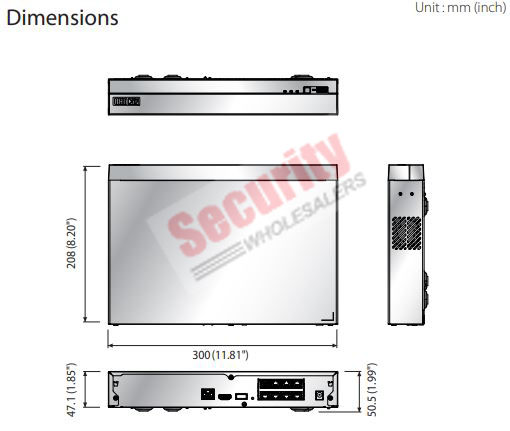
When a standard Hanwha NVR is still the better answer
A standard Hanwha NVR is often still the cleaner answer on homes, small businesses, small offices, and many straightforward commercial jobs where one recorder, tidy local review, and a manageable number of users are enough.
If the project does not need a broader client-server VMS model, it is often better to keep the system simpler and spend the budget on better camera placement, storage, and switching.
When WAVE starts to make more sense
WAVE becomes easier to justify when the site wants broader client access, multi-site management, more deliberate server workflow, better operator layouts, stronger failover logic, or a more premium investigation experience than an ordinary recorder offers.
That can matter in schools, premium commercial CCTV, multi-building offices, and other projects where the system is being treated as an operational platform rather than just a recorder in a cupboard.
What usually works when deciding WAVE versus NVR
| Site condition | Standard NVR usually wins | WAVE usually starts to win |
|---|---|---|
| One site, one or two reviewers, simple playback | Yes | Usually unnecessary |
| Several user roles and more structured operator layouts | Can feel limited | Often yes |
| Multi-site or multi-building growth | Can become awkward | Often stronger |
| Premium commercial investigation workflow | Sometimes enough, often not ideal | Usually worth serious consideration |
Recommended workflow paths
Keep it standard
Use a normal Hanwha NVR when one site, one recorder, and a small group of users are enough. On these jobs, WAVE often adds more complexity than benefit.
Embedded middle path
Look at embedded WAVE when the buyer wants some stronger software workflow without jumping immediately into a bigger server-first design.
Deliberate WAVE platform
Step into WAVE when the site has several user roles, a broader operator workflow, or multi-building and multi-site needs that a plain recorder starts to handle awkwardly.
Best premium fit
WAVE becomes easier to justify on premium commercial, education, and larger multi-user projects where the system is being treated as a platform, not just a box that stores footage.
Implementation insight
[Hanwha IP cameras]
        |
        +--> Cat6 to [PoE switches]

[PoE switches]
        |
        +--> Uplink to [Hanwha NVR] for standard recorder path
        |
        +--> or uplink to [WAVE server / supported NVR with WAVE embedded] for broader VMS workflow

[Operators]
        |
        +--> Wisenet Viewer / mobile app on NVR path
        +--> WAVE clients / sync / broader access workflow on WAVE path
Installation insight
Once WAVE is part of the design, the installation stops being just a recorder deployment. The integrator needs to think about server location, client devices, licensing, user access, remote access, backups, and how the site will actually use the software day to day.
That extra planning is exactly why WAVE can add value on the right sites. It should be chosen because the workflow needs it, not just because the software exists.
Small office where WAVE is overkill
An eight-camera office with one manager who only checks footage occasionally is usually better off as a clean NVR job. WAVE may be technically possible, but it adds planning and complexity that the site may never use.
School or commercial campus where WAVE makes sense
Once several people need different access levels, several buildings are involved, and the system is expected to become an operational platform rather than just a playback box, WAVE starts to make much more sense. That is where Hanwha becomes a stronger ecosystem discussion instead of a simple NVR discussion.
Logistics office where embedded WAVE is the honest middle answer
A logistics office with one yard, one office building, and a small dispatch team may not need a full server-first project, but it may already want a better multi-user experience than a very ordinary NVR. That is where embedded WAVE or a gentle step into the broader software path can be a sensible bridge.
Common WAVE-versus-NVR mistakes
- Choosing WAVE because it sounds more advanced even though the site has a very simple workflow.
- Staying on a basic NVR path even after the project clearly needs broader user and client structure.
- Treating WAVE as a software add-on rather than a genuine architecture decision.
- Ignoring server, client, licensing, and support planning while expecting VMS-level behaviour.
Relevant SecurityWholesalers Categories and Products
These Hanwha recorder and WAVE links are the most useful references because they show the real options buyers can move between.
- Hanwha NVR - The main recorder category if the project is still fundamentally an NVR-led design.
- Hanwha WAVE Licenses - The main WAVE category when the project needs a stronger VMS workflow.
- Hanwha WAVE Embedded NVR Licence - Relevant where supported Hanwha NVR hardware is being extended into embedded WAVE use.
- Hanwha WAVE 8x IP Camera Licence - A practical reference point for broader WAVE licensing on a real project.
Sources and Further Reading
Frequently Asked Questions
-
Does every Hanwha system need WAVE?
No. Many Hanwha systems are better off staying as a clean standard NVR deployment if the workflow is straightforward.
-
When does WAVE make more sense than a standard NVR path?
Usually when the site wants broader user workflow, multi-site access, stronger operator layouts, or a more deliberate VMS platform.
-
Is WAVE only for very large enterprise sites?
No. It can make sense on mid-sized and premium commercial projects too, if the workflow requirements justify it.
-
Can embedded WAVE on a Hanwha NVR be a useful middle path?
Yes. Embedded WAVE can be a practical step where the site wants some WAVE workflow benefits without fully redesigning everything around a separate server-first model.
-
What changes on installation once WAVE is part of the project?
The job needs more planning around server location, client devices, user access, licensing, and remote workflow rather than treating the system as only a recorder in a cabinet.
-
Which related guide helps with the next decision?
Usually the NVR guide or the premium-commercial Hanwha page, depending on whether the next question is recorder design or broader system architecture.
Related Pages
How to Choose a Hanwha NVR
Choose the Hanwha recorder path before locking in cameras or long-term workflow.
Hanwha for Premium Commercial CCTV
Use Hanwha where premium commercial workflow and evidence quality matter more than pure upfront price.
Best Hanwha CCTV System for Schools
Use Hanwha intelligently on school projects instead of treating every campus view the same.
When Hanwha Makes Sense Over Hikvision or Dahua
Use Hanwha when the project genuinely wants a more premium CCTV conversation, not just a different badge.