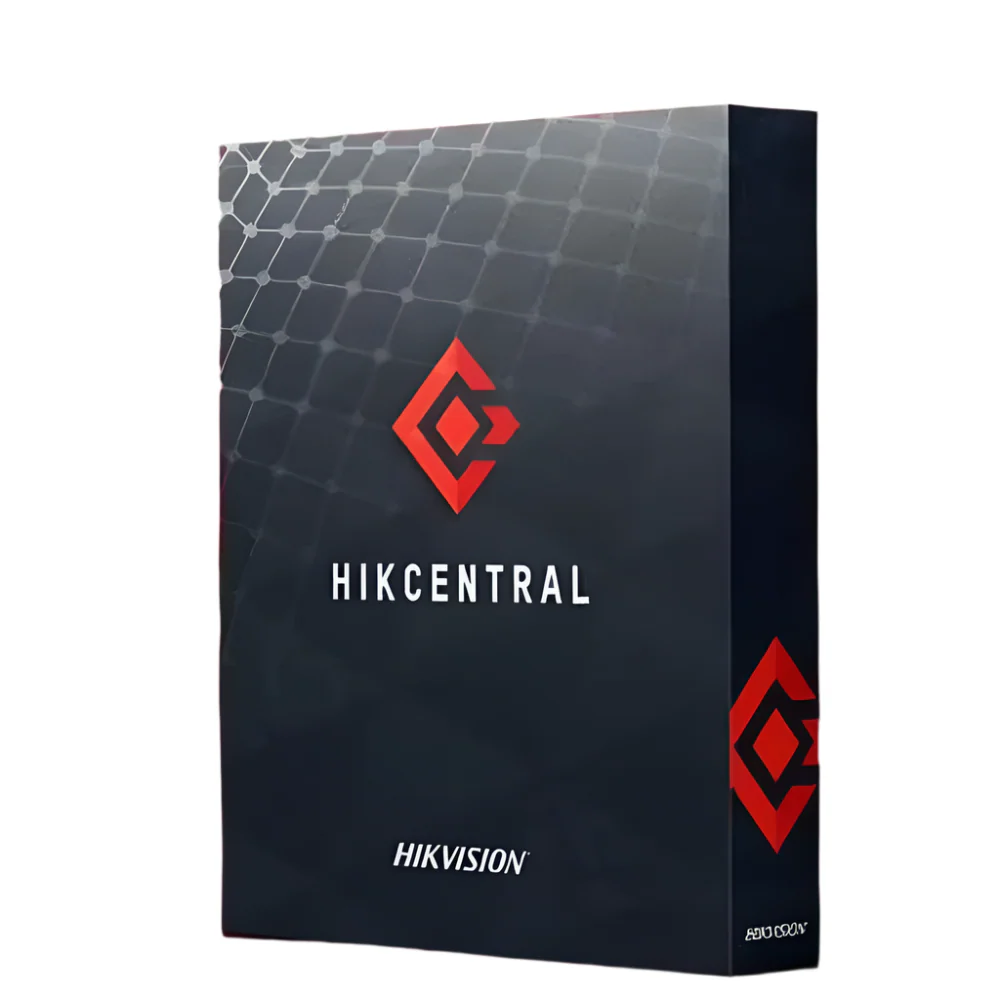
Product Overview
For organisations running HikCentral Professional and needing to extend mobile access across field staff, operators, or remote managers, the HikCentral-P-MS-Base license provides a base entitlement for 10 mobile devices. This license activates mobile connectivity within the HikCentral Professional platform, allowing authorised users to access the system from smartphones or tablets rather than being restricted to fixed workstations. Featuring straightforward licence-based deployment, it slots into an existing HikCentral Professional installation without requiring additional hardware. It integrates directly with the HikCentral Professional licensing framework, making it a practical option for sites where operators need remote visibility or where security management is handled across multiple locations from mobile devices. It is well suited to multi-site commercial operations, enterprise deployments, and organisations scaling up their mobile access capability within the HikCentral Professional environment.
Key Capabilities
Mobile Device Access for 10 Users
This base license covers 10 mobile devices, allowing up to 10 users to connect to HikCentral Professional from smartphones or tablets. This is particularly useful for distributed teams where operators or managers need system access away from a central control room.
HikCentral Professional Integration
Designed specifically for the HikCentral Professional platform, this license integrates within the existing licensing architecture. It does not require a separate standalone system, instead extending the capabilities of an already deployed HikCentral Professional installation.
Scalable Licensing Model
The base license structure means organisations can start with coverage for 10 mobile devices and scale their mobile access entitlements as their operational requirements grow, without overhauling the underlying platform.
No Additional Hardware Required
Because this is a software license, deployment does not require any additional physical hardware. The entitlement is applied to the existing HikCentral Professional server environment, keeping implementation straightforward for IT and security system integrators.
Best For
- Multi-Site Commercial Operations: Organisations managing security across multiple locations can issue mobile access to site managers or supervisors, enabling remote visibility without requiring physical access to a control room.
- Enterprise HikCentral Professional Deployments: Enterprises that have already deployed HikCentral Professional and need to formalise mobile access for field operators or security personnel by adding an appropriately licensed mobile entitlement.
- Growing Teams Requiring Remote Access: Businesses expanding their security operations teams where additional operators need mobile connectivity to the HikCentral Professional platform without additional fixed-station infrastructure.
Why Choose the HikCentral-P-MS-Base
The HikCentral-P-MS-Base license is the correct starting point for any HikCentral Professional deployment where mobile access is required for up to 10 devices. Unlike attempting to extend access without appropriate licensing, this license ensures the deployment remains within Hikvision’s supported and compliant framework. It covers exactly 10 mobile devices within the HikCentral Professional platform, giving organisations a defined and manageable allocation to assign to their teams. Because it requires no additional hardware, the cost of deployment is contained to the license itself, making it a cost-effective way to extend operational reach to mobile users. Available at Security Wholesalers, the HikCentral-P-MS-Base fits within a broader HikCentral Professional licensing strategy for organisations that need a structured, platform-native approach to mobile device management rather than ad hoc workarounds.
Buyer Tip: This license is specifically for the HikCentral Professional platform. Before purchasing, confirm that your current installation is running HikCentral Professional rather than HikCentral Connect or another edition, as licensing is platform-specific. If your deployment requires mobile access for more than 10 devices, confirm whether additional licenses of the same type can be stacked or whether a higher-tier entitlement is required for your organisation’s scale.
Key Features & Technical Specifications
| License SKU |
HikCentral-P-MS-Base |
| License Type |
Base Mobile Service License |
| Mobile Devices Covered |
10 mobile devices |
| Compatible Platform |
HikCentral Professional |
| License Category |
VMS License |
| Brand |
Hikvision |
| Hardware Required |
No additional hardware required |
| Product Series |
HikCentral Professional Licensing |
Ideal Use Cases
Multi-Site Security Management
Organisations with multiple sites can distribute the 10 mobile device entitlements across regional managers or site supervisors, enabling platform access without requiring all users to be physically present at a central monitoring station.
Field Operations Teams
Security operations where field personnel need live access to the HikCentral Professional platform from mobile devices benefit directly from this license, as it provides the formal entitlement for up to 10 simultaneous mobile connections.
Enterprise IT and Security Integration Projects
Large-scale deployments integrating HikCentral Professional into an enterprise environment require proper licensing at every tier. This base mobile license ensures mobile access is compliant and formally provisioned within the platform architecture.
Commercial Premises with Remote Management Requirements
Business owners or facility managers who oversee security remotely and need their HikCentral Professional deployment to formally support mobile connectivity for a defined group of up to 10 users.
Choosing the Right Model
- Choose this license if: Your deployment is running HikCentral Professional and you need to enable mobile device access for up to 10 users within that platform environment.
- Choose a different license if: You are running a different edition of HikCentral rather than HikCentral Professional, as this license is platform-specific and is not interchangeable across different HikCentral product lines. If your mobile device access requirements exceed 10 devices, verify whether a higher-capacity or additional mobile license is available for your scale.
FAQs
- What does the HikCentral-P-MS-Base license actually enable?
This base license enables mobile device access within the HikCentral Professional platform for up to 10 mobile devices. It provides the entitlement needed for smartphones or tablets to connect to a HikCentral Professional deployment, allowing authorised users to access the system remotely from mobile devices.
- Is this license compatible with all versions of HikCentral?
This license is designed specifically for the HikCentral Professional platform. It is not confirmed as compatible with other HikCentral editions. If your installation is not running HikCentral Professional, verify compatibility with your system integrator or Hikvision directly before purchasing.
- Does this license require any new hardware to deploy?
No. The HikCentral-P-MS-Base is a software license only. It is applied to an existing HikCentral Professional server installation and does not require any additional physical hardware to activate or use.
- Can additional mobile device licenses be added if more than 10 devices are needed?
This license covers 10 mobile devices as a base entitlement. If your organisation requires access for more than 10 mobile devices, consult with your integrator or Security Wholesalers to confirm whether additional licenses of this type can be applied or whether a different entitlement is appropriate for your deployment scale.
- Who should be managing the deployment of this license?
The HikCentral-P-MS-Base license is intended for installation and activation by a qualified system integrator or IT professional familiar with the HikCentral Professional platform. It should be applied within the correct licensing management interface of an already operational HikCentral Professional installation.
Additional Information
No additional downloads available for this product.