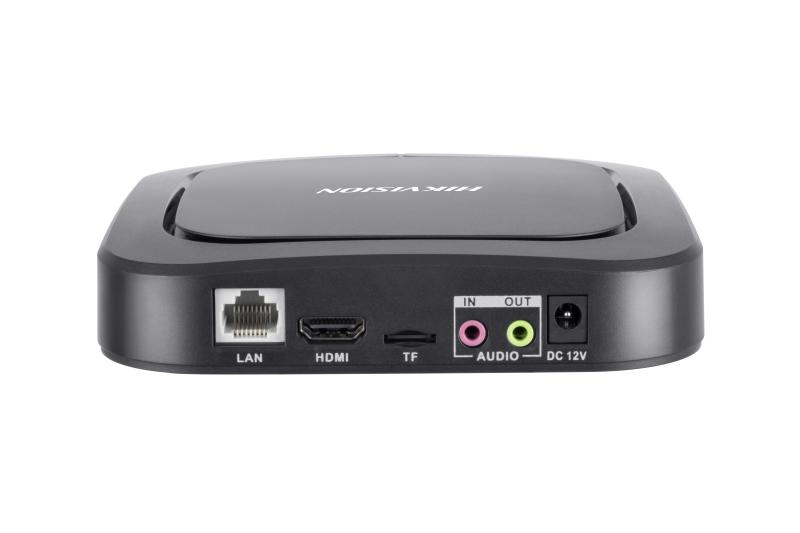
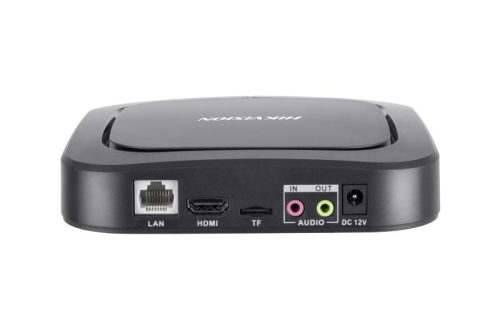
Product Overview
Converting any HDMI-equipped display into a centrally managed signage screen, the Hikvision DS-D60E-B is a compact Android-based signage server built for commercial and enterprise deployments. Installed discreetly behind a monitor or inside an AV cabinet, it eliminates the need for a full PC while delivering 4K HDMI output at 3840 x 2160 at 60Hz. Featuring time, date, and day-of-week content scheduling, the DS-D60E-B allows operators to run different playlists across the day automatically, including automatic startup, shutdown, brightness, and volume adjustments. With both Ethernet and Wi-Fi connectivity, it supports centralised remote management of multiple units from a single platform, with user permission controls and content preview before publishing. Local storage for cached content reduces dependency on live network access. It is well suited to retail, hospitality, corporate, education, and public-space environments where professionally managed signage is required without complex infrastructure.
Key Capabilities
4K HDMI Output
The DS-D60E-B outputs at up to 3840 x 2160 at 60Hz over HDMI, making it compatible with modern 4K commercial displays. This ensures promotional videos, menus, and branded content are rendered at full resolution without any additional hardware.
Advanced Content Scheduling
Content can be scheduled by time, date, or day of the week, with separate playlists for morning, afternoon, evening, and special events. Startup, shutdown, brightness, and volume can all be automated, reducing the need for manual on-site management.
Centralised Multi-Site Management
Multiple DS-D60E-B units across different locations can be managed from a single platform. Operators can upload content, assign playlists, preview before publishing, and apply user permission controls without visiting each site.
Broad Content Format Support
The unit supports images, video, audio files, PDFs, web pages, applications, and streaming media. This flexibility means a single device can handle everything from static promotional slides to live web feeds within the same scheduled playlist.
Secure, Continuous Operation
Encrypted storage, secure data transmission, and multi-level user access control are built in for environments where content integrity matters. The unit is designed for continuous commercial use, making it suitable for locations where screens run unattended around the clock.
Best For
- Retail and Franchise Networks: Centralised remote content management allows marketing teams to update promotions and pricing across multiple store screens without visiting individual sites.
- Hospitality and Food Service: Time-based scheduling enables digital menus, daily specials, and happy-hour content to change automatically throughout the day without staff involvement.
- Corporate and Commercial Buildings: The compact form factor and discreet installation behind displays suits reception areas, boardrooms, and staff communication screens where visible hardware is undesirable.
- Education and Public Spaces: Reliable scheduled playback and remote management reduce the on-site maintenance burden for schools, hospitals, council buildings, and community centres.
Why Choose the DS-D60E-B
The DS-D60E-B stands apart from basic media players by combining 4K output, granular time-based scheduling, and enterprise-grade centralised management into a single compact unit. A standard media player can push content to a screen, but it cannot automatically adjust playlists across the day, enforce user approval workflows before publishing, preview content remotely, or scale across a multi-site deployment from one platform. The built-in encrypted storage and multi-level access control make it appropriate for environments where content security and staff accountability are required. Local content caching means screens continue displaying even if network connectivity is briefly interrupted. For integrators and AV professionals looking for a commercial-grade signage solution that installs cleanly behind any HDMI display, the DS-D60E-B is available at Security Wholesalers as part of the Hikvision Displays range.
Buyer Decision Tips
Single Screen Per Unit: Each DS-D60E-B drives 1 HDMI display. For a deployment covering multiple screens in the same location, such as a restaurant with 3 menu boards or a retail store with a window display and an internal screen, a separate unit is required for each screen. Plan your unit count based on the total number of independent display outputs needed, not the number of locations.
Network Connection for Reliability: While the DS-D60E-B supports both Ethernet and Wi-Fi, wired Ethernet is recommended for commercial deployments where remote management, content updates, and consistent uptime are priorities. Wi-Fi is useful where cabling is not practical, but it introduces additional variables in high-interference environments such as shopping centres or hospitals with dense wireless networks.
Key Features & Technical Specifications
| Model |
Hikvision DS-D60E-B |
| Operating System |
Android |
| Video Output |
HDMI |
| Maximum Output Resolution |
3840 x 2160 at 60Hz (4K UHD) |
| Supported Content Types |
Images, video, audio, PDF, web pages, applications, streaming media |
| Content Scheduling |
Time, date, and day-of-week based scheduling with multiple playlists |
| Automated Controls |
Scheduled startup, shutdown, brightness, and volume adjustment |
| Management |
Centralised remote management of multiple units from a single platform |
| Content Preview |
Remote preview before publishing to screens |
| User Access Control |
Multi-level user permissions and approval workflows |
| Security |
Encrypted storage and secure data transmission |
| Network Connectivity |
Ethernet, Wi-Fi |
| Additional Connectivity |
USB, Bluetooth, wireless remote control |
| Local Storage |
On-board local storage for cached content |
| Displays Per Unit |
1 |
| Form Factor |
Compact, designed for installation behind display or inside cabinet |
| Intended Operation |
Continuous commercial use |
Ideal Use Cases
Retail Stores and Franchise Chains
Centralised remote management allows marketing teams to push updated promotions, pricing, or seasonal content across multiple store screens from one platform, without requiring in-store staff to interact with the hardware.
Restaurants and Cafes
Time-based scheduling enables breakfast, lunch, and dinner menus to switch automatically throughout the day. Daily specials, event announcements, and happy-hour promotions can be pre-loaded and timed to display without manual changes.
Corporate Reception and Boardrooms
The compact form factor installs cleanly behind a display, keeping AV areas tidy. Content such as visitor welcome screens, company announcements, and meeting schedules can be managed remotely by an IT or communications team.
Schools and Education Facilities
Scheduled playback of timetables, notices, and event information can be managed centrally by administration staff. Local content caching means screens continue operating even when network access is temporarily unavailable.
Hospitals, Councils, and Public Buildings
Wayfinding screens, patient information displays, and public notices benefit from automated scheduling and remote content updates. Multi-level access control ensures only authorised staff can modify or publish content to public-facing screens.
Choosing the Right Model
- Choose this model if: You need to convert an existing HDMI display into a managed signage screen with 4K output, time-based scheduling, and the ability to manage content remotely across one or many units without installing a full PC behind each screen.
- Choose a different model if: Your deployment requires driving more than 1 screen from a single device, as the DS-D60E-B outputs to 1 HDMI display per unit. For multi-output signage from a single source, a dedicated multi-display signage server or video wall controller would be more appropriate.
- Choose a different model if: Your signage requirement is limited to simple offline local playback with no remote management, scheduling complexity, or multi-site coordination. A basic media player may be sufficient and more cost-effective for that scenario.
FAQs
- Does the DS-D60E-B connect directly to a TV or commercial monitor?
Yes. The unit connects via HDMI and is compatible with any TV or commercial display that has an HDMI input. It outputs at up to 3840 x 2160 at 60Hz, so displays that support 4K will receive a full-resolution signal. Standard 1080p displays will also work, receiving a signal scaled to their native resolution.
- Can I update and schedule content without going on-site?
Yes. The DS-D60E-B supports remote content management, allowing operators to upload new media, adjust playlists, and modify schedules from a central platform without physical access to the unit. Content can also be previewed remotely before being published to the screen.
- How many screens can one DS-D60E-B drive?
Each unit is designed to drive 1 HDMI display. For deployments requiring multiple independent screens, such as a restaurant with 3 menu boards or a retail store with separate internal and window displays, a separate DS-D60E-B is required for each screen.
- What happens to the screen if the network connection drops?
The DS-D60E-B includes local on-board storage for cached content. This means previously downloaded playlists and media continue to play even if the network connection is temporarily unavailable, which is particularly useful in locations with intermittent connectivity.
- Is the DS-D60E-B suitable for running 24 hours a day?
Yes. The unit is designed for continuous commercial operation. It also supports scheduled automatic startup and shutdown, so operators can program the display to turn on and off at set times daily without relying on manual intervention or staff being on-site.
- How does the user permission system work for managing content?
The DS-D60E-B supports multi-level user access control, meaning different team members can be assigned different levels of access. For example, a content creator may be able to upload and schedule media but not publish it without approval from a manager. This prevents accidental or unauthorised changes from going live on public-facing screens. The DS-D60E-B is available through Security Wholesalers for professional integrators and AV installers.
- What content formats does the DS-D60E-B support?
The unit supports a broad range of formats including images, video files, audio, PDFs, web pages, Android applications, and streaming media. This makes it practical for environments where signage needs to display a mix of static promotional images, video loops, live web-based feeds, or dynamically generated content within a single managed playlist.
Additional Information
No additional downloads available for this product.