Product SKU: HV-QNF-8010
Product Overview
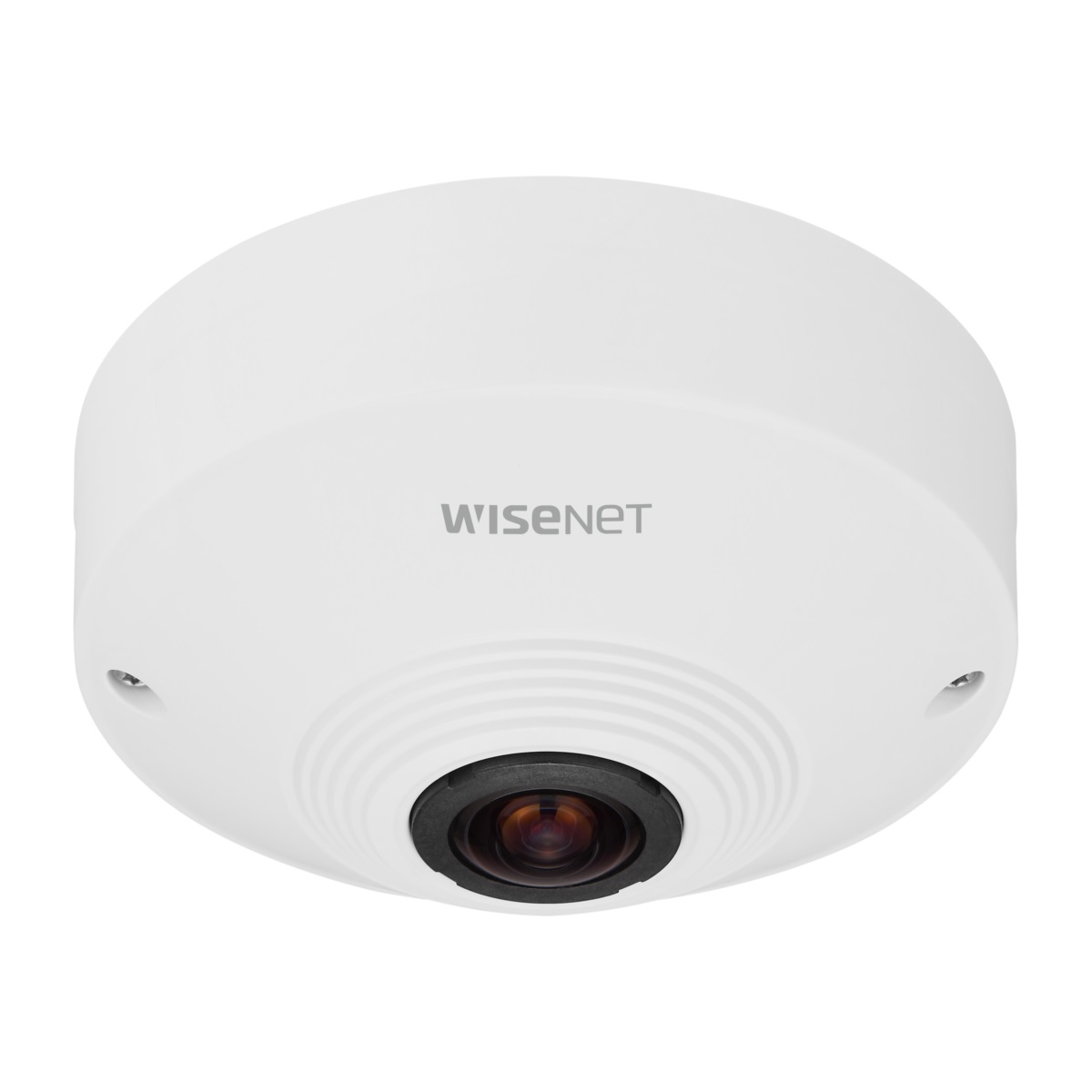
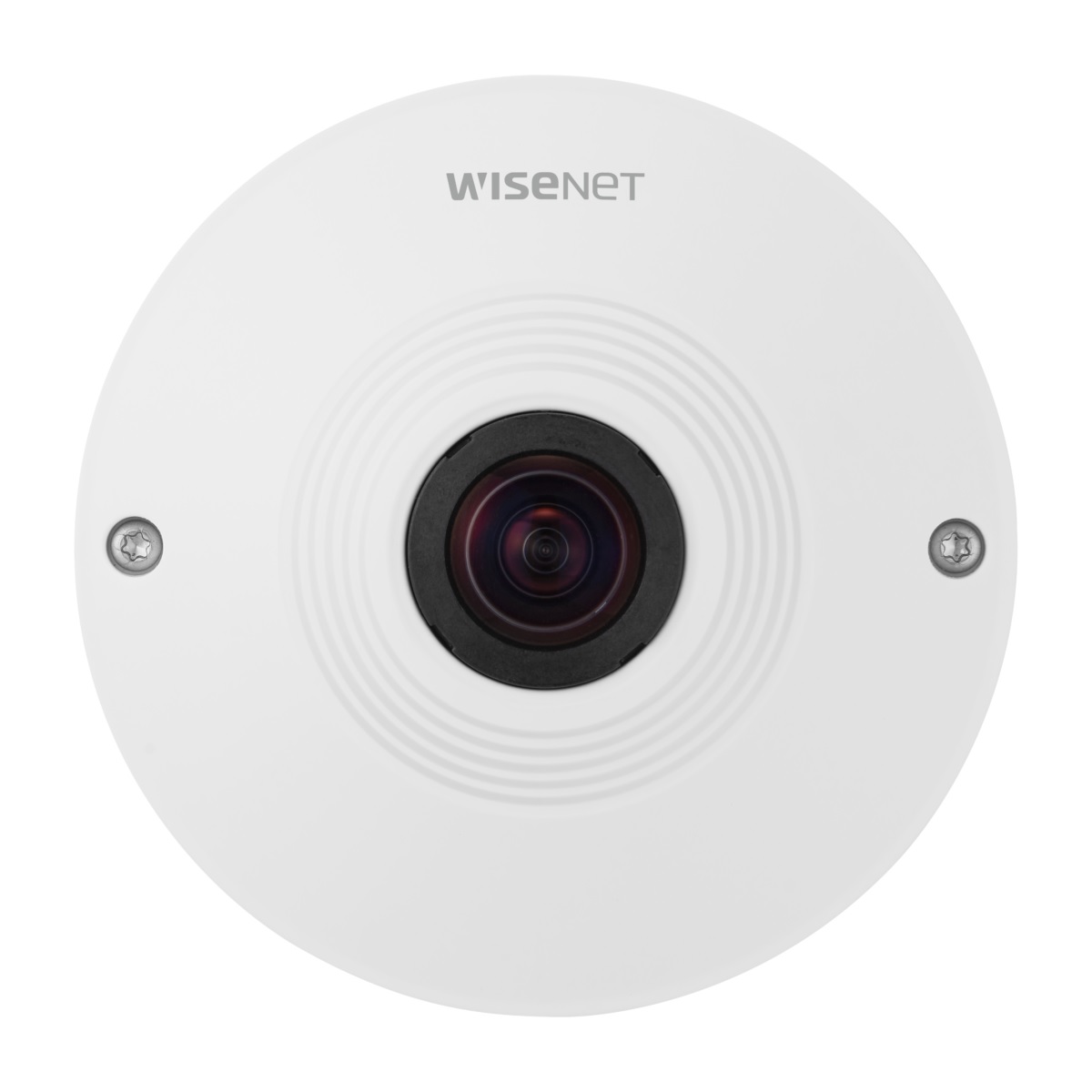
Wide-area monitoring across a large open indoor space is one of the most challenging problems in CCTV design, and the Hanwha Vision HV-QNF-8010 addresses it with a single ceiling-mounted fisheye camera that delivers a full 360-degree view from one fixed position. Equipped with a 6 MP sensor producing 2048 x 2048 resolution output at up to 30fps, this Q Series camera captures an entire room without the gaps or overlapping blind spots that come from trying to stitch together multiple fixed-lens cameras. The 1.14mm fisheye lens provides a 187 x 187-degree field of view, while onboard dewarping delivers single panorama, double panorama, quad view, and original fisheye modes directly from the camera. Built-in business intelligence analytics, including people counting and heatmap, add operational value beyond basic surveillance. Powered by PoE and rated IP42 for indoor installation, the HV-QNF-8010 is suited to retail floors, reception areas, open-plan offices, cafeterias, and any indoor environment where total spatial awareness from a single camera position is a priority.
Key Capabilities
360-Degree Fisheye Coverage
The 1.14mm fisheye lens captures a 187 x 187-degree field of view from a single ceiling mount, eliminating the dead zones that occur when multiple fixed cameras are used to cover the same open floor area. One camera position covers an entire room.
Onboard Dewarping View Modes
Dewarping is handled directly on the camera without requiring a separate server or VMS plugin. Operators can choose between original fisheye, single panorama, double panorama, and quad view modes depending on how they need to monitor or review the space.
6 MP Sensor with 2048 x 2048 Resolution
The 6 MP sensor outputs at 2048 x 2048 resolution, providing enough pixel density for dewarped regions to retain usable detail. This matters when zooming into a specific area of the floor plan during playback or live monitoring.
People Counting and Heatmap Analytics
Built-in business intelligence tools include people counting and heatmap generation, enabling retail and facilities managers to analyse foot traffic patterns, identify busy zones, and make layout or staffing decisions based on actual movement data.
WDR 120dB and WiseStream II Compression
120dB wide dynamic range handles mixed lighting environments where windows, overhead lights, and shadowed floor areas appear in the same frame. WiseStream II reduces bandwidth and storage consumption without sacrificing image quality in the recorded stream.
Lens Rotation and Analog Output for Easy Setup
The lens rotation feature allows the installer to align the camera’s orientation before locking it in place, while the analog video output lets them check the frame during installation without needing a networked device. This simplifies ceiling-mount positioning on site.
Best For
- Retail Floor Coverage: The 360-degree fisheye lens and onboard heatmap analytics make this camera useful in retail environments where managers want both security coverage and foot traffic data from a single ceiling-mounted unit.
- Open-Plan Offices and Reception Areas: Covering a large open indoor space with a single camera reduces cabling complexity and equipment costs compared to installing several fixed cameras to achieve the same spatial coverage.
- Cafeterias, Lobbies, and Common Areas: Spaces where people congregate from multiple directions benefit from the full 360-degree view, as no corner or approach angle falls outside the field of view.
- Sites Where Analytics Are Required: The built-in people counting and heatmap functions provide value to site operators who need occupancy data or movement analysis without deploying a separate analytics appliance.
Why Choose the HV-QNF-8010
The HV-QNF-8010 stands apart from standard fixed-lens indoor cameras because it replaces multiple camera positions with a single ceiling mount that covers an entire room without directional gaps. The 6 MP sensor at 2048 x 2048 resolution ensures that dewarped sub-regions retain enough detail for identification and review, which is a critical limitation of lower-resolution fisheye alternatives. Onboard dewarping means the camera handles view mode switching internally rather than depending on a compatible VMS or server-side plugin, reducing software dependency and integration complexity. The inclusion of people counting and heatmap analytics adds operational intelligence that a basic fixed camera cannot provide. For any installation where reducing camera count while maintaining complete spatial coverage is the goal, the HV-QNF-8010 delivers that capability in a compact ceiling-mount form. Security Wholesalers supplies this model as part of the Hanwha Vision Q Series lineup, backed by local stock and technical support.
Buyer Decision Tips
Dewarping and VMS Compatibility: While the HV-QNF-8010 performs onboard dewarping and streams dewarped views directly, confirm that your VMS or NVR supports Hanwha ONVIF or native Wisenet integration before purchasing. Some recording platforms display the raw fisheye circle and require a software plugin to apply dewarping modes on the client side. If you need full dewarping flexibility in your recording platform, check VMS compatibility with the Q Series before installation.
Mounting Height and Scene Scale: Fisheye cameras perform best when mounted at ceiling heights between 2.5 and 4 metres in standard commercial rooms. At greater heights, the fisheye distortion becomes more pronounced in dewarped views, and fine facial or number-plate detail becomes harder to extract. For very high ceilings or rooms larger than approximately 10 x 10 metres, consider supplementing this camera with fixed-lens cameras covering key approach points rather than relying on the fisheye alone.
Key Features & Technical Specifications
| Model |
HV-QNF-8010 |
| Image Sensor |
6 MP |
| Resolution Output |
2048 x 2048 |
| Frame Rate |
Max 30fps @ 4MP |
| Lens |
1.14mm fisheye (187° x 187°) |
| View Modes |
Original fisheye, Single panorama, Double panorama, Quad view |
| Digital PTZ |
Yes |
| Video Codec |
H.265, H.264, MJPEG |
| Compression Technology |
WiseStream II |
| Wide Dynamic Range |
120dB |
| Analytics |
People counting, Heatmap |
| Event Detection |
Defocus detection, Tampering detection, Motion detection |
| Local Storage |
Micro SD/SDHC/SDXC, 1 slot, up to 256GB |
| Power |
PoE (Power over Ethernet) |
| IP Rating |
IP42 |
| Installation Feature |
Lens rotation, Analog video output for on-site adjustment |
| Camera Body Colour |
White |
| Camera Series |
Hanwha Vision Q Series |
Ideal Use Cases
Retail Stores and Showrooms
A single ceiling-mounted HV-QNF-8010 covers an entire retail floor with 360-degree fisheye coverage, while the heatmap and people counting analytics give managers real-time and historical data on shopper movement and high-traffic zones.
Reception and Building Lobby Areas
Lobby environments with multiple entry points benefit from the 360-degree field of view, which captures all approach angles simultaneously. The 120dB WDR handles the contrast between bright entrance doors and dimmer interior zones in the same frame.
Open-Plan Offices
In open-plan workspaces, the HV-QNF-8010 reduces the number of ceiling drops and network runs needed compared to using several fixed-lens cameras. The quad view dewarping mode allows a single display to show 4 dewarped regions from one camera.
Cafeterias and Dining Areas
Seating areas where staff and customers move in all directions are well suited to a ceiling-mounted fisheye. The full 360-degree view means no table arrangement or aisle layout falls outside the monitored area from a single centrally positioned unit.
Schools, Libraries, and Common Rooms
Shared indoor spaces in educational environments benefit from the camera’s coverage efficiency. The onboard SD card slot supports up to 256GB of local storage, providing a fallback recording option if network connectivity to a central recorder is disrupted.
Choosing the Right Model
- Choose this model if: You need to cover a large open indoor space from a single ceiling position, require onboard dewarping across multiple view modes without relying on VMS plugins, or want built-in people counting and heatmap analytics alongside full 360-degree surveillance in one compact unit.
- Choose a different model if: Your installation is outdoors or in a wet area, as the IP42 rating is suitable for indoor use only and cannot handle water exposure. If you need optical zoom capability or the ability to reposition the lens remotely after installation, a motorised varifocal or PTZ camera would be more appropriate for that scenario.
- Choose a different model if: You require night-time IR illumination, as the HV-QNF-8010 does not include built-in IR LEDs and depends on ambient light for low-light performance. In spaces that are fully dark at night, a camera with built-in IR or supplementary lighting would be necessary.
FAQs
- Does the HV-QNF-8010 perform dewarping on the camera itself, or does my VMS need to handle it?
Dewarping is performed onboard the camera. It streams dewarped views including single panorama, double panorama, quad view, and original fisheye directly over the network. This means you do not need a VMS plugin or server-side processing to see dewarped images, though your recording platform should support Hanwha ONVIF or native Wisenet integration for full functionality.
- What ceiling height is recommended for the best coverage from this fisheye camera?
For most commercial indoor spaces, a mounting height of 2.5 to 4 metres produces the best balance between wide-area coverage and usable image detail in dewarped regions. At lower heights the camera captures finer detail but a smaller floor footprint; at greater heights the floor area covered increases but dewarped detail per region decreases. Very high ceilings above 5 metres may reduce the practical identification capability of the 6 MP sensor.
- How does the quad view mode work on the HV-QNF-8010?
In quad view mode, the camera divides the full 360-degree fisheye image into 4 separate dewarped rectangular regions, each showing a distinct quadrant of the surrounding space. These 4 regions are streamed simultaneously, allowing an operator to monitor north, south, east, and west sections of the room in separate display tiles from a single camera feed.
- Can the people counting and heatmap analytics be used without a separate analytics server?
Yes. The people counting and heatmap analytics are built into the HV-QNF-8010 and run directly on the camera without requiring an external analytics appliance or server licence. Analytics data and heatmap visualisations are accessible through the camera’s web interface or compatible Hanwha management software.
- Is this camera suitable for outdoor use?
No. The HV-QNF-8010 carries an IP42 rating, which provides protection against solid objects larger than 1mm and dripping water falling vertically. It is designed for indoor ceiling installation only. It should not be mounted in outdoor environments, covered car parks with rain ingress, or any area where water splash or weather exposure is possible.
- What does the lens rotation feature do during installation?
The lens rotation feature allows the installer to physically rotate the lens module before securing the camera, so the panorama orientation aligns correctly with the room layout. The analog video output lets the installer view the camera image on a standard monitor or handheld device during setup, confirming correct positioning before the camera is connected to the IP network.
- How much local storage can the HV-QNF-8010 support, and is it suitable as a standalone recorder?
The camera supports Micro SD, SDHC, and SDXC cards up to 256GB in its single onboard slot. This allows continuous or event-triggered local recording as a fallback if network connectivity to an NVR is lost. For continuous high-resolution recording across extended retention periods, a dedicated NVR is recommended as the primary storage solution, with the SD card serving as edge backup. The HV-QNF-8010 is available through Security Wholesalers alongside compatible Hanwha NVRs for full system builds.
Additional Information
Installation and Maintenance
The Hanwha Vision HV-QNF-8010 is a high-resolution fisheye camera designed for indoor surveillance with a 360° panoramic view. This guide will cover the installation and maintenance procedures for the camera.
Installation
Materials Needed:
- HV-QNF-8010 Camera
- Mounting hardware (screws, anchors)
- Drill and drill bits
- Screwdriver
- Network cable (CAT5e or higher)
- PoE switch or injector
- Laptop/PC for configuration
- Camera management software (provided by Hanwha)
Step-by-Step Installation:
- Preparation:
- Unbox the camera and ensure all components are present.
- Plan the installation location, ensuring it covers the desired area with no obstructions.
- Check for network connectivity at the installation site.
- Mounting the Camera:
- Mark the mounting points on the ceiling or wall using the camera’s mounting template.
- Drill holes at the marked points and insert anchors if necessary.
- Secure the mounting bracket to the ceiling or wall using screws.
- Connecting the Camera:
- Connect the network cable to the camera’s Ethernet port.
- Connect the other end of the network cable to a PoE switch or injector to power the camera.
- Ensure the camera is powered on (LED indicators should light up).
- Configuring the Camera:
- Connect your laptop/PC to the same network as the camera.
- Install the camera management software provided by Hanwha.
- Use the software to discover the camera on the network.
- Assign an IP address to the camera that matches your network configuration.
- Access the camera’s web interface using the assigned IP address to complete the setup.
- Adjusting Camera Settings:
- Use the web interface to adjust the camera’s settings such as resolution, frame rate, and recording options.
- Configure motion detection, privacy masks, and other features as needed.
Maintenance
Routine Maintenance:
- Regular Cleaning:
- Clean the camera lens and housing periodically using a soft cloth and a mild lens cleaner to ensure clear image quality.
- Avoid using harsh chemicals or abrasive materials.
- Firmware Updates:
- Check for firmware updates on the Hanwha Vision website regularly.
- Follow the instructions provided to update the camera firmware to the latest version for improved performance and security.
- Inspection:
- Inspect the mounting hardware periodically to ensure the camera remains securely attached.
- Check the network and power connections to ensure they are intact and functioning.
- Software Maintenance:
- Regularly update the camera management software on your PC/laptop.
- Backup the camera’s configuration settings periodically.
Troubleshooting Common Issues:
- No Video Feed:
- Check if the camera is receiving power (PoE switch/injector).
- Ensure the network cable is securely connected.
- Verify the camera’s IP address and network settings.
- Blurry Image:
- Clean the lens.
- Check and adjust the focus settings through the camera’s web interface if necessary.
- Camera Not Detected:
- Ensure the camera and the PC/laptop are on the same network.
- Reboot the camera and the network switch if needed.
- Check for IP address conflicts on the network.
- Firmware Update Failure:
- Ensure the firmware file is not corrupted and is the correct version for your camera model.
- Follow the update instructions carefully, and do not power off the camera during the update process.
By following these installation and maintenance guidelines, you can ensure the optimal performance and longevity of your Hanwha Vision HV-QNF-8010 camera. For further assistance, refer to the user manual provided.