Product SKU: CT-SCV-6023RP
Product Overview
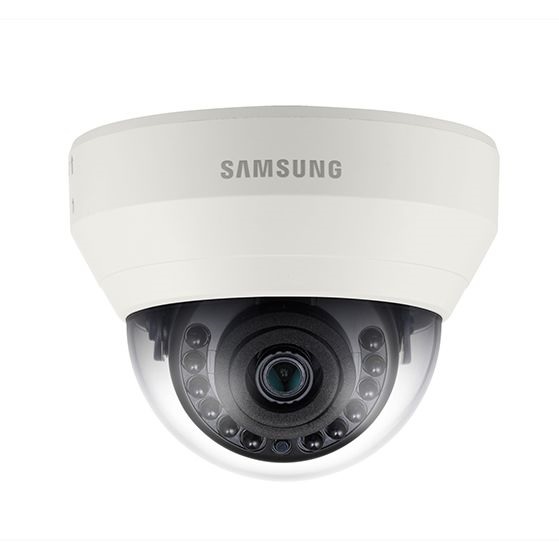
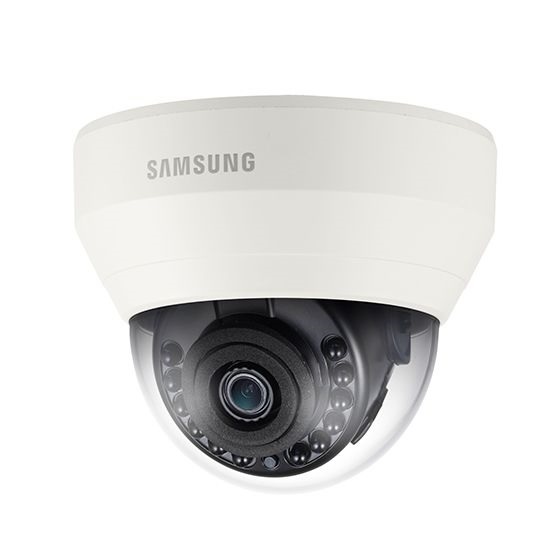
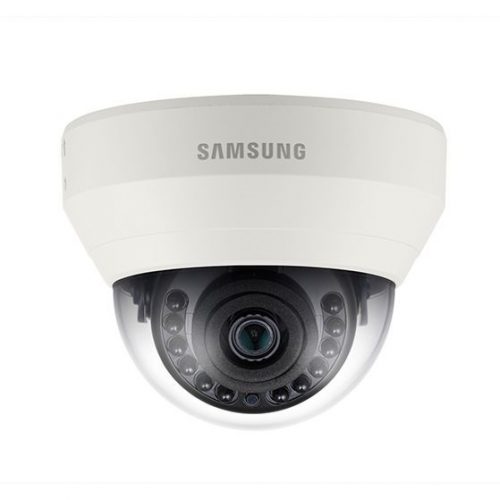
For sites running existing coaxial cable infrastructure, the CT-SCV-6023RP delivers a straightforward path to 1080p Full HD image quality without the cost of rewiring. Built on the Wisenet HD+ analog HD platform, this vandal dome camera transmits full 1920 x 1080 resolution at 30fps over coax at distances up to 500m, and remains backwards compatible with conventional analog DVR systems. Featuring a 4mm fixed lens, an IR range of 20m, and true Day and Night operation via a mechanical ICR filter, it maintains colour detail down to 0.25 Lux and switches to clear monochrome footage in complete darkness with IR active. The IK10 vandal-resistant housing and IP66 weatherproofing make it suited to stairwells, car parks, corridors, retail shopfronts, and other locations where the camera is accessible to the public and must withstand physical interference.
Key Capabilities
1080p Full HD over Coax
Wisenet HD+ technology delivers 1920 x 1080 at 30fps through existing coaxial cable runs up to 500m, allowing sites to upgrade image quality without replacing cabling or switching to an IP infrastructure.
IK10 Vandal-Resistant Dome Housing
The IK10-rated dome enclosure withstands impact forces that would damage standard housings, making it a practical choice for publicly accessible areas including stairwells, car parks, corridors, and external building perimeters.
Day and Night ICR with 20m IR
A mechanical infrared cut filter provides accurate colour reproduction during daylight hours, then retracts automatically at night. The built-in IR illuminators cover up to 20m, enabling usable footage in complete darkness without requiring external lighting.
IP66 Weatherproofing
The IP66 rating protects internal components from dust ingress and sustained water jets, supporting installations in covered outdoor positions such as eaves, building facades, and undercover car parks exposed to wind-driven rain.
DWDR and SSNRIV Image Processing
Digital wide dynamic range reduces overexposure in high-contrast scenes such as entry points with bright backlighting. SSNRIV noise reduction maintains clarity in low-light environments without introducing motion blur on moving subjects.
Best For
- Analog System Upgrades: Sites with installed coaxial cable can add the CT-SCV-6023RP and receive 1080p Full HD footage without recabling, making it a cost-effective resolution improvement over standard definition analog cameras.
- Publicly Accessible Indoor Locations: The IK10 vandal-resistant housing is suited to stairwells, lift lobbies, and corridors where cameras may be subject to tampering or accidental impact.
- Covered Outdoor Mounting: IP66 weatherproofing combined with IR night vision supports installation under eaves, at building entrances, or in covered car parks with low ambient lighting.
- Long Coax Cable Runs: With a maximum transmission distance of 500m over coax, this camera is suited to larger sites such as warehouses, schools, or multi-level car parks where camera positions may be far from the recorder location.
Why Choose the CT-SCV-6023RP
The CT-SCV-6023RP sits within the Wisenet HD+ range, which distinguishes itself from generic analog HD products through support for coax transmission distances up to 500m and confirmed backwards compatibility with standard analog DVR systems. Where a basic 1080p analog dome camera may deliver usable image quality, this model adds IK10 vandal resistance and IP66 weatherproofing in the same housing, covering both impact protection and outdoor deployment in a single unit. The 4mm fixed lens, mechanical ICR filter, DWDR, and SSNRIV noise reduction are all confirmed hardware-level features rather than firmware approximations, ensuring consistent performance across day and night conditions. For integrators or end users evaluating this model, it is available through Security Wholesalers as part of the Hanwha Vision analog camera range, with confirmed specifications matching the Wisenet HD+ platform.
Buyer Decision Tips
Analog HD vs. IP: The CT-SCV-6023RP operates on the Wisenet HD+ analog HD platform and connects to a compatible DVR or XVR via coaxial cable. It does not use PoE or an Ethernet connection and is not compatible with an NVR. If your installation requires PoE cabling, network-based remote access, or AI video analytics, an IP dome camera on a network recorder would be the appropriate direction. If you have an existing coax infrastructure and need a 1080p upgrade, this model is a direct fit.
IR Range and Lens Match: The 20m IR range is paired with a 4mm fixed lens, which provides a wide field of view suited to interior spaces and compact outdoor areas. For longer corridors or external approaches where you need to identify detail at distances beyond 15m, confirm that the scene width and depth match what a 4mm lens will capture at that IR distance before committing to placement.
Key Features & Technical Specifications
| Model |
CT-SCV-6023RP |
| Platform |
Wisenet HD+ |
| Resolution |
1920 x 1080 (1080p Full HD) at 30fps |
| Lens |
4mm fixed lens, F2.1 aperture |
| Minimum Illumination (Colour) |
0.25 Lux @ F2.1 |
| Minimum Illumination (B/W with IR) |
0 Lux @ F2.1 (IR LED on) |
| IR Illumination Range |
Up to 20m |
| Day and Night |
Mechanical ICR (true Day and Night) |
| Wide Dynamic Range |
DWDR (Digital Wide Dynamic Range) |
| Noise Reduction |
SSNRIV |
| Motion Detection |
Yes |
| Weatherproofing |
IP66 |
| Vandal Resistance |
IK10 |
| Max Transmission Distance |
500m over coaxial cable |
| Compatibility |
Backwards compatible with existing analog systems |
| Installation |
Plug and play |
Ideal Use Cases
Stairwells and Lift Lobbies
The IK10 vandal-resistant dome housing and compact form factor are well suited to stairwells and lift lobbies where cameras are within reach of building users and require a housing that resists deliberate impact or tampering.
Retail and Commercial Interiors
The 4mm fixed lens covers a wide field of view across aisles, service counters, and open floor areas, while 1080p resolution provides the detail needed to review transactions or incidents from the recorded footage.
Covered Car Parks and Building Entrances
IP66 weatherproofing and 20m IR night vision support mounting under eaves or in covered car parks where ambient light is low and the camera must operate reliably through overnight hours without supplementary lighting.
Analog DVR Upgrade Projects
Sites seeking to improve image quality across an existing coax-based DVR system can add CT-SCV-6023RP cameras without replacing cable runs, taking advantage of the Wisenet HD+ 500m transmission capability and backwards compatibility with standard analog recorders.
Choosing the Right Model
- Choose this model if: You have existing coaxial cable infrastructure and want 1080p Full HD image quality with IK10 vandal resistance, IP66 weatherproofing, and 20m IR in a dome form factor without migrating to an IP network camera system.
- Choose a different model if: Your installation uses Cat5e or Cat6 cabling and a PoE NVR, as this camera requires coaxial cable and a DVR or XVR recorder and is not compatible with a network-based system. Equally, if the project requires AI-based analytics such as smart motion detection or object classification, an IP camera platform would be more appropriate.
- Choose a different model if: The mounting location involves direct rain exposure without an overhang and requires a bullet-style housing, as the dome form factor is better suited to ceiling and overhang-mounted positions where rain does not fall directly onto the dome surface.
FAQs
- Will the CT-SCV-6023RP work with my existing analog DVR?
Yes. The CT-SCV-6023RP is built on the Wisenet HD+ platform, which is backwards compatible with standard analog DVR systems. If your recorder does not support the HD+ signal format, the camera will still output a standard analog signal, though at reduced resolution. For full 1080p output, the connected DVR or XVR must support the Wisenet HD+ or equivalent HD analog standard.
- How far can the CT-SCV-6023RP transmit a signal over coaxial cable?
The Wisenet HD+ platform supports a maximum transmission distance of 500m over coaxial cable. This makes it suitable for larger sites where camera positions may be a significant distance from the recorder, such as multi-level car parks, schools, warehouses, or perimeter installations.
- What does the IK10 rating mean for this camera?
IK10 is the highest level of the international impact protection rating scale, indicating the enclosure can withstand an impact energy of 20 joules. In practical terms, this means the dome housing is resistant to deliberate strikes or accidental blows that would crack or dislodge a standard camera, making it appropriate for stairwells, corridors, and other publicly accessible mounting locations.
- What is the effective night vision range of this camera?
The built-in IR illuminators provide a viewable range of up to 20m in complete darkness. At this distance, the camera operates in black and white mode with the ICR filter retracted. The mechanical ICR ensures accurate colour reproduction during daylight hours and a clean switch to IR-assisted monochrome when ambient light drops below the colour threshold of 0.25 Lux.
- Does the CT-SCV-6023RP support PoE or network connectivity?
No. This camera is an analog HD device that connects via coaxial cable to a DVR or XVR recorder. It does not have an Ethernet port, does not support PoE, and is not compatible with an NVR. If your project requires network-based connectivity, a separate IP dome camera model would be required.
- Where can I purchase the CT-SCV-6023RP and is it part of a larger Hanwha Vision range?
The CT-SCV-6023RP is part of the Wisenet HD+ analog camera range from Hanwha Vision, available through Security Wholesalers. The HD+ platform includes additional models across different housings and lens options, allowing integrators to maintain a consistent platform across a site while choosing the appropriate form factor for each camera position.
Additional Information
No additional downloads available for this product.