How can I turn the low light LED Off my Dahua Camera?
Step 1. Download and install the configtool – https://dahuawiki.com/ConfigTool this tool allows you to find the IP address of the NVR.
Step 2. Type the IP address into a browser, and use your login details to log into the system Note your PC must be using the same wifi as the NVR.
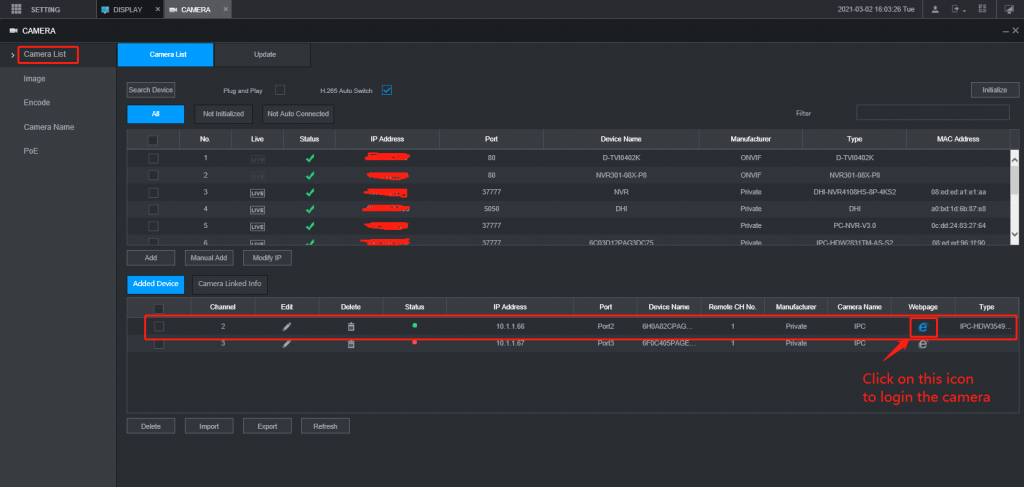
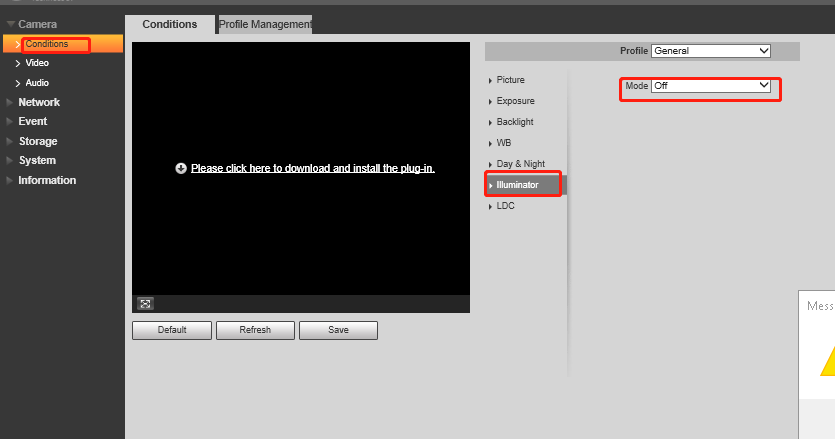
Step 3. the following step is: click on setting=> Camera list=> click on camera webpage as below, then you can web log in to the camera and turn white light off by changing the illuminator mode to off mode.