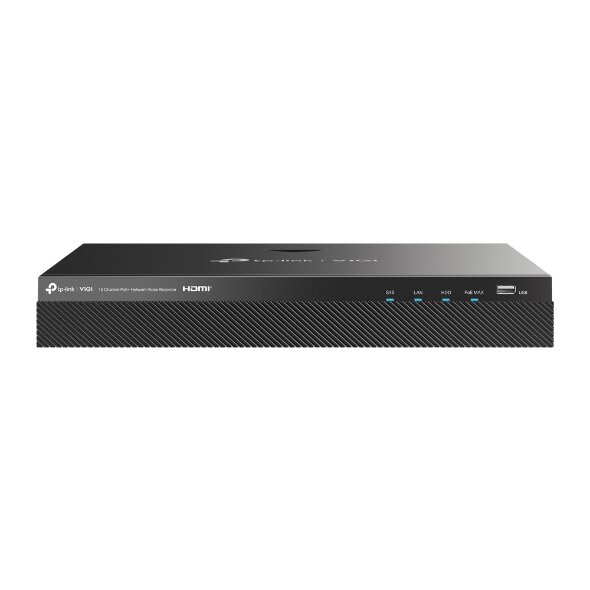
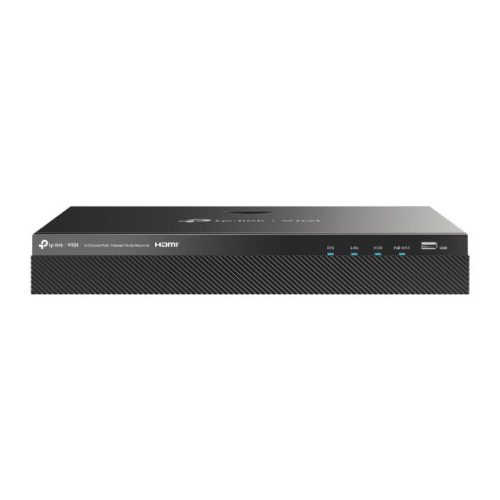
TP-Link VIGI NVR2016H-16MP 16-Channel PoE+ Network Video Recorder
Product Overview
Use the TP-Link VIGI NVR2016H-16MP for a wired surveillance installation that needs up to sixteen IP cameras and central recording. Its sixteen built-in PoE+ ports let compatible cameras receive power and send video over the same Ethernet runs. This suits sites with camera cables returning to one cabinet, such as a small warehouse, commercial tenancy or multi-building system with a central network point.
The recorder provides two SATA interfaces and a 4K HDMI output. Allow for surveillance storage separately when planning a quote. The supplied hardware revision matters to the detailed bandwidth and storage specification. The linked manufacturer document covers V2, so check the revision on the unit if the installation depends on an exact performance ceiling.
Key Capabilities
Sixteen camera channels
Count current cameras and planned additions. If the site is likely to exceed sixteen channels, allow for a higher-capacity recorder or a separate system before the network and storage layout is finalised.
Integrated PoE+
Use compatible IP cameras on the built-in ports to consolidate power and data. Add the maximum power draw of the connected devices, including any night lighting, heaters or moving assemblies that increase demand.
140 W shared power budget
The total budget is shared by the connected ports. An installation can reach the combined power limit before it fills all sixteen ports. A separately powered switch may be the better choice for higher-draw devices.
Two SATA bays
Select compatible drives for the total recorded bitrate and desired retention period. Continuous recording across sixteen cameras can require substantially more storage than a smaller event-based system.
4K HDMI display output
Use the HDMI output for a compatible local display. Display output resolution and the recorder’s ability to decode multiple high-resolution channels simultaneously are separate specifications. Check the relevant decoding table if a particular multi-camera viewing layout is required.
ONVIF compatibility
The recorder can support compatible third-party cameras. Test recording, motion events and playback with the actual camera and recorder combination if an installation relies on a particular analytics or audio feature.
Installation and Compatibility
Plan cable routes and label camera runs before connecting them. Allow ventilation around the recorder and leave access to the hard-drive bay and rear connections for servicing. If several cameras are fed through remote switches rather than the built-in ports, check the uplink available between those switches and the recorder.
Commission one representative camera before rolling out the rest. Confirm image quality at night, make a sample recording and try exporting a short clip. Compare the recorded main stream with the multi-camera live view so the operator knows where to find full detail during playback.
Choosing the Right Model
Choose this unit when a built-in sixteen-port PoE+ recorder suits the cabling layout and the camera power budget fits. For a system that already has separately powered network switches, check whether integrated PoE will simplify servicing or duplicate equipment. Confirm the hard-drive capacity, camera compatibility and playback workload before ordering.
Use the exact model number when building the parts list and keep the product documentation with the project records. This makes it easier to check compatibility later if equipment is replaced or the system is expanded.
Additional Information
Download the official VIGI-NVR2016H-16MP datasheet (PDF)