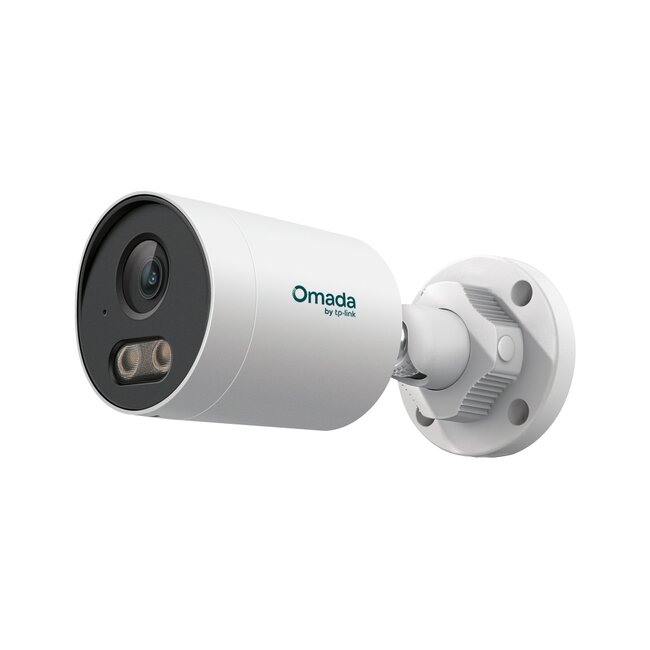
TP-Link Omada 5MP Outdoor Bullet | 4 mm Fixed Lens | PoE | Smart IR and Colour Night Vision | IP67 and IK10
Product Overview
The TP-Link Omada 5MP Bullet is a wired outdoor camera for monitoring a defined area such as a shop entrance, driveway, loading bay or side passage. Its 2880 × 1620 image and fixed 4 mm lens suit installations where you can plan the camera around a specific approach or zone.
The bullet housing lets the installer aim the camera along a wall, fence or entry path. A built-in microphone provides audio for supported recording setups, and the camera can switch between infrared and colour night viewing to suit the lighting around the property.
Key Capabilities
5MP recording
Capture a 2880 × 1620 image. Aim and frame the camera for the distance where you need detail, especially if people or vehicles occupy only a small portion of the scene.
Fixed 4 mm lens
Use the fixed field of view to cover a defined approach. Check the framing from the proposed mounting point before drilling.
Smart IR and colour night vision
Use infrared for monochrome footage in darkness or add visible illumination where colour information matters.
Person, vehicle and pet detection
Configure the relevant detection types and zones to suit the site. Test the alerts during normal traffic before relying on them.
Built-in microphone
Capture sound with supported recording equipment where audio is appropriate for the installation.
IP67 and IK10 housing
The weather and impact ratings suit exposed mounting. Protect the Ethernet connection and cable entry separately.
Installation and Compatibility
Use an 802.3af/at PoE switch or compatible recorder port and allow up to 8.7 W per camera. The camera has no onboard microSD storage, so plan recording and retention on a compatible recorder or surveillance platform.
Before choosing the mount, walk the route you want covered and decide where a person or vehicle needs to be seen clearly. A camera mounted high and aimed down can give a useful overview, but hats, awnings and vehicle roofs may hide the details you need at an entrance. Aiming along a passage rather than across it can also change how much of the subject stays in view.
Before ordering several cameras, test a representative channel on your recorder. Confirm that it can record the intended stream and review how it handles audio, motion events and search. If an event type is essential, trigger it during commissioning and check that it appears in playback, as support for individual camera features can differ between recording platforms.
Choosing the Right Model
Choose this 5MP camera for general oversight when a compatible recorder will handle storage. If the camera needs to record without a network recorder, plan a separate recording platform before buying. Check that people and vehicles occupy enough of the frame at the distance you actually need to review.
During night commissioning, view a moving subject at the actual working distance and look for blur, overexposed faces or IR reflected off nearby surfaces. Adjust the aim or the lighting if those problems appear. Leave enough room around the bracket to service the connector and secure the cable so its weight does not pull on the termination.
Additional Information
Download the official OMADA-5MP-BULLET datasheet (PDF)